June 11, 2025
The New Age of Visuals with AI Image Editing Tools
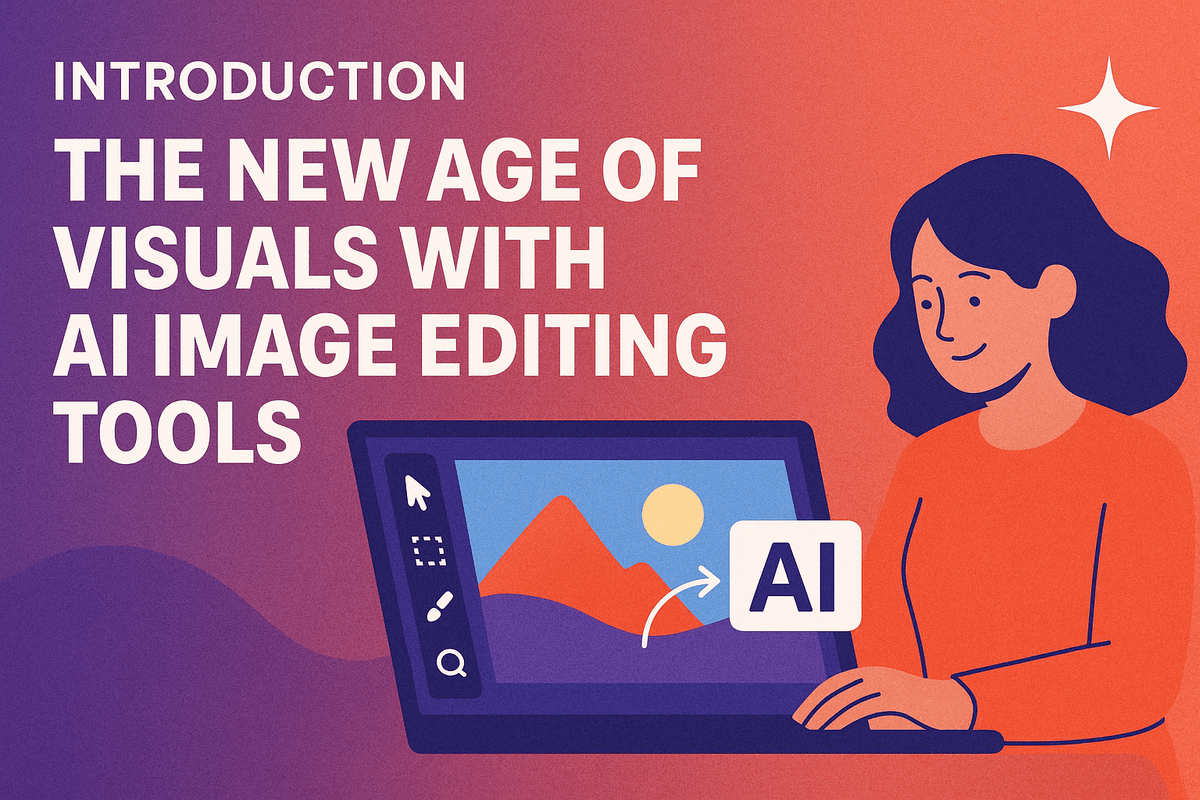
Introduction: The New Age of Visuals with AI Image Editing Tools
Welcome to the visual revolution! We're stepping into an era where creating stunning, professional-grade images is no longer solely the domain of experts with years of software training. The driving force behind this transformation? AI image editing tools. These innovative solutions are rapidly changing how we create, modify, and perfect our visuals. But what exactly are they, how do they work their magic, and why are they becoming indispensable?
What Are AI Image Editing Tools and How Do They Differ?
At their core, AI image editing tools are sophisticated applications that leverage the power of artificial intelligence—specifically machine learning and deep learning algorithms—to understand, interpret, and manipulate images. Think of them as intelligent assistants that can perform complex editing tasks with unprecedented speed and often, with just a few clicks via intuitive interfaces.
This marks a significant departure from traditional image editing software like Adobe Photoshop or GIMP. While these conventional programs are incredibly powerful and offer granular control, they typically rely on manual processes. Users often need to meticulously select pixels, adjust numerous sliders, and build edits layer by layer. This can involve a steep learning curve and demand a considerable time investment for intricate work.
AI image editing tools, on the other hand, streamline and automate many of these processes. They excel at tasks such as:
- Seamless object removal and replacement
- Intelligent background changes
- Automatic detail enhancement and sharpening
- Content-aware fill and image expansion
- Style transfer and artistic effect application
The difference isn't just about automation; it's a fundamental shift in how we interact with image editing, moving from painstaking pixel-level control to outcome-driven instructions. This makes sophisticated image manipulation more accessible to everyone, regardless of their technical expertise.
The Magic Behind the Curtain: Understanding AI in Image Manipulation
So, what’s the 'magic' that allows these AI image editing tools to perform such seemingly complex feats? It's not sorcery, but rather the cutting-edge science of artificial intelligence. The 'brains' behind these tools are algorithms trained on colossal datasets, often containing millions or even billions of diverse images.
This extensive training process allows the AI to learn intricate patterns, understand visual context, and recognize objects, textures, lighting conditions, and artistic styles with remarkable accuracy. Key AI concepts at play include:
- Machine Learning (ML): This is where algorithms learn from data without being explicitly programmed for each task. For instance, an AI tool learns to remove an unwanted object by analyzing countless examples of objects and their backgrounds, figuring out how to fill the vacated space plausibly.
- Deep Learning & Neural Networks: These are more advanced forms of ML, inspired by the human brain's structure. Neural networks, with their multiple layers, can process visual information with incredible sophistication, enabling tasks like accurate subject recognition, semantic segmentation (understanding what different parts of an image represent), or even generating entirely new visual elements based on text prompts.
When you use an AI image editing tool to, say, 'enhance a portrait,' the AI isn't just blindly applying a filter. It's analyzing facial features, lighting, skin texture, and background elements, then applying subtle, context-aware adjustments based on its vast training. This deep understanding of visual data is what makes modern AI image editing tools so powerful, intuitive, and capable of producing natural-looking results.
Why AI Image Editing Tools Are a Game-Changer for Creators and Businesses
The emergence and rapid evolution of sophisticated AI image editing tools isn't just a technological leap; it's a genuine game-changer for a diverse range of users, from individual creators to large-scale businesses. Their impact is reshaping workflows, democratizing creative power, and unlocking new levels of efficiency and innovation.
For Creators (photographers, designers, artists, social media influencers):
- Democratized Power: Complex tasks like advanced retouching, intricate object removal, or creative compositing, once requiring years of practice with traditional software, are now accessible to a wider audience.
- Time Reclaimed: Tedious, repetitive tasks are automated, freeing up valuable time for creators to focus on the conceptual and artistic aspects of their work. Imagine cutting out a complex subject from its background in seconds instead of minutes or hours!
- Creative Expansion: AI image editing tools often introduce novel capabilities, like generative fill (adding elements that weren't originally there based on prompts), smart upscaling, or artistic style transfer, pushing the boundaries of what's creatively possible.
For Businesses (marketing, e-commerce, content creation):
- Enhanced Productivity & Cost Savings: Marketing teams can produce high-quality visual assets faster and often at a lower cost, reducing reliance on specialized staff or outsourcing for many common editing tasks.
- Speed to Market: E-commerce businesses can quickly prepare consistent, appealing product photos for online listings. Social media campaigns can be launched with visually engaging content more rapidly.
- Improved Quality and Professionalism: Achieving a consistent, high-quality, and professional look across all visual assets becomes easier, strengthening brand identity.
- Scalability: Processing and enhancing large batches of images, such as for product catalogs, event photography, or user-generated content, becomes significantly more manageable and efficient.
Ultimately, AI image editing tools are revolutionizing the visual landscape by making professional-quality image manipulation faster, easier, and more accessible than ever before. They empower users to bring their visions to life with unprecedented efficiency, fostering a new age of visual creativity, communication, and storytelling.
Top AI Image Editing Tools: A Comparative Look
Navigating the rapidly expanding landscape of ai image editing tools can be daunting. Whether you're a seasoned professional seeking to streamline your workflow or a hobbyist eager to explore new creative frontiers, understanding the key players and their capabilities is crucial. This comparative look will help you identify the best AI-powered solutions for your specific needs.
Diving into the Digital Darkroom: Leading AI Image Editing Tools
The market offers a diverse range of ai image editing tools, each with its unique strengths:
- Adobe Photoshop (with Adobe Sensei AI): The industry standard continues to evolve, integrating powerful AI features like Neural Filters and Generative Fill. It's an all-encompassing solution for professionals who need granular control and extensive capabilities, though it comes with a steeper learning curve and subscription cost.
- Luminar Neo by Skylum: Known for its AI-driven approach, Luminar Neo offers a more accessible experience, particularly for tasks like sky replacement, portrait enhancement, and creative effects. It's a strong contender for photographers looking for powerful AI assistance without Photoshop's complexity.
- Canva Magic Studio: While primarily a design platform, Canva has significantly boosted its AI image editing prowess. Its Magic Edit, Magic Eraser, and other AI tools are incredibly user-friendly, making it ideal for social media content creators, marketers, and hobbyists needing quick, effective edits.
- Topaz Labs (Photo AI, Gigapixel AI, DeNoise AI): This suite of specialized ai image editing tools focuses on image quality enhancement. If your primary goal is upscaling, sharpening, or noise reduction with exceptional detail, Topaz Labs software delivers professional-grade results, albeit at a premium price.
- Web-based AI Editors (e.g., Playground AI, Fotor, Pixlr): A growing number of online ai image editing tools offer impressive features, often with free or freemium tiers. These are excellent for quick edits, experimentation with AI generation, and users who prefer browser-based accessibility.
Feature Showdown: AI Capabilities Under the Microscope
Let's compare how these tools handle core AI-powered tasks:
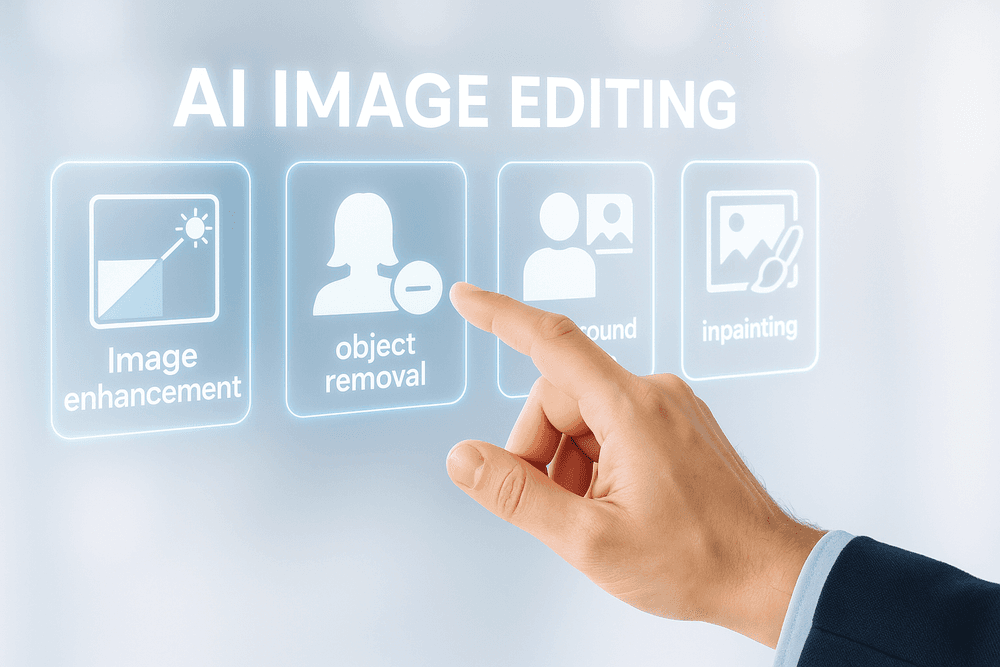
- AI-Powered Object Removal: Most modern ai image editing tools offer some form of object removal. Photoshop's Generative Fill excels at complex removals and background reconstruction. Luminar Neo provides effective and quick erase tools. Canva's Magic Eraser is simple and efficient for less complicated removals. The sophistication often correlates with the tool's overall complexity and price.
- Intelligent Image Enhancement: From one-click auto-enhancements to specific adjustments, AI significantly speeds up this process. Luminar Neo and Topaz Photo AI shine in areas like detail recovery, noise reduction, and smart sharpening. Photoshop’s AI-driven adjustments offer deep control, while tools like Canva provide quick, appealing enhancements suitable for general use.
- AI Image Generation & Transformation: This is where AI truly revolutionizes image editing. Photoshop's Generative Fill allows users to add, extend, or replace parts of an image with AI-generated content. Many dedicated AI art generators are also being integrated into editing workflows, while some ai image editing tools focus on style transfer or creative AI filters to transform existing images.
Pricing and Accessibility: Finding the Best AI Tools for Your Budget
The cost of ai image editing tools varies widely:
- Subscription Models: Adobe Photoshop and many cloud-based services operate on monthly or annual subscriptions.
- One-Time Purchases: Tools like Luminar Neo (though also offering subscriptions) and Topaz Labs software can sometimes be bought with a perpetual license.
- Freemium/Free: Canva offers a robust free tier, and many web-based ai image editing tools provide core functionalities without charge, with premium features locked behind a paywall.
Accessibility also plays a key role. Desktop applications like Photoshop and Luminar Neo offer more power but require installation, whereas web-based tools are accessible from any device with an internet connection.
User Experience (UX) and Learning Curve
The learning curve can be a deciding factor:
- Beginner-Friendly: Canva and many simpler web-based ai image editing tools boast intuitive interfaces, allowing users to achieve results quickly with minimal training.
- Intermediate: Luminar Neo strikes a balance, offering powerful AI features within a relatively easy-to-navigate UI.
- Professional/Advanced: Adobe Photoshop, with its vast array of tools and AI integrations, has the steepest learning curve but offers unparalleled depth for those willing to invest the time.
Ultimately, the best ai image editing tools for you will depend on your skill level, specific editing needs, project types, and budget. Experimenting with free trials or versions is highly recommended before committing.
Unlocking Creative Potential: Key Features of AI Image Editing Tools
The landscape of image manipulation has been revolutionized by the advent of AI image editing tools. These sophisticated platforms move far beyond the basic brightness, contrast, and saturation sliders of traditional software. They tap into the power of artificial intelligence to understand image content, context, and aesthetics, unlocking a new realm of creative possibilities and unprecedented efficiency. Let's delve into the key features that make these tools indispensable for both professionals and enthusiasts.
Beyond Basic Adjustments: Exploring Advanced AI-Driven Enhancements
Modern AI image editing tools are engineered to perform nuanced and intelligent enhancements that once required expert manual intervention. Imagine sharpening an image where the AI selectively enhances details without introducing artifacts, or intelligently reducing noise while preserving crucial textures. AI algorithms can analyze an image and apply optimal color correction, achieve perfect exposure balance in challenging lighting conditions, or even perform one-click sky replacements that seamlessly blend with the foreground. Features like AI-powered upscaling can increase image resolution significantly, making older or lower-quality photos usable for high-definition displays or large prints. Furthermore, style transfer capabilities allow users to apply the artistic style of one image to another, transforming a simple photograph into a piece resembling a van Gogh or a comic book illustration, all with a few clicks. This level of intelligent assistance means achieving professional-grade results faster and more intuitively.
Streamlining Complex Tasks: Background Removal and Image Restoration
Two of the most time-consuming and often frustrating tasks in image editing are background removal and image restoration. AI image editing tools have dramatically simplified these processes.
- Background Removal: AI algorithms can now identify and isolate subjects with remarkable accuracy, allowing for near-instant background removal or replacement. Forget meticulous manual selections with pen tools; AI understands edges, hair, and complex shapes, delivering clean cutouts that are perfect for product photography, portraits, and graphic design.
- Image Restoration: Breathing new life into old, damaged, or faded photographs is another area where AI excels. These tools can intelligently repair scratches, remove dust and blemishes, reduce film grain, de-blur images, and even colorize black and white photos with historically plausible hues. The AI analyzes the damaged areas and reconstructs missing information based on surrounding pixels and learned patterns, achieving restorations that can be truly astonishing.
Generative AI Features: Expanding and Creating New Elements
Perhaps the most groundbreaking advancements in AI image editing tools lie in their generative capabilities. Powered by sophisticated models, these features allow users to not just edit, but to create and expand visual content in unprecedented ways:
- Generative Fill/Expand (Outpainting): Need to change an image's aspect ratio or extend its canvas? Generative AI can intelligently fill in the new areas, creating content that seamlessly matches the existing scene. It’s like magic for reframing shots or creating panoramic views from standard images.
- Object Removal and Addition (Inpainting): AI can effortlessly remove unwanted objects, people, or text from an image, intelligently reconstructing the background as if the object was never there. Conversely, users can often add new elements by describing them via text prompts, allowing the AI to generate and integrate these objects realistically into the scene. This opens up limitless possibilities for creative composition and surreal digital art.
Automated Workflows and Batch Processing with AI Image Editing Tools
For photographers, marketers, and content creators dealing with large volumes of images, AI image editing tools offer a significant productivity boost through automation. Batch processing powered by AI means you can apply consistent enhancements, corrections, or specific styles to hundreds or even thousands of images simultaneously. AI can intelligently adjust parameters for each image within a batch for optimal results, ensuring consistency while respecting individual image characteristics. Automated workflows can involve tasks like auto-cropping and resizing for different social media platforms, applying consistent watermarks, or even sorting images based on quality or content. This frees up valuable time, allowing creators to focus on the more artistic aspects of their work rather than repetitive manual adjustments.
Best Practices for Leveraging AI Image Editing Tools Effectively
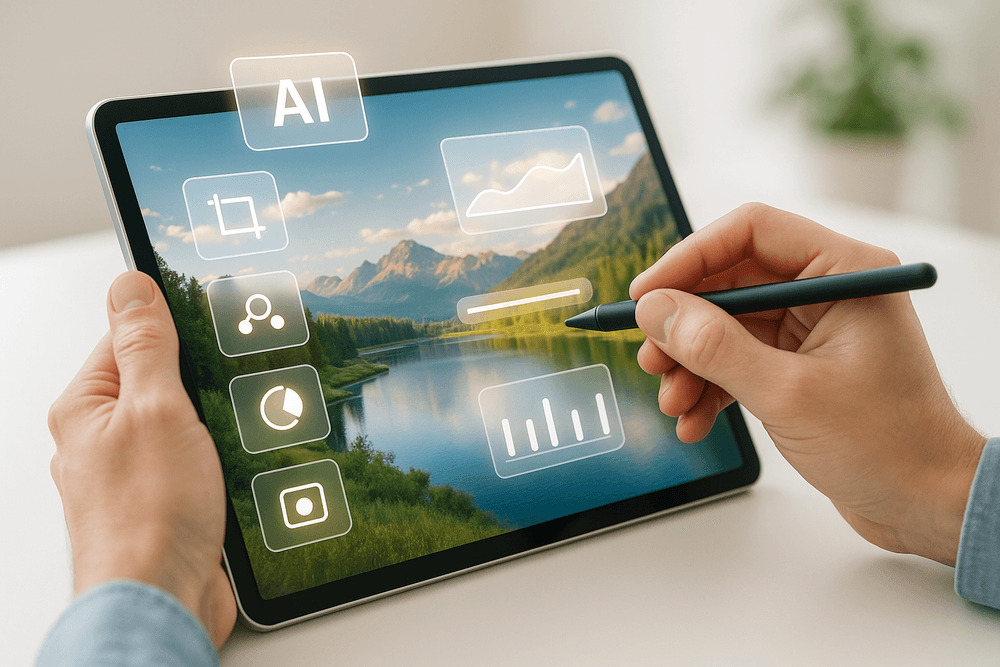
Achieving professional, high-quality results with ai image editing tools requires more than just clicking a button. It involves a blend of understanding the technology, employing smart techniques, and maintaining an ethical approach. By mastering these best practices, you can unlock the full potential of AI to enhance your images and streamline your creative workflow.
Achieving Natural-Looking Results with AI Image Editing Tools
The magic of ai image editing tools lies in their power, but the true art is in wielding that power to create believable, natural-looking results. Avoid the temptation to push sliders to the extreme or apply overly dramatic effects in one go. Instead, think of AI as a sophisticated assistant. Start with subtle adjustments and iterate. Often, a series of small, targeted changes yields a more professional and less "AI-generated" look than one drastic alteration. Don't be afraid to combine the capabilities of ai image editing tools with traditional editing software like Photoshop or GIMP. Use AI for heavy lifting, like complex object removal or intelligent upscaling, then fine-tune details, colors, and textures manually. Always scrutinize your edited images for common AI artifacts, such as oddly formed hands, repetitive patterns, or unnatural smoothing. Learning to spot and correct these is key to maintaining image integrity.
Understanding Limitations and Ethical Considerations
While ai image editing tools are rapidly evolving, it's crucial to acknowledge their current limitations and the ethical implications of their use.
Navigating the Limitations of AI Image Editing Tools
No AI tool is infallible. You might encounter "hallucinations" – where the AI generates nonsensical or out-of-context elements – or results that don't quite match your vision. AI image editing tools can also inherit biases from their training data, potentially leading to skewed representations or difficulty generating diverse outputs. Complex, highly nuanced edits may still require manual intervention. Understand that these tools are aids, not omnipotent creators; they work best when guided by a clear human vision and a willingness to experiment and refine.
Ethical Use of AI in Image Modification
The power to alter images so easily brings significant ethical responsibilities. Transparency is paramount; consider disclosing when an image has been significantly modified by AI, especially in contexts where authenticity matters (e.g., journalism, product representation). Be mindful of copyright, as the legal landscape surrounding AI-generated and AI-assisted content is still developing. The misuse of ai image editing tools for creating deepfakes, spreading misinformation, or infringing on privacy is a serious concern. Responsible use means upholding authenticity, respecting intellectual property, and considering the societal impact of manipulated imagery.
Integrating AI Image Editing Tools into Your Creative Workflow
Effectively incorporating ai image editing tools into your existing creative process can dramatically boost productivity and unlock new creative avenues. Start by identifying repetitive or time-consuming tasks that AI can handle. This could include batch background removal, intelligent cropping for different aspect ratios, or initial color correction. Use ai image editing tools for ideation and inspiration – quickly generate variations, explore different styles, or create concept art. Many professionals find AI most effective as a starting point, using it to generate a base image or effect which they then refine using their traditional skill set and software. This complementary approach leverages the best of both worlds: AI's speed and novel capabilities combined with human artistic control and nuance.
Maximizing Efficiency: Prompts and Techniques for Stellar Output
Getting the best results from generative ai image editing tools often comes down to mastering prompts and understanding specific techniques.
Crafting Effective Prompts
Your prompt is your instruction to the AI. The more specific and detailed your prompt, the better the AI can understand and execute your vision. Use descriptive adjectives for style (e.g., "photorealistic," "impressionistic," "vintage"), mood ("serene," "dramatic," "joyful"), lighting ("golden hour," "studio lighting," "neon glow"), and composition. Don't be afraid to iterate; refine your prompts based on the output. Utilize negative prompts if the tool supports them – specifying what you don't want to see can be as powerful as describing what you do. Experiment with phrasing and keyword order to see how it impacts the results.
Smart Techniques for Optimal Results
Beyond prompts, explore tool-specific parameters. Many ai image editing tools offer controls like guidance scale (how strictly the AI adheres to the prompt), seed numbers (for reproducible results), and aspect ratio settings. For image modification tasks like inpainting (filling in parts of an image) or outpainting (extending an image), precise masking and clear instructions are key. When upscaling images, experiment with different AI models or settings to find what preserves detail best without introducing artifacts. Always start with the highest quality source image possible for the AI to work with, as this generally leads to superior final outputs. Understanding these nuances will significantly improve the efficiency and quality of your AI-assisted image editing.
Real-World Magic: Diverse Use Cases of AI Image Editing Tools
The transformative power of AI image editing tools isn't confined to theory; it's actively reshaping how professionals and creators worldwide approach visual content. These intelligent solutions are no longer a distant dream but a practical reality, delivering concrete benefits and unlocking unprecedented efficiency and creativity. Let's explore some of the most compelling real-world scenarios where AI image editing tools are making a profound impact.
Transforming E-commerce Product Photography
In the competitive e-commerce landscape, compelling product images are non-negotiable. AI image editing tools are revolutionizing this domain by automating traditionally time-consuming tasks. Imagine instantly removing or replacing backgrounds across entire product catalogs for a sleek, uniform look. These tools excel at automatic color correction, lighting adjustments, and image upscaling for detailed zoom views. For online businesses, this means dramatically lower photography expenses, quicker product rollouts, and enhanced conversion rates. AI image editing tools empower sellers to showcase products flawlessly, often negating the need for costly studio sessions or deep retouching skills, thus democratizing professional product presentation.
Enhancing Social Media Content and Marketing Visuals
The ceaseless appetite for fresh, captivating visuals on social media presents a constant challenge. AI image editing tools are powerful assets for marketers and content creators, simplifying the production of engaging content. From rapidly crafting striking graphics with dynamic text overlays and artistic effects to effortlessly resizing images for various platform specifications, these tools are significant time-savers. Advanced AI image editing tools can even conjure unique visuals from simple text prompts, providing a wellspring of inspiration for campaigns. This enables marketing teams to uphold brand consistency, efficiently A/B test diverse visual approaches, and boost content output, fostering greater audience engagement and a more robust online identity.
AI Image Editing Tools in Graphic Design: From Concept to Final Product
Graphic designers are increasingly leveraging AI image editing tools as integral components of their creative workflow, impacting every stage from initial concept to polished final art. These intelligent tools can accelerate the ideation phase by generating visual concepts from textual descriptions, helping designers overcome creative hurdles and explore a wider range of design avenues quickly. Mundane yet critical tasks, such as intricate object selection, precise masking, or the creation of seamless patterns, can be largely automated. This allows designers to dedicate more cognitive energy to strategic design and innovative thinking. Features like AI-driven inpainting (filling in missing parts of an image) and outpainting (extending an image's borders) provide novel ways to manipulate and expand images. By embracing AI image editing tools, designers can iterate faster, experiment with greater freedom, and achieve high-quality results more efficiently.
For Photographers: Saving Time and Elevating Artistic Expression
Photographers, from seasoned professionals to passionate hobbyists, are reaping substantial rewards by integrating AI image editing tools into their post-processing routines. The most notable benefit is often the significant time reduction. AI algorithms can intelligently sort through vast photo libraries to pinpoint the best captures and execute sophisticated retouching, like natural-looking skin smoothing or blemish removal. Time-intensive operations such as noise reduction, image sharpening, and even intricate sky replacements are now achievable in mere moments. Beyond workflow optimization, AI image editing tools are also expanding creative horizons. Photographers can explore novel artistic styles, apply unique filter effects, or transform their images in ways previously deemed too complex or laborious, allowing them to focus more on their craft and artistic vision.
Conclusion: Embrace the Future of Visuals with AI Image Editing Tools
The journey through the landscape of AI image editing tools reveals a clear and compelling truth: the way we create, enhance, and interact with visual content has irrevocably changed. These intelligent platforms are no longer a futuristic concept but a present-day reality, democratizing capabilities once reserved for seasoned professionals with expensive software. The transformative power of AI image editing tools lies in their ability to automate complex tasks, significantly boost efficiency, and unlock unprecedented levels of creativity for everyone, from hobbyists to enterprise-level marketing teams. We've seen how they can breathe life into old photos, generate entirely new visual concepts from text prompts, and refine images to perfection with just a few clicks, making sophisticated image manipulation accessible to all.
This revolution powered by AI image editing tools extends far beyond simple filter application. It's about intelligent object removal that seamlessly reconstructs backgrounds, AI-driven upscaling that preserves detail even in enlarged images, and generative fill features that expand creative horizons beyond the original frame. For photographers, this means less time spent on tedious retouching and more time dedicated to artistic expression and capturing the perfect shot. For marketers, it’s the power to create stunning, bespoke campaign visuals at unprecedented speed and scale, responding agilely to market trends. For designers and content creators, it’s an expanded toolkit that breaks down creative barriers, allowing for the exploration of novel aesthetics and complex compositions. The consistent theme across all applications is a significant reduction in manual labor, freeing up valuable time and mental energy to focus on higher-level strategy, compelling storytelling, and genuine innovation in visual communication. The era of laborious pixel-by-pixel editing is giving way to an era of intelligent assistance, where AI image editing tools act as powerful creative partners.
With such a diverse array of AI image editing tools now available, each boasting unique strengths, specialized features, and distinct user interfaces, the question naturally arises: how do you choose the right one to elevate your work and streamline your creative process? The answer isn't a one-size-fits-all recommendation, as the "best" tool is inherently subjective. Instead, selecting the ideal AI image editing tool is a personalized journey of discovery, one that should align perfectly with your specific needs, artistic or professional goals, and technical comfort level.
Finding Your Perfect AI Image Editing Partner
To navigate this exciting new terrain and select the most suitable AI image editing tools for your endeavors, start by reflecting on your primary objectives. Are you predominantly looking to streamline everyday editing tasks such as quick background removal, precise color correction, or effortless object replacement? Or do your projects demand more advanced capabilities, like AI-powered image generation from textual descriptions, intricate inpainting or outpainting, or the application of artistic style transfers to transform photos into specific art forms?
Consider the types of projects you typically undertake and the volume of images you need to process. Evaluate the learning curve associated with different AI image editing tools; some offer exceptionally intuitive, user-friendly interfaces that are perfect for beginners or those seeking rapid results, while others provide a deeper, more customizable, and feature-rich experience tailored for advanced users and professionals requiring granular control. Don't overlook the importance of how a new tool might integrate with your existing software ecosystem and workflow. And, of course, your budget will play a role, though many powerful AI image editing tools offer highly accessible free trials or comprehensive freemium versions. These provide an excellent, risk-free opportunity to experiment with various platforms, test their capabilities on your own images, and ultimately identify the software that truly resonates with your creative process and measurably enhances your productivity.
The future of visuals is undeniably intertwined with artificial intelligence, and it's a future brimming with exciting, almost limitless possibilities. Don't let this transformative wave of innovation pass you by. We wholeheartedly encourage you to take the plunge: start exploring AI image editing tools today and unleash your creativity! Whether you're aiming to refine your professional photography portfolio, generate more engaging and unique social media content, develop compelling marketing materials, or simply explore new artistic avenues and express your vision, these tools offer the power to transform your ideas into stunning reality with greater ease and sophistication than ever before. Embrace the newfound efficiency, harness the cutting-edge features, and watch as your visual projects reach new heights of quality and impact. The journey into AI-enhanced imagery is just beginning, and the tools to navigate this inspiring landscape are readily available at your fingertips.