
August 22, 2025
Which AI Makes You More Productive?
Google Pixel vs Samsung Galaxy: Which AI Makes You More Productive?
For years, the smartphone debate has been a numbers game. Megapixels, gigahertz, gigabytes—we compared spec sheets to crown a winner. But in 2024, that conversation is missing the point. The hardware race has plateaued, and the real battleground in the Google Pixel vs Samsung Galaxy showdown has shifted to a far more interesting and impactful metric: artificial intelligence. The new question isn’t which phone is faster on paper, but which phone makes you faster, smarter, and more focused in your daily life. This is where the true differentiation lies.
Beyond the Specs: Why AI is the New Battleground
The raw power in today's flagship phones is more than enough for 99% of users. The subtle differences in processing speed are nearly imperceptible in day-to-day use. Instead, the game-changing innovations are happening in the software, driven by sophisticated on-device machine learning and cloud-based AI.
This isn't just about a voice assistant that can tell you the weather. It’s about a phone that can screen your calls from spammers, magically erase photo bombers from a cherished memory, or summarize a long, rambling article into bullet points. This is AI that doesn't just respond to commands but works proactively in the background to streamline your tasks and reduce your cognitive load. The real value is no longer just in the hardware, but in the intelligence that harnesses it.
Defining Smartphone Productivity in the AI Era
When we talk about "productivity" on a smartphone, the definition has evolved. It’s no longer just about checking emails or managing your calendar. In the AI era, a productive device is one that actively assists you in three key ways:
- Anticipatory Assistance: It understands context and predicts your needs. This means offering a smart reply that perfectly captures what you wanted to say, suggesting you leave for your meeting now because of traffic, or automatically creating a to-do list from a dictated voice note.
- Frictionless Task Completion: It removes the tedious steps between having an idea and getting it done. Think of instantly translating a menu with your camera, circling an object on your screen to search for it online, or generating a polished draft of an email from a few simple prompts.
- Intelligent Focus Management: A truly productive phone helps you manage the noise. An intelligent notification system is a prime example, learning which alerts are urgent and which can wait, allowing you to stay in the zone without missing what’s truly important.
How We're Comparing the AI Ecosystems
To determine a winner in the Google Pixel vs Samsung Galaxy AI contest, we need to look beyond a simple feature checklist. We’re comparing two distinct philosophies.
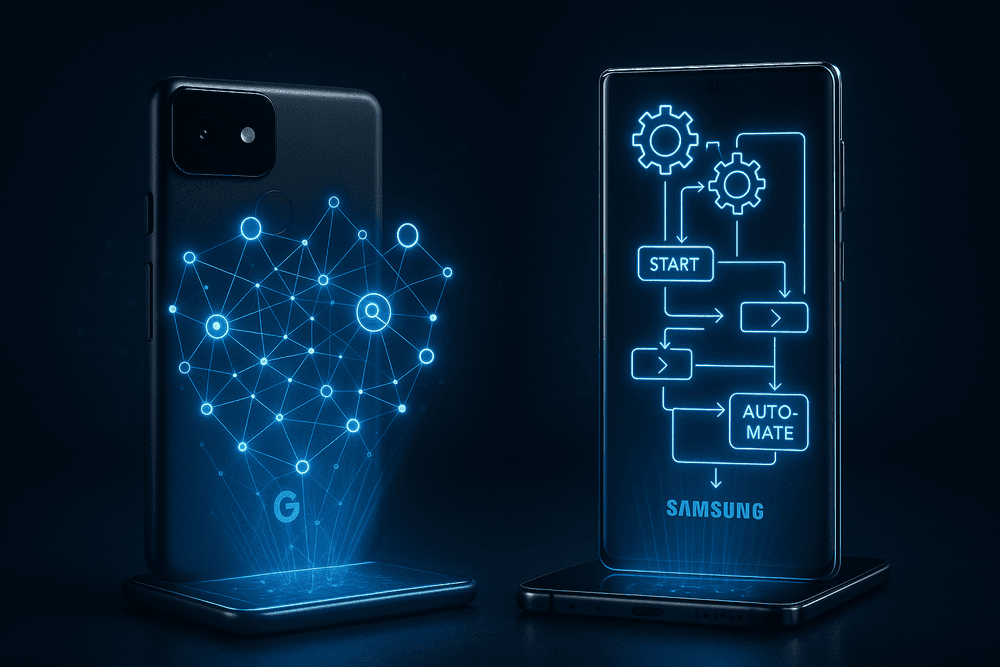
- Google Pixel: This is the pure, vertically-integrated AI experience. With its custom Tensor chip and deep integration of Google Assistant and Gemini, the Pixel’s intelligence often feels ambient and seamless. It excels at proactive, background tasks that make the entire Android operating system feel smarter.
- Samsung Galaxy: With its "Galaxy AI" suite, Samsung takes a more feature-forward approach. Built within its popular One UI, it delivers a powerful set of clearly branded tools—like Live Translate, Note Assist, and Circle to Search—that put tangible AI power directly into the user's hands.
Throughout this comparison, we will analyze how each of these ecosystems performs in real-world scenarios, from managing communications and creating content to finding information and organizing your day.
The Core AI Engine: A Google Pixel vs Samsung Galaxy Showdown
At the heart of any AI-powered smartphone is its digital assistant—the central intelligence that interprets your commands and anticipates your needs. This is where the fundamental philosophies of Google and Samsung diverge, creating a distinct user experience. In the google pixel vs samsung galaxy productivity battle, the core AI engine is a critical differentiator, pitting Google's ubiquitous Assistant against Samsung's device-focused Bixby.
Google Assistant: Proactive Intelligence and Seamless Integration
On a Google Pixel, the Google Assistant isn't just an app; it's woven into the fabric of the operating system. Its primary strength lies in its deep, contextual understanding and seamless integration with Google's vast ecosystem. Think of it as a proactive knowledge worker.
Assistant excels at understanding natural, conversational language. You can ask follow-up questions without repeating the subject, and it leverages the power of Google Search to provide accurate, comprehensive answers. For productivity, its power shines through features like:
- At a Glance: This home screen widget proactively displays flight information, meeting reminders, and traffic alerts for your commute, often before you even think to ask.
- Call Screen: A signature Pixel feature, Assistant can screen unknown calls for you, transcribing the conversation in real-time so you can decide whether to answer or block the number, saving you from countless spam interruptions.
- Contextual Awareness: When viewing an email in Gmail, you can ask Assistant to "remind me about this tonight" without any extra steps. It understands the context and creates the reminder for you. This effortless integration across Google's suite (Calendar, Maps, Keep) makes it a formidable productivity hub.
Samsung's Bixby: Advanced Device Control and Routines
Where Google Assistant acts as the brain, Samsung's Bixby functions as the hands. Its core competency isn't answering trivia questions; it's about providing deep, granular control over the Galaxy device itself. Bixby can access system-level settings and perform multi-step actions that Assistant simply can't.
The crown jewel of Bixby's productivity arsenal is Bixby Routines. This powerful automation tool allows you to create complex "If This, Then That" (IFTTT) workflows. For example:
- Work Routine: If I arrive at my office location, then set the phone to vibrate, turn on Wi-Fi, and open my work apps.
- Driving Routine: If my phone connects to my car's Bluetooth, then turn off Wi-Fi, launch Google Maps, and start my "Commute" playlist on Spotify.
This level of customization allows users to automate repetitive tasks, saving precious time throughout the day. Bixby also excels at chained commands via "Quick Commands," letting you trigger a sequence of actions like "Turn on Do Not Disturb and set an alarm for 6 AM" with a single custom phrase.
Which AI Assistant Understands You Better?
The answer to this google pixel vs samsung galaxy question depends entirely on your productivity style.
- Choose Google Pixel's Assistant if your productivity relies on information management, seamless scheduling, and proactive suggestions. If you live within the Google ecosystem, Assistant feels like a natural, intelligent extension of your workflow.
- Choose Samsung Galaxy's Bixby if your productivity is centered on automation and fine-tuning your device's behavior to match your environment. For power users who love to build custom workflows, Bixby Routines is an unparalleled tool.
Ultimately, Google Assistant is a superior conversationalist and information guru, while Bixby is a master of device automation. Many Galaxy users even leverage both—using Assistant for queries and Bixby for routines—proving that in the world of AI, the best tool is the one that best fits the task at hand.
AI-Powered Features for Everyday Productivity
In the modern smartphone arena, raw power is only half the story. The real battle for your pocket is fought with artificial intelligence, where software smarts transform your device into a proactive assistant. This is where the core philosophies of Google and Samsung truly diverge, creating unique productivity ecosystems.
Intelligent Communication: Google's Call Screen vs. Samsung's Bixby Text Call
Spam calls are a universal productivity killer. Both Google and Samsung leverage AI to fight back, but with different strategies.
Google Pixel’s Call Screen acts as your personal receptionist. When an unknown number calls, you can tap a button to have the Google Assistant answer on your behalf. You see a real-time transcript of the conversation and can decide whether to answer, hang up, or send a quick reply like "I'll call you back." It's a brilliant, proactive filter that saves you from unwanted interruptions without you ever needing to speak.
Samsung’s Bixby Text Call is a different beast. It’s designed for situations where you can’t talk. You answer the call and type your responses, which Bixby then reads aloud to the caller. It’s an excellent accessibility tool and handy in a noisy environment, but it's a reactive solution. In the Google Pixel vs Samsung Galaxy showdown for call management, Pixel’s Call Screen offers a more direct and seamless boost to everyday productivity by stopping interruptions before they start.
AI Photo Editing: Pixel's Magic Eraser vs. Galaxy's Object Eraser
A perfect photo can be ruined by a single photobomber or distracting object. Both platforms offer a one-tap AI solution.
Google’s Magic Eraser on the Pixel is renowned for its simplicity and effectiveness. You simply circle or brush over an unwanted object, and the AI intelligently removes it, filling in the background with stunning accuracy. It can even camouflage distracting elements by changing their color to blend in.
Samsung’s Object Eraser, a key part of the Galaxy AI suite, is a formidable competitor. It performs the same core function—removing people, shadows, and reflections from your photos. In practice, the results are incredibly similar. While some argue Google’s background-filling algorithm is marginally more sophisticated, Samsung's tool is a powerhouse. This feature is nearly a draw in the Google Pixel vs Samsung Galaxy debate, with both delivering magical results that save you from needing a complex desktop editor.
Smart Organization: At a Glance vs. Smart Suggestions
A truly smart device should anticipate your needs. Google and Samsung approach this with their home screen widgets.
The Pixel’s At a Glance widget is the heart of its proactive intelligence. It’s a dynamic space that surfaces timely information exactly when you need it: your next calendar event, flight boarding passes at the airport, weather warnings, package delivery notifications, and even a QR code for your loyalty card when you arrive at a cafe. It’s all about providing passive, contextual information.
Samsung’s Smart Suggestions widget focuses more on predicting your actions. Based on your usage patterns, it will recommend apps and routines. For instance, it might suggest your music app when you connect headphones or offer a shortcut to call a frequent contact in the evening. When comparing Google Pixel vs Samsung Galaxy on this front, Pixel’s At a Glance feels more uniquely useful for productivity, reducing the mental load of searching for information.
Real-Time Communication: Live Translate and Interpreter Mode
Language barriers are a major hurdle for travel and international business. Both phones offer powerful on-device translation tools.
Samsung's Live Translate, integrated directly into the native Phone app, is a game-changer. During a call, it provides real-time, two-way voice and text translations, making international calls incredibly fluid. Its Interpreter Mode also uses a convenient split-screen view for face-to-face conversations.
Google's Live Translate is more deeply woven throughout the entire Pixel operating system. It can translate text in messaging apps, generate translated live captions for any media you’re watching, and use the camera to translate signs and menus. Its Interpreter Mode is also robust for in-person chats. In this final Google Pixel vs Samsung Galaxy AI comparison, Samsung claims a narrow victory for its seamless in-call translation, while Pixel offers a more versatile, system-wide translation experience for text and media.
Real-World Use Cases: A Day in the Life with Each Phone
Theory is one thing, but how do these AI features perform when the pressure is on? We’ll walk through a typical day to see how the Google Pixel vs Samsung Galaxy competition plays out in practical, everyday scenarios.
Managing a Hectic Workday
Your day starts with a flood of emails, meeting alerts, and messages. Productivity here is all about cutting through the noise.
With the Google Pixel, the experience is proactive. The At a Glance widget already shows your first calendar event and the traffic to your meeting. As notifications roll in, Android’s Adaptive Notifications prioritizes what’s important, tucking away less urgent pings. When an unknown number calls, Call Screen answers for you, transcribing the call in real-time so you can decide whether to pick up without breaking your focus. This is Google's AI acting as a silent, efficient assistant, anticipating your needs before you do.
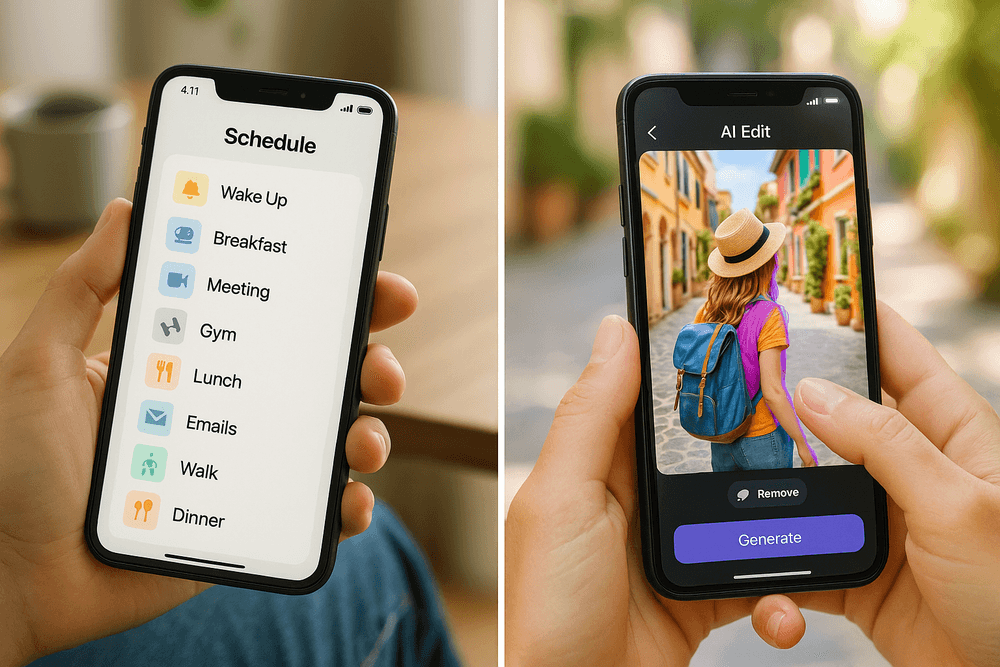
The Samsung Galaxy puts the power of automation in your hands. Using Bixby Routines, you can create a "Work Mode" that triggers when you arrive at the office. This can automatically silence social media notifications, turn on Wi-Fi, and open your work apps. With Link to Windows, your phone's notifications, messages, and apps are mirrored on your PC, creating a seamless workflow. Samsung's AI is less about anticipation and more about powerful, user-defined customization to craft your ideal productive environment.
Capturing and Editing Memories on the Go
You step out for a lunch break and snap a picture of a street performer, but a tourist walks into the frame.
On the Google Pixel, this is a non-issue. You open the photo, and Google Photos suggests using Magic Eraser. With a few taps, the tourist vanishes without a trace, leaving a clean, perfect shot. You notice an older photo from the same spot is a bit blurry; Photo Unblur uses AI to sharpen the faces, rescuing the memory. The Pixel’s AI excels at fixing imperfections, making you look like a pro photographer with minimal effort.
On the Samsung Galaxy, you have a different set of powerful tools. The initial shot, captured with Scene Optimizer, is already vibrant. To handle the photobomber, you use Generative Edit to select and remove them, and the AI intelligently fills in the background. It also offers Edit Suggestions like remastering the image or adding a portrait blur. The Google Pixel vs Samsung Galaxy debate in photography is about philosophy: Pixel’s AI cleans and perfects reality, while Samsung’s Galaxy AI gives you the tools to creatively alter and enhance it.
Planning a Trip with AI-Assisted Tools
Later that evening, you’re planning a weekend getaway. You see an intriguing photo of a boutique hotel on a friend's social media feed.
Whether you're using a Pixel or a new Galaxy, the experience is similar thanks to Circle to Search. You simply circle the hotel in the image, and your phone instantly searches for its name, location, and booking information.
Where they diverge is in the next steps. On the Pixel, the deep integration with the Google ecosystem shines. You use Google Lens to translate a menu from the hotel's website and add the location to Google Maps, where AI suggests nearby attractions. The whole process feels like a fluid conversation with Google's services.
With the Samsung Galaxy, you can use the Live Translate feature to call the hotel internationally and speak in your own language, with the AI translating for you in real-time. You can then use Note Assist to summarize your scribbled itinerary into a clean, organized list. Here, Samsung’s AI provides a suite of discrete, powerful tools designed to overcome specific travel barriers like language and organization.
Who Wins the AI Race? Deciding Between Google Pixel vs Samsung Galaxy
The battle for AI supremacy in the google pixel vs samsung galaxy debate isn't about which phone has more gigabytes of RAM; it's about philosophy. Both ecosystems leverage artificial intelligence to enhance productivity, but they do so in fundamentally different ways. Your ideal choice depends entirely on whether you want an AI assistant that anticipates your needs or an AI toolkit that you command.
Choose Pixel if You Value Simplicity and Proactive AI
Google's approach with the Pixel is one of ambient intelligence. The AI aims to be a silent, proactive partner that works in the background to make your life easier with minimal intervention. This is for the user who wants their technology to just work and solve problems before they even fully register them.
Think of features like Call Screen, which intercepts unknown numbers and transcribes the conversation in real-time so you never have to speak to a robocaller again. Or the "At a Glance" widget, which intelligently surfaces relevant information—like a flight boarding pass, a weather alert, or an upcoming appointment—right on your home screen without you having to ask. Pixel's AI is deeply woven into the core Android experience, designed to be intuitive and invisible. It’s about offloading mental clutter and letting the phone handle the small details, freeing you up to focus on more important tasks.
Choose Galaxy if You Value Customization and Device Control
If the Pixel is an attentive assistant, the Samsung Galaxy is a powerful, configurable command center. Samsung’s philosophy puts the user firmly in the driver's seat, providing a robust set of AI-powered tools that you can customize to build your perfect productivity workflow. This is for the power user who loves to tinker and tailor their device to their exact specifications.
The crown jewel of this approach is Bixby Routines. This potent "if this, then that" engine allows you to create complex automations, like silencing your phone and opening your notes app when you arrive at the office, or enabling a battery-saving mode when your charge drops below 20%. The recent "Galaxy AI" suite further enhances this, offering active tools like Live Translate for calls and Note Assist for summarizing your meeting notes. Combined with the multitasking prowess of DeX mode and the precision of the S Pen (on Ultra models), Samsung’s AI is a toolkit for those who want to actively direct their device’s intelligence.
Software Updates and the Future of AI on Each Platform
The AI landscape is evolving at a breakneck pace, making software support more critical than ever. Historically, Pixel held the undisputed advantage, receiving the latest Android versions and exclusive "Feature Drops" on day one. As Google’s flagship device, the Pixel remains the purest expression of its AI vision and the first to get its latest innovations.
However, Samsung has dramatically closed the gap. By committing to an impressive seven years of OS and security updates for its flagship devices, Samsung now matches Google's promise of longevity. This ensures that Galaxy users will continue to receive new "Galaxy AI" features for years to come. The google pixel vs samsung galaxy update race is now a dead heat in terms of duration. The key difference lies in delivery: Pixel gets the raw, cutting-edge AI directly from Google, while Samsung integrates these advancements (sometimes in partnership with Google) into its feature-rich One UI ecosystem. The choice is between being on the frontline of Google’s AI experiments or receiving a more curated, Samsung-flavored AI experience.
Conclusion: Your Next AI-Powered Partner
The line between a smartphone and a true digital assistant has never been blurrier. As we've explored, artificial intelligence is no longer a gimmick; it's the core engine driving productivity, efficiency, and a more intuitive user experience. The central question in the google pixel vs samsung galaxy showdown isn't about which phone has more megapixels or a faster processor, but which device leverages AI to become an indispensable partner in your daily workflow. Both contenders bring formidable arsenals to the fight, but they cater to fundamentally different philosophies of productivity.
Final Verdict: The Best Phone for AI-Driven Productivity
After a deep dive into intelligent notification systems, proactive assistance, and generative AI tools, the verdict isn't a simple one-size-fits-all answer. The "best" AI-powered phone depends entirely on how you define productivity.
Choose the Google Pixel if: You value seamless, ambient intelligence. The Pixel is for the user who wants their phone to work smarter, not harder. Its AI is designed to be unobtrusive, operating in the background to filter out spam with Call Screen, identify music with Now Playing, and surface exactly what you need with the At a Glance widget. It excels at anticipatory productivity, clearing away digital clutter so you can focus on what matters. If your ideal assistant is one that quietly manages the chaos of modern life without needing constant input, the Pixel is your unmatched champion.
Choose the Samsung Galaxy if: You want a powerful, hands-on AI toolkit. The Galaxy is for the power user who wants to actively direct their AI. With the Galaxy AI suite, you get a set of robust, task-oriented tools. You can circle an image to instantly search for it, get real-time translations during a call, or have your meeting notes automatically formatted and summarized. Paired with features like DeX, the Galaxy transforms into a productivity workstation. If you see AI as a versatile set of instruments you can wield to tackle specific tasks, from research to communication, the Galaxy’s feature-rich approach is unbeatable.
What AI Features Are Most Important to You?
Take a moment to consider your own daily grind. Does your productivity suffer from constant interruptions and a flood of notifications? Or are you bogged down by manual tasks like summarizing text, transcribing audio, and bridging language barriers?
If you resonate with the former, an intelligent system that automates filtering and surfaces contextual information—the Pixel’s specialty—will be a game-changer. If the latter describes your challenges, a device with a suite of on-demand, generative AI tools like the Samsung Galaxy will provide a more significant boost. The best choice is the one that solves your biggest productivity bottlenecks.
Share Your Experience: Join the Conversation
The debate over google pixel vs samsung galaxy is constantly evolving with every software update and hardware release. Your real-world experience is the most valuable part of this conversation.
Are you a longtime Pixel user who can’t imagine life without its smart features? Or are you a Galaxy loyalist who uses Note Assist and Circle to Search every single day? Which AI features have genuinely saved you time and streamlined your work?
Drop a comment below and share your story. Let us know which device you’ve chosen as your AI-powered partner and why.