
August 6, 2026
Google AI Studio’s Role in a Brand-Safe Marketing Visual Workflow

For a small agency, the value of google ai studio is speed at the messy front end of image creation: exploring what a campaign visual could look like before a designer spends hours building it from scratch. Used well, it becomes a fast ideation and prototyping layer — not the place where your client’s entire brand system should live unmanaged.
What is Google AI Studio for marketing image generation?
Google AI Studio is a browser-based workspace for working with Google’s Gemini models, including visual and multimodal tasks. For marketing teams, that means you can describe an image direction, provide context, test different instructions, and see how the model responds before turning anything into final creative.
In an agency setting, that makes it useful for:
- Rapidly exploring campaign visual directions
- Mocking up image treatments for ads, landing pages, email headers, and social posts
- Testing how different levels of creative instruction affect output
- Moving faster from “blank page” to something a creative director can react to
The important distinction: Google AI Studio helps generate and refine visual possibilities. It does not automatically understand a client’s brand, past campaigns, category norms, preferred photography style, or visual do’s and don’ts unless those inputs are supplied somewhere in the workflow.
That gap matters when one team is juggling five, ten, or twenty client brands. Without a brand layer around the tool, every generation depends on whoever is prompting that day remembering the right tone, color logic, composition rules, audience cues, and exclusions.
Where it fits in a small agency production stack
Think of Google AI Studio as a creative prototyping station inside the broader production stack — between strategy and design execution.
A typical small-agency flow might look like this:
- Strategy defines the campaign message and audience.
- Creative direction sets the visual route.
- Google AI Studio helps explore image possibilities quickly.
- Designers refine, rebuild, or adapt the strongest directions in production tools.
- Final assets move into the agency’s normal delivery process.
That placement is key. It should not replace your brand system, asset library, design judgment, or client-specific standards. It should reduce the time spent getting to viable visual options.
For agencies already dealing with AI tool sprawl, this also prevents a common problem: every team member using a different image tool with different habits, different prompts, and different interpretations of the same client. Google AI Studio can be a shared experimentation space, but consistency still needs to come from a shared brand source outside the model.
When to use it—and when to add stricter brand controls
Use Google AI Studio when speed and exploration matter more than pixel-perfect brand adherence. Add stricter controls when the work needs to reliably sound, look, and feel like a specific client every time.
Scenario | Google AI Studio alone may be enough | Add stricter brand controls |
|---|---|---|
Early visual exploration | Yes | Optional |
Internal moodboard-style directions | Yes | Optional |
Client-facing campaign mockups | Sometimes | Recommended |
Always-on social or ad production | No | Yes |
Multi-client agency workflows | No | Yes |
Regulated or tightly governed brands | No | Yes |
For a boutique agency, the practical threshold is simple: if a visual mistake would create rework, weaken client trust, or force a senior creative to rewrite the brief in every prompt, you need more structure.
That is where a brand-control layer such as Aethera becomes valuable: ingest the client’s brand once, then keep AI-assisted output aligned across tools, teams, and deliverables. Google AI Studio can still do the generation work — but the brand intelligence does not have to live in scattered prompt notes, Slack threads, or one strategist’s memory.
Turn a Client Brand Into Reusable Prompt Inputs Before You Generate
Once the tool has a place in the workflow, the next bottleneck is input quality. If every strategist, designer, or account lead describes the client differently, the image outputs will drift before anyone hits generate.
Build a visual brand brief AI can actually follow
Most client brand decks are written for humans. They include useful direction, but also vague language: “premium but approachable,” “bold yet refined,” “modern with warmth.” For AI image work, those ideas need to become observable visual instructions.
Create a compact visual brief for each client that includes:
- Brand personality in visual terms: “calm, editorial, understated” instead of “trustworthy”
- Color direction: primary palette, secondary palette, banned colors, acceptable neutrals
- Composition preferences: centered product shots, negative space for copy, close crop portraits, asymmetrical layouts
- Lighting and mood: soft daylight, high-contrast studio, warm ambient, clean clinical
- Subject rules: who appears, how they are styled, what environments are appropriate
- Category cues: visual conventions the brand should use or avoid
- Do-not-use list: clichés, competitor tropes, off-brand textures, props, poses, or aesthetics
For an agency, this turns brand onboarding into an asset. Instead of reinterpreting the same PDF every time a client needs campaign visuals, the team has a reusable creative input that can travel into google ai studio, design tools, and internal review docs.
Translate brand rules into prompt-ready constraints
Brand rules only help if they are specific enough to constrain the output. The goal is not to write longer prompts. It is to remove ambiguity.
For example:
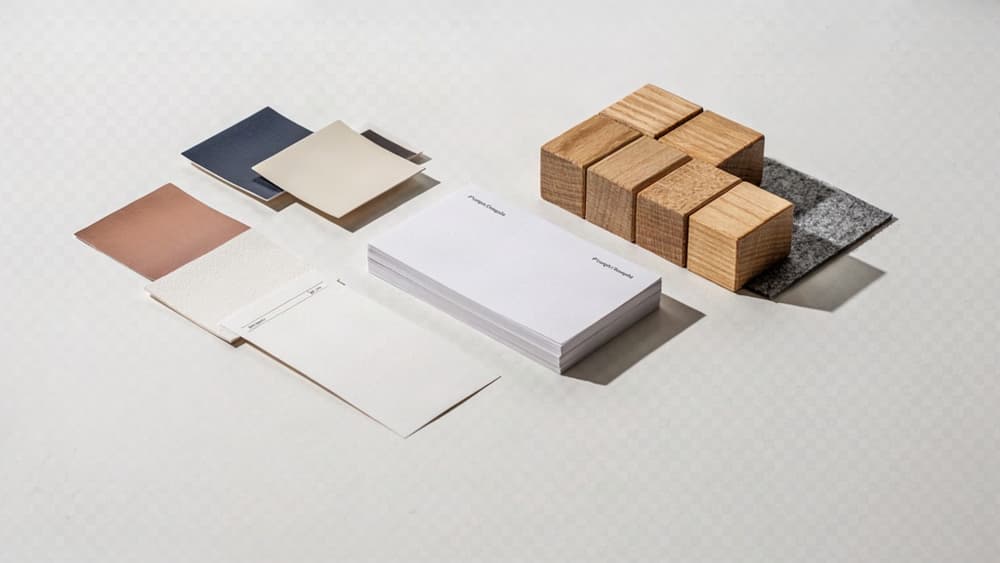
- “Use our colors” becomes “use deep navy and warm ivory as dominant colors, with muted copper only as a small accent.”
- “Feel premium” becomes “minimal composition, restrained styling, generous negative space, no clutter, no cartoon elements.”
- “Appeal to Gen Z” becomes “candid social-first framing, casual styling, energetic color accents, no corporate office setting.”
- “Stay professional” becomes “natural posture, polished wardrobe, clean background, no exaggerated facial expressions.”
A useful structure is:
- Subject: what should be shown
- Brand style: how it should look and feel
- Composition: how the image should be arranged
- Constraints: what must be included or excluded
- Usage context: where the image will be used
That last field matters. A LinkedIn thought-leadership image, a paid social product ad, and a landing page hero may all come from the same brand system, but they need different framing, whitespace, and visual hierarchy.
Create prompt templates for repeatable client work
Small agencies lose margin when every AI request starts from scratch. Prompt templates give the team a shared starting point while still leaving room for campaign-specific thinking.
A practical template might look like:
Client: [Brand name] Asset type: [Paid social image / landing page hero / email header / blog visual] Audience: [Segment] Visual objective: [What the image needs to communicate] Subject: [Person, product, scene, environment] Brand style: [Approved visual descriptors] Composition: [Crop, layout, whitespace, focal point] Palette: [Approved colors and limits] Avoid: [Off-brand elements, competitor cues, clichés] Output notes: [Aspect ratio, room for copy, platform context]
For example, a reusable paid social prompt could be:
“Create a paid social image for [client] targeting [audience]. Show [subject] in [environment]. Use a [brand style] visual direction with [palette]. Composition should leave clear negative space on [side] for ad copy. Keep the scene [lighting/mood]. Avoid [banned elements].”
This is where brand consistency becomes operational. The agency is no longer relying on whoever writes the prompt that day to remember every nuance. The brand has been turned into reusable inputs the whole team can apply across clients, campaigns, and asset types.
Use Google AI Studio to Develop Campaign Image Concepts Faster
Once the client’s reusable inputs are in place, the next win is speed: moving from “blank page” to several credible campaign directions before your team burns hours in comps, moodboards, or internal debate.
Prompt for campaign territories, not one-off images
For early ideation, don’t ask for a single ad image. Ask for a campaign territory: a visual idea broad enough to support multiple executions, formats, and messages.
A useful territory prompt should define:
- The campaign goal: launch, awareness, lead gen, retention, event promotion
- The emotional angle: confidence, relief, aspiration, urgency, calm, exclusivity
- The visual metaphor: transformation, contrast, progress, simplicity, momentum
- The setting or world: studio, lifestyle, product-led, abstract, editorial, workplace
- The audience context: what the buyer is trying to solve or become
For example, instead of prompting “create an image for a project management app,” an agency team could prompt:
Develop five distinct visual campaign territories for a productivity SaaS brand targeting overloaded agency owners. Each territory should include a core visual metaphor, image composition, setting, emotional tone, and how the idea could extend across paid social, landing pages, and email headers.
That pushes Google AI Studio toward strategic creative routes, not isolated visuals. Your team gets territory-level options like “from chaos to clarity,” “the calm control room,” or “workflows as invisible infrastructure”—ideas that can be discussed, refined, and sold.
Generate concept directions for different audience segments
Small agencies often need to show that a campaign can flex across buyer types without fragmenting the creative platform. This is where segment-based concept generation is useful.
Use the same campaign objective, then vary the audience lens:
- Founder or owner: cares about growth, control, reputation, and time
- Marketing lead: cares about performance, speed, approvals, and consistency
- Operations lead: cares about process, visibility, and fewer bottlenecks
- End user: cares about ease, confidence, and getting work done
A strong prompt might ask for three concept directions per segment while keeping the same overarching campaign promise. That gives your strategy and creative leads a fast way to see which audience angle has the strongest visual potential.
For example:
Using the approved campaign promise, generate three image concept directions for each audience segment: agency owner, marketing manager, and operations lead. Keep the visual world consistent, but shift the scenario, tension, and emotional payoff for each segment.
This helps avoid the common agency trap of presenting one generic concept that technically fits everyone but resonates with no one.
Shortlist ideas before production begins
The point of this stage is not to leave with finished creative. It is to reduce the field before design, copy, and production time get expensive.
Create a simple internal scoring pass for each territory:
- Is the idea instantly understandable?
- Can it stretch across multiple channels?
- Does it create a clear emotional response?
- Is it distinct from category clichés?
- Can the team explain it to the client in one sentence?
Then shortlist two or three directions for internal review. For each, capture a concise rationale:
- Core idea
- Best-fit audience
- Visual hook
- Why it supports the campaign objective
- Where it could show up in the campaign
This turns AI ideation into a tighter pre-production filter. Instead of showing the client a pile of disconnected AI images, your agency walks in with considered campaign routes—and a faster path to the concept worth building.

Produce Ad Creative and Social Media Asset Variations Without Losing the Idea
Once a concept direction is approved, the production job changes: you’re no longer exploring. You’re translating the same idea across placements without letting the creative drift.
Adapt one approved concept into platform-specific visuals
Start with the strongest campaign image direction and treat it as the “source concept.” In Google AI Studio, your prompt should preserve the idea first, then adapt the format.
For example, if the approved concept is:
“A premium project management platform shown as a calm, organized workspace for overwhelmed agency teams.”
Don’t prompt each asset from scratch. Keep the core creative language intact:
“Maintain the central idea: a calm, premium digital workspace that makes agency workload feel organized and under control. Adapt this concept for a LinkedIn sponsored image in a professional B2B style, with space for a short headline on the left and the product interface implied subtly on the right.”
Then generate versions for:
- LinkedIn feed ads
- Instagram story backgrounds
- Meta square ads
- Website hero images
- Newsletter header graphics
- Display ad backgrounds
The goal is not “make five new images.” It’s “make five expressions of the same campaign thought.”
That distinction matters for small agencies. It keeps output scalable without forcing creative directors to re-align every asset manually.
Create controlled variations for testing
Performance teams need variation. Brand teams need consistency. The way to satisfy both is to vary one dimension at a time.
Instead of asking for “10 different ad images,” isolate the test variable:
- Background environment: studio, office, abstract brand world
- Subject framing: close-up, mid-shot, wide composition
- Emotional tone: calm, energetic, aspirational
- Product presence: subtle, moderate, prominent
- Color emphasis: primary palette-led, neutral-led, accent-led
- Message space: top third, left side, lower banner area
A stronger prompt looks like:
“Create three variations of the same approved campaign concept. Keep the visual idea, audience, color palette, and premium tone consistent. Only vary the background environment: 1) modern agency office, 2) abstract workflow-inspired space, 3) clean editorial desk setup.”
This gives your media buyer useful test assets without turning the campaign into a grab bag of unrelated creative. It also makes client feedback cleaner: they can approve or reject a variable, not debate an entirely new direction.
Write prompts for layouts, crops, and creative constraints
For production-ready marketing images, vague prompts create downstream design work. Be explicit about layout, crop, and usable space.
Include:
- Aspect ratio: 1:1, 4:5, 9:16, 16:9
- Focal point: centered, right-weighted, lower third
- Copy space: clear negative space for headline or CTA
- Safe zones: avoid important detail near edges
- Composition: room for logo lockup, product card, or overlay
- Style boundaries: no clutter, no busy backgrounds, no extra text inside the image
Example:
“Generate a 4:5 paid social image based on the approved concept. Use a premium editorial composition with the main subject on the right third. Leave clean negative space in the upper-left quadrant for a headline overlay. Avoid text, logos, UI labels, or decorative clutter inside the image. Keep the lighting soft, modern, and polished.”
For a story placement:
“Adapt the same concept to a 9:16 vertical format. Keep the visual focus in the center safe zone, with open space at the top for a short hook and at the bottom for a CTA sticker. Do not crop the main subject tightly.”
This is where agencies win back margin: fewer rebuilds, fewer “almost right” assets, and fewer rounds spent forcing AI-generated visuals into real campaign formats.
Quality-Control AI Marketing Images Before They Reach the Client
Once variations exist, the agency risk shifts from “Can we make enough options?” to “Can we send this without creating a brand, legal, or approval problem?”
Review every output against the client’s brand system
Do not judge AI images only on whether they look polished. Judge them against the client’s approved system.
For each image, run a brand fit pass before it enters a deck, ad set, or client review. Check:
- Visual identity: Does the palette feel native to the brand, or has the image drifted into generic category colors?
- Composition: Does the layout match the client’s usual level of whitespace, hierarchy, and visual density?
- Tone: Does the image feel premium, playful, clinical, rebellious, calm, or energetic in the way the client actually uses those traits?
- Audience fit: Would the intended buyer recognize themselves, or has the model produced a stock-looking approximation?
- Product/category accuracy: Are objects, environments, uniforms, packaging, UI, or service cues believable for the client’s market?
- Campaign continuity: If this is part of a set, does it still feel like the same idea across formats?
This is where small agencies lose margin: not because the first AI output is unusable, but because every revision requires someone to remember the brand from scratch. A simple brand QA checklist turns subjective review into a repeatable pass/fail process.
If your team uses google ai studio alongside other AI tools, keep the review criteria outside the tool as the source of truth. The model can help produce options; your agency needs a consistent standard for deciding what survives.
Check legal, ethical, and platform risks
Before a client sees the work, review for anything that could create reputational or performance risk.
Look closely for:
- Accidental likenesses: Faces that resemble real people, celebrities, influencers, employees, or competitors.
- Trademark exposure: Visible logos, branded products, signage, packaging, or recognizable uniforms that were not approved.
- Misleading claims: Visuals that imply product results, medical outcomes, financial gains, environmental benefits, or certifications the client cannot substantiate.
- Sensitive representation issues: Stereotypes, tokenism, unrealistic body standards, or imagery that could alienate the audience.
- Platform compliance: Elements that may violate ad policies, especially around health, finance, employment, housing, politics, alcohol, or restricted products.
- Asset provenance: Any required usage notes, licensing constraints, or disclosure requirements based on how the image will be used.
This is the one place to be deliberately conservative: verify outputs before they leave your team. A beautiful image that gets rejected by Meta, challenged by legal, or questioned by the client’s leadership is not a production win.
Create an approval loop agencies can repeat
Treat AI image QA like a lightweight production workflow, not an informal Slack opinion thread.
A repeatable loop can be simple:
- Creator self-checks against the client’s brand and risk checklist.
- Design lead reviews for visual quality, campaign consistency, and craft.
- Account lead reviews for client fit, audience relevance, and strategic intent.
- Final approver signs off before the image enters a presentation, ad platform, or asset library.
- Approved examples are saved as references for future work.
Keep rejected outputs too, but label why they failed: “too stock,” “off-palette,” “wrong audience,” “legal concern,” “platform risk,” “not campaign-aligned.” Over time, those notes become an agency-side memory bank that reduces repeated mistakes across client teams.
That is the operational difference between using AI for quick visuals and building a scalable marketing image workflow: every approved asset strengthens the next round, instead of every project starting from zero.