
August 5, 2025
Your First Course with an AI Course Creator
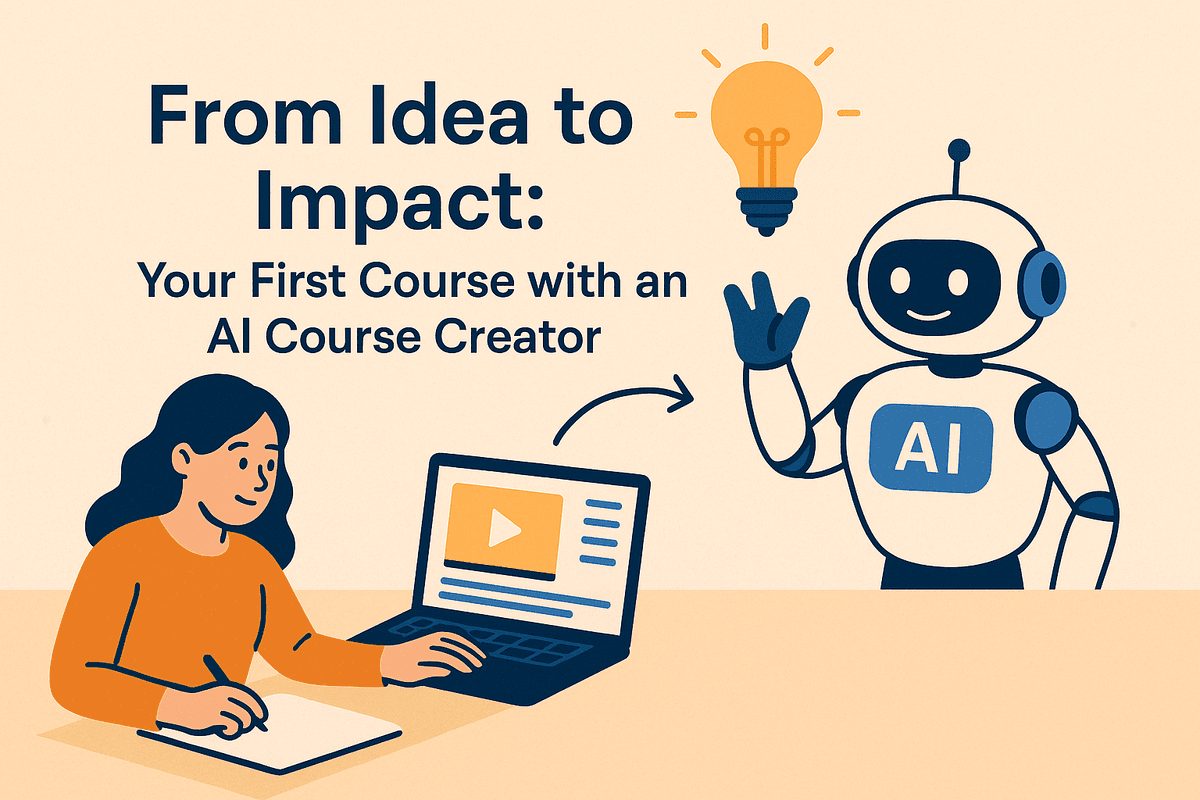
From Idea to Impact: Your First Course with an AI Course Creator
Have you ever had a brilliant idea for a course, only to be overwhelmed by the sheer effort required to bring it to life? The endless hours of outlining, writing content, developing assessments, and structuring modules can stall even the most passionate educator or corporate trainer. This is where the landscape of learning development is undergoing a seismic shift, powered by a transformative technology: the AI course creator.
What Exactly is an AI Course Creator?
An AI course creator is a sophisticated software platform that uses artificial intelligence to automate and streamline the entire course development process. Think of it not as a simple content generator, but as an intelligent instructional design partner. You provide the initial spark—a topic, a document, a video link, or even just a few sentences describing your learning goals. The AI then takes over the heavy lifting, generating a comprehensive and cohesive course structure.
Within minutes, it can produce:
- A detailed syllabus with clear learning objectives.
- Logically sequenced modules and individual lessons.
- Engaging lesson content, including text, summaries, and key takeaways.
- Drafts for video scripts, presentation slides, and handouts.
- Knowledge checks, quizzes, and assessment questions.
This powerful tool doesn't replace your expertise; it amplifies it. It handles the tedious structural work, freeing you to focus on refining the content, adding your unique insights, and engaging with your learners.
How AI is Revolutionizing Course Development
For educators and trainers, the arrival of the AI course creator is nothing short of a revolution. It addresses the most persistent challenges in instructional design and delivery, democratizing the ability to create high-quality educational materials.
- For Academic Educators: The pressure to develop new curricula, update existing courses, and embrace blended learning models is immense. An AI assistant can cut down development time from months to days, allowing instructors to dedicate more time to teaching, research, and student mentorship.
- For Corporate Trainers: In the fast-paced business world, the need for timely upskilling and reskilling is critical. An AI course creator enables L&D professionals to rapidly develop and deploy training on new software, compliance standards, or leadership skills, ensuring the workforce stays ahead of the curve.
The Core Benefits: Speed, Scale, and Structure
The value of integrating an AI course creator into your workflow boils down to three fundamental advantages.
Unprecedented Speed
Imagine transforming a dense, 60-page annual report into a digestible five-module training program in under an hour. This is the reality of AI-powered course creation. By automating the research, outlining, and drafting phases, these tools collapse project timelines, enabling you to move from a raw idea to a market-ready course at a velocity that was previously unimaginable.
Effortless Scale
A single subject matter expert can now build an entire library of courses without a massive support team. An AI course creator allows you to effortlessly scale your content production. You can easily adapt a foundational course for different skill levels (beginner, intermediate, advanced) or tailor it for various departments, all while maintaining a consistent, high-quality core.
Built-in Instructional Structure
Many experts are brilliant in their field but aren't formally trained in instructional design. This is where AI truly shines. A quality AI course creator has pedagogical principles baked into its algorithms. It automatically organizes content into a logical flow, sets achievable learning objectives, and ensures that modules build upon one another, creating a more effective and satisfying learning experience for your audience.

The Top AI Course Creator Platforms Reviewed
Choosing the right AI course creator can feel overwhelming as new platforms emerge daily. To cut through the noise, we've gone hands-on with the leading tools, evaluating them on their core strengths, features, and ideal use cases. Whether you're a solo educator or a corporate L&D manager, this breakdown will help you find the perfect match for your goals.
CourseGenius AI: Best for Automated Instructional Design
For educators and subject matter experts who need to transform raw knowledge into a structured curriculum—fast—CourseGenius AI is a game-changer. Its primary strength lies in its powerful instructional design engine. You simply provide a topic, target audience, and desired learning outcomes, and the platform generates a comprehensive course outline, complete with modules, lesson titles, learning objectives, and even key talking points for each section.
It excels at the foundational work, saving you dozens of hours in planning and structuring. While its multimedia capabilities are more basic, it provides a robust, pedagogically sound blueprint that you can then export or build upon.
- Who it's for: University professors, solo course creators, and subject matter experts who want to automate the curriculum design process.
- Standout Features: Prompt-to-syllabus generation, automated learning objective creation (aligned with Bloom's Taxonomy), and logical content chunking.
VidTutor AI: Top Choice for Video and Interactive Content
If learner engagement is your top priority, VidTutor AI leads the pack. This AI course creator is built around creating dynamic, multimedia-rich experiences. Its standout feature is the text-to-video engine, which can generate polished videos with AI-powered avatars, voiceovers, and background visuals from a simple script. This eliminates the need for expensive cameras or on-screen talent.
Beyond video, VidTutor AI excels at creating interactive elements. Its AI can generate context-aware quizzes, flashcards, and branching scenarios that adapt to learner choices, making for a more active and memorable learning journey. It’s less focused on initial curriculum structure and more on bringing pre-planned content to life.
- Who it's for: Online marketers, digital content creators, and trainers focused on creating visually appealing and highly interactive courses.
- Standout Features: AI avatar video generation, automated interactive quiz and scenario creation, and a built-in library of stock media assets.
TalentFlow AI: The Ideal Solution for Corporate Learning & Development
TalentFlow AI is engineered specifically for the corporate world. It understands that business training is about more than just information transfer; it’s about tracking skills, ensuring compliance, and integrating with a complex tech ecosystem. This platform can analyze internal documents or job descriptions to identify skills gaps and automatically suggest or generate relevant training modules.
Its biggest advantage is its focus on enterprise-level needs. TalentFlow AI produces SCORM/xAPI-compliant course packages that can be seamlessly uploaded to any major Learning Management System (LMS). With robust analytics, role-based permissions, and features for updating compliance training at scale, it’s the definitive AI course creator for L&D departments.
- Who it's for: Corporate L&D professionals, HR managers, and internal training teams.
- Standout Features: SCORM/xAPI compliant outputs, skills-gap analysis, integration with HRIS and LMS platforms, and advanced user analytics.
Feature-by-Feature Comparison
| Feature | CourseGenius AI | VidTutor AI | TalentFlow AI |
| :--- | :--- | :--- | :--- |
| Core Strength | Instructional Design Automation | Multimedia & Interactivity | Corporate L&D Integration |
| Best For | Academics & SMEs | Marketers & Content Creators | Enterprise & HR Teams |
| AI Video Generation | Basic | Advanced (with Avatars) | Moderate (Screen & Voice) |
| Quiz & Assessment AI | Standard (MCQ, T/F) | Advanced (Scenario-based) | Advanced (Skills-focused) |
| Corporate/LMS Integration | Limited (Text/Doc export) | Limited (Video/iFrame embed) | Native (SCORM/xAPI) |
| Typical Pricing | Per Course / Subscription | Subscription | Per User / Enterprise License |
Core Features to Look for in an AI Course Creator
With a rapidly growing market of AI-powered tools, it’s crucial to know what separates a genuinely useful platform from a simple gimmick. A superior ai course creator is defined by a specific set of core features designed to handle the heavy lifting of instructional design. When you evaluate different options, focus on these four essential capabilities to ensure you're investing in a tool that will truly revolutionize your workflow and enhance the quality of your educational content.
Automated Curriculum and Syllabus Generation
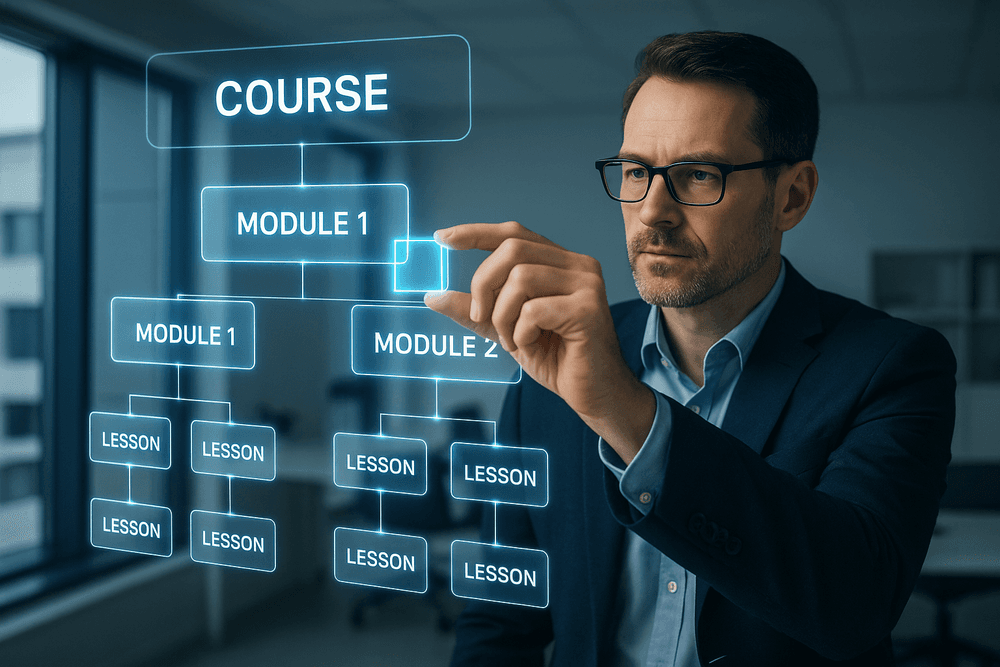
The foundation of any effective course is a logical, well-organized structure. A top-tier ai course creator automates this traditionally time-consuming process. Instead of brainstorming modules and lessons from scratch, you provide a single topic or a brief description. The AI then instantly generates a comprehensive curriculum and syllabus, complete with logically sequenced modules, distinct lesson titles, and well-defined learning objectives for each section. The most advanced systems analyze vast datasets to propose a structure that is not only coherent but also aligned with current industry trends and pedagogical best practices, ensuring your course is relevant and impactful from the outset.
AI-Driven Lesson Content and Scriptwriting
This is where the most significant time savings occur. Once your curriculum is in place, the AI can flesh out the entire course. An advanced ai course creator doesn't just copy and paste information; it synthesizes it into original, high-quality content tailored to your needs. This includes:
- Detailed Lesson Drafts: Generating complete text for each lesson, including explanations, real-world examples, and case studies.
- Engaging Video Scripts: Creating narration scripts for video lessons, allowing you to specify the tone (e.g., formal, conversational, witty), complexity, and even suggestions for on-screen visuals.
- Presentation and Handout Content: Summarizing key information into concise bullet points for slide decks or creating supplementary documents for learners.
This transforms your role from a content creator to a subject matter expert and editor, allowing you to refine high-quality drafts rather than writing them from zero.
Intelligent Quiz and Assessment Creation
Measuring learning outcomes is critical. A powerful AI course creator will feature intelligent assessment generation that is directly tied to your lesson content. After creating your lessons, the AI can scan the material and automatically produce a variety of quiz questions, such as multiple-choice, true/false, fill-in-the-blank, and even open-ended prompts. This direct link ensures that your assessments are fair, relevant, and accurately test comprehension. The best tools can also generate answer keys and provide automated, constructive feedback for incorrect answers, creating a powerful feedback loop that reinforces learning without adding to your workload.
Multi-Language and Multi-Format Export Capabilities
A brilliant course has little impact if it can't reach its intended audience. That’s why robust export options are non-negotiable. Look for an ai course creator that offers multi-language translation, enabling you to take a course written in English and instantly adapt it for a global audience in Spanish, French, Mandarin, or other languages. Furthermore, it must support multi-format exporting. This means you should be able to download your course in industry-standard formats like SCORM 1.2/2004 or xAPI for easy integration into any corporate Learning Management System (LMS), as well as versatile formats like PDF, PowerPoint, MP4 video, or MP3 audio. This flexibility ensures your content is ready for any delivery platform.
Best Practices: How to Effectively Use an AI Course Creator
An AI course creator is a revolutionary tool, but its true power is unlocked by the skill and strategy of its user. To move from generic content to a genuinely impactful learning experience, you must be the architect, not just the operator. Adopting these best practices will ensure you leverage AI to build exceptional courses that resonate with learners and achieve your educational goals.
Start with Strategy: Define Your Objectives and Audience
Before you write a single prompt, lay a solid foundation. The "garbage in, garbage out" principle is paramount when working with AI. An ai course creator cannot intuit your needs; it can only work with the precise context you provide.
- Clarify Learning Objectives: What, specifically, should your learners be able to do after completing your course? Go beyond vague goals like "understand sales." Instead, use a framework like Bloom's Taxonomy to define measurable outcomes, such as "Analyze a client's needs to formulate a tailored sales pitch" or "Demonstrate three closing techniques in a role-playing scenario." Clear objectives are the blueprint for your course.
- Develop a Detailed Audience Profile: Who are you teaching? A course on financial literacy for college students will look vastly different from one designed for seasoned executives. Profile your audience by considering their prior knowledge, professional roles, motivations, and potential pain points. The more detailed your profile, the better the AI can tailor the content's complexity, tone, and examples.
Master the Art of Prompt Engineering
Prompting is the dialogue you have with your AI assistant. It's the most critical skill for wielding an ai course creator effectively. A weak, generic prompt will yield a weak, generic outline. A specific, context-rich prompt will produce a structured, relevant, and near-perfect starting point.
Compare these prompts:
- Weak Prompt:
Create a course on project management. - Strong Prompt:
Act as an expert instructional designer. Generate a 5-module course outline for "Agile Project Management for Non-Technical Teams." The target audience is marketing and operations professionals with no software development background. The tone should be accessible and practical. For each module, include three key learning objectives, a lesson summary, a real-world case study idea, and a 3-question quiz to check for understanding.
Embrace the 'Human-in-the-Loop' Approach
The goal of using an AI course creator is not to abdicate responsibility; it's to augment your expertise. You are the subject matter expert and the pedagogical guide. Treat the AI's output as an exceptionally well-researched first draft that requires your professional touch.
- Review and Verify: Diligently check the generated content for factual accuracy, logical flow, and currency. AI models can sometimes hallucinate facts or pull from outdated sources.
- Refine and Personalize: This is where you add irreplaceable value. Weave in your unique voice, industry-specific anecdotes, personal stories, and relevant case studies. Adjust the tone to match your teaching style or brand identity. This human touch transforms generic information into an authentic learning experience.
Ensure Pedagogical Quality and Learner Engagement
An AI can generate content, but an educator crafts an experience. Your final and most important task is to ensure the course is not just informative but pedagogically sound and engaging.
- Incorporate Interactivity: Use AI-generated quiz questions as a starting point, but think bigger. How can you turn a concept into an interactive scenario, a group discussion prompt, or a peer-review assignment?
- Diversify Media: Use the AI-generated text as a script for a video, the basis for an infographic, or the talking points for a podcast episode. A multi-format approach caters to different learning preferences and significantly boosts engagement and retention.
- Structure for Optimal Learning: Review the AI's proposed structure. Does it follow a logical progression? Are complex topics broken down into digestible micro-lessons? Ensure the cognitive load is appropriate for your learners, allowing them to build knowledge progressively without feeling overwhelmed.
Real-World Use Cases: An AI Course Creator in Action
The true power of an AI course creator isn't just theoretical; it's demonstrated every day across various professional landscapes. By automating the most time-consuming aspects of instructional design, these tools empower users to achieve remarkable results with unprecedented speed and efficiency. Let's explore three distinct scenarios where an AI-powered approach transforms the course creation process.
Use Case 1: Rapidly Developing Corporate Compliance Training
The Challenge: A large financial firm needs to roll out mandatory training on a new set of anti-money laundering (AML) regulations. The deadline is tight, the source material is dense and legalistic, and the Learning & Development (L&D) team is already stretched thin. Traditional development would take weeks of sifting through documents, storyboarding, and writing content.
The AI Solution: The L&D manager inputs the 80-page regulatory document into an AI course creator. Within minutes, the AI:
- Structures the Course: It generates a logical course outline with modules like "Understanding the New AML Framework," "Identifying and Reporting Suspicious Activity," and "Roles and Responsibilities."
- Generates Lesson Content: It transforms complex legal jargon into clear, concise, and easy-to-understand text for each lesson.
- Creates Engagement Tools: It suggests real-world scenarios for role-playing exercises and generates a bank of multiple-choice questions for the final assessment to ensure comprehension.
The Outcome: The L&D team receives a complete, structured course draft in under an hour. They spend their time refining the content with company-specific examples and branding, rather than starting from zero. The final compliance training is deployed company-wide well ahead of the deadline, ensuring the firm remains compliant and its employees are well-informed.
Use Case 2: An Entrepreneur Launching a Digital Course in a Weekend
The Challenge: A successful freelance graphic designer wants to create a passive income stream by selling a digital course on "Brand Identity Design for Small Businesses." She has the expertise but lacks the time and instructional design knowledge to build a course from scratch.
The AI Solution: The entrepreneur leverages an AI course creator to turn her idea into a reality over a single weekend.
- Saturday Morning: She inputs her course title and target audience. The AI generates a compelling course description, a detailed curriculum with 15 video lesson ideas, and key learning objectives for her sales page.
- Saturday Afternoon: Using the AI-generated outlines, she starts writing her video scripts. The AI assists by suggesting talking points and clarifying complex concepts, cutting her writing time in half.
- Sunday: She records her videos using the scripts. While the videos render, she uses the AI course creator to generate a downloadable workbook, a client onboarding checklist, and a resource guide to include as bonuses.
The Outcome: By Sunday evening, the entrepreneur has a complete, launch-ready course package. The AI acted as her creative partner and instructional designer, handling the structural heavy lifting so she could focus on delivering her expert knowledge.
Use Case 3: An Educator Creating Supplementary Classroom Materials
The Challenge: A high school history teacher is preparing a unit on the Industrial Revolution. His students have diverse reading levels and learning needs. Creating differentiated materials—simpler texts for some, advanced challenges for others—is incredibly time-consuming.
The AI Solution: The teacher uses an AI course creator as a powerful teaching assistant. After his core lesson planning is done, he uses the tool to generate supporting materials. He inputs the prompt "Create supplementary materials for a 10th-grade history class on the Industrial Revolution." The AI generates:
- A simplified summary of key inventions for struggling readers.
- A set of critical thinking questions comparing the economic impacts in Britain versus the United States for advanced students.
- A vocabulary list with definitions and a practice quiz.
- An outline for a group debate on the social pros and cons of industrialization.
The Outcome: In just 15 minutes, the teacher has a full suite of differentiated materials that would have taken hours to create manually. He can now dedicate more class time to facilitating discussions and providing one-on-one support, confident that every student has the resources they need to succeed.
Conclusion: Is an AI Course Creator Your Next Move?
We've journeyed through the transformative landscape of AI-powered course creation, exploring how these intelligent tools can dramatically accelerate development, from outlining a syllabus to generating entire lesson modules. The question is no longer if AI can build a course, but whether an AI course creator is the right strategic partner for you.
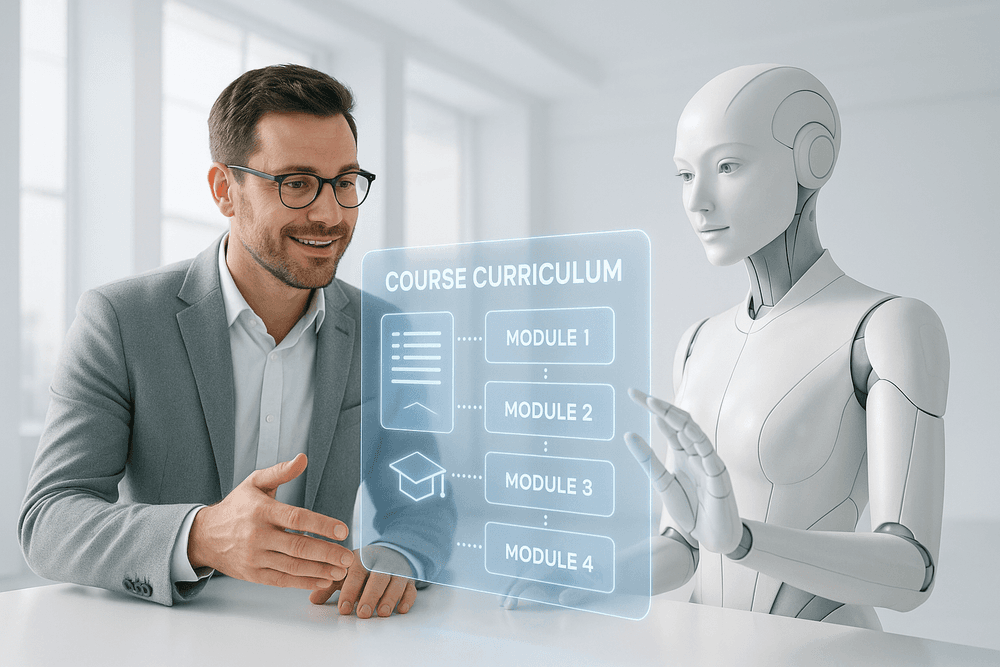
The answer lies in understanding your specific goals. If you're a subject matter expert aiming to quickly package your knowledge into a professional course without getting bogged down in pedagogical theory, an all-in-one AI course creator platform is an ideal co-pilot. It handles the heavy lifting of structure and initial content generation, freeing you to focus on refining the core expertise. Conversely, if you're a seasoned instructional designer, you might prefer a more modular approach, combining specialized AI tools for video creation, quiz generation, and text editing to maintain granular control over the final product. The key is to see these tools not as a replacement for your skills, but as a powerful lever to amplify your impact.
Your AI Course Creation Quick-Start Checklist
Ready to take the plunge? Don't start with a blank page. Use this checklist to structure your first project with an AI course creator and ensure a successful, human-centric outcome.
- Define Your Foundation: Before you write a single prompt, get crystal clear on your target audience, their pain points, and the specific learning objectives you want them to achieve. AI thrives on clear direction.
- Craft a Master Blueprint: Develop a detailed course outline. Include module titles, key concepts for each lesson, the desired tone of voice (e.g., "professional and encouraging"), and any specific examples or case studies you want to include. Feed this master prompt to your AI.
- Generate the First Draft: Let the AI do what it does best. Instruct it to generate lesson content, video scripts, potential quiz questions, and activity ideas based on your blueprint.
- Review, Refine, and Humanize: This is the most critical step. The AI's output is your raw material, not the final product. Edit for accuracy, inject your unique voice, add personal anecdotes, and ensure the content truly resonates with your learners' needs. You are the expert; the AI is your assistant.
- Develop Engaging Assessments: Use the AI's suggestions as a starting point, but refine assessments to genuinely measure the learning objectives. Think beyond simple multiple-choice questions to scenarios and problem-solving activities.
- Publish and Iterate: Deploy your course and actively gather feedback. Use these real-world insights to prompt the AI for targeted revisions, making your course a living, evolving resource.
The Future of Learning is a Human-AI Partnership
The rise of the AI course creator marks a pivotal shift in learning design and development. We are moving away from the solitary, time-intensive process of manual creation and toward a dynamic, collaborative model. The future isn't about automated, soulless content factories; it's about empowering educators to become true learning architects.
Imagine creating hyper-personalized learning paths that adapt in real-time to a student's progress or crafting complex, immersive simulations in a fraction of the time. This is the promise of AI. Your role will evolve from being the primary source of content to becoming the expert curator, strategist, and mentor who guides learners through rich, AI-augmented experiences. By embracing an AI course creator as your next move, you’re not just saving time—you’re stepping into the future of education.