
September 19, 2025
From Data Overload to Instant Insight with AI Data
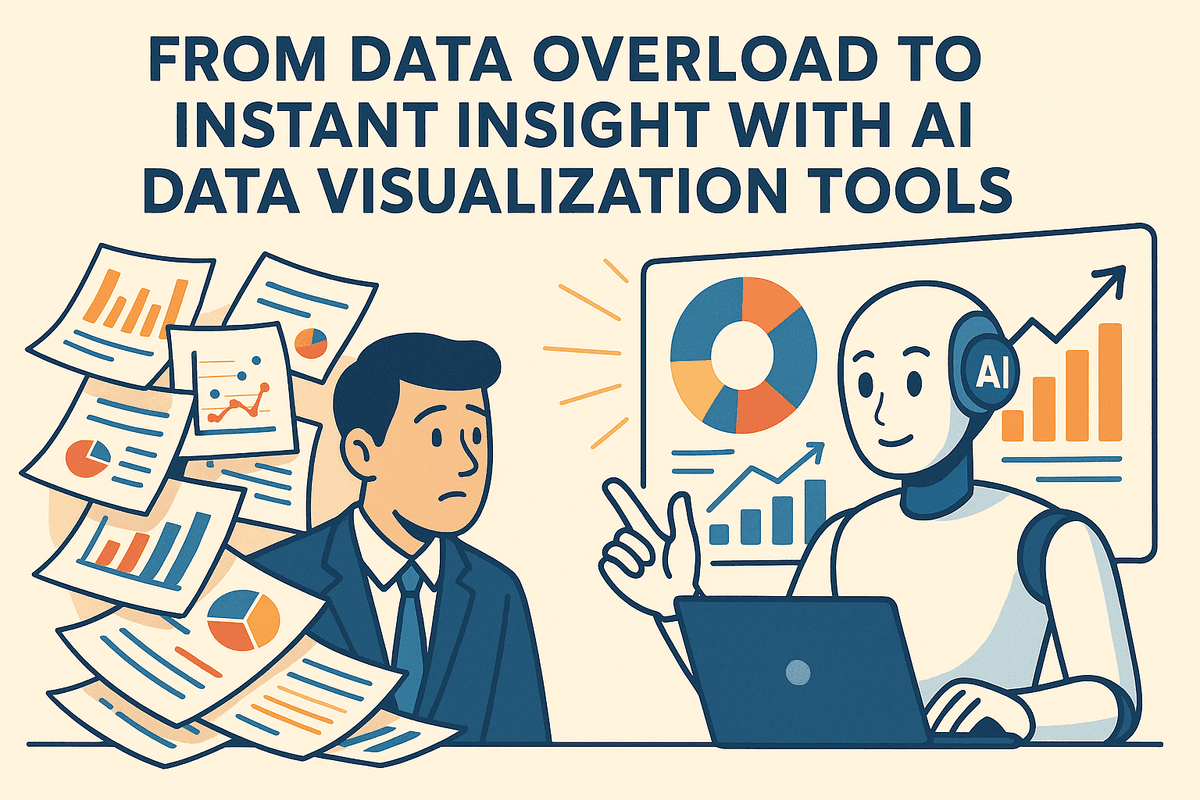
Introduction: From Data Overload to Instant Insight with AI Data Visualization Tools
In today's digital economy, data is the new currency. But for many organizations, it feels more like a flood than a valuable asset. We are drowning in a sea of spreadsheets, databases, and disconnected metrics, making it nearly impossible to find the critical signals in the noise. The traditional dashboard, once the gold standard of business intelligence, is struggling to keep pace. It’s time for a smarter approach. This is where AI data visualization tools step in, transforming the way we see, understand, and act on our data.
What Exactly Are AI Data Visualization Tools?
At their core, AI data visualization tools are advanced software platforms that leverage artificial intelligence, machine learning (ML), and natural language processing (NLP) to automate and enhance the process of creating and interpreting visual data representations.
Unlike traditional tools where a user must manually select data, choose a chart type, and configure every element, AI-powered platforms act as an intelligent assistant. They can automatically:
- Clean and prepare data: Identify and suggest fixes for inconsistencies or missing values.
- Discover hidden patterns: Use ML algorithms to surface non-obvious correlations, anomalies, and trends that a human analyst might miss.
- Recommend the best visuals: Suggest the most effective chart or graph type to represent a specific dataset and answer a particular business question.
- Enable natural language queries: Allow users to simply ask questions in plain English, like "What were our top-selling products in the Northeast last quarter?" and receive an instant visualization as an answer.
The Limits of Legacy: Why Traditional Dashboards Fall Short
For years, static dashboards have been the primary window into business performance. While useful for tracking known KPIs, they have significant limitations in an era of rapid change and massive datasets.
Traditional dashboards are fundamentally reactive. They show you what has already happened, presenting a historical, rear-view mirror perspective. They require a data expert to painstakingly build and update them, creating a bottleneck that slows down decision-making. Moreover, they can only display the information they were explicitly configured to show. This means crucial insights—the "unknown unknowns"—often remain buried deep within the data, simply because no one knew to look for them. This static, manual approach is no longer agile enough for businesses that need to pivot and adapt in real time.
The AI Advantage: Speed, Accuracy, and Predictive Power
The shift to AI data visualization tools isn't just an upgrade; it's a paradigm shift that delivers three core benefits.
- Unprecedented Speed: AI eliminates the manual drudgery. Instead of spending hours or days wrangling data and building charts, users can get answers in seconds. Natural language queries and automated insight generation democratize data analysis, empowering anyone on the team to explore data and make informed decisions on the fly.
- Enhanced Accuracy: By using algorithms to analyze data, these tools reduce the risk of human bias and error in interpretation. AI can objectively identify statistically significant patterns and flag outliers that might otherwise be overlooked, leading to more reliable and trustworthy conclusions.
- Predictive Power: This is perhaps the most transformative benefit. AI-driven tools move beyond descriptive analytics (what happened) into the realm of predictive analytics (what will likely happen). By integrating forecasting models, they can help you anticipate future trends, identify potential risks, and proactively seize opportunities before they fully emerge.
The Best AI Data Visualization Tools of 2024: A Comparative Review
Navigating the crowded market of ai data visualization tools can be daunting. The right platform depends on your team's technical skill, budget, data sources, and specific business needs. To help you choose, we've broken down four of the leading contenders, each excelling in a unique niche—from enterprise-level analytics to no-code, rapid-fire insights.
Tableau with Einstein: For the Enterprise Power User
Tableau has long been a heavyweight in data visualization, and its integration of Salesforce's Einstein AI solidifies its position as an enterprise-grade powerhouse. Einstein Discovery uses machine learning to automatically find patterns and insights in your data, providing predictive analytics and "what-if" scenarios without requiring users to write complex code. Its "Ask Data" feature allows users to query vast datasets using natural language, making exploration more intuitive. While its learning curve can be steep and pricing is geared toward the enterprise, it remains one of the most powerful and comprehensive ai data visualization tools for large organizations with dedicated data teams.
Microsoft Power BI: Best for Seamless Ecosystem Integration
For businesses already invested in the Microsoft ecosystem, Power BI is a natural and powerful choice. It integrates flawlessly with Excel, Azure, and Microsoft 365, creating a unified analytics experience that feels familiar to many business users. Its built-in AI features are highly practical, including the Q&A visual for natural language queries and "Quick Insights," which automatically surfaces key trends, outliers, and correlations in your dataset with a single click. Power BI strikes an excellent balance between user-friendliness and robust capabilities, making it a highly accessible yet scalable solution for companies of all sizes.
Polymer Search: The No-Code Solution for Rapid Insights
Polymer Search carves out its niche as the go-to tool for non-technical users who need immediate answers from their data. It transforms complex spreadsheets into a powerful, searchable, and interactive database instantly, bypassing the lengthy setup of traditional BI tools. Its AI Copilot acts as your personal data analyst, suggesting visualizations, generating summaries, and answering plain-English questions about your data on the fly. This no-code approach democratizes data analysis, empowering marketing, operations, and sales teams to discover "aha" moments and build dashboards without relying on a dedicated data team.
Looker: For Deep, Customizable Data Exploration
Now part of the Google Cloud Platform, Looker is built for organizations that prioritize data governance and a single source of truth. Its primary strength lies in its proprietary modeling language, LookML, which allows data teams to centrally define business metrics and logic. This ensures consistency and reliability across all reports and dashboards. With deep integrations into Google's powerful AI services like Vertex AI and BigQuery ML, Looker enables sophisticated, customizable exploration and is ideal for tech-savvy companies looking to build a scalable and governed data culture where everyone is working from the same definitions.
Comparison Quick-View: Features vs. Pricing vs. Use Case
| Tool | Key AI Feature | Best For | Pricing Model |
| :--- | :--- | :--- | :--- |
| Tableau w/ Einstein | Einstein Discovery (Predictive Analytics) | Enterprise-level organizations with dedicated data analysts. | Per-User, Per-Month |
| Microsoft Power BI | Quick Insights & NLP Q&A | Businesses heavily invested in the Microsoft ecosystem. | Per-User, Per-Month (Pro) / Capacity-based (Premium) |
| Polymer Search | AI Copilot for automated insights and summaries. | Non-technical teams needing fast, self-serve analytics. | Tiered SaaS Subscription |
| Looker (Google Cloud) | LookML Modeling Layer & GCP AI Integration | Data-mature organizations needing governance and customization. | Custom (Platform-based) |
Essential Features to Demand from Your AI Data Visualization Tools
The market is flooded with options, but not all are created equal. To truly harness the power of artificial intelligence, you need to look beyond basic chart-making capabilities. The best ai data visualization tools are not just about creating prettier graphs; they are intelligent partners that actively help you understand your data. When evaluating your options, ensure these four transformative features are at the top of your checklist.
Automated Anomaly Detection and Insight Generation
Forget spending hours manually sifting through spreadsheets to find the needle in the haystack. A premier AI tool should do the heavy lifting for you. This feature allows the system to automatically scan your datasets and intelligently identify statistically significant outliers, unexpected spikes, or sudden dips in performance.
Instead of just presenting raw data, the tool proactively highlights these anomalies, often providing context or potential root causes. For example, it might flag a sudden drop in website traffic and correlate it with a specific marketing campaign ending. This moves you from passive observation to active, immediate investigation, saving invaluable time and helping you spot critical issues or fleeting opportunities before they disappear.
Natural Language Querying (NLQ): Ask Questions, Get Visuals
This is where AI truly democratizes data analysis. Natural Language Querying (NLQ) transforms how you interact with your data by allowing you to ask questions in plain, conversational English. There's no need to learn a complex query language or navigate endless menus and filters.
Want to know your best-selling product in the Northeast last quarter? Simply type, "What was our top-selling product in the NE region in Q3?" The AI interprets your request and instantly generates the most appropriate visualization—be it a bar chart, a map, or a simple KPI. This empowers every member of your team, from the C-suite to the sales floor, to become a citizen data analyst, fostering a more curious and data-driven culture.
Predictive Analytics and Forecasting Models
Looking at past performance is important, but the real competitive advantage lies in accurately predicting the future. Leading ai data visualization tools integrate sophisticated machine learning models to provide data-backed forecasts. They analyze historical data, identify trends and seasonality, and project future outcomes with a measurable degree of confidence.
This feature turns your dashboards from a rearview mirror into a crystal ball. You can forecast sales revenue, predict customer churn, or anticipate inventory needs. By visualizing these future trends, businesses can make proactive, strategic decisions, allocate resources more effectively, and stay one step ahead of the competition.
Dynamic Storytelling and Automated Reporting
A single chart rarely tells the whole story. The most advanced AI tools can act as your personal data storyteller. They don't just generate a collection of isolated visuals; they automatically weave them together into a coherent narrative that explains what’s happening in your data, why it’s happening, and what it means for your business.
Furthermore, these platforms can automate the entire reporting process. Imagine a tool that generates a comprehensive weekly sales report complete with key charts, trend analysis, and automatically written text summaries that highlight the most important takeaways. This capability saves countless hours of manual work and ensures that stakeholders receive clear, consistent, and compelling insights without having to interpret the data themselves.

Putting Theory into Practice: Real-World Use Cases
The true power of AI-powered data visualization isn't just in creating beautiful charts; it's in solving complex, real-world business problems. Across every industry, organizations are leveraging these intelligent platforms to turn raw data into a strategic asset. By automating analysis and uncovering hidden patterns, ai data visualization tools provide the actionable insights needed to drive growth, efficiency, and innovation. Let's explore how this technology is making a tangible impact in key sectors.
E-commerce: Visualizing the Customer Journey to Boost Sales
The modern e-commerce customer journey is a complex web of touchpoints, from social media ads to email newsletters and website visits. Traditional analytics can show where a user came from, but they struggle to reveal the why behind their actions. AI-powered tools excel here by ingesting data from all channels to create dynamic, visual maps of customer behavior. They can automatically identify high-conversion pathways, pinpoint exact drop-off points in the sales funnel, and segment customers based on predicted lifetime value. Imagine an interactive dashboard that not only shows cart abandonment rates but also visualizes the common behaviors of users who abandon carts, allowing you to proactively address friction with targeted offers or UI improvements.
Finance: Identifying Market Trends and Mitigating Risk in Real-Time
In the world of finance, milliseconds matter. The sheer volume and velocity of market data make manual analysis impossible. This is where ai data visualization tools become indispensable for traders, analysts, and risk managers. By connecting to live data streams, these platforms use machine learning algorithms to detect subtle market anomalies, identify emerging trading patterns, and model portfolio risk in real-time. Instead of static stock charts, analysts can interact with predictive models that visualize potential outcomes based on various market scenarios. This allows for faster, data-backed decisions, helping firms capitalize on opportunities and hedge against potential losses before they escalate.
Marketing: Optimizing Campaign Spend with AI-Driven Performance Dashboards
Marketers are constantly challenged to prove the return on investment (ROI) of their campaigns. An AI-driven performance dashboard transforms this process from a reactive, month-end report to a proactive, strategic command center. These tools integrate with all your marketing platforms—Google Ads, Facebook, HubSpot, etc.—and use AI to handle complex tasks like multi-touch attribution. They can automatically visualize which channels and creative assets are driving the most value, recommend budget shifts to higher-performing campaigns, and even forecast future campaign results based on current trends. This allows marketing teams to optimize spend on the fly, ensuring every dollar works as hard as possible.
Healthcare: Tracking Patient Outcomes with Predictive Visuals
Healthcare generates an immense amount of complex data, from electronic health records (EHRs) and lab results to wearable device data. AI data visualization tools are helping providers and administrators make sense of it all to improve patient care. These platforms can create dashboards that track patient outcomes across entire populations, using predictive analytics to identify at-risk individuals who may require early intervention. For hospital administrators, AI-powered visuals can help optimize bed allocation, predict patient admission surges, and identify bottlenecks in care delivery. This shift from reactive to proactive healthcare not only improves patient outcomes but also enhances operational efficiency.
How to Choose the Right AI Data Visualization Tool for Your Team
With a growing market of powerful AI data visualization tools, selecting the one that perfectly aligns with your organization's needs can feel overwhelming. A structured evaluation process is key to cutting through the noise and finding a solution that empowers your team rather than encumbering it. Follow these four crucial steps to make a confident and strategic choice.
Step 1: Assess Your Team's Technical Skillset
The most feature-rich tool is useless if your team can't use it effectively. Before you even look at a demo, perform an honest assessment of your users' technical capabilities. Are they business analysts who are more comfortable with drag-and-drop interfaces and natural language queries (e.g., "Show me sales trends for Q3 by region")? Or are they data scientists and engineers who require API access, custom scripting in Python or R, and the ability to build complex data models?
- For non-technical teams: Prioritize no-code or low-code platforms with intuitive UIs, automated chart suggestions, and guided workflows.
- For technical teams: Look for tools that offer greater flexibility, customizability, and integration with existing development environments and data science libraries.
Choosing a tool that matches your team’s skills ensures high adoption rates and a faster return on investment.
Step 2: Define Your Core Business Questions and KPIs
The ultimate goal of any AI data visualization tool is to provide answers and drive decisions. Shift your focus from "What can this tool do?" to "What business problems do we need to solve?" Clearly define the key performance indicators (KPIs) you need to track and the core questions you need to answer.
Are you trying to:
- Predict customer churn?
- Forecast future sales revenue?
- Optimize supply chain logistics?
- Understand customer sentiment from unstructured text?
Your answers will guide your feature requirements. If forecasting is critical, you’ll need a tool with strong predictive analytics and time-series analysis capabilities. If understanding customer behavior is the goal, look for AI features that excel at segmentation and anomaly detection.
Step 3: Evaluate Data Source Compatibility and Scalability
Your data is the fuel for any visualization engine. A great tool must connect seamlessly to where your data lives. Create a list of all your critical data sources, whether they are cloud data warehouses (like Snowflake, BigQuery, or Redshift), CRM systems (like Salesforce), marketing platforms, or simple spreadsheets. Ensure the AI data visualization tools you’re considering offer pre-built connectors for your key sources to avoid costly and time-consuming custom integration work.
Beyond connectivity, consider scalability. Will the tool perform efficiently as your data volume grows from gigabytes to terabytes? Cloud-native platforms are often designed for scalability, but it's essential to verify performance claims and check case studies or reviews from companies with similar data loads.
Step 4: Balance Your Budget with Must-Have Features
Finally, align your needs with your budget. Pricing models for these tools vary widely, from per-user monthly subscriptions to usage-based pricing. Based on the previous steps, create two lists: "must-have" features and "nice-to-have" features.
Your "must-haves" are non-negotiable and directly tied to solving your core business problems. "Nice-to-haves" might be impressive but aren't essential for your immediate goals. This simple exercise helps you avoid overpaying for a platform loaded with advanced features your team will never use. Always ask for a free trial or a proof-of-concept (POC) to test the tool with your own data. This is the best way to validate its performance, usability, and overall value before making a financial commitment.

Conclusion: Your Next Steps in the Data Visualization Revolution
The era of static charts and manual data deep-dives is over. We've journeyed through the landscape of modern analytics, exploring how artificial intelligence is not just an add-on but the very engine driving faster, deeper, and more accessible insights. The right platform can transform your organization's relationship with its data, turning it from a complex resource into a clear strategic asset. Now, it's time to take action.
Recap: The Key Takeaways for Choosing a Tool
Selecting the perfect platform from the growing market of AI data visualization tools isn't about finding the one with the most features; it's about finding the one that aligns with your unique needs. As you weigh your options, keep these core pillars in mind:
- Know Your User: Is the tool for seasoned data scientists who can code custom models, or for business users who need answers via a simple, natural language query? The user interface and required skill level are paramount.
- Assess Your Data Ecosystem: Ensure your chosen tool offers seamless integration with your existing data sources, whether they are cloud-based warehouses like Snowflake, on-premise SQL databases, or simple spreadsheets.
- Define Your AI Needs: Are you focused on predictive forecasting, anomaly detection to catch issues before they escalate, or NLP-powered conversational analytics? Prioritize tools that excel in the AI capabilities most critical to your business goals.
- Consider Scalability and ROI: Think about your future. A tool that works for a small team today must also be able to scale across your entire organization tomorrow. Evaluate the pricing models and a clear path for growth.
The Future is Automated: What's Next for AI in Analytics?
The forward momentum of AI in analytics is staggering. The AI data visualization tools of today are just the beginning. The next wave of innovation is already on the horizon, promising even greater automation and intelligence. Look forward to a future where:
- Generative AI Crafts the Narrative: Imagine AI not only creating a dashboard but also writing a concise, executive-summary-style narrative that explains the key trends, outliers, and what they mean for the business. This is the future of automated data storytelling.
- Hyper-Automation Becomes Standard: Tools will increasingly handle the entire analytics workflow, from automated data cleaning and preparation to generating and distributing personalized insight reports to relevant stakeholders, all with minimal human intervention.
- Prescriptive Analytics Guides Action: The focus will shift from predictive (what will happen) to prescriptive (what should we do about it?). Your analytics platform will act as a strategic advisor, simulating outcomes and recommending the optimal course of action.
Embracing the right tools now positions you to be a leader in this rapidly evolving, data-driven world.
Start Your Journey: Where to Find Free Trials and Demos
Reading about features is one thing; experiencing them is another. The single most effective way to make your final decision is to get hands-on. Here’s a simple plan to get started:
- Create a Shortlist: Based on our guide, select two or three tools that seem like the best fit for your organization.
- Visit the Vendors: Navigate to the official websites of your top choices, such as Tableau (with Einstein), Microsoft Power BI, Looker, or ThoughtSpot.
- Engage with a Trial or Demo: Most providers offer one of two options. A Free Trial lets you connect your own data in a sandbox environment to test the tool’s capabilities firsthand. A Personalized Demo is a guided tour with a product expert who can answer specific questions and showcase how the tool solves challenges just like yours.
The data visualization revolution isn't waiting. By taking these decisive steps, you can move from observer to active participant, empowering your team to unlock the powerful stories hidden within your data.