
January 4, 2026
Escaping the Keyword Trap with Semantic Search AI
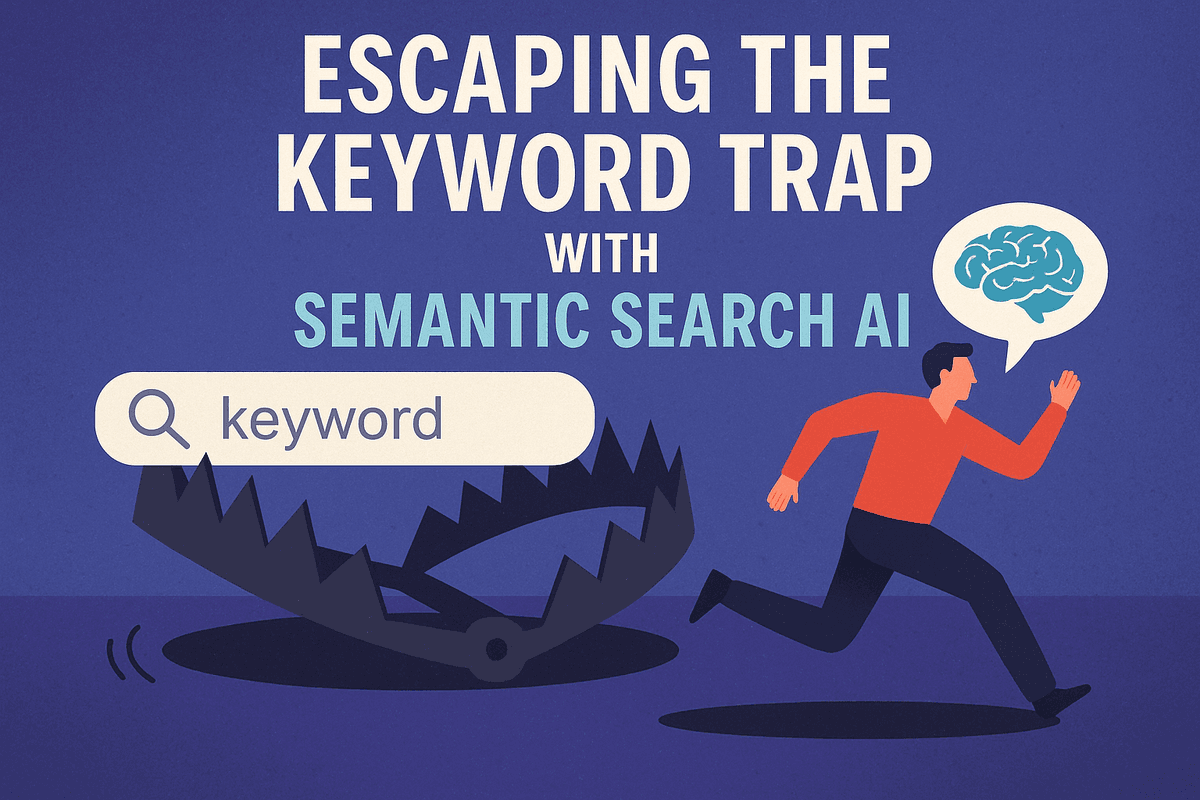
Introduction: Escaping the Keyword Trap with Semantic Search AI
We have all experienced the digital equivalent of a needle in a haystack. You know a specific document exists—perhaps you even referenced it last week—but you cannot recall the exact filename. You type "Quarterly Review" into your company’s internal search bar. No results. You try "Q3 Analysis." Still nothing. Ten minutes later, after manually clicking through a labyrinth of folders, you finally locate the file saved as "FY24_Performance_Deck_Final_v3."
This frustration is the hallmark of traditional lexical search. For decades, information retrieval in software relied almost exclusively on strict keyword matching. If the specific string of characters you typed did not mechanically align with the metadata or text within a file, the system deemed it irrelevant. However, in the modern SaaS ecosystem—where corporate knowledge is fragmented across Slack, Jira, Notion, and cloud storage—this rigid approach has become a massive bottleneck. We are generating data faster than we can strictly organize it, rendering the old "filing cabinet" mentality of keyword retrieval obsolete.
Defining Semantic Search AI: From Exact Matches to User Intent
To solve this growing information crisis, next-generation productivity tools are pivoting toward semantic search ai. Unlike its predecessors, which operate on binary matches, semantic search is designed to understand the meaning and context behind a query.
At its core, semantic search ai utilizes Natural Language Processing (NLP) and vector embeddings to map words to high-dimensional concepts. It moves beyond the literal text to decipher user intent. For example, if a user searches for "how to request time off," a traditional engine might fail if it doesn't find that exact phrase. In contrast, a semantic engine understands the concept and successfully surfaces documents containing "PTO policy," "vacation request form," or "annual leave guidelines."
This shift transforms the user experience from a rigid syntax test into a natural conversation. The AI analyzes the relationship between words, understanding that "Apple" in a grocery inventory refers to fruit, while "Apple" in an IT ticket likely refers to hardware. By bridging the gap between human thought processes and database retrieval, semantic search ensures that users find what they mean, not just what they type.
The Hidden Cost of Search Fatigue
The failure to adopt these intelligent systems incurs a heavy, often invisible cost known as "search fatigue." When employees are forced to play guessing games with search bars, the friction does more than just waste minutes; it degrades cognitive performance.
Current industry research suggests that knowledge workers spend nearly 20% of their workweek simply looking for internal information. That is effectively one full day every week lost to retrieval inefficiency. This phenomenon is a productivity killer. Every time a search fails, the employee experiences a "context switch." They stop their deep work, perhaps open a chat app to ask a colleague where a file is (thereby interrupting the colleague’s workflow), or, in the worst-case scenario, duplicate work by recreating a document that already exists.
This cumulative friction drains mental energy, leading to lower engagement and higher burnout rates. By integrating semantic search ai, organizations are doing more than just upgrading their software stack; they are removing the friction of "excavation" so teams can return to the work that actually drives value.

How Semantic Search AI Understands Context and Intent
We have all experienced the frustration of legacy search bars: you type "Q3 revenue," but the system returns zero results because the file was actually named "Third Quarter Earnings." This rigidity is the hallmark of lexical search, which relies entirely on exact keyword matching. Semantic search AI fundamentally changes this dynamic. Instead of acting as a literal text matcher, it operates like a perceptive research assistant, reading between the lines to understand the user's intent and the contextual meaning behind the words.
Vector Embeddings: The Engine Behind the Search
At the core of this technology lies a process involving Natural Language Processing (NLP) and vector embeddings. To a computer, words are just strings of characters. To make them meaningful, semantic search AI transforms text—documents, chat logs, task descriptions—into long lists of numbers known as vectors.
Imagine a vast, multidimensional map. The AI places words with similar meanings closer together on this map. In this vector space, "laptop" is positioned near "computer" and "macbook," but far away from "banana." When you enter a query, the AI converts your search terms into their own vector coordinates and looks for the closest matches on the map. This allows the system to retrieve relevant information conceptually, even if the exact keywords do not overlap.
Deciphering Conversational Queries
The shift to semantic search AI is particularly vital for modern productivity tools because of how our communication style has evolved. We no longer speak in "Boolean operators" (AND, OR, NOT); we speak conversationally.
Productivity platforms powered by semantic technology can parse complex, natural language queries. For example, if a user types, "What did Sarah say about the marketing launch last Tuesday?" a rigid keyword search would likely fail, overwhelmed by common words like "what" and "about."
However, semantic algorithms break this down into intent and entities:
- Intent: Information retrieval regarding a specific event.
- Entity: Sarah (colleague), Marketing Launch (project), Last Tuesday (temporal context).
By understanding the relationship between these elements, the AI can surface a specific Slack message or email thread, recognizing that "launch" equates to "go-live" or "release" within that specific context.
Refining Results Through Machine Learning
The intelligence of semantic search AI does not stop at understanding language; it extends to understanding the specific user. Through machine learning, the system refines its results based on user behavior and organizational context.
If a graphic designer and a financial controller both search for "assets," their intent is vastly different. The designer is likely looking for logos and image files, while the controller is looking for balance sheets. Over time, the AI observes which results are clicked and which are ignored. It uses this feedback loop to re-rank future results. By continuously learning from these interactions, the search engine creates a personalized experience, ensuring that the results provided are not just linguistically accurate, but contextually relevant to the user’s specific role and workflow.
Top Features of Semantic Search AI in Productivity Tools
As organizations migrate deeper into SaaS ecosystems, the sheer volume of fragmented data has rendered traditional "Ctrl+F" keyword matching obsolete. Modern knowledge management requires a system that understands meaning, not just syntax. This is where semantic search AI transforms the user experience. By leveraging natural language processing (NLP) and vector embeddings, these tools offer advanced features that align with how humans actually think and work.
Here are the three most critical features currently redefining efficiency in productivity platforms.
Cross-Platform Integration: The Unified Search Experience
The greatest barrier to productivity in the modern enterprise is the "data silo." A typical employee might discuss a project in Slack, store the requirements document in Google Drive, and track the development tasks in Jira. When using legacy search tools, finding the complete picture of that project requires performing three separate searches in three separate tabs.
Semantic search AI solves this by creating a unified semantic layer across all integrated applications. It doesn't just index words; it understands relationships between different data types across platforms.
For example, if a user queries, "What is the status of the Project Alpha launch?" the AI can retrieve the latest status update from a Slack channel, cross-reference it with the roadmap in Jira, and pull the launch date from a Google Sheet. It presents these findings in a single interface, effectively eliminating the context-switching tax that drains cognitive energy during the workday.
Personalized Ranking Algorithms Based on User Roles
In a company with thousands of documents, a search query for "onboarding" implies very different intents depending on who is asking. A generic keyword search engine would return the same list of results for everyone, forcing users to sift through irrelevant links.
Advanced semantic search AI engines utilize personalized ranking algorithms that consider the user’s role, department, and historical behavior to curate results.
- For an HR Manager: A search for "onboarding" prioritizes internal policy PDFs, compliance checklists, and offer letter templates.
- For a Software Engineer: The same search prioritizes technical documentation, repository access guides, and dev-environment setup scripts.
By analyzing the "who" behind the query, the AI reduces the signal-to-noise ratio. The system learns over time, recognizing that if the marketing team consistently opens assets from the "Q3 Campaign" folder, those assets should rank higher for marketing employees than for the finance team.
Generative Summaries: Answers, Not Just Links
Perhaps the most transformative feature of semantic search AI is the shift from retrieval to synthesis. Traditional search engines provide a list of blue links, forcing the user to open documents, read through them, and locate the specific information they need.
Generative summaries, powered by Large Language Models (LLMs), function as an "answer engine." When a user asks a question, the AI scans the relevant documents—whether they are long PDF reports, email threads, or meeting transcripts—and generates a concise, natural language summary of the answer.
Instead of opening a 50-page policy document to find the travel allowance, the user simply sees: "According to the 2024 Travel Policy, the daily meal allowance is $75 for domestic travel and $100 for international trips." This "zero-click" information retrieval drastically accelerates decision-making, allowing users to get answers without ever leaving the search bar.

Real-World Use Cases for Semantic Search AI
While the technical architecture behind vector embeddings and natural language processing is fascinating, the true value of semantic search AI lies in its practical application. For SaaS productivity platforms, shifting from keyword matching to intent-based retrieval is not merely a feature update—it is a fundamental change in how work gets done. By understanding the context behind a query, organizations can solve three of the most persistent productivity bottlenecks: slow onboarding, inefficient support, and disconnected data silos.
Accelerating Employee Onboarding with Instant Knowledge Access
The "ramp-up" period for new employees is often costly and frustrating. Traditionally, a new hire trying to navigate a company’s internal wiki might search for "holiday policy" and receive a list of twenty documents ranging from "Holiday Party 2019" to "Holiday Marketing Strategy." They waste hours clicking through irrelevant links to find a simple answer.
Semantic search AI drastically reduces this time-to-productivity. Because the system understands natural language questions, a new employee can simply ask, "How do I request time off?" or "What is the budget for home office equipment?" rather than guessing specific file names. The AI scans the semantic meaning across the knowledge base and retrieves the specific paragraph or policy document that answers the question. This transforms the onboarding experience from a scavenger hunt into a guided conversation, allowing new talent to contribute value in days rather than months.
Streamlining Customer Support by Surfacing Accurate Documentation
In the high-pressure environment of customer support, speed and accuracy are the primary metrics of success. Support agents often struggle when a customer describes a problem using non-technical language that doesn't match the official documentation keywords. If a user complains that "the screen looks weird on my phone," a keyword search for that phrase will likely return zero results.
By implementing semantic search AI, support platforms can bridge the gap between customer vernacular and technical documentation. The AI understands that "screen looks weird on phone" contextually relates to "mobile responsiveness issues" or "UI scaling bugs." It instantly surfaces the relevant troubleshooting guides or API documentation to the support agent. This capability not only lowers Mean Time to Resolution (MTTR) but also empowers Tier 1 support agents to handle complex queries without escalating tickets, significantly reducing operational costs.
Reducing Duplicate Work by Connecting Siloed Project Data
Perhaps the greatest silent killer of productivity in modern enterprises is the "silo effect." When project data is scattered across email, Slack, Jira, and Google Drive, teams often unknowingly duplicate work that has already been done. A marketing team might commission a new market research study, unaware that the product team paid for a nearly identical report three months prior.
Semantic search AI acts as the connective tissue between these disparate SaaS tools. It enables a "federated search" experience where a user can query a concept—such as "Q3 User Feedback"—and receive results from every connected platform. Because the search relies on vector similarity rather than exact keyword matches, it identifies relevant slide decks, chat threads, and project tickets even if they are labeled differently. By surfacing existing knowledge regardless of where it lives, organizations prevent redundant efforts and foster a culture of cross-departmental collaboration.
Best Practices for Implementing Semantic Search AI Strategies
Adopting semantic search AI involves more than simply purchasing a subscription to a new SaaS platform; it requires a strategic shift in how an organization handles data, selects partners, and interacts with software. To fully leverage the ability of AI to understand user intent rather than just matching keywords, businesses must build a foundation that supports deep contextual understanding.
Structuring Internal Data for AI Comprehension
While semantic search AI is designed to process unstructured data, its efficiency skyrockets when that data is organized logically. AI models utilize vector embeddings to map relationships between concepts, but if the underlying data is fragmented or siloed, the model’s "understanding" will be limited.
To prepare for implementation, organizations should focus on data hygiene and connectivity:
- Unify Data Silos: Semantic engines thrive on context. Connect your CRM, project management tools, and cloud storage so the AI can draw connections between a client email in Outlook and a project file in Dropbox.
- Enrich Metadata: While semantic search moves beyond tags, consistent metadata helps the AI filter results more accurately. Ensure files have clear authorship, timestamps, and categorization.
- Knowledge Graphing: For enterprise-level implementation, consider how your internal data entities relate to one another. Visualizing data as a knowledge graph—where "Project Alpha" is a node connected to "Team B" and "Budget Q3"—helps the AI traverse these relationships to answer complex queries.
Evaluating SaaS Vendors for Advanced Semantic Capabilities
Not all "AI-powered" search tools are created equal. As productivity suites rush to integrate Large Language Models (LLMs), it is crucial to distinguish between genuine semantic understanding and superficial feature wrapping.
When evaluating vendors, look for semantic search AI capabilities that offer:
- Hybrid Search Mechanisms: The best systems combine dense vector search (for concept matching) with traditional keyword search (for exact matches). This ensures that specific error codes or unique ID numbers are retrievable alongside conversational queries.
- Privacy and Permissions: Semantic AI is powerful because it reads everything. Ensure the vendor respects existing permission hierarchies (ACLs) so that a junior employee cannot "semantically search" for executive payroll data.
- Customizability: Can the model be fine-tuned on your company’s specific jargon? A general model might not understand that "SOP" refers specifically to your safety protocols rather than a standard operating procedure generic to the industry.
Training Teams for Natural Language Queries
The final hurdle in implementation is the human element. Most employees are trained to "speak database." They are used to stripping away prepositions and typing "marketing report Q3 pdf" to get results. To maximize the ROI of semantic search AI, teams must unlearn keyword stuffing and relearn natural communication.
Training sessions should encourage users to ask full questions. Instead of searching keywords, they should prompt the system with context: "Show me the marketing presentation Sam shared last Tuesday regarding the Q3 budget."
By shifting the mindset from "search and retrieval" to "conversation and discovery," teams can unlock the platform's ability to interpret nuance, bringing the right information to the surface instantly and dramatically reducing time wasted on manual file hunting.

Conclusion: The Future of Work with Semantic Search AI
For decades, the digital workplace was governed by the tyranny of the exact keyword. If you didn’t remember the precise filename or the specific phrasing used in a Slack message three months ago, that information was effectively lost in the digital void. As we have explored throughout this guide, the paradigm has shifted. Semantic search AI is no longer a futuristic luxury for SaaS platforms; it is the foundational infrastructure for a truly productive future.
Recap: Why Context is King in Information Retrieval
The core differentiator of modern productivity tools lies in their ability to understand intent. Traditional lexical search treats every query as a string of rigid characters. In contrast, semantic search AI treats every query as a conversation. By utilizing vector embeddings to map the relationships between concepts, AI-driven tools understand that a search for "quarterly projections" should yield results related to "Q3 financial forecasts," even if the words don't match.
Context is the new currency of knowledge management. When an employee searches for a document, the AI considers who they are, what project they are working on, and the urgency of the request. This context-aware retrieval eliminates the cognitive load of "searching for the search terms," allowing teams to focus on synthesis and creation rather than digital excavation.
Upcoming Trends in AI-Driven Knowledge Management
As powerful as current systems are, we are only scratching the surface of what is possible. The next wave of innovation in semantic search AI will likely focus on three key areas:
- Multimodal Search Capabilities: Future productivity tools will move beyond text-to-text retrieval. Users will be able to upload a screenshot of a chart and ask, "Find the spreadsheet that generated this data," or describe a visual concept to locate a specific slide in a video presentation.
- Predictive Knowledge Delivery: Instead of waiting for a user to type a query, AI will proactively surface relevant information based on the user's current activity. Imagine drafting an email about a client, and having the AI automatically display the latest support tickets and contract details for that client in a sidebar.
- Retrieval-Augmented Generation (RAG): The line between search and generation is blurring. The standard "list of links" result page will be replaced by direct answers synthesized from multiple documents. The AI will read the search results for you and generate a concise summary, citing the sources for verification.
Next Steps: Integrating Semantic Search into Your Tech Stack
Adopting this technology is essential for staying competitive. If you are looking to upgrade your internal tools or enhance your SaaS product with semantic search AI, consider the following roadmap:
- Audit Your Data Structure: Semantic models thrive on unstructured data, but they require clean integration points. Ensure your APIs allow for seamless indexing across different silos (CRMs, cloud storage, communication apps).
- Choose the Right Vector Database: The backbone of semantic search is the vector database. Whether you build on open-source solutions like Weaviate or Milvus, or opt for managed services like Pinecone, ensure the infrastructure scales with your data volume.
- Prioritize Hybrid Search: While semantic search is powerful, it isn't perfect for every edge case (like searching for exact serial numbers). The most robust systems implement a hybrid approach, combining keyword matching with vector search to cover all user intents.
The future of work is not about working harder; it is about working with greater clarity. By embracing semantic search, organizations turn their accumulated data into their greatest asset, ensuring that the right answer is always just one question away.