
January 15, 2026
Escaping Data Overload with AI Document Summarization
Escaping Data Overload with AI Document Summarization
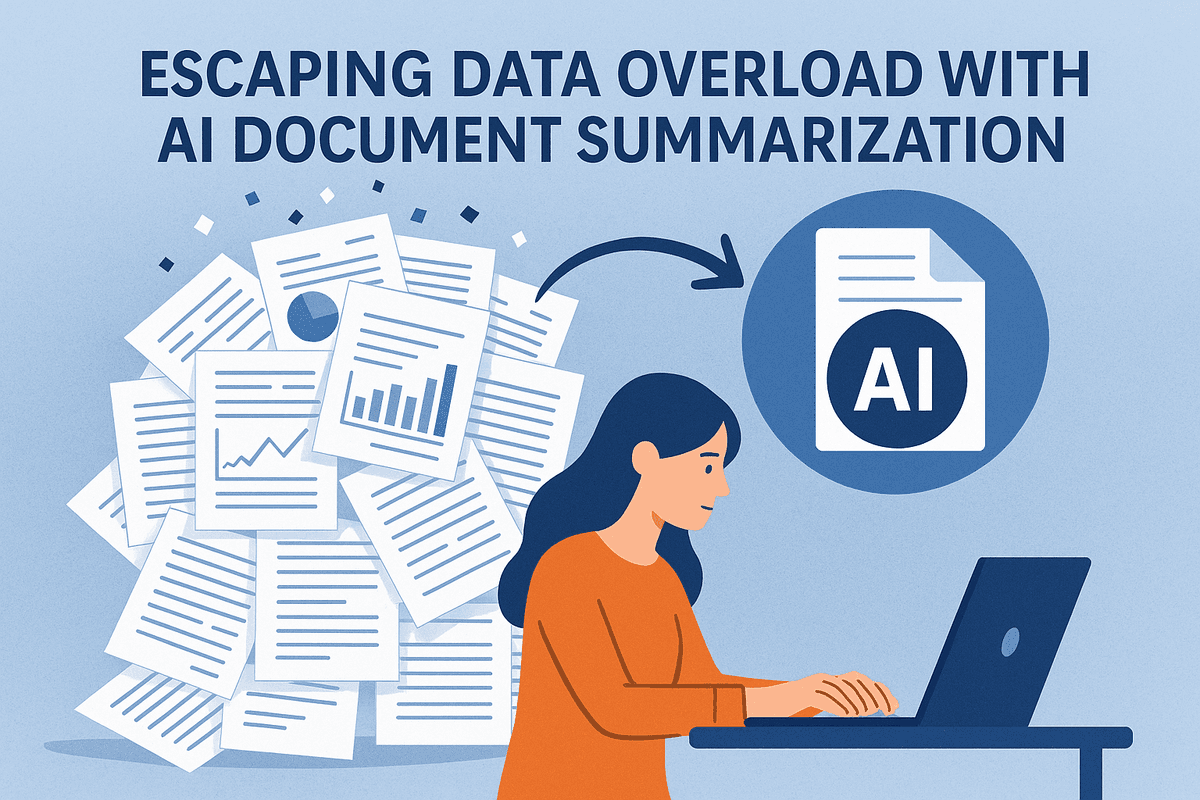
It begins with a familiar sinking feeling: a notification flashes on your screen, delivering a 100-page quarterly report, a dense legal contract, or a sprawling technical whitepaper. You know you need to digest the information to make critical decisions, but your calendar is already packed. This is the modern productivity crisis. Professionals today are not struggling with a lack of information; they are drowning in an excess of it. This phenomenon, often called "infobesity," leads to analysis paralysis, where the sheer volume of text hinders the ability to act.
In an era where data is generated faster than humans can consume it, traditional reading methods are becoming obsolete. The solution lies not in reading faster, but in processing smarter through ai document summarization.
Decoding the Technology: How It Works
At its core, ai document summarization is the application of artificial intelligence—specifically Natural Language Processing (NLP) and Large Language Models (LLMs)—to distill long-form text into concise, digestible insights without losing the original meaning.
Unlike older software that simply highlighted keywords or extracted random sentences (known as extractive summarization), modern AI utilizes abstractive summarization. This means the AI actually "reads" the document, understands the context and nuance, and generates entirely new sentences to explain the content. It mimics the human cognitive process of synthesis but operates at a computational speed that no human can match. Whether it is parsing complex financial jargon or condensing academic research, the AI identifies the central thesis and supporting arguments, filtering out fluff and repetition to present you with the pure signal.
From Hours of Reading to Seconds of Insight
The immediate impact of integrating ai document summarization into your workflow is a dramatic shift in Return on Time Invested (ROTI). Consider the mathematics of manual review: reading a standard 50-page PDF with full comprehension might take a skilled professional two hours. Using an AI tool, that same document can be processed, analyzed, and summarized in under thirty seconds.
However, the benefit extends beyond mere speed. It is about cognitive preservation. By offloading the heavy lifting of initial data processing to AI, professionals can reserve their mental energy for high-level analysis and strategic decision-making.
Key productivity shifts include:
- Rapid Triage: Instantly determine if a document is relevant enough to warrant a full read-through or if the summary suffices.
- Enhanced Recall: Concise summaries act as perfect study guides or meeting prep notes, ensuring you retain key statistics and conclusions.
- Cross-Document Synthesis: Advanced AI tools can ingest multiple PDFs simultaneously, highlighting patterns or contradictions across different reports that might be missed when reading them sequentially over days.
By leveraging ai document summarization, you are effectively reclaiming hours of your workweek, transforming a flood of unread attachments into a streamlined stream of actionable intelligence.

Top Tools for AI Document Summarization Compared
Selecting the right software for AI document summarization is no longer just about convenience; it is a strategic decision for maintaining productivity. The market in 2024 is saturated with options ranging from all-purpose chatbots to niche, industry-specific analyzers. To make an informed choice, professionals must understand the distinction between general Large Language Models (LLMs) and specialized document tools.
General LLMs vs. Specialized PDF Summarizers
The first fork in the road is choosing between a generalist and a specialist. General LLMs, such as OpenAI’s ChatGPT (GPT-4o), Google’s Gemini, or Anthropic’s Claude 3, are incredible multi-modal tools. They excel at conversational reasoning and can summarize text you paste into the chat or files you upload. However, they treat documents as just another form of input data.
In contrast, specialized PDF summarizers—like ChatPDF, Humata, or Adobe’s AI Assistant—are engineered specifically for AI document summarization. These tools often include features that general LLMs lack, such as:
- Citation linking: Clicking a sentence in the summary instantly jumps to the source paragraph in the original PDF.
- OCR capabilities: Superior handling of scanned images and non-selectable text.
- Repository management: Storing libraries of documents for cross-file querying.
Best Free and Paid AI Summarization Tools for 2024
Depending on your budget and volume, different tools offer varying value propositions.
Top Free (or Freemium) Options:
- ChatPDF: A favorite for students and casual users. The free tier allows for quick uploads and accurate Q&A based on the document, though it is limited by file size and daily queries.
- Perplexity.ai: While a search engine at heart, its ability to analyze uploaded text files and provide sourced summaries makes it a powerful free tool for research-heavy summarization.
Top Paid and Enterprise Options:
- Claude 3 (Opus/Sonnet): Anthropic’s model is currently the gold standard for heavy lifting. Its massive context window allows you to upload entire books or lengthy annual reports without the AI "forgetting" the beginning of the document.
- Jasper: Ideal for marketing teams, Jasper can turn a technical whitepaper into a summarized blog post or social media caption in seconds, focusing on brand voice rather than just condensation.
- Notion AI: For teams already working in Notion, this integration summarizes meeting notes and uploaded docs directly within the workspace, streamlining project management.
Comparing Key Differentiators
When testing these platforms, look beyond the interface. Three technical specifications will dictate the quality of your AI document summarization output.
1. Token Limits and Context Windows
The "context window" is arguably the most critical metric. It represents how much information the AI can hold in its working memory at once. A tool with a small context window (e.g., 8k tokens) might hallucinate or miss details when summarizing a 50-page contract because it has to chop the text into chunks. Tools like Claude 3 or Gemini 1.5 Pro offer context windows exceeding 200k (or even 1 million) tokens, allowing for holistic analysis of massive datasets.
2. File Support and OCR
Not all PDFs are created equal. A pristine, digitally created contract is easy for any AI to read. However, if you are summarizing scanned invoices or old archives, you need a tool with integrated Optical Character Recognition (OCR). Specialized tools generally handle complex formatting, tables, and multi-column layouts better than general chatbots, which may scramble the reading order of a magazine-style layout.
3. Accuracy and Hallucinations
Accuracy is paramount. Specialized document summarizers often use a technique called RAG (Retrieval-Augmented Generation) more strictly than general bots. This restricts the AI to answer only using the information found in the document, significantly reducing the risk of "hallucinations"—where the AI invents facts to fill gaps. For legal and financial professionals, a tool that provides citations for every claim in the summary is non-negotiable.
Key Features to Look for in AI Summarization Software
Not all algorithms are created equal. As the market floods with new productivity tools, distinguishing between a basic text parser and a sophisticated intelligence engine is crucial for professional workflows. When evaluating solutions for ai document summarization, you aren’t just looking for a tool that shortens text; you are looking for software that understands context, nuance, and data structure. To ensure you select a tool that truly enhances productivity rather than creating more work, prioritize the following three core capabilities.
Abstractive vs. Extractive Summarization Capabilities
The most fundamental difference between AI summarizers lies in how they generate their output. Understanding this distinction is vital for choosing the right tool for your specific needs.
- Extractive Summarization: This method acts like a digital highlighter. The AI scans the document, identifies the most statistically significant sentences, and pulls them out verbatim to create a summary. While useful for quick skims, it often results in disjointed reading flow.
- Abstractive Summarization: This is the gold standard for modern ai document summarization. Like a human editor, the AI interprets the text, understands the underlying concepts, and generates entirely new sentences to convey the main ideas.
For professionals dealing with lengthy reports or creative briefs, abstractive capabilities are essential. They provide a cohesive narrative rather than a bulleted list of disjointed sentences, ensuring the nuance of the original argument remains intact.
Handling Complex Formatting, Charts, and Scanned PDFs
Real-world business documents are rarely simple text files. They are often complex PDFs filled with multi-column layouts, financial tables, infographics, and headers. A basic AI tool often fails here, outputting gibberish when it encounters a graph or completely ignoring text inside an image.
Top-tier summarization software must include robust Optical Character Recognition (OCR). This feature allows the AI to "read" scanned documents and images as if they were editable text. Furthermore, the AI should possess visual literacy—the ability to interpret data within charts and tables. For example, if you are summarizing a quarterly financial report, the AI should be able to extract trends from a revenue bar chart and incorporate that data into the written summary, rather than skipping it entirely.
Integration Capabilities with Existing Workflows
The goal of using AI is to reduce friction, not add to it. If you have to download a file, upload it to a separate AI web portal, wait for the summary, and then copy-paste the result back into your workspace, you have lost valuable time.
The most effective ai document summarization tools live where you work. Look for software that offers native integrations or API connections with your daily tech stack:
- Notion: Automatically turn meeting transcripts or research papers into neat Notion database entries with summaries and tags.
- Slack: deploy bots that can summarize long threads or attached PDF reports directly within a channel, saving team members from scrolling through endless messages.
- Google Workspace: Look for side-panel extensions in Google Docs or Drive that allow you to summarize files without ever leaving your drafting window.
By prioritizing these integrations, you ensure that the summary becomes an immediate part of your knowledge management system, actionable and accessible to the whole team instantly.
Actionable Use Cases for Professional Document Summarization
While understanding the underlying technology is valuable, the true power of ai document summarization is realized when it is applied to specific professional workflows. Across industries, professionals are drowning in information but starving for wisdom. By integrating AI-powered tools into daily operations, organizations can transform static documents into dynamic, actionable insights. Below are key sectors where this technology is currently driving significant productivity gains.
Legal and Finance: Deciphering Complexity at Speed
In the high-stakes worlds of law and finance, precision is non-negotiable, but speed is often the differentiator between success and failure. Professionals in these fields deal with arguably the densest documentation, from merger and acquisition (M&A) paperwork to complex regulatory filings.
For legal teams, AI document summarization acts as a force multiplier during the discovery and due diligence phases. Instead of manually reviewing thousands of pages of contracts, AI tools can rapidly scan legal agreements to extract critical clauses, identify liabilities, and summarize obligations. This allows attorneys to focus their billable hours on high-level strategy rather than rote reading.
Similarly, financial analysts leverage these tools to dissect quarterly earnings reports and 10-K filings. An AI summarizer can instantly distill a 100-page financial report into a concise overview of revenue streams, risk factors, and market outlooks. This capability enables analysts to cover more companies in less time, identifying market trends and investment opportunities before the competition reacts.
Academia: Accelerating Literature Reviews and Research
For researchers, PhD candidates, and academic professionals, the "publish or perish" culture creates immense pressure to stay updated with an ever-expanding body of knowledge. Conducting a comprehensive literature review often involves sifting through hundreds of papers to find relevant data points.
AI-driven summarization tools are revolutionizing this preliminary research phase. By uploading PDFs of research papers, scholars can generate abstract-level summaries that highlight methodologies, key findings, and conclusions without needing to read the full text initially. This allows researchers to rapidly triage sources, deciding which papers require deep reading and which are peripheral to their study. Furthermore, advanced AI tools can synthesize findings across multiple documents, helping academics identify gaps in current research and formulate new hypotheses faster than traditional manual methods allow.
Corporate Operations: Streamlining Internal Communications
The modern corporate environment is often plagued by information overload, leading to the dreaded "TL;DR" (Too Long; Didn't Read) phenomenon. Important strategic nuances are frequently lost simply because stakeholders do not have the time to digest lengthy internal documents.
Corporate teams are using summarization technology to streamline three critical areas:
- Meeting Minutes: Transcribing a video call is helpful, but reading a raw transcript is tedious. AI tools can process transcripts to generate structured meeting minutes, listing key decisions made, action items assigned, and deadlines established.
- White Papers and Industry Reports: Executives rarely have time to read 50-page industry white papers. AI can condense these into executive briefs, ensuring leadership stays informed on industry shifts without capturing their entire schedule.
- Internal Memos and Policies: Human Resources and Operations departments use summarization to turn dense policy updates into digestible bullet points, ensuring higher employee engagement and compliance.
By automating the condensation of these documents, businesses ensure that information flows freely and that teams remain aligned, significantly reducing the administrative drag on productivity.
Best Practices for Accurate AI Document Summarization
While AI document summarization tools can dramatically reduce the time spent processing information, they are not magic wands. Large Language Models (LLMs) are engines that require precise fuel and guidance to operate effectively. To ensure your summaries are not just fast, but also accurate, secure, and contextually relevant, you need to adopt a strategic approach to how you interact with these tools.
Refining Outputs with Prompt Engineering
The quality of your summary is directly proportional to the quality of your prompt. A generic command like "Summarize this text" will yield a generic result that may miss the nuance you need. To leverage AI document summarization effectively, you must specify the format, audience, and intent.
- For Quick Scans (Bullet Points): If you are prepping for a morning huddle, instruct the AI to strip away the fluff.
- Prompt Example: "Extract the top 5 key statistics and actionable takeaways from this report. Present them as a bulleted list."
- For Stakeholders (Executive Summaries): When sharing insights with leadership, you need narrative flow and context.
- Prompt Example: "Write a one-page executive summary of this proposal. Focus on financial ROI and implementation timelines. Adopt a professional, persuasive tone suitable for a CFO."
By telling the AI exactly who the summary is for and how it should look, you transform raw data into a tailored asset.
Human-in-the-Loop: Mitigating Hallucinations
Despite their sophistication, AI models are probabilistic, not deterministic. This means they predict the next likely word rather than understanding facts the way a human does. This can occasionally lead to "hallucinations"—instances where the AI confidently generates false information, incorrect dates, or non-existent figures.
Adopting a Human-in-the-Loop (HITL) workflow is essential for professional reliability. Never copy and paste an AI summary directly into a client email without review.
- Verify Hard Data: Always cross-reference specific numbers, dates, and financial figures against the original document.
- Check for Bias: Ensure the AI hasn't inadvertently prioritized minor details while ignoring the document's main thesis.
- Contextual Logic: Does the summary make sense? If a conclusion seems contradictory to the source material, the AI likely misinterpreted a complex sentence structure.
Navigating Data Privacy and Security
The most critical aspect of using AI document summarization in a corporate environment is data governance. When you upload a quarterly financial report or a legal contract to a public AI tool, you may be inadvertently training that model on your proprietary secrets.
To maintain security while enjoying productivity gains:
- Read the Fine Print: distinct difference exists between consumer-grade chatbots and enterprise APIs. Ensure your tool provider has a "zero-retention" policy or explicit guarantees that your data is not used for model training.
- Sanitize Sensitive Data: Before summarizing, redact Personally Identifiable Information (PII) such as social security numbers, specific client names, or internal project code names.
- Use Local or Private Models: For highly sensitive documents, consider using open-source LLMs hosted on your company’s local servers (local LLMs), ensuring no data ever leaves your secure infrastructure.
By combining specific prompting techniques with rigorous fact-checking and strict security protocols, you can turn AI into a trusted productivity partner rather than a liability.

Conclusion: Embracing the Future of AI Document Summarization
As we navigate an era defined by information overload, the ability to rapidly process and understand complex data is no longer just a luxury—it is a competitive necessity. We have explored the mechanics, strategies, and transformative potential of ai document summarization throughout this guide. Now, the final step is shifting from understanding the technology to fully integrating it into your professional ecosystem.
The Real ROI of Automating Your Reading Workflow
The return on investment (ROI) for adopting AI-powered summarization goes far beyond simple time management. While saving hours on reading lengthy PDFs and quarterly reports is the most immediate benefit, the secondary effects are where the true value lies. By offloading the cognitive heavy lifting of initial information sorting to an algorithm, you protect your mental bandwidth for high-value tasks such as strategic analysis, creative problem-solving, and decision-making.
Consider the opportunity cost of manual reading. Every hour spent scanning a 50-page technical whitepaper for three pertinent facts is an hour lost on execution. AI document summarization flips this dynamic, turning hours of passive consumption into minutes of active review. This efficiency scales dramatically; for a team of ten researchers or analysts, automating the synopsis of daily briefs can reclaim hundreds of billable hours annually, directly impacting the bottom line.
Choosing the Right Tool for Your Volume
Not all summarization needs are created equal. To maximize productivity, you must align your tool selection with your document volume and complexity:
- For Individual Professionals (Low to Mid Volume): If you are a consultant or freelancer needing to summarize occasional contracts or articles, browser extensions and lightweight web-based apps are sufficient. Look for tools that offer "chat-with-PDF" functionality, allowing you to ask specific follow-up questions about the summarized content.
- For Enterprise & Research Teams (High Volume): If your workflow involves processing thousands of documents—such as legal discovery or medical research archives—you require robust, API-driven solutions. These enterprise-grade tools prioritize security, handle massive token limits, and can integrate directly into your existing project management software to batch-process summaries automatically.
Next Steps: Implementing AI Summarization in Your Daily Routine
Adopting ai document summarization requires a strategic approach to ensure accuracy and utility. Here is a practical roadmap to making this technology a staple of your daily routine:
- Start with the "skim-verify" method: Do not blindly trust the AI initially. Use the summary to get the gist, then spot-check the original document to ensure the AI captured the nuance correctly. This builds trust and helps you learn the tool's quirks.
- Define your output requirements: Are you looking for a bulleted list of key takeaways, a one-paragraph executive summary, or a list of action items? Most AI tools allow you to set custom prompts. Creating templates for your preferred summary style ensures consistency.
- Integrate, don't isolate: treating summarization as a separate task can be clunky. Look for tools that integrate with your email client or Slack, automatically summarizing long threads or attached reports before you even open them.
Ultimately, the goal is not to stop reading, but to read smarter. By leveraging ai document summarization, you evolve from a passive recipient of information into an active curator of knowledge, positioning yourself to lead in a data-driven future.