
July 3, 2025
How an AI Student Note Taker Will Change Your Study Habits
Ditch the Cram Session: How an AI Student Note Taker Will Change Your Study Habits
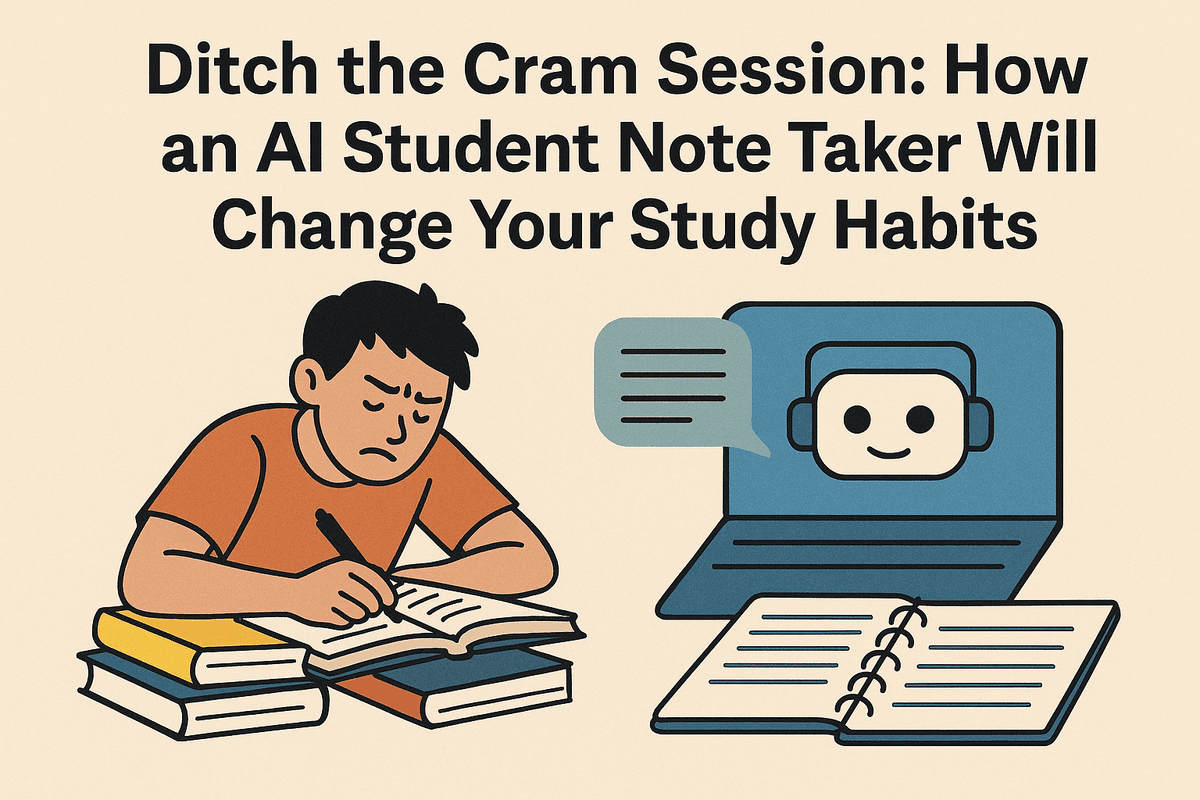
Let’s paint a familiar picture: you’re in a lecture, and the professor is speaking at the speed of light. You’re frantically scribbling, trying to capture every word. Your hand cramps, your focus is split between listening and writing, and you inevitably miss a crucial detail. Later, you’re left with pages of cryptic abbreviations and half-finished sentences. This manual method forces you to be a passive transcriber rather than an active learner.
Now, imagine a different scenario. You walk into the same lecture, place your phone or laptop on the desk, and hit ‘record’ on an AI student note taker. You lean back, listen intently, ask questions, and truly engage with the material. After class, you have a perfect, time-stamped transcript, an automated summary of the key points, and a list of important terms—all neatly organized and ready for review. This isn't science fiction; it's the new era of smart notes.
What Exactly Is an AI Note Taker and How Does It Work?
An AI student note taker is far more than a simple voice recorder. It's a sophisticated software application that uses artificial intelligence to transform spoken lectures into structured, actionable study materials. Here’s a breakdown of the magic behind it:
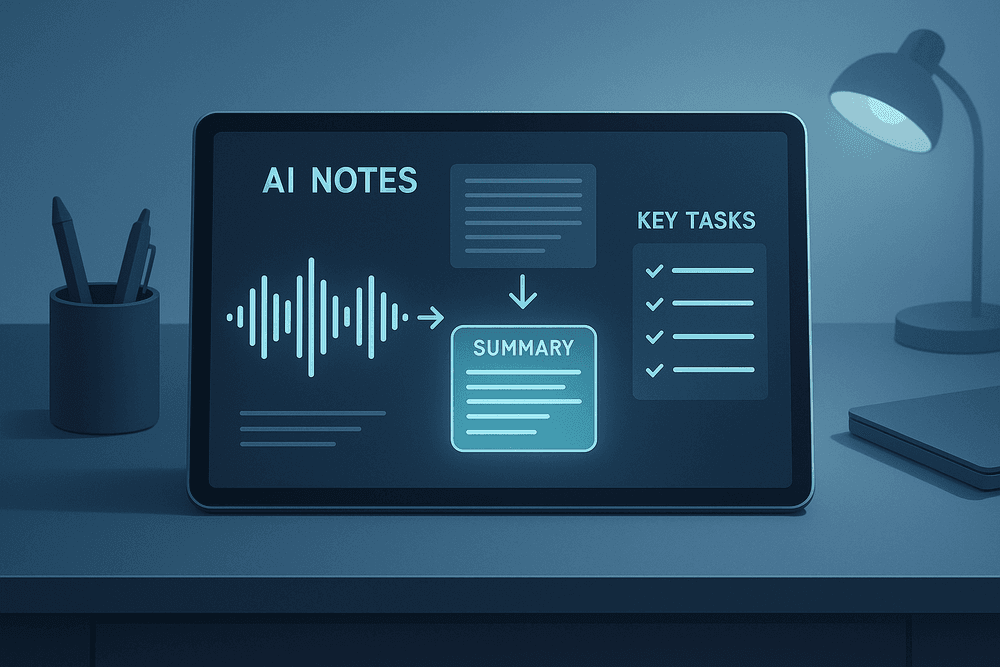
- Audio Capture & Transcription: The tool records the audio from your lecture, class discussion, or study group. Using advanced Automatic Speech Recognition (ASR), it converts the speech into a highly accurate text transcript in real-time or after the session.
- Intelligent Analysis: This is where the "AI" really shines. The software employs Natural Language Processing (NLP) to understand the context and structure of the conversation. It doesn't just hear words; it comprehends meaning and identifies the most critical information.
- Automated Organization: Based on its analysis, the AI automatically generates concise summaries, identifies key takeaways, pulls out important keywords, and can even flag action items or potential exam questions discussed by the professor. It creates order from the chaos of a live lecture.
Why This Tool is a Game-Changer for Academic Success
Adopting an AI student note taker isn’t just about convenience; it’s a fundamental shift in how you approach learning, leading to tangible academic benefits.
- Enhanced Focus and Retention: By freeing yourself from the task of manual transcription, you can dedicate your full attention to understanding the concepts as they are being taught. This active listening dramatically improves comprehension and long-term retention.
- Massive Time Savings: The hours spent re-listening to recordings or deciphering messy handwriting are a thing of the past. An AI provides instant, searchable transcripts and summaries, cutting down your review and study time significantly.
- Smarter, Not Harder, Revision: Forget last-minute cramming. With AI-generated summaries and keyword lists, you can review an hour-long lecture in just a few minutes. This allows for more frequent, effective revision sessions that build knowledge over time, not overnight.
- Improved Accessibility: For students with different learning needs, such as dyslexia or auditory processing disorders, or for non-native English speakers, an accurate text-based record of a lecture is an invaluable resource. An AI student note taker levels the playing field, making education more accessible for everyone.
Core Features to Look For in an AI Student Note Taker
When you're choosing an ai student note taker, the goal isn't just to find a fancy voice recorder. You need a powerful study partner that actively helps you learn and stay organized. The right tool can transform your academic life, but it needs to have the right set of features. Let's break down the non-negotiable capabilities that separate the best AI note-taking tools from the rest.
Effortless Lecture Transcription: Capture Every Word
Trying to furiously type or scribble down every word your professor says is a losing battle. You inevitably miss key details while your focus splits between listening and writing. A top-tier ai student note taker solves this with high-accuracy, real-time transcription.
Simply hit record on your phone or laptop, and the AI transcribes the entire lecture as it happens. This means you can fully engage with the material in class, ask questions, and absorb complex concepts without the fear of missing anything. A complete, word-for-word text record of your lectures becomes your ultimate safety net. Look for tools that can also distinguish between different speakers, which is invaluable for group discussions, Q&A sessions, or guest lectures.
Automated Summaries: Get the Main Points in Seconds
You’ve recorded a 90-minute lecture on cellular biology. Now what? Sifting through thousands of words of transcription to find the core ideas is a daunting task. This is where AI-powered summarization becomes a game-changer.
The most effective AI note-taking apps use advanced algorithms to analyze the full transcript and distill it into a concise, digestible summary. In seconds, you get a bulleted list or a short paragraph of the main arguments, key definitions, and critical conclusions. This feature is a lifesaver for exam prep, allowing you to quickly review the most important information from weeks of lectures without having to re-read everything from scratch. It turns your raw notes into a high-level study guide automatically.
Intelligent Search: Find Key Concepts in Your Audio Recordings
Remember when the professor mentioned a specific formula for an upcoming exam, but you can’t recall when? Manually scrubbing through an audio file is frustrating and inefficient. An essential feature of any modern ai student note taker is an intelligent search function.
This goes beyond a simple text search. The best tools allow you to search for a keyword or phrase and will instantly find every instance it was mentioned in your entire library of notes. More importantly, they link the text directly to the corresponding timestamp in the audio recording. With a single click, you can listen to the exact moment the concept was explained, giving you the full context. This turns your lecture archive into a powerful, searchable database tailored to your courses.
Action Item & Task Generation: Turn Notes into a To-Do List
Lectures are often filled with more than just information; they contain instructions. Professors will mention upcoming deadlines, assigned readings, project guidelines, and study suggestions. It’s easy for these crucial action items to get lost in a sea of notes.
A truly smart ai student note taker can identify these tasks and automatically generate a to-do list. It recognizes phrases like "The paper is due next Friday," or "Make sure to read Chapter 5," and pulls them into a separate, organized list. This feature connects your learning directly to your responsibilities, ensuring you never miss a deadline or a critical preparation step. It transforms your notes from a passive record into an active tool for academic success.
The Best AI Student Note Taker Tools on the Market Compared
Choosing the right ai student note taker can feel overwhelming with so many options available. Each tool offers a unique set of features tailored to different study habits and budgets. To help you decide, we’ve broken down three of the top contenders, highlighting what makes each one stand out. Whether you need a collaborative powerhouse, an all-in-one study partner, or a budget-friendly starting point, there’s an AI solution for you.
Tool A: Best for Real-Time Lecture Transcription and Collaboration
For students who can’t afford to miss a single word in a fast-paced lecture, Tool A is a game-changer. Its primary strength lies in its exceptional real-time transcription engine. Simply activate it on your laptop or phone at the start of class, and it will capture everything the professor says with remarkable accuracy, even differentiating between multiple speakers. This live lecture capture means you can focus on understanding complex concepts instead of frantically trying to type or write everything down.
Beyond transcription, Tool A excels at group work. You can invite classmates to a shared "notebook" where everyone can view the live transcript, add comments, highlight key points, and assign action items. This makes it the ideal ai student note taker for group projects, study sessions, and reviewing lecture notes together. It transforms a solitary activity into a dynamic, collaborative learning experience, ensuring everyone on the team is on the same page.
Tool B: The Ultimate All-in-One Study Hub with AI Tutoring
Tool B goes far beyond simple note-taking; it aims to be your centralized command center for academic success. While it has robust features for recording and summarizing lectures, its true power is in what happens after the notes are taken. The platform automatically organizes your notes by course and topic, then uses that information to generate interactive study materials. With a single click, your lecture notes can be transformed into digital flashcards, practice quizzes, and concise study guides.
The standout feature is its integrated AI Tutor. This is like having a personal teaching assistant available 24/7. You can ask the AI questions directly related to your course material, and it will provide detailed, context-aware answers based on your uploaded notes and lectures. If you’re struggling with a concept from class, this tool can explain it in a new way, making it the most comprehensive ai student note taker for students who want to streamline their entire study process from note capture to exam prep.
Tool C: The Best Free AI Note Taker for Students on a Budget
Jumping into AI-powered tools doesn’t have to break the bank. Tool C proves this by offering a surprisingly powerful set of features completely free of charge, making it the perfect choice for students on a tight budget. It provides all the essentials you need to upgrade your study routine. You can upload audio recordings of your lectures (or use a limited amount of live transcription per month) and the tool will generate a full transcript and an AI-powered summary highlighting the most important topics.
While it may lack the advanced collaborative features or built-in tutoring of paid alternatives, Tool C is an incredibly capable ai student note taker. It automatically identifies keywords, creates clickable timestamps, and allows you to search your entire library of notes in seconds. For any student who wants to stop re-listening to hours of lectures and get straight to the key points without spending a dime, this is the best place to start your AI note-taking journey.
How to Maximize Your Grades with an AI Student Note Taker
You have the tool, but are you using it to its full potential? An ai student note taker is more than just a recorder; it's a powerful academic partner that can transform how you study and learn. Moving from passive recording to active engagement is the key to unlocking higher grades. Here’s how to do it.
Best Practices for Recording High-Quality Audio
The accuracy of your AI-generated transcript and summary depends entirely on the quality of the audio you feed it. Think of it as "quality in, quality out." A muffled, noisy recording will result in a messy transcript filled with errors, forcing you to spend more time cleaning it up than studying. To get the most out of your ai student note taker, follow these best practices in any lecture hall:
- Get Closer: Sit as close to the professor or speaker as possible. The primary job is to capture their voice, not the chatter and coughing of the students around you.
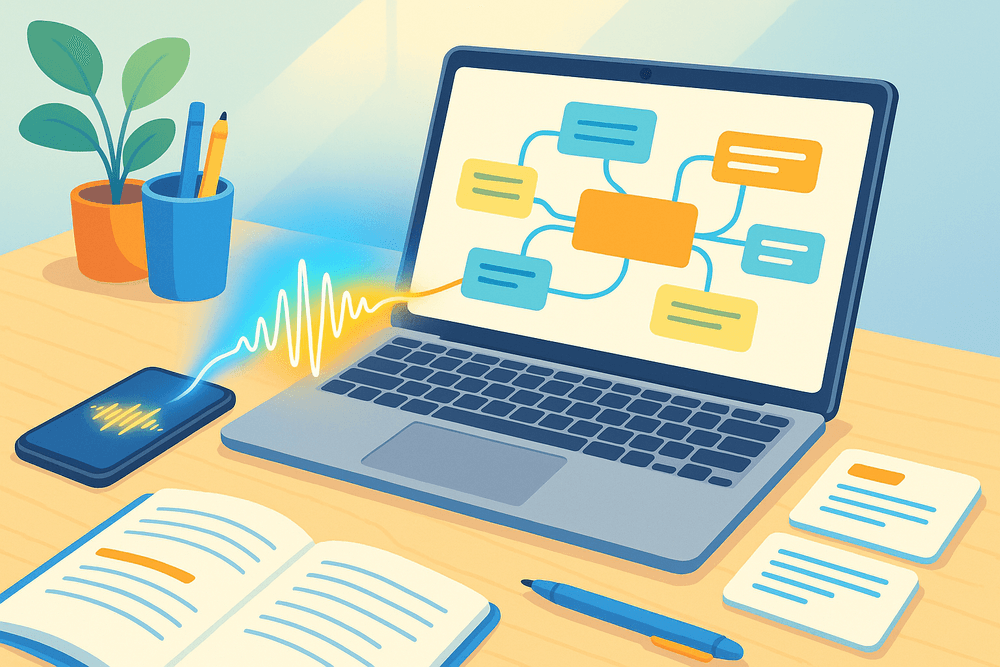
- Mind Your Mic: Your smartphone's microphone is surprisingly powerful, but its placement is crucial. Place it on your desk with the microphone pointing toward the speaker, away from your laptop fan or keyboard. Avoid keeping it in a pocket or bag.
- Minimize Background Noise: While you can’t control the entire room, you can control your immediate area. Refrain from shuffling papers, zipping bags, or typing loudly near the microphone. These sharp sounds can interfere with the AI's ability to process the lecture.
- Run a Quick Test: Before the lecture begins, record a 30-second test to check audio levels and clarity. This small step can save you from discovering an hour-long, unusable recording later.
Transforming AI Summaries into Powerful Study Guides
An AI-generated summary is an incredible starting point, but it's not the finish line. The real learning happens when you actively engage with this content. Use the output from your ai student note taker as the raw material to build personalized, effective study tools.
- Annotate and Refine: Read through the AI summary and the full transcript. Treat it like a first draft. Highlight key concepts, add your own insights from the lecture, and correct any minor inaccuracies. This process of active review helps transfer the information from the screen into your long-term memory.
- Create Dynamic Flashcards: Scan the transcript for key terms, dates, formulas, and definitions. Instead of just copying them, rephrase the definitions in your own words. Use these to create digital flashcards in apps like Anki or Quizlet. You can pull dozens of flashcards from a single lecture transcript.
- Generate Self-Quiz Questions: Convert the main points of the AI summary into questions. If a summary point is "The Treaty of Westphalia established state sovereignty in 1648," turn it into "What principle did the Treaty of Westphalia establish and when?" Answering these questions is a proven study method called active recall.
Integrating AI Notes with Your Existing Digital Workflow
To truly streamline your studies, your ai student note taker should fit seamlessly into the digital ecosystem you already use. Centralizing your notes, summaries, and source materials creates a powerful, searchable knowledge base for each course, making exam prep exponentially easier.
- Connect with Notion: Most advanced AI note takers offer integrations or easy exporting. You can create a master database for a class in Notion. After each lecture, export the AI summary and paste it into a new page. Tag it with the lecture date, topic, and keywords. You can even embed a link to the full audio or transcript stored elsewhere.
- Organize in Google Drive: A simple yet effective method is to create a folder for each class in Google Drive. Save the full transcript and the summary as separate Google Docs within the appropriate folder. You can then use the comment feature to add your own notes and questions directly to the document, collaborating with classmates if you share the folder.
By integrating these tools, you transform scattered recordings into a structured, interconnected, and highly effective study hub.
Real-World Impact: Student Success Stories with AI Note Takers
The theoretical benefits of technology are one thing, but the real test is its impact on students' lives. An ai student note taker isn't just about convenience; it's about transforming challenges into triumphs. From grade improvements to breaking down communication barriers, these tools are empowering students to achieve their full academic potential. Here are a few stories that showcase the profound difference AI note-taking can make.
Case Study: How Sarah Boosted Her GPA by 20%
Sarah, a second-year biology major, was struggling. Her lectures were dense with complex information, and she found herself frantically trying to type every word the professor said. In the process, she was missing the crucial visual aids on screen and failing to grasp the core concepts in real time. Her notes were a disorganized jumble, and her grades were suffering.
Feeling burnt out, she decided to try an ai student note taker. The change was immediate. Instead of typing, she started a recording on her laptop and focused completely on the lecture, asking questions and connecting ideas. Later that day, she reviewed the full, accurate transcript. The AI’s automated summary gave her a high-level overview, and she used the keyword search to instantly find definitions for terms like "mitosis" and "cytokinesis." This new study method allowed her to create organized, effective study guides. By the end of the semester, Sarah wasn't just less stressed—she had boosted her GPA by a remarkable 20%.
Overcoming Language Barriers in International Seminars
For Marco, an engineering student from Brazil studying in the United States, seminars were a source of intense anxiety. While he was fluent in English, the speed of native speakers, combined with technical jargon, made it difficult to follow along and take accurate notes simultaneously. He often left class feeling like he'd only caught half of the discussion.
AI note-taking tools became his academic lifeline. He used an app that provided live lecture transcription. This allowed him to follow the conversation in real time on his screen, giving him a visual anchor when the audio became too fast. After the seminar, he would review the transcript at his own pace, looking up unfamiliar terms and ensuring he understood every detail of the project requirements. The tool effectively bridged the language gap, giving Marco the confidence to participate more actively in discussions and excel in his collaborative projects.
Managing ADHD and Information Overload with AI Assistance
University lectures can be a significant challenge for students with ADHD. For Chloe, a history major, the combination of long lectures and the pressure to capture every detail was overwhelming. Her mind would often wander, and trying to force her focus only led to frustration and incomplete, chaotic notes.
Discovering an ai student note taker was a game-changer for her executive functioning. Knowing that the tool was capturing a perfect record of the lecture relieved the pressure to be constantly “on.” If her focus drifted, she could relax, knowing she could easily catch up later. The most valuable features for her were the automated summaries and action items. The AI would distill a one-hour lecture into a few key bullet points and flag any mention of deadlines or assignments. This transformed an overwhelming stream of information into a structured, manageable, and actionable study resource, significantly reducing her academic anxiety.

Conclusion: Make Your Choice and Supercharge Your Learning
You've explored the landscape of AI-powered learning, and now it's time to choose your academic co-pilot. Selecting the right ai student note taker is more than just downloading a new app; it's a strategic decision that can redefine your entire study process. It's about shifting from passively hearing lectures to actively engaging with them, knowing a perfect transcript is being created for you. The power to trade frantic typing for focused listening and turn overwhelming lecture hours into concise, actionable study guides is officially within your reach.
A Final Checklist for Choosing Your AI Note Taker
Before you commit, run your top choices through this final checklist. The best tool for you will tick most, if not all, of these boxes based on your specific needs as a student.
- Transcription Accuracy & Language: Is the transcription consistently reliable, even with complex terminology or different accents? Does it support all the languages you need for your coursework?
- Core AI Features: Does it go beyond basic transcription? Look for automated summaries, chapter or topic generation, and the ability to identify key terms and action items. These features are what truly save you time.
- Seamless Integrations: Does the tool connect effortlessly with your existing workflow? Check for integrations with Zoom, Google Meet, and Microsoft Teams, as well as export options for Notion, Google Docs, or other study apps.
- Platform Accessibility: Can you use it wherever you learn? A great ai student note taker should have a robust web app, a dedicated desktop client, and a functional mobile app for on-the-go access.
- Pricing and Student Value: Does the cost fit your budget? More importantly, does the value justify the price? Look for generous free trials, freemium plans, or special educational discounts that make the tool accessible.
- User Interface (UI) and Ease of Use: Is the platform intuitive and clean? The goal is to reduce friction, not add another complicated tool to your plate. You should be able to navigate it easily from day one.
Our Top Recommendation for Most Students in 2024
While the "perfect" tool depends on individual needs, our top recommendation for the majority of students in 2024 is an ai student note taker that excels at balance and integration.
The ideal choice is a platform that offers a generous free tier, allowing you to extensively test its core functionality without financial commitment. It should combine high-accuracy transcription with a powerful suite of AI analysis features, turning every recorded lecture into a searchable, summarizable, and organizable asset. This tool becomes more than a transcriber; it becomes your central study hub. It allows you to ask questions directly to your lecture notes, instantly generate flashcards from key concepts, and share collaborative notes with your study group. By focusing on a tool that is both powerful and easy to integrate into your daily routine, you invest in a system that actively enhances comprehension and retention.
How to Get Started with a Free Trial Today
Ready to experience the future of studying? The best way to know if a tool is right for you is to put it to the test in a real-world scenario. Follow these simple steps to get started today, completely risk-free.
- Revisit Our Comparison: Look back at our comparison of the top tools and identify your top one or two candidates based on the checklist above.
- Sign Up for a Free Trial or Plan: Navigate to the websites of your chosen tools. Nearly every major provider offers a free trial or a permanent free plan. Signing up usually only requires an email address.
- Record Your Next Lecture: Use your new tool during your very next class or upload a past lecture recording. Don't worry about taking perfect notes yourself—let the AI do the heavy lifting.
- Explore the AI Features: After the class, dive into the transcript. Generate a summary. Ask the AI a question about a concept you found confusing. See how it identifies key terms.
This hands-on experience is the ultimate decider. Take that first step, and you’ll be on your way to smarter, more efficient, and less stressful learning.