
July 3, 2026
Build the AI Design Workflow Around Brand Rules, Not Random Prompts
Most agency teams don’t have an “AI problem.” They have a context problem.
If every designer, strategist, and account lead is prompting from memory, AI becomes another place where brand nuance leaks: the wrong tone, the wrong level of polish, the wrong visual references, the wrong assumptions about what a client would never approve.
For small agencies, that inconsistency is expensive. It creates extra review rounds, partner bottlenecks, and quiet rework that wipes out the time AI was supposed to save.
Why agency AI workflows break when brand context lives outside the tool
Brand context usually sits everywhere except inside the AI workflow: PDFs in Drive, old decks, Slack threads, Figma comments, onboarding notes, and the founder’s head.
So the team prompts around the brand instead of from the brand.
That creates a few predictable failures:
- Each person interprets the client differently. One designer leans premium and minimal; another goes playful and loud. Both may be “close,” but neither is reliably on-brand.
- Prompts get longer but not smarter. Teams paste chunks of guidelines into tools every time, then still miss the strategic nuance behind those rules.
- Senior people become the brand filter. Partners or creative directors end up correcting AI output instead of reviewing higher-level direction.
- AI tool sprawl fragments standards. One person uses an image tool, another uses a writing assistant, another uses a layout generator. None share the same client memory.
The workflow breaks because the brand is treated as reference material, not operating logic.
For agencies, the better starting point is to make client brand rules persistent: voice, positioning, visual identity, audience, offers, examples, constraints, and “never do this” guidance should be available before anyone generates anything.
What to ingest before your team starts generating design work
Before using ai powered design tools for client work, build a usable brand layer for each account. Not a folder of assets — a structured source of truth the team can generate from.
At minimum, ingest:
- Brand strategy: positioning, value proposition, audience segments, key differentiators, competitor context.
- Voice and messaging: tone principles, approved phrases, banned language, campaign messaging, proof points.
- Visual identity: logos, colors, typography, layout rules, icon style, photography direction, illustration style.
- Approved examples: past campaigns, high-performing ads, landing pages, social posts, pitch decks, email designs.
- Client preferences: what they consistently like, reject, question, or escalate.
- Usage constraints: legal language, compliance notes, accessibility requirements, channel-specific rules.
- Offer and service details: product names, packages, pricing language, target industries, CTAs.
The goal is not to make AI “creative” in isolation. It is to make every AI-assisted step begin with the same client-specific boundaries your best team members already use.
That is especially important for small agencies because consistency usually depends on a few experienced people. Once brand context is ingested, junior designers, freelancers, strategists, and account leads can all work from the same foundation without waiting for a senior person to restate the rules.
Featured snippet: What are AI-powered design tools for agencies?
AI-powered design tools for agencies are software platforms that use artificial intelligence to help teams create, adapt, and manage design work faster. For agencies, the most useful tools connect AI generation to client-specific brand rules, so outputs reflect the right visual identity, tone, audience, and campaign context instead of relying on one-off prompts.
Use AI to Accelerate Ideation Without Diluting Creative Direction
Once the brand inputs are in place, ideation becomes less about “What can we prompt?” and more about “Which strategic routes are worth exploring?” That shift matters for agencies: AI should help your team get to stronger creative options faster, not flood the room with visually interesting but strategically loose ideas.
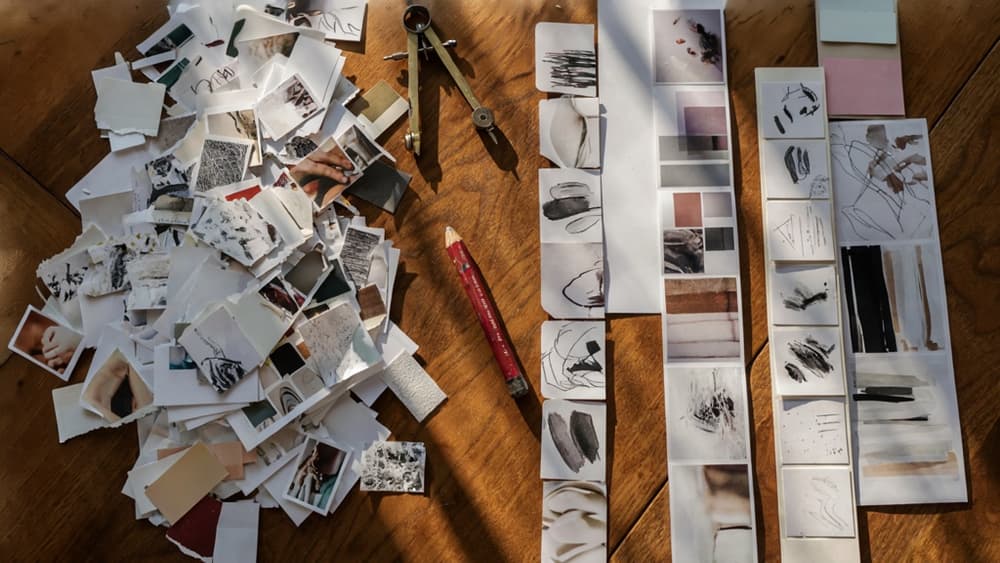
Turn briefs into campaign territories, moodboards, and visual routes
For small teams, the slow part of early-stage design is often translation: turning a client brief into usable creative starting points. AI can compress that step by helping strategists and designers generate structured territories from the same source material.
Instead of asking for “ad ideas” or “visual concepts,” use the brief to generate distinct campaign territories, each with:
- A core message or tension
- Audience insight
- Emotional tone
- Visual cues
- Example headlines or hooks
- References for art direction, composition, and style
For example, a SaaS client targeting overwhelmed operations teams might produce territories like “calm control,” “from chaos to clarity,” or “the invisible system that keeps work moving.” Each territory gives the creative team a lane to evaluate, not just a pile of disconnected ideas.
From there, AI can help shape moodboards and visual routes by suggesting reference styles, color relationships, typography attitudes, photography direction, and metaphor systems. The designer still decides what has merit, but the blank-page phase gets shorter.
This is where ai powered design tools are most useful in ideation: not as a replacement for taste, but as a way to generate multiple strategic angles from one brief without burning half the project budget before the first internal review.
Separate exploratory concepts from client-ready directions
The biggest mistake agencies make with AI ideation is showing too much too soon. Early outputs are useful because they are fast, rough, and plentiful. Client-ready directions need restraint.
Keep a clear line between exploratory work and presentable creative routes:
Stage | Purpose | Who sees it | Output quality |
|---|---|---|---|
Exploration | Generate possibilities and pressure-test angles | Internal team only | Rough, broad, imperfect |
Shortlisting | Identify the strongest strategic and visual routes | Creative lead, strategy lead, partner | More focused, still flexible |
Client direction | Present clear options with rationale | Client stakeholders | Curated, coherent, defensible |
That separation protects your creative direction. It prevents clients from reacting to half-formed AI visuals, and it keeps the agency in control of the narrative.
A useful rule: if you cannot explain why a route fits the brief, audience, and brand position without pointing at the image, it is not ready to present.
How to keep AI brainstorming useful for small agency teams
AI brainstorming works best when it has constraints. Give your team a repeatable ideation format so every project does not become a new experiment in prompting.
For each brief, define:
- The number of creative territories to explore
- The strategic question each territory must answer
- The required inputs from the client brief
- The criteria for killing weak ideas
- The point at which a human creative lead narrows the field
This keeps AI from becoming another sprawl problem across disconnected chats, tools, and personal workflows. For agency owners, the goal is not “more ideas.” It is faster access to usable ideas that your team can shape into distinctive work.
When AI helps junior designers explore more directions, strategists test sharper angles, and partners review cleaner options earlier, ideation becomes a margin advantage. The agency spends less time manufacturing starting points and more time making creative decisions that clients will actually value.
Generate and Adapt Visual Assets Faster While Staying Inside the Brand System
Once a direction is approved, the bottleneck shifts from “What should this look like?” to “How fast can we make enough usable pieces without drifting off-brand?”
Create on-brand imagery, graphics, icons, and supporting assets
This is where ai powered design tools earn their place in an agency workflow: not by replacing design judgment, but by producing the first usable pass of the smaller visual pieces that usually eat production time.
For a campaign, that might mean generating:
- Background textures that match a client’s visual tone
- Secondary graphics for paid social or email headers
- Icon sets that follow the approved stroke weight, corner radius, and level of detail
- Product scene variations using the same lighting and composition rules
- Supporting illustrations that extend an existing art direction
The key is to generate from approved ingredients, not from a blank prompt. If the brand uses soft gradients, asymmetrical crops, warm lighting, and minimal line icons, those constraints should shape every output. Otherwise, your team ends up with “nice” assets that still need heavy rework because they feel like they belong to another client.
A practical agency pattern: assign AI to the repeatable production layer. Let designers define the asset family, visual rules, and examples; then use AI to create variations within that container.
Repurpose approved assets across formats and campaign needs
Small agencies rarely lose time on one asset. They lose time turning one approved idea into twenty channel-specific versions.
After the hero visual, icon style, or campaign graphic is approved, AI can help adapt it across:
- Square, vertical, and landscape social formats
- Paid ad crops with safe zones for platform UI
- Email banners and blog headers
- Sales deck slides
- Landing page modules
- Event graphics or downloadable PDFs
The point is not “resize this image.” It is “preserve the concept while adjusting emphasis.” A LinkedIn ad may need the product closer to the focal point. A webinar banner may need more negative space for speaker names. A landing page graphic may need less visual noise so it does not compete with the CTA.
For agencies managing multiple clients, this is where brand consistency becomes operational. Instead of every designer manually interpreting the brand system for every deliverable, AI can propose format-specific adaptations that start closer to the approved direction.
That saves senior designers from rebuilding the same campaign in ten sizes, while still keeping them in control of the final composition.
Quality-control AI-generated assets before they enter production
AI-generated assets should not move straight from output to client review. They need a quick production gate so the team catches issues before they create downstream cleanup.
A simple QC pass should check:
- Does the asset match the approved brand style, not just the brief topic?
- Are colors, contrast, and typography treatments aligned with the brand system?
- Do icons or illustrations feel consistent as a set?
- Are product details, UI elements, hands, faces, and text free from obvious generation errors?
- Will the asset hold up at the final size and format?
- Are there artifacts, awkward crops, or visual details that will distract the client?
This step does not need to become a committee review. For most agencies, it can be a lightweight checklist owned by the designer or production lead before anything enters layout, client review, or handoff.
The payoff is margin protection. AI speeds up asset creation, but unchecked cleanup can quietly erase those gains. A tight QC layer keeps production moving while preventing off-brand or unusable visuals from slipping into the workstream.

Move From Assets to Layouts With AI-Assisted Composition
Once the team has approved assets in hand, AI can help turn them into usable compositions instead of leaving designers to resize, rearrange, and rebuild the same idea across every channel.
Draft social, ad, deck, and web layouts from approved ingredients
This is where ai powered design tools become most useful for small agencies: not replacing layout judgment, but removing the repetitive first pass.
Start with the ingredients already cleared for use:
- Approved headline or message hierarchy
- Brand-safe imagery, icons, and graphic elements
- Product shots, screenshots, or founder/team photography
- CTA options
- Logo lockups and campaign marks
- Required disclaimers or partner marks
- Channel dimensions and placement needs
From there, AI can assemble rough layouts for common deliverables: LinkedIn carousels, Instagram posts, paid social ads, email headers, pitch deck slides, landing page hero sections, or event promo graphics.
For example, instead of asking a designer to manually create ten ad variations from scratch, your team can ask AI to draft versions using the same approved image, headline, CTA, and logo placement rules across square, vertical, and landscape formats. The designer then chooses the strongest direction and refines it.
For decks, AI-assisted composition is especially useful for turning content-heavy slides into cleaner structures: title slide, problem slide, proof slide, comparison slide, testimonial slide, and CTA slide. The value is not that AI “designs the deck.” It gives your designer a better starting grid than a blank canvas.
Use AI suggestions for hierarchy, spacing, and format variations
Layout work often gets slowed down by small but constant decisions: where the headline sits, how much space the product image needs, whether the CTA should be primary or secondary, and how to adapt the same message for different placements.
AI can propose options for:
- Headline-first versus image-first compositions
- CTA placement across ad sizes
- More spacious versus denser layouts
- Alternate crop and focal point choices
- Multi-slide sequencing for carousel posts
- Desktop-to-mobile section rearrangements
- Slide layouts for different content weights
This helps agencies move faster because the team is choosing between structured options, not inventing every arrangement from zero.
A practical workflow is to generate three layout routes per asset set:
- Conversion-led: bold headline, clear CTA, minimal supporting copy.
- Editorial: more whitespace, stronger image treatment, softer CTA.
- Proof-led: stat, quote, logo, or result emphasized above the visual.
That gives creative directors and account leads something concrete to react to before a designer invests time polishing the wrong layout.
For agencies managing multiple clients, the biggest gain is consistency. AI can apply recurring composition patterns across campaigns without every designer having to remember how each client’s social posts, sales decks, or landing pages are usually structured.
Where designers should override AI layout decisions
AI is helpful at producing plausible compositions. Designers still need to make the calls that require taste, context, and strategic intent.
Override AI when:
- The focal point is technically centered but emotionally weak
- The hierarchy makes the CTA loud but the message unclear
- The layout follows the brand system but feels too generic for the campaign
- The crop removes a product detail, facial expression, or visual cue that matters
- The design looks balanced in one format but loses impact in another
- The slide or ad is tidy but fails to guide the viewer toward the next action
Designers should also step in when AI overuses symmetry, centers everything, or spreads elements evenly just because it can. Good agency work often depends on intentional tension: a bold crop, a compressed type block, an unexpected alignment, or negative space that makes the message feel premium.
The best use of AI-assisted composition is to compress the mechanical layout stage so senior creatives spend more time on judgment. For a small agency, that means fewer hours spent duplicating formats and more time making sure the work still feels sharp, distinctive, and worth presenting.
Turn AI Output Into Reviewable, Production-Ready Work
Once layouts are moving faster, the bottleneck shifts to approval, QA, and handoff. That’s where agencies either protect the margin AI created — or lose it in messy feedback loops and last-minute production fixes.
Create a review workflow for clients, partners, and designers
Treat AI-assisted work like any other agency deliverable: it needs clear ownership, version control, and a defined path to approval.
A practical review flow for a small agency might look like this:
- Designer review: Checks whether the work matches the approved direction, uses the right assets, and avoids obvious brand drift.
- Creative lead or partner review: Looks at strategic fit, client sensitivity, campaign consistency, and whether the work is ready to show.
- Client review: Sees only curated options, not every AI-generated variation.
- Production review: Confirms specs, file setup, accessibility, naming, and handoff requirements before anything goes live.
The key is to keep AI exploration out of the client-facing review stream. Clients should not be asked to react to twenty near-identical versions of a paid social concept. They should see the best two or three options, framed with the same rationale your agency would provide for any creative recommendation.
For recurring clients, create review stages tied to brand risk. A low-risk resizing task may only need designer approval. A homepage hero, campaign identity, or executive deck should pass through senior creative review before it reaches the client.
Check files for specs, accessibility, and handoff requirements
AI can speed up production, but it can also introduce small errors that create expensive rework: off-brand colors, inconsistent spacing, low-resolution imagery, missing safe zones, unreadable contrast, or files that do not match platform requirements.
Before AI-assisted work leaves the studio, check:
- Format and dimensions: Correct sizes for Meta, LinkedIn, Google Display, email, web, print, or deck use.
- Resolution and export settings: Proper DPI, file weight, compression, and transparent backgrounds where needed.
- Typography: Approved fonts, fallback rules, licensing, and consistent hierarchy.
- Color: Brand palette accuracy, contrast, and output mode where relevant.
- Accessibility: Text legibility, color contrast, alt text needs, reading order, and motion considerations.
- Handoff details: Layer naming, packaged assets, editable source files, linked images, and usage notes.
This is also where a brand-aware system matters. If your ai powered design tools can retain client-specific rules, your team spends less time catching preventable mistakes and more time polishing work that actually needs creative judgment.
Measure whether AI is improving margin, speed, and consistency
The point is not to “use more AI.” It is to produce more approved work without adding unnecessary headcount, review cycles, or brand cleanup.
Track a few simple metrics by client or project type:
- Time from brief to first internal review
- Time from client approval to final handoff
- Number of revision rounds per deliverable
- Percentage of work requiring brand correction
- Hours spent on resizing, adaptation, and production prep
- Gross margin by project type before and after AI adoption
Small agencies should pay particular attention to consistency metrics. If AI reduces production time by 30% but increases senior review time, the workflow is not really saving margin. If junior designers can produce first-pass work that lands closer to the client’s brand on the first try, that is a measurable operating advantage.
Review these numbers monthly. Keep the AI steps that reduce friction, tighten the ones that create rework, and remove anything that adds another tool without improving speed, quality, or profitability.