
June 22, 2026
Build the Brand-Locked Product Photography Brief Before Anyone Shoots or Prompts
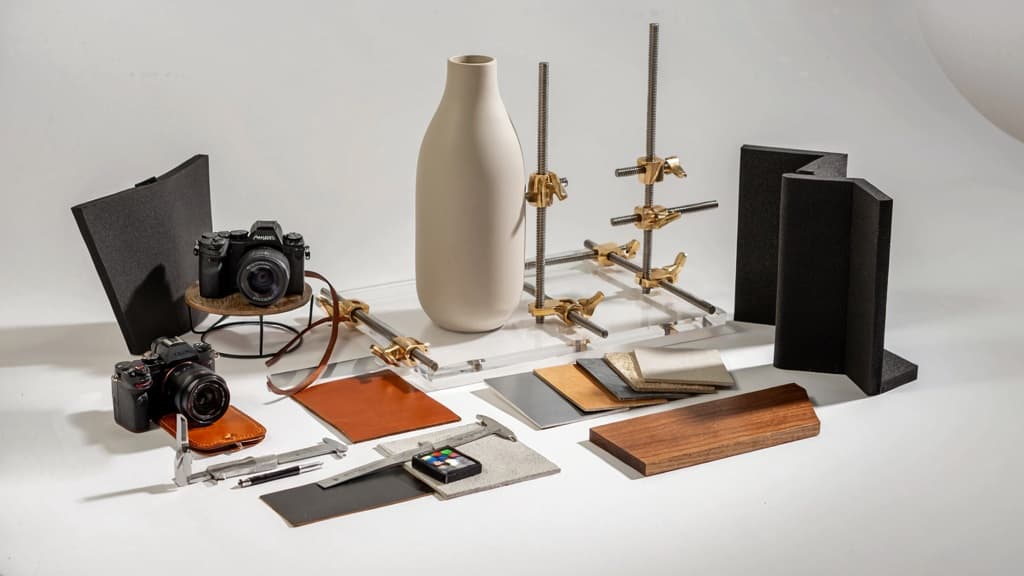
A strong brief is what keeps a product image project from turning into a maze of reshoots, prompt rewrites, and subjective client feedback. Before your team opens a camera app, lighting kit, or AI tool, lock the visual rules.
What should a product photography brief include?
For agencies, the brief needs to do more than describe the product. It should create a shared operating system for every image your team produces.
Include:
- Product details: SKU, dimensions, materials, finishes, color variants, packaging, and any parts that must be visible.
- Commercial goal: PDP conversion, marketplace compliance, paid social testing, launch campaign, Amazon gallery, wholesale catalog, or email promotion.
- Audience context: who is buying, what they care about, and what objections the image needs to reduce.
- Required shot list: hero image, detail crops, scale shots, packaging shots, lifestyle scenes, bundles, comparison images, or usage moments.
- Brand visual rules: approved colors, lighting mood, contrast level, composition style, prop guidance, typography restrictions if text overlays are involved.
- Do-not-show list: wrong use cases, competitor-style visuals, off-brand props, inaccurate product scale, banned backgrounds, misleading enhancements.
- Deliverables: formats, aspect ratios, file types, naming conventions, platform destinations, and approval stages.
For AI product photography, this brief also becomes the source of truth for prompts, reference images, retouching instructions, and variant generation.
Turn client brand rules into visual guardrails
Most client brand guidelines were built for logos, decks, and websites—not product scenes. Your job is to translate them into image decisions your creative team and AI systems can actually follow.
Instead of “premium and minimal,” define:
- matte neutral surfaces, not glossy marble
- soft directional shadows, not high-contrast studio drama
- warm beige and muted olive accents, not bright seasonal colors
- one supporting prop maximum, never lifestyle clutter
- product centered with generous negative space
- no hands, faces, or busy domestic interiors
This is where small agencies can protect margin. If every designer, photographer, and AI operator interprets the brand differently, revision cycles multiply. If the brand is translated once into reusable visual guardrails, the team can scale output without re-briefing every image.
A practical format is a simple “allowed / avoid” grid:
Brand element | Allowed | Avoid |
|---|---|---|
Lighting | Soft daylight, gentle shadow | Harsh flash, dramatic contrast |
Backgrounds | Warm neutrals, subtle texture | Busy interiors, saturated colors |
Props | Functional, category-relevant | Decorative clutter, trend-led objects |
Composition | Clean, centered, spacious | Cropped awkwardly, overcrowded |
Mood | Calm, refined, useful | Loud, playful, chaotic |
Define image requirements by channel before production
Different channels punish generic image production. A marketplace hero, paid social creative, and product detail page image may feature the same SKU, but they need different composition rules.
Define channel requirements before production begins:
- Marketplace hero images: clean product visibility, compliant background, full product in frame, no unnecessary styling.
- Product detail pages: hero, details, scale, benefits, packaging, and usage context in a logical buying sequence.
- Paid social ads: more negative space for copy, stronger thumb-stopping composition, fast visual recognition.
- Email and landing pages: wider crops, brand-led styling, room for headlines or promotional modules.
- Retail or wholesale catalogs: consistent angles, repeatable lighting, SKU-level accuracy.
This step prevents the classic agency trap: creating beautiful images that fail in placement. A brand-locked brief connects creative direction to channel realities, so every asset is planned for where it will sell—not just how it looks in a presentation.
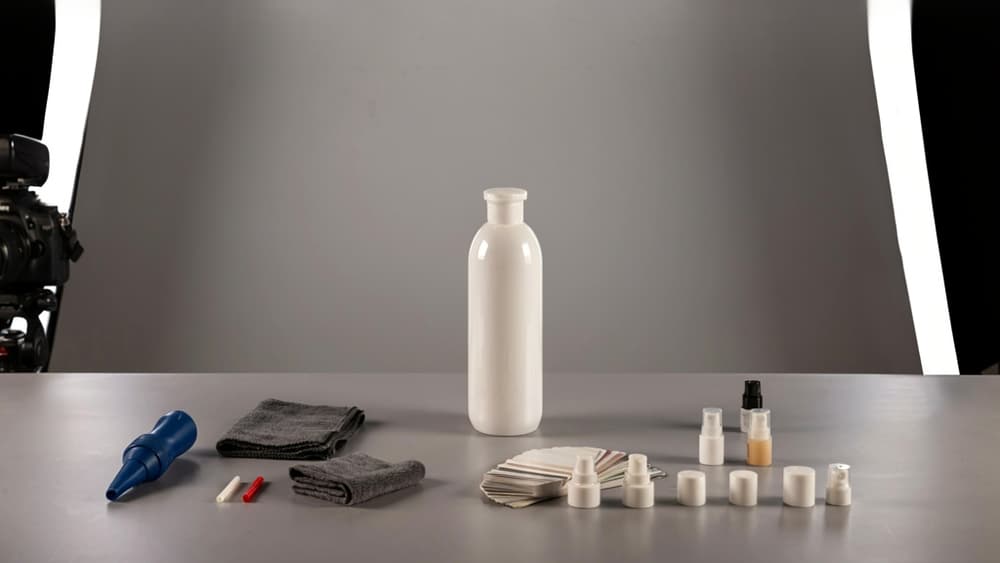
Capture Clean Source Assets for AI-Ready Product Images
With the visual guardrails set, the next job is to capture source assets clean enough that AI can extend, adapt, and retouch them without inventing product details or fighting bad inputs.
Lighting setup basics for clean product photography
AI performs best when the product is evenly lit, clearly separated from its surroundings, and free from harsh shadows that could be mistaken for shape, texture, or color variation.
For small agency setups, you don’t need a full studio. You need consistency:
- Use soft, diffused light from both sides to reduce hard shadows and blown highlights.
- Keep color temperature consistent across lights so whites, packaging, and labels don’t shift between shots.
- Avoid mixed daylight and artificial light unless you can control both.
- Place reflective products carefully so the camera, photographer, or room doesn’t appear in the surface.
- Shoot on a clean, neutral surface when the image will later be adapted into multiple formats.
For glossy packaging, bottles, electronics, cosmetics, and metallic items, flagging matters. Simple black or white foam boards can shape reflections and keep edges readable. That edge definition becomes especially important when AI tools need to isolate the product accurately.
The goal is not “beautiful final image” yet. It’s a clean, truthful product capture with enough detail for every later output.
Camera angles, sharpness, and product prep
Source images should show the product as it actually needs to be recognized: label placement, texture, scale, cap shape, stitching, ports, buttons, seams, or any other detail buyers use to confirm they are looking at the right item.
Before shooting, prep the product like it’s going straight to a hero image:
- Remove dust, fingerprints, lint, stickers, dents, and packaging flaws where possible.
- Align labels, lids, pumps, handles, and logos.
- Steam or smooth fabric products.
- Check symmetry on boxes, bags, tubes, and pouches.
- Photograph replacement units if the sample is damaged.
Sharpness is non-negotiable. Use a tripod where possible, lock focus on the most important brand or product detail, and avoid motion blur. If you’re shooting handheld, increase shutter speed rather than trying to rescue blur later.
Capture a controlled angle set so the agency isn’t forced back into reshoots for every new request:
- Straight-on front view
- 45-degree angle
- Side view
- Back view if ingredients, specs, or instructions matter
- Top-down view for flat products or kits
- Detail close-ups of texture, label, material, or functional features
For AI-ready product photography, these angles give your team more usable inputs when creating variations later, while keeping the product visually consistent across campaigns.
Create a source-image checklist for repeatable shoots
A repeatable checklist turns product capture from “whoever shot it last time knew what to do” into an agency process that scales across clients.
Use a simple pre-shoot and shoot-day checklist:
- Client, product name, SKU, and version confirmed
- Brand brief and visual guardrails reviewed
- Product cleaned, assembled, and inspected
- Correct packaging or label version used
- Lighting setup documented with placement notes or photos
- Camera settings recorded
- Required angle set captured
- Close-up detail shots captured
- Focus checked at 100% before teardown
- Color reference or grey card captured when accuracy matters
- Files backed up and organized by client, product, and date
This is where small agencies gain margin. Clean source assets reduce retouching time, lower revision risk, and give your team a reliable base for future AI-assisted adaptations without restarting production every time the client needs a new deliverable.
Design Ecommerce Compositions, Backgrounds, and Shot Types That Convert
With the source assets in place, the next agency decision is not “make it look nice.” It’s deciding which image has to answer which buyer objection, on which channel, in which brand style.
Choose the right product image types for each buying moment
A strong ecommerce set works like a sales page in images. Each shot should earn its place by moving the shopper closer to purchase.
Buying moment | Best image type | What it should communicate |
|---|---|---|
First impression | Hero image | Category, shape, color, and perceived value at a glance |
Comparison | Clean angle set | Size, proportions, variants, materials, and key differences |
Confidence-building | Detail/macros | Texture, finish, stitching, ingredients, controls, or craftsmanship |
Use-case clarity | Lifestyle or in-context image | Where the product fits in the customer’s life |
Objection handling | Scale, packaging, or “what’s included” shot | Dimensions, quantity, accessories, bundles, and unboxing expectations |
Conversion push | Benefit-led ad composition | One clear product promise with space for copy and CTA |
For agencies managing multiple clients, this structure keeps product photography from becoming a subjective taste exercise. A skincare client may need texture swatches and bathroom-shelf lifestyle images. A SaaS-adjacent hardware brand may need interface close-ups and desk setups. A premium food brand may need appetite-led macros, packaging shots, and bundle compositions.
The key is to avoid delivering ten variations of the same hero image. Build a set that covers discovery, evaluation, and purchase intent.
Backgrounds, props, and negative space without visual clutter
Backgrounds should support the product’s positioning, not compete with it. For ecommerce, start with the commercial role of the image:
- Marketplace image: clean, compliant, product-dominant.
- PDP gallery image: more room for brand personality and education.
- Paid social image: stronger contrast, faster read, clearer focal point.
- Email or landing page image: composition that leaves space for headline and offer copy.
Props should be treated as visual evidence. A ceramic mug beside coffee beans says warmth and ritual. A protein tub next to gym gear says performance. But three props, a patterned surface, a shadow-heavy background, and a loud color block can quickly bury the product.
Negative space is especially valuable for agencies creating image systems across channels. Leave intentional space where copy, badges, ratings, or promotional overlays may sit later. This prevents the common production trap where every asset looks good in isolation but fails once the media team adds campaign messaging.
A simple rule: if removing a prop makes the product clearer and the brand no weaker, remove it.
Aspect ratios and layouts for marketplaces, ads, and PDPs
Composition should be planned by destination, not cropped as an afterthought. Different placements reward different framing.
Channel | Common layout priority | Composition guidance |
|---|---|---|
Amazon / marketplaces | Product clarity and compliance | Center the product, minimize distractions, keep edges safely inside the frame |
Shopify / PDP gallery | Education and persuasion | Mix hero, detail, scale, lifestyle, and feature-led crops |
Paid social | Thumb-stopping clarity | Use bold product placement, contrast, and copy-safe space |
Display ads | Fast recognition | Keep the product large, simple, and readable at small sizes |
Modular design fit | Compose with room for headlines, buttons, or offer blocks |
For small agencies, the margin is in building adaptable compositions once instead of rebuilding assets for every placement. A square crop may work for a PDP thumbnail, but a 4:5 social ad needs vertical breathing room. A 16:9 landing-page banner needs horizontal negative space. A marketplace hero needs stricter product dominance.
Design the frame family upfront: square, vertical, horizontal, and detail crops. That gives your team reusable product photography assets that feel consistent across the client’s store, ads, emails, and launch campaigns—without adding extra creative rounds.
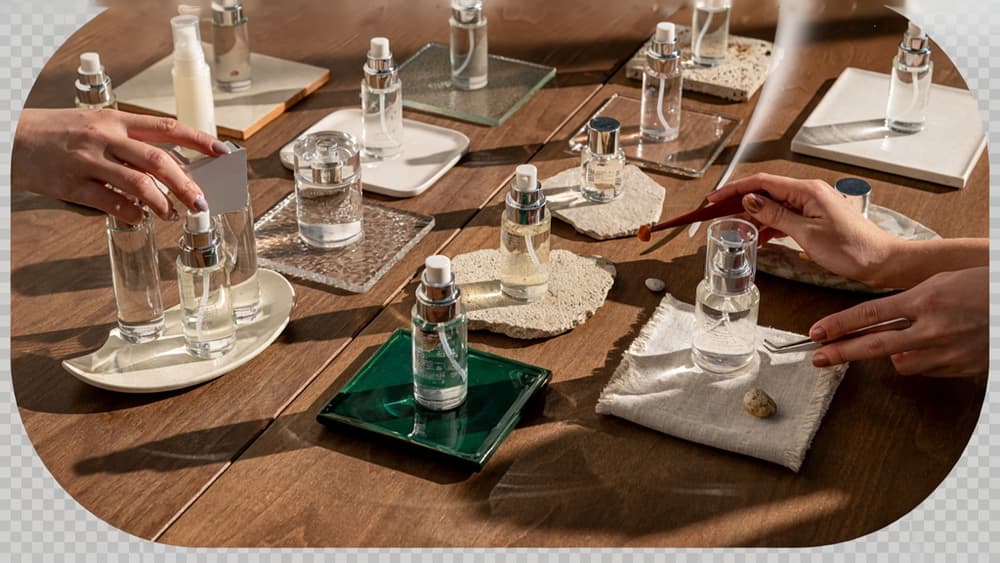
Use AI to Generate, Enhance, and Adapt Product Photography at Scale
Once the source assets and channel compositions are locked, AI becomes the production layer: not a replacement for direction, but a way to turn approved inputs into more usable, on-brand image variants without rebuilding every scene from scratch.
Where AI fits in a product photography workflow
For small agencies, the biggest win is reducing repetitive production work after the core creative decisions are made. AI is strongest when it has a clean product image, a defined visual direction, and a specific output need.
Workflow stage | Best AI use | Agency benefit |
|---|---|---|
After source capture | Clean up dust, wrinkles, glare, minor background issues | Less manual retouching time per SKU |
After composition planning | Generate scene variations using approved style rules | More campaign options without more shoot days |
Before channel adaptation | Resize, extend backgrounds, adjust crops | Faster delivery across PDPs, ads, email, and social |
During campaign refreshes | Swap seasonal settings, props, or colors while preserving the product | Keeps assets fresh without restarting production |
The key is to separate the “truth” of the product from the “flex” of the scene. Packaging shape, label details, colors, proportions, and material finish should stay fixed. Backgrounds, surfaces, shadows, props, and lifestyle context are where AI can create leverage.
Prompt systems for on-brand product image generation
One-off prompts create one-off results. Agencies need prompt systems: reusable structures that translate a client’s brand into repeatable visual direction.
A strong prompt system should include:
- Brand style inputs: tone, aesthetic references, lighting mood, color palette, materials, and visual do/don’t rules.
- Product preservation rules: keep label text unchanged, maintain true packaging color, do not alter logo placement, preserve scale and shape.
- Scene direction: surface, background, props, environment, camera angle, shadow style, and level of realism.
- Channel context: “hero image for PDP,” “paid social square ad,” “email banner,” or “marketplace secondary image.”
- Negative constraints: no extra objects touching the product, no distorted typography, no unrealistic reflections, no off-brand colors.
For example, instead of prompting “make this skincare bottle look premium,” an agency system might specify: “Use the client’s soft clinical aesthetic, warm off-white background, diffused morning light, minimal ceramic surface, no flowers, no gold accents, preserve exact bottle proportions and label artwork.”
This is where brand memory matters. If every strategist, designer, and producer is rebuilding prompts from scattered PDFs, decks, and Slack notes, consistency breaks quickly. A brand-locked AI workspace gives the team a shared starting point so every product photography variation follows the same client rules.
Batch retouching, background replacement, and variant creation
AI is especially useful when the task is repetitive but still brand-sensitive.
For ecommerce catalogs, batch retouching can standardize exposure, remove small imperfections, clean edges, soften harsh shadows, and create a consistent baseline across dozens or hundreds of SKUs. That helps agencies handle larger image sets without tying up senior designers on production fixes.
Background replacement is where AI can turn one clean product cutout into multiple commercial assets: neutral PDP image, seasonal campaign scene, category banner, retailer-specific background, or paid social creative. The product remains the anchor; AI changes the selling context.
Variant creation is the scaling layer. From one approved image, an agency can create:
- Colorway-specific scenes for different SKUs
- Seasonal versions for holiday, summer, or launch campaigns
- Platform-specific crops with extended backgrounds
- Lifestyle-inspired settings without a full location shoot
- A/B creative variations for paid media tests
The commercial upside is simple: more usable image assets per shoot, faster turnaround for client requests, and less tool sprawl across the team. AI works best when it is not treated as a random generator, but as a controlled production system built around the client’s brand.
Quality Control, Delivery, and Agency Workflow for Scalable Product Photography
Once the assets are generated and adapted, the agency value shifts from “making images” to controlling consistency, approvals, and repeatable delivery across every client.
Final QA checklist for product accuracy and brand consistency
Before anything reaches the client, run every image through a structured QA pass. For AI-assisted product photography, the highest-risk issues are usually subtle: a changed label, softened logo, incorrect material texture, warped packaging edge, or a background that feels close to the brand but not quite right.
Use a checklist your team can apply image by image:
- Product shape, proportions, color, and finish match the source asset
- Logo, label text, icons, claims, and packaging details are intact
- No invented features, extra reflections, distorted shadows, or duplicate product elements
- Background, props, lighting mood, and color palette match the approved brand guardrails
- Cropping and safe zones work for the intended channel
- Image hierarchy is clear at thumbnail size
- Retouching is consistent across the full set, not just strong on hero images
- Final files meet the required dimensions, format, and compression standards
For agencies managing multiple brands, this is where tool sprawl gets expensive. If one strategist, designer, and freelancer each interpret the brand differently, QA becomes subjective. A brand-locked workspace, like Aethera, gives the team a shared reference point so “on-brand” is not reinvented at review time.
File naming, approvals, and client handoff
Clean delivery reduces revision loops. Create a naming system that makes every file traceable by client, SKU, shot type, channel, and version.
A practical structure:
`client_sku_shottype_channel_ratio_version.ext`
Example:
`luma-labs_serum-30ml_hero_amazon_1x1_v03.jpg`
Keep working files separate from approved exports, and avoid sending clients a messy folder full of near-duplicates. A simple delivery structure might include:
- `01_review/` for client-facing proofs
- `02_approved/` for final selected assets
- `03_channel-exports/` for marketplace, PDP, email, and ad versions
- `04_source-reference/` for approved source images and brand references
For approvals, give clients fewer choices with clearer context. Instead of “Which do you like?”, frame review around business use: “Option A is the clean PDP hero, Option B is for paid social, Option C is the lifestyle crop for email.” That keeps feedback tied to channel performance, not personal taste.
Turn one-off image work into a repeatable agency service
The margin is not in rebuilding the workflow every time. Package product image work as a repeatable service with defined inputs, outputs, timelines, and revision rules.
For example:
Service tier | Best for | Deliverables |
|---|---|---|
Launch set | New product drops | Hero images, detail crops, marketplace-ready exports |
Campaign set | Seasonal promos | Lifestyle variants, ad crops, email banners |
Scale set | Larger catalogs | Batch retouching, background variants, channel exports |
Document the workflow as an internal SOP: intake, source asset check, image generation or adaptation, QA, client review, revision, export, handoff. Then attach time estimates and pricing to each step.
This turns AI product photography from an ad hoc production task into a scalable agency offer. You can onboard new clients faster, keep creative standards consistent, and increase output without adding another full-time designer for every account.