
November 15, 2025
Why You Need an AI Tool for Email Drafting
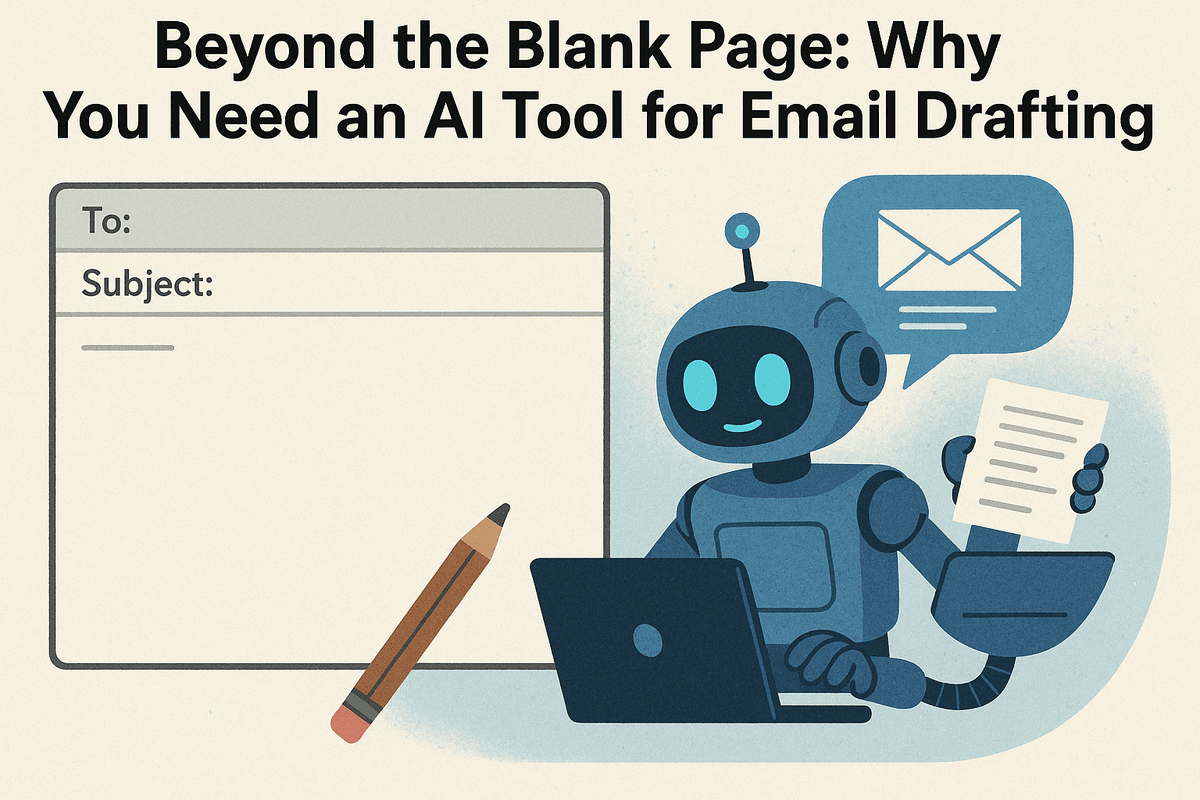
Beyond the Blank Page: Why You Need an AI Tool for Email Drafting
The blinking cursor on a blank email draft—it’s a familiar sight for every professional. Whether it's a critical client follow-up, a delicate negotiation, or a simple team update, the pressure to craft the perfect message is constant. This process, repeated dozens of times a day, is more than just a minor annoyance; it's a significant drain on your most valuable resources: time, energy, and focus. But what if you could conquer the blank page and transform your inbox from a source of stress into a streamlined engine for productivity?
The High Cost of Email: How Many Hours Do You Really Spend Writing?
Let's do the math. Studies show the average professional spends nearly three hours a day managing their email. That's over 15 hours a week—almost two full workdays—dedicated to reading, responding, and composing messages. A significant portion of that time is spent just thinking about what to write. You’re searching for the right words, agonizing over the tone, and double-checking for clarity and professionalism.
This isn't just a time sink; it's a major source of "cognitive load." Each email pulls you away from deep, focused work, forcing you to switch contexts and deplete your mental energy. The cumulative effect is staggering: lost productivity, increased stress, and valuable opportunities buried under a mountain of mundane communication tasks. This hidden cost of manual email drafting is precisely the problem that modern technology is now equipped to solve.
What is an AI Email Drafting Tool, and How Does It Work?
An AI tool for email drafting is a sophisticated software application that leverages artificial intelligence, specifically Large Language Models (LLMs), to help you write emails more effectively and efficiently. Think of it as a brilliant co-pilot for your inbox, capable of understanding context, tone, and intent.
Here’s a simplified look at how it works:
- You Provide a Prompt: Instead of writing from scratch, you give the AI a simple instruction. This could be anything from "Draft a polite follow-up to John about the Q3 report" to "Write a sales outreach email to a potential lead in the tech industry, highlighting our new software features."
- The AI Analyzes and Generates: The tool processes your request, drawing on its vast knowledge of language, communication etiquette, and professional contexts.
- A Draft Appears: In seconds, it generates a complete, well-structured email draft. It’s not a generic template; it's a unique piece of writing tailored to your specific prompt. You can then review, edit, and personalize the draft before hitting send.
This process eliminates the initial friction of starting, providing a high-quality foundation for you to build upon.
From Tedious to Triumphant: The Core Promise of AI in Your Inbox
The ultimate benefit of using an AI tool for email drafting is transformation. It’s about shifting your relationship with email from a tedious, reactive chore to a triumphant, strategic activity. The core promise is to give you back your time and mental clarity so you can focus on what truly matters.
With an AI assistant in your corner, you can:
- Conquer Writer's Block: Instantly generate ideas and complete drafts for any situation.
- Ensure Professionalism: Maintain a consistent, polished, and appropriate tone across all your communications.
- Boost Response Speed: Handle a higher volume of emails without sacrificing quality, improving relationships with clients and colleagues.
- Save Mental Energy: Automate the repetitive aspects of email writing, freeing up your cognitive resources for problem-solving and strategic thinking.
By handling the heavy lifting of composition, AI empowers you to communicate with greater speed, confidence, and impact, turning your inbox into a powerful tool for achieving your goals.
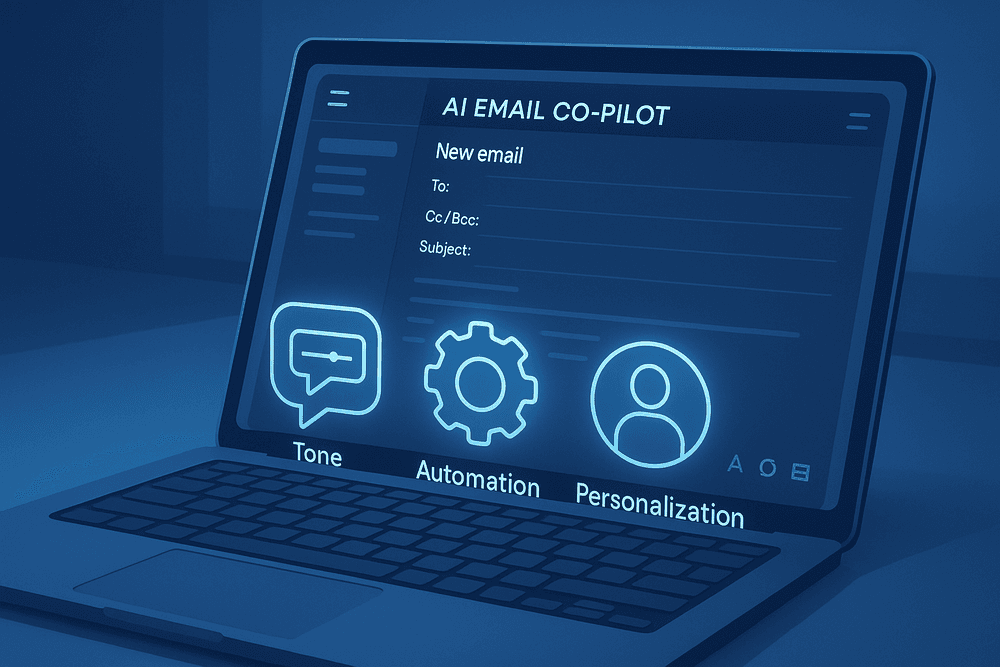
Decoding the Features of a Powerful AI Tool for Email Drafting
Choosing the right ai tool for email drafting goes beyond just generating text. The most effective platforms are packed with intelligent features designed to streamline your workflow, enhance your communication, and save you valuable time. When evaluating your options, look for a tool that moves from being a simple assistant to a true co-pilot for your inbox. Here’s a breakdown of the essential features that separate the best from the rest.
Mastering Your Tone: From Formal Reports to Friendly Follow-Ups
Communication is more than just words; it's about the feeling you convey. A top-tier AI email assistant understands this nuance. The best tools offer a tone-of-voice adjuster that allows you to calibrate your message for any situation. Need to send a formal project proposal to a high-stakes client? Select a "formal" or "persuasive" tone. Drafting a quick check-in with a colleague? A "friendly" or "casual" setting ensures your message lands perfectly. This feature is crucial for avoiding miscommunication, allowing you to sound authoritative, empathetic, or approachable with a single click. It analyzes your draft and suggests rephrasing to align the language with your intended emotional impact, ensuring your emails always hit the right note.
Automated Reply and Follow-Up Generation
One of the biggest drains on productivity is managing the constant back-and-forth of email conversations. A powerful ai tool for email drafting tackles this head-on with automated reply generation. By analyzing the content of an incoming email, the tool can generate several context-aware, one-click reply options. For a meeting request, it might suggest "Yes, I'm available," "Let me check my calendar and get back to you," or "Unfortunately, I'm booked at that time."
Furthermore, it can act as your personal follow-up assistant. The AI can track sent emails that haven't received a response and proactively draft a polite, professional follow-up message. This automates a tedious but critical task, ensuring no opportunity or deadline slips through the cracks.
Seamless Integration with Gmail, Outlook, and More
The true power of an AI assistant is unlocked when it works where you work. A superior email drafting tool shouldn't live in a separate browser tab, forcing you to copy and paste text. Look for solutions that offer seamless integration directly within your existing email client. Whether you use Gmail, Outlook, Apple Mail, or another popular platform, the tool should function as a native extension or add-on. This deep integration means the AI has full context of your email threads, allowing it to provide more accurate suggestions, replies, and summaries without ever disrupting your workflow.
Personalization at Scale: Training the AI on Your Unique Voice
This is the feature that elevates an ai tool for email drafting from a generic helper to a personalized communication partner. The most advanced platforms learn from your writing style over time. By analyzing your sent emails, the AI identifies your unique vocabulary, common phrases, preferred greetings, and signature sign-offs. It learns your cadence and tone, allowing it to generate drafts that sound authentically like you, not a robot. This "personal voice" feature is a game-changer, ensuring that even as you scale your outreach and accelerate your replies, you maintain the personal touch and authenticity that builds strong professional relationships.
The Top AI Tools for Email Drafting in 2024: A Comparative Review
With a sea of options available, selecting the right ai tool for email drafting can feel overwhelming. To cut through the noise, we’ve analyzed the market leaders to pinpoint the best-in-class solutions for specific needs. Each tool offers a unique blend of features designed to optimize workflows for different professional contexts. Whether you’re scaling a sales team, managing corporate communications, or boosting your personal productivity, here’s a breakdown of the top contenders.
Tool A: Best for Sales and Outreach Automation
Tool A has carved out a niche as the ultimate co-pilot for sales professionals. Its power lies in its ability to generate hyper-personalized outreach emails at scale. By integrating directly with your CRM (like Salesforce or HubSpot), it pulls prospect data to craft messages that resonate, referencing job titles, company news, and past interactions.
This isn't just about drafting a single email; it’s an entire sequence generator. Tool A helps you build automated follow-up campaigns that are context-aware, adjusting the tone and content based on the recipient's previous engagement. For sales teams focused on lead generation and closing deals, this ai tool for email drafting is a game-changer, saving hundreds of hours on manual prospecting and ensuring no lead falls through the cracks. Its analytics dashboard also provides invaluable insights into what messaging converts best.
Tool B: The All-in-One Assistant for Corporate Teams
Where Tool A focuses on external outreach, Tool B excels at streamlining both internal and external communication for entire organizations. Its core strength is enabling brand consistency and collaboration. Administrators can create a central library of approved templates, snippets, and brand voice guidelines that the AI uses to ensure every email sent by the team is professional and on-brand.
Tool B integrates seamlessly with platforms like Microsoft Teams and Slack, making it easy to collaborate on important announcements or client responses. It offers enterprise-grade security and compliance features, a critical factor for larger corporations. For managers, its team analytics provide a clear overview of communication efficiency and effectiveness across departments, making it the ideal choice for businesses seeking a unified and secure communication platform.
Tool C: The Top Choice for Freelancers and Individuals
For the solopreneur, consultant, or freelancer, Tool C is the perfect ai tool for email drafting. It prioritizes simplicity, affordability, and powerful functionality without the enterprise-level complexity. It typically operates as a lightweight browser extension that integrates directly into your existing email client, like Gmail or Outlook.
Its standout feature is its context-aware intelligence. As you type, Tool C offers real-time suggestions to improve clarity, fix grammar, and adjust the tone—from formal and assertive to friendly and casual—with a single click. It can generate quick, professional replies to common inquiries, draft entire project proposals from a few bullet points, and help you manage a busy inbox with unparalleled efficiency. Its accessible pricing model, often including a generous free tier, makes it the go-to for individuals looking to elevate their professional communication.
Feature-by-Feature Breakdown: A Quick Comparison Table
| Feature | Tool A: Sales & Outreach | Tool B: Corporate Teams | Tool C: Individuals & Freelancers |
| :--- | :--- | :--- | :--- |
| Best For | High-volume sales prospecting and outreach automation. | Maintaining brand consistency and team collaboration. | Boosting personal productivity and daily email management. |
| Key Features | CRM integration, automated follow-up sequences, A/B testing. | Shared template libraries, brand voice controls, security features. | Real-time tone adjustment, browser extension, quick-reply generation. |
| CRM Integration | Deep, native integrations (Salesforce, HubSpot, etc.). | Yes, with a focus on enterprise systems. | Basic, often via third-party connectors like Zapier. |
| Team Collaboration| Limited; focused on individual sales performance. | Extensive; built for team-wide use and management. | Not applicable; designed for single-user accounts. |
| Typical Pricing | Per-seat, enterprise plans. | Per-seat, with volume discounts for large teams. | Freemium model with affordable premium subscriptions. |

Real-World Scenarios: Putting Your AI Tool for Email Drafting into Action
Theory is one thing, but the true power of an AI-powered email assistant is revealed when you apply it to the daily grind. These tools aren't just for fixing typos; they are strategic partners for tackling some of the most time-consuming and high-stakes communication challenges. Let's explore how an ai tool for email drafting can revolutionize your workflow in four common scenarios.
Crafting a High-Impact Sales Cold Email in Under a Minute
The cold email is a sales staple, but it's notoriously difficult and time-consuming to get right. You need to be persuasive, personal, and concise—all while sending dozens or hundreds a day.
- The Challenge: Manually writing unique, personalized emails for each prospect takes hours. Generic templates get ignored and land in the spam folder.
- The AI Solution: Simply feed the AI key details: your prospect’s name, their company, a specific pain point you've identified (e.g., "struggling with lead generation"), and your solution's core value proposition. In seconds, the tool generates several subject lines and email body options. It can suggest compelling hooks, integrate a clear call-to-action (like "Are you free for a 15-minute chat next week?"), and maintain a confident, professional tone. This allows your sales team to multiply their outreach efforts without sacrificing quality.
Resolving Customer Support Tickets with Speed and Empathy
In customer support, speed is crucial, but so is empathy. Customers want to feel heard and understood, not like they're interacting with a robot.
- The Challenge: Support agents are under pressure to close tickets quickly, which can lead to rushed, impersonal, or inconsistent responses. Burnout is a real risk.
- The AI Solution: An AI email tool can instantly draft responses that balance efficiency with emotional intelligence. Provide a summary of the customer's issue, and the AI will generate a reply that starts with an empathetic acknowledgment ("I'm sorry to hear you're experiencing trouble with...") before clearly outlining the solution or next steps. It helps maintain a consistent brand voice across the entire team, reducing resolution times and boosting customer satisfaction.
Streamlining Internal Project Updates and Announcements
Keeping your team or the entire company in the loop is vital, but crafting clear, comprehensive internal communications can be a chore.
- The Challenge: Writing project updates that are detailed enough to be informative but concise enough to be read by busy colleagues. Important announcements can get lost in poorly structured, text-heavy emails.
- The AI Solution: Turn your rough notes or a list of bullet points into a polished, professional email. Input the key information—project milestones achieved, upcoming deadlines, and action items with assigned owners. The ai tool for email drafting will structure this into an easy-to-scan format with clear headings and a logical flow. This saves managers valuable time and ensures critical information is communicated effectively, reducing misunderstandings and keeping projects on track.
Writing a Compelling Job Inquiry or Networking Request
Reaching out to a hiring manager or a professional contact for the first time is a high-stakes moment. Your email is your first impression, and it has to be perfect.
- The Challenge: Striking the right tone—confident but not arrogant, professional yet personable. It's easy to overthink and end up with a message that sounds generic or awkward.
- The AI Solution: Define your goal (e.g., "inquire about potential marketing roles") and provide context (your key skills, how you found their contact). The AI will help you craft a compelling message that grabs their attention. It can suggest a strong opening line, help you articulate your value proposition concisely, and end with a respectful and clear request, significantly increasing your chances of getting a positive response.
Best Practices for Using an AI Tool for Email Drafting Effectively
Unlocking the full potential of an ai tool for email drafting goes beyond simply entering a command and hitting ‘generate’. It’s about creating a collaborative process between your strategic intent and the AI's linguistic power. Adopting a few key practices can transform your AI assistant from a simple time-saver into a powerful communication partner, ensuring every email is effective, on-brand, and genuinely connects with your audience.
The Art of the Prompt: Providing Clear Instructions for Better Results
The single most important factor in getting a high-quality draft from an AI is the quality of your prompt. The principle of "garbage in, garbage out" applies perfectly here. A vague request will yield a generic, uninspired email. A detailed, context-rich prompt, however, will produce a targeted and effective message.
To master the art of the prompt, include these elements:
- Goal: State the primary objective of the email. Is it to schedule a meeting, confirm a detail, follow up on a sale, or resolve a customer issue?
- Recipient: Who are you writing to? Define their role, your relationship with them (e.g., new lead, long-term client, colleague), and what you know about them.
- Context: Provide essential background information. Mention previous conversations, attach relevant documents or links, and summarize the situation.
- Tone: Specify the desired voice. Do you need it to be formal, witty, empathetic, urgent, or friendly and casual?
- Key Information: List the non-negotiable points that must be included, such as dates, names, a specific call-to-action, or a key product benefit.
Bad Prompt: "Write a follow-up email to a client."
Good Prompt: "Draft a friendly but professional follow-up email to Jane Smith at Innovate Corp. We met last Tuesday to discuss our 'Project-Flow' software. Remind her of its key benefit (cutting project timelines by 20%) and ask if she has 15 minutes for a quick call next week to answer any questions. The tone should be helpful, not pushy."
Always Proofread and Personalize: The Human Touch is Key
Think of the AI’s output as a first draft, not a final product. While an ai tool for email drafting is excellent at structuring content and ensuring grammatical correctness, it lacks the nuanced understanding of human relationships and specific contexts. Your final review is where the magic happens.
- Proofread for Accuracy and Tone: Read through the draft to catch any awkward phrasing or factual inaccuracies. Does the tone feel right for the recipient? AI can sometimes sound too robotic or overly formal. Adjust wording to make it sound like it’s coming from you.
- Inject Personalization: This is the most critical step. Add a detail that only a human would know. Mention a shared interest you discussed in a previous meeting, congratulate them on a recent company achievement you saw on LinkedIn, or simply add a personal sign-off. This small touch builds rapport and prevents your email from feeling like automated spam.
Setting Up Your Brand Voice and Style Guidelines
Consistency is crucial for professional communication. Most sophisticated AI email tools allow you to establish a custom brand voice and style. By "training" the AI on your specific preferences, you ensure that every generated draft aligns with your company's identity.
Look for features that allow you to:
- Input Style Guides: Provide the AI with rules about tone, preferred terminology, and formatting. For example, "Always use 'team member' instead of 'employee'" or "Avoid using exclamation points in client-facing emails."
- Provide Examples: Feed the tool examples of your best-written emails. The AI will analyze the structure, vocabulary, and tone to replicate your style in future drafts.
- Create Custom Templates: Save highly effective prompts and generated templates for recurring situations, like onboarding new clients or sending monthly reports.
Leveraging AI for A/B Testing Subject Lines
A great email is useless if it never gets opened. Subject lines are your first—and often only—chance to make an impression. An ai tool for email drafting can be a game-changer for optimizing your open rates through A/B testing.
Instead of struggling to come up with one perfect subject line, ask your AI to generate 5-10 variations for the same email. You can guide its creativity with specific instructions:
- "Generate five subject lines for a new feature announcement. Make one a question, one benefit-driven, and one that creates a sense of urgency."
- "Create three short, punchy subject lines (under 5 words) for a promotional offer."
- "Write two subject lines for a webinar invitation, one focused on the guest speaker and the other on the key learning outcome."
By quickly generating diverse options, the AI empowers you to test what resonates most with your audience, leading to data-backed decisions and more effective email campaigns.

Conclusion: Is an AI Tool for Email Drafting Your Next Productivity Hack?
The digital workday is dominated by the inbox. We spend countless hours composing, replying to, and perfecting emails, often at the expense of more strategic, high-impact tasks. As we've explored, the constant pressure to communicate quickly and professionally can lead to decision fatigue and burnout. But what if you could reclaim that lost time and elevate the quality of your communication simultaneously? The answer, unequivocally, lies in leveraging the right technology.
Reclaiming Your Time and Enhancing Communication
An AI tool for email drafting is far more than a simple grammar checker or a template generator. It’s a strategic partner designed to tackle the core challenges of modern email communication. By automating the repetitive aspects of writing, it frees up your cognitive energy to focus on the message's substance and intent.
Imagine instantly generating a polite follow-up, a professional response to a client inquiry, or a clear summary of a long email thread. This isn't just about speed; it's about consistency, clarity, and confidence. An AI email assistant helps you strike the perfect tone every time, overcome writer's block with intelligent suggestions, and ensure every message you send is polished and professional. It’s about transforming your inbox from a time-draining chore into a streamlined, efficient communication hub.
How to Choose the Right AI Email Tool for Your Needs
With a growing number of options available, selecting the ideal AI tool for email drafting can feel overwhelming. To find the perfect fit for you or your team, consider these critical factors:
- Seamless Integration: Does the tool work directly within your existing email client, like Gmail or Outlook? The best tools feel like a natural extension of your workflow, not a separate application you have to switch to.
- Core Feature Set: Look beyond simple drafting. Do you need advanced features like tone adjustment, response generation based on context, email summarization, or multilingual support? Create a checklist of your must-have functionalities.
- User Experience: Is the interface intuitive and easy to navigate? A powerful tool is only effective if it’s simple to use. A clean design and minimal learning curve are essential for quick adoption.
- Data Security and Privacy: Your emails contain sensitive information. Ensure the provider has a transparent and robust privacy policy. Look for commitments to data encryption and a clear explanation of how your information is handled.
Your Next Step: Start Your Free Trial Today
Reading about the benefits is one thing; experiencing them is another. The most effective way to understand the transformative power of an AI-driven workflow is to try it for yourself. See firsthand how much faster you can clear your inbox, how much more confident you feel in your writing, and how much more time you have for the work that truly matters.
Ready to turn your inbox into an engine of productivity? Stop letting email dictate your day. Take control, enhance your professional communication, and unlock your full potential.
[Start Your Free Trial Now and Revolutionize Your Email Workflow]