
May 19, 2025
An Introduction to AI Image Generation Tools
Beyond the Blank Canvas: An Introduction to AI Image Generation Tools
The blank canvas, once a symbol of pure, unadulterated human creativity, is evolving. Today, creators are armed with revolutionary new brushes: AI image generation tools. These remarkable technologies are not here to replace human ingenuity but to augment it, opening up unprecedented avenues for artistic expression, rapid prototyping, and visual storytelling. But what exactly are these tools, how did they come to be, and why are they rapidly becoming indispensable for individuals and teams alike, especially within the context of an ai collaboration platform?
What Exactly Are AI Image Generation Tools and How Do They Work?
At their core, AI image generation tools are sophisticated software systems that use artificial intelligence, particularly deep learning models like Generative Adversarial Networks (GANs) or, more recently, diffusion models, to create novel images from textual descriptions (text-to-image) or by modifying existing images based on prompts (image-to-image).
Think of it like this:
- You provide a prompt: This could be a simple phrase like "a photorealistic cat wearing a tiny astronaut helmet, looking at the stars" or a complex description detailing style, lighting, and composition.
- The AI interprets: The model, trained on vast datasets containing billions of image-text pairs, "understands" the concepts and relationships in your prompt.
- It generates: Through complex computational processes, the AI synthesizes pixels to create an image that matches your description. Diffusion models, for example, start with random noise and gradually refine it, step-by-step, guided by your prompt, until a coherent image emerges.
The "magic" lies in the neural networks' ability to learn patterns, textures, styles, and object relationships from the training data, allowing them to generate unique visuals that have never existed before, yet align with human understanding and artistic conventions.
The Evolution of AI in Art and Design: A Brief Journey
The dream of machines creating art isn't new. Early experiments in algorithmic art date back to the mid-20th century. However, the journey to today's powerful AI image generators has been one of exponential advancement:
- Early Days (1950s-1990s): Simple rule-based systems and early computer graphics laid the groundwork, exploring procedural generation.
- The Rise of Neural Networks (2000s-2010s): Early neural networks began to show promise in style transfer (e.g., making a photo look like a Van Gogh painting).
- GANs Revolution (2014 onwards): Ian Goodfellow's invention of Generative Adversarial Networks marked a significant breakthrough. GANs consist of two competing neural networks—a generator creating images and a discriminator trying to tell them apart from real ones—leading to increasingly realistic outputs.
- Diffusion Models Take Center Stage (2020s): Models like DALL-E, Midjourney, and Stable Diffusion, leveraging diffusion techniques, have pushed the boundaries of quality, coherence, and user accessibility, making high-fidelity image generation widely available.
This rapid evolution has democratized access to powerful creative tools, moving them from research labs into the hands of everyday creators.
Why Are AI Image Generation Tools Becoming Essential for Creators?
The surge in popularity and adoption of AI image generation tools isn't just a fleeting trend; it's a fundamental shift in the creative landscape. Here's why they're becoming essential:
- Unprecedented Speed and Efficiency: Need a unique visual for a blog post, a quick concept for a product, or a mood board for a campaign? AI can generate options in minutes, not hours or days. This dramatically accelerates ideation and iteration.
- Overcoming Creative Blocks: Staring at a blank page? A few well-crafted prompts can spark inspiration, providing starting points or entirely new directions you hadn't considered.
- Democratization of Visual Creation: Not everyone is a skilled illustrator or photographer. AI tools lower the barrier to entry, allowing marketers, writers, educators, and small business owners to create compelling visuals without extensive artistic training or expensive stock photo subscriptions.
- Cost-Effectiveness: For many applications, AI-generated images can be a more affordable alternative to commissioning custom artwork or licensing stock imagery, especially for rapid prototyping or internal use.
- Enhanced Collaboration and Prototyping: This is where the connection to an ai collaboration platform becomes truly powerful. Imagine a marketing team brainstorming a campaign:
- The copywriter drafts ad copy.
- Simultaneously, using an AI image generator integrated or linked within their ai collaboration platform, a designer generates visual concepts based on the copy and collective feedback.
- The entire team can see these visuals, comment, suggest prompt refinements, and iterate in real-time. This synergy, facilitated by a central AI-powered hub, transforms a sequential process into a dynamic, parallel one.
AI image generation tools are more than just novelties; they are becoming foundational elements of the modern creative toolkit. When leveraged effectively, particularly within a structured ai collaboration platform, they empower teams to visualize ideas faster, explore more creative avenues, and ultimately, produce more impactful work by bridging the gap between textual ideas and visual realities.
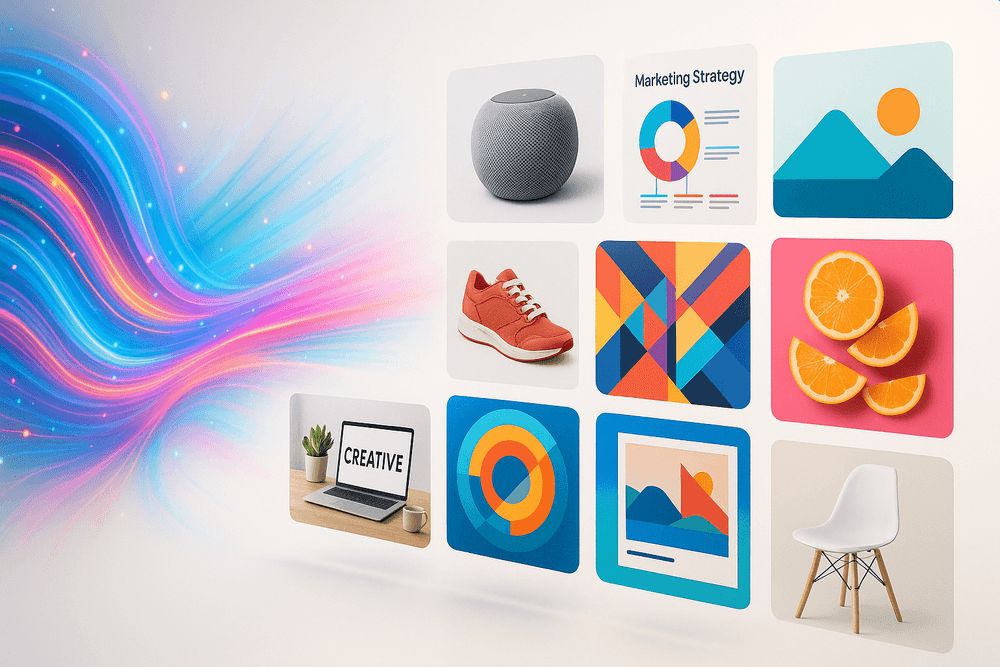
Transform Your Ideas into Visuals: Why AI Image Generation Tools Are a Game Changer
In today's fast-paced digital landscape, compelling visuals are no longer a luxury—they're a necessity. From captivating marketing campaigns to engaging presentations and clear project mockups, images speak volumes. But what happens when your creative well runs dry, your budget is tight, or you simply lack the design skills to bring your vision to life? Enter the revolutionary world of AI image generation, a powerful component increasingly found within a comprehensive AI collaboration platform. These tools are not just about creating pretty pictures; they're fundamentally changing how teams conceptualize, create, and communicate.
Unleashing Creativity: Overcoming the Dreaded Creative Block
We've all been there: staring at a blank canvas, whether digital or metaphorical, waiting for inspiration to strike. Creative blocks can derail projects and dampen enthusiasm. AI image generation tools act as a powerful muse, helping to shatter these barriers.
- Endless Inspiration: Simply by inputting text prompts—describing scenes, styles, emotions, or objects—AI can generate a multitude of visual interpretations in seconds. This provides an instant springboard for ideas, allowing you to explore diverse aesthetic directions you might not have considered.
- Visual Brainstorming: Imagine your team brainstorming a new product concept. Instead of relying solely on words, you can instantly generate visuals to accompany different ideas, making abstract thoughts tangible. This visual feedback loop, especially when shared and iterated upon within an AI collaboration platform, accelerates creative problem-solving and fosters a more dynamic exchange of ideas.
- Breaking Free from Patterns: AI isn't bound by human biases or go-to styles. It can produce unique and unexpected visuals, pushing creative boundaries and helping your team discover novel approaches.
Saving Time and Resources: Automated AI Image Generation at Your Fingertips
Traditional image creation can be a significant drain on both time and financial resources. Sourcing stock photos that almost fit, commissioning custom illustrations, or tasking an already busy design team can lead to bottlenecks and budget overruns.
- Rapid Prototyping & Asset Creation: Need a specific image for a blog post, a social media update, or a quick mockup? AI image generators can deliver options in minutes, not days. This speed is invaluable for agile teams needing to move quickly.
- Cost-Effective Solutions: While not a complete replacement for skilled human designers in all scenarios, AI can drastically reduce the costs associated with licensing stock imagery or outsourcing simpler visual tasks. This frees up budget for more complex, high-impact design work.
- Streamlined Workflows: When integrated into an AI collaboration platform, these generated images can be immediately shared, discussed, and incorporated into ongoing projects without cumbersome export/import processes. This seamless workflow significantly boosts team productivity and reduces friction.
Democratizing Design: Professional-Quality Visuals for Everyone
The power to create compelling visuals has historically been concentrated in the hands of those with specialized design software and years of training. AI image generation tools are leveling the playing field.
- Empowering Non-Designers: Team members across marketing, sales, product development, and even HR can now generate high-quality, relevant visuals without needing a design degree. This empowers everyone to contribute to the visual storytelling of the brand or project.
- Consistency and Brand Alignment: AI tools can be guided to adhere to specific styles, color palettes, or brand aesthetics, ensuring that even visuals created by different team members maintain a consistent look and feel. An AI collaboration platform can further support this by providing centralized access to brand guidelines and AI prompt templates.
- Accessibility to Professional Standards: Small businesses, startups, and individual creators can now access a level of visual quality previously only attainable by larger organizations with dedicated design departments. This democratization fosters innovation and allows more voices to be heard visually.
By transforming text into compelling imagery almost instantaneously, AI image generation tools, especially when embedded within an AI collaboration platform, are not just a novelty; they are a strategic asset. They empower teams to be more creative, efficient, and visually articulate, truly marking a new era in how we bring ideas to life.
Choosing Your Creative Ally: Top AI Image Generation Tools Compared
In the dynamic landscape of digital creation, visuals reign supreme. Whether you're crafting marketing campaigns, designing product mockups, or simply brainstorming new concepts, the ability to quickly generate compelling images is a game-changer. AI image generation tools have emerged as powerful creative allies, and when integrated or used alongside an ai collaboration platform, they can supercharge your team's output and streamline visual workflows. But with a rapidly expanding array of options, which tool is right for your needs? Let's dive in.
DALL·E 3 vs. Midjourney: The Artistic Heavyweights
For teams and individuals prioritizing artistic flair and high-fidelity conceptualization, DALL·E 3 and Midjourney are often the first ports of call.
- DALL·E 3 (from OpenAI):
- Strengths: Known for its remarkable ability to understand and execute complex, nuanced prompts with impressive accuracy. It particularly excels at generating images with legible text and adhering closely to specific stylistic requests. Its integration with ChatGPT makes the prompting process more conversational and intuitive, allowing for iterative refinement that's highly beneficial in a collaborative setting. Imagine brainstorming a campaign visual within your ai collaboration platform; DALL·E 3 can rapidly prototype concepts based on detailed textual briefs shared by the team, ensuring everyone is aligned from the get-go.
- Best For: Detailed illustrations, concept art, images requiring specific text elements, and users who prefer a more direct, instruction-based prompting style.
- Midjourney:
- Strengths: Celebrated for its distinct, often breathtakingly artistic and cinematic outputs. Midjourney has a strong community and a unique prompting system (often managed via Discord) that encourages experimentation. It's particularly strong in creating atmospheric, evocative, and highly stylized imagery. While less direct than DALL·E 3 in prompt interpretation, its "remix" and variation features are fantastic for exploring creative tangents—a process that can be shared and discussed within an ai collaboration platform to collectively decide on the best visual direction.
- Best For: Artistic exploration, mood boarding, generating unique and aesthetically rich visuals, fantasy and sci-fi art.
The Verdict for Artistic Outputs: If pinpoint accuracy to complex prompts and text integration is paramount, DALL·E 3 is a strong contender. If you're seeking a more painterly, atmospheric, and uniquely stylized output, Midjourney often delivers jaw-dropping results. Both can dramatically enhance the creative capabilities of teams using an ai collaboration platform by providing a rapid means to visualize ideas.
Stable Diffusion: Exploring Open-Source Flexibility
Stable Diffusion stands apart due to its open-source nature, offering unparalleled flexibility and control for those willing to delve deeper.
- Strengths:
- Customization: Being open-source, you can run Stable Diffusion locally (given adequate hardware) or on cloud services. This allows for extensive customization with various models, LoRAs (Low-Rank Adaptations for fine-tuning styles or characters), and tools like ControlNet for precise image manipulation (e.g., copying poses, depth maps).
- Community & Ecosystem: A vast and active community constantly develops new tools, models, and workflows.
- Cost-Effectiveness (Potentially): Running it locally can be more cost-effective for high-volume generation, though it requires technical setup.
- Flexibility for an AI Collaboration Platform: For businesses with specific, recurring visual needs or a desire to integrate AI image generation deeply into their proprietary ai collaboration platform, Stable Diffusion offers the framework to build custom solutions. Imagine an internal ai collaboration platform with a built-in image generator trained on your company's specific brand aesthetics and product lines.
- Considerations: Requires more technical know-how to set up and optimize compared to turnkey solutions. The sheer number of options can be overwhelming for beginners.
Stable Diffusion is the power user's choice, ideal for teams with development resources or a strong desire for bespoke image generation capabilities within their collaborative workflows.
Adobe Firefly & Commercial Use: Features and Licensing
When creating assets for commercial projects, licensing and ethical considerations are paramount. Adobe Firefly is designed with these concerns at its core.
- Adobe Firefly:
- Strengths:
- Commercially Safe: Trained on Adobe Stock’s library, openly licensed content, and public domain content where copyright has expired. This design aims to ensure generated assets are commercially safe and don't infringe on existing IP.
- Integration with Adobe Creative Cloud: Seamlessly integrated into Photoshop, Illustrator, and Adobe Express, allowing for AI-powered features like Generative Fill and Text-to-Image directly within familiar workflows. This is a massive boon for creative teams already leveraging Adobe's ecosystem, especially when managing projects through an ai collaboration platform that might also integrate with Adobe tools.
- Focus on Practical Tools: Features like text effects, recoloring vectors, and generative fill are designed to solve real-world creative challenges.
- Licensing: Tied into Adobe subscriptions, its commercial use terms are generally clearer and more aligned with professional creative needs. Always review the latest terms.
- Other Commercial-Friendly Options: Several other platforms like Getty Images AI Generator (trained on Getty's licensed stock) and Shutterstock AI also offer commercially safer alternatives, often with indemnification clauses for enterprise users.
For businesses, especially those already invested in Adobe's suite, Firefly offers a powerful and ethically conscious way to incorporate AI image generation into their creative processes. This reliability is crucial when assets are being shared, reviewed, and finalized within an ai collaboration platform.
Emerging AI Image Generation Tools to Watch in 2024
The field of AI image generation is evolving at breakneck speed. Here are a few trends and tools to keep an eye on in 2024:
- Ideogram: Gained initial popularity for its superior text rendering capabilities compared to many contemporaries. It continues to improve its overall image quality and stylistic range.
- Leonardo.Ai: Offers a suite of tools including custom model training, making it a strong contender for game developers and designers looking for specific, repeatable styles. Its platform-based approach lends itself well to team use.
- Video Generation (e.g., Runway Gen-2, Pika Labs, Stable Video Diffusion): While not strictly image generation, text-to-video and image-to-video tools are rapidly maturing, offering new avenues for dynamic content creation that will undoubtedly become part of the broader ai collaboration platform toolkit.
- 3D Asset Generation: Tools are emerging that can generate 3D models from text prompts, which will revolutionize workflows in gaming, VFX, and product design.
- Enhanced Realism and Control: Expect continued improvements in photorealism, finer control over image details, and more intuitive interfaces across the board.
Staying updated with these advancements is key. As these tools mature, their integration into or alongside your ai collaboration platform will become even more seamless, unlocking new levels of creative productivity and collaborative potential. The right "creative ally" can transform how your team visualizes and executes ideas, making the selection process a crucial step in optimizing your collaborative efforts.
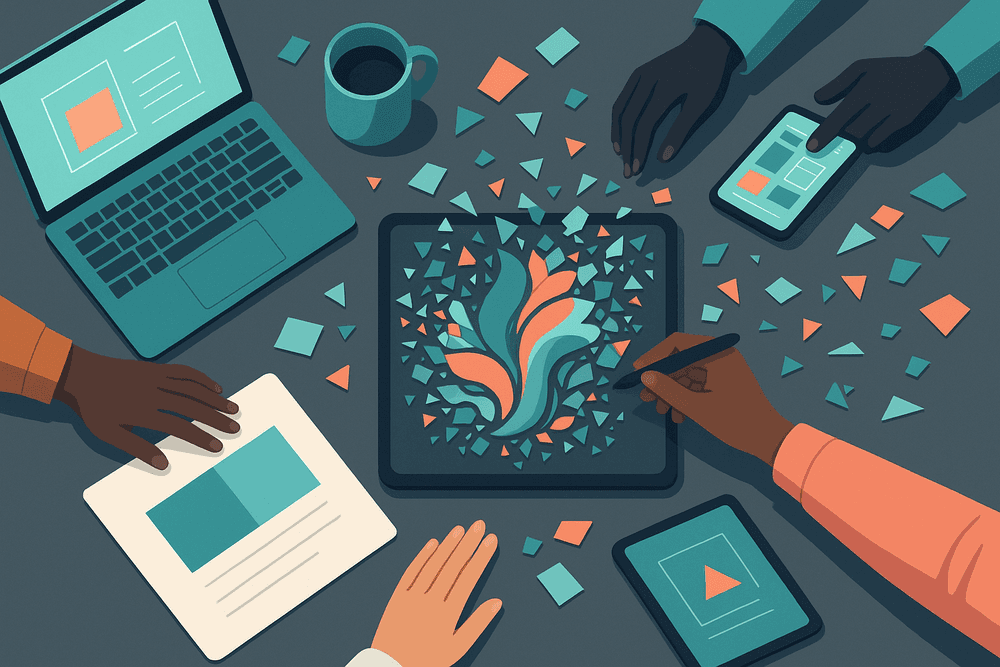
Unlocking Creative Potential: Must-Have Features in AI Image Generation Tools
Visuals are the lifeblood of modern communication, and AI image generation tools are revolutionizing how we create them. When integrated into an ai collaboration platform, these tools become even more potent, transforming individual sparks of genius into collaborative masterpieces. But what features truly empower teams to unlock their creative potential? Let's dive into the essentials that turn good ideas into stunning visuals, fostering unparalleled teamwork and output.
Mastering Text-to-Image Prompts for Precise AI Image Generation
The journey from concept to creation often begins with words. Text-to-image generation is the cornerstone of AI-powered visual artistry, allowing users to describe a scene, object, or abstract idea and watch the AI bring it to life.
- The Art of the Prompt: Effective prompting is more than just stringing words together; it's about precision. Think like a director: specify the subject, action, environment, artistic style (e.g., "photorealistic," "impressionistic," "anime"), lighting ("golden hour," "studio lighting"), mood ("serene," "dramatic"), and even camera angles or lens types.
- Iterative Refinement: The first attempt is rarely perfect. An ai collaboration platform can facilitate this iterative process by allowing team members to share prompts, suggest modifications, and track version history of generated images. For example, a marketing team can collaboratively refine prompts for a campaign visual, ensuring brand alignment and message clarity.
- Negative Prompts: Just as important as telling the AI what you want is telling it what you don't want. Negative prompts help exclude unwanted elements, colors, or styles, leading to cleaner, more focused results.
Exploring Image-to-Image Translation and Style Transfer Capabilities
Beyond creating from scratch, AI tools offer powerful ways to transform existing visuals:
- Image-to-Image Translation (img2img): This feature takes an input image (a sketch, a rough photo, a basic graphic) and transforms it based on a text prompt. Imagine uploading a crude drawing of a product concept and prompting the AI to render it as a photorealistic mock-up. This accelerates design iterations and allows for rapid visualization of ideas.
- Style Transfer: Want to see your product photo in the style of Van Gogh? Or apply a consistent cyberpunk aesthetic across a series of marketing images? Style transfer allows you to take the artistic style from one image and apply it to the content of another. Within an ai collaboration platform, teams can establish a library of approved style images, ensuring brand consistency across all AI-generated visuals.
Understanding Outpainting, Inpainting, and Other Advanced Editing Features
The initial generation is often just the starting point. Advanced editing features provide the finesse needed to perfect your visuals:
- Outpainting (or Uncropping): This magical feature allows you to extend an image beyond its original borders. The AI intelligently generates new content that seamlessly blends with the existing image, expanding the canvas in any direction. This is invaluable for adapting images to different aspect ratios or creating panoramic views.
- Inpainting (or Generative Fill): Need to remove an unwanted object, fix a blemish, or add an element to a specific part of an image? Inpainting lets you select an area and instruct the AI to fill it in, seamlessly integrating the changes. This is a game-changer for retouching and compositional adjustments.
- Other Advanced Edits: Many tools also offer features like object removal, background replacement, upscaling (improving resolution), and fine-tuning specific elements. When these tools are part of an ai collaboration platform, different team members can take on specific editing tasks, streamlining the post-production workflow.
How to Evaluate Resolution, Aspect Ratios, and Output Formats
Technical specifications are crucial for ensuring your AI-generated images are fit for purpose:
- Resolution: Higher resolution means more detail and suitability for larger displays or print. Understand the maximum resolution the tool can generate and whether it offers upscaling capabilities. For web use, 72-96 DPI is often sufficient, while print typically requires 300 DPI or higher.
- Aspect Ratios: From Instagram squares (1:1) and stories (9:16) to website banners (e.g., 16:9 or custom) and print layouts, different platforms require different image dimensions. A good AI tool will allow you to specify common aspect ratios or custom dimensions before generation, saving significant editing time.
- Output Formats:
- JPEG (.jpg): Best for photographs and images with complex color gradients where file size is a concern.
- PNG (.png): Ideal for graphics, logos, and images requiring transparency. Offers lossless compression.
- SVG (.svg): Vector format, infinitely scalable without loss of quality, perfect for logos and icons (though less common for direct AI generation, some platforms might offer vectorization).
- GIF (.gif): For simple animations. An AI collaboration platform should ideally support a range of these formats and make it easy for teams to select the appropriate output for their specific needs, ensuring deliverables are always optimized.
By understanding and leveraging these features, particularly within the synergistic environment of an AI collaboration platform, creative teams can dramatically enhance their efficiency, explore new artistic frontiers, and produce visually compelling content that resonates with their audience.
Mastering the Craft: Best Practices for Stunning Results with AI Image Generation Tools
AI image generation tools are revolutionizing how we create visuals, transforming mere text prompts into compelling imagery. But like any powerful instrument, achieving mastery requires understanding its nuances. When these tools are integrated or utilized within an ai collaboration platform, their potential for enhancing team projects skyrockets. Let's explore the best practices to unlock stunning results, turning your creative visions into tangible assets.
Writing Effective Prompts: The Art of Clarity, Detail, and Creativity
The prompt is your direct line of communication with the AI. The quality of your output is inextricably linked to the quality of your input. Here’s how to converse effectively:
- Be Crystal Clear and Specific: Ambiguity is the enemy of good AI art. Instead of "a dog," try "a photorealistic golden retriever puppy playing in a sunlit meadow filled with wildflowers." The more precise your language, the closer the AI gets to your vision.
- Layer in the Details: Think like a director setting a scene.
- Subject: What is the main focus? (e.g., "an ancient, wise owl")
- Action/Pose: What is the subject doing? (e.g., "perched on a glowing, enchanted book")
- Environment/Setting: Where is the subject? (e.g., "in a mystical library at midnight")
- Lighting: How is the scene lit? (e.g., "soft moonlight filtering through a gothic window, bioluminescent mushrooms casting an eerie glow")
- Color Palette: Specify dominant or accent colors. (e.g., "deep blues, purples, and silver accents")
- Camera Angle/View: (e.g., "low-angle shot," "macro close-up," "bird's-eye view")
- Inject Creative Flair: Don't just describe; evoke. Use vivid adjectives, metaphors, or even combine unexpected concepts. "A cityscape made of musical instruments, impressionist style" can yield far more interesting results than a plain description. An ai collaboration platform can facilitate brainstorming sessions where teams collectively craft these creative prompts.
Iterative Prompting: Refining Your Vision, One Step at a Time
Your first prompt is rarely your last masterpiece. Iteration is key to honing your AI-generated images.
- Start Broad, Then Narrow: Begin with a simpler prompt to get a baseline. Analyze what the AI produced: What did it get right? What’s missing?
- Refine and Add: Use the initial output as a stepping stone. Add more details, tweak keywords, or change stylistic elements. For instance, if your "forest" looks too generic, try "dense, misty redwood forest with god rays."
- Utilize Tool-Specific Features: Most AI image generators offer options like:
- Variations: Generate new images based on an existing one you like.
- Upscaling: Increase the resolution and detail of a promising image.
- Inpainting/Outpainting: Selectively edit parts of an image or expand its canvas.
- Negative Prompts: Tell the AI what you don't want to see (e.g., "--no text," "--no humans," "--no blur").
Within an ai collaboration platform, teams can share iterations, gather feedback, and collectively guide the image refinement process, ensuring the final asset aligns perfectly with project goals.
Understanding Artistic Styles, Moods, and Composition
To truly direct the AI, you need to speak its language of art.
- Artistic Styles: Experiment with invoking specific styles.
- Examples: "impressionist," "surrealist," "art deco," "cyberpunk," "photorealistic," "pixel art," "fantasy concept art," "ukiyo-e," "steampunk."
- Mentioning specific artists (e.g., "in the style of Van Gogh") can work, but be mindful of ethical considerations (see below).
- Evoking Moods: Use descriptive words to set the emotional tone.
- Examples: "serene," "eerie," "joyful," "melancholic," "dynamic," "ominous," "whimsical."
- Combine mood with lighting and color: "a melancholic, rainy cityscape with neon reflections."
- Guiding Composition: While AI often has a decent sense of composition, you can influence it.
- Keywords: "symmetrical," "leading lines," "rule of thirds," "depth of field," "dynamic angle."
- Focus: "close-up on the eyes," "wide shot showing the full landscape." An ai collaboration platform might even offer shared libraries of preferred styles or mood boards to ensure brand consistency across generated visuals.
Ethical Considerations and Copyright: Navigating the New Frontier
As AI image generation becomes more accessible, especially within an ai collaboration platform where assets are created and shared, understanding the ethical and legal landscape is crucial.
- Copyright: Generally, the user who creates the prompt and generates the image owns the copyright to that specific output (depending on the tool's Terms of Service – always check!). However, AI models are trained on vast datasets, which can include copyrighted material. The legal landscape is still evolving.
- Respect for Artists: Avoid explicitly prompting "in the style of [living artist]" without their consent if possible, as this can mimic their unique work without compensation or credit. Instead, describe the qualities of their style.
- Bias in AI: AI models can inherit biases present in their training data, potentially leading to stereotypical or unrepresentative imagery. Be mindful of this and actively work to create diverse and inclusive visuals.
- Transparency: Consider disclosing when an image is AI-generated, especially in contexts where authenticity is paramount (e.g., news reporting, personal representation). Many teams using an ai collaboration platform establish guidelines for such disclosures.
- Misinformation: Be responsible. AI-generated images can be used to create convincing fakes ("deepfakes"). Uphold ethical standards and avoid contributing to the spread of misinformation.
Mastering these best practices will not only help you create stunning individual images but also significantly enhance the creative capabilities of your team when working within an ai collaboration platform. By combining clear communication, iterative refinement, artistic understanding, and ethical awareness, you can harness the full power of AI image generation to bring your most ambitious visual ideas to life.
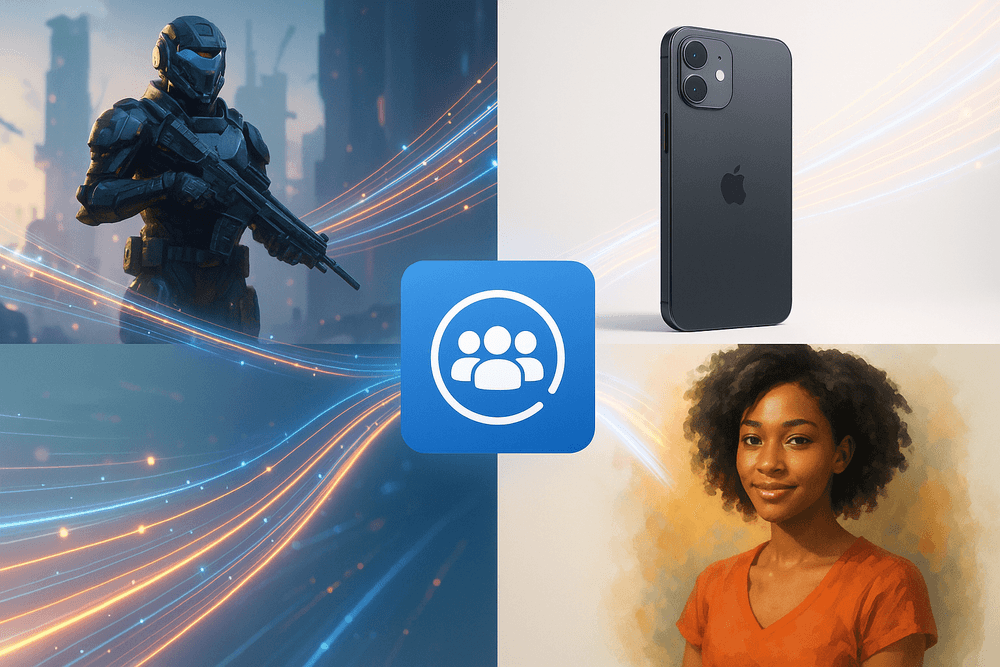
AI Image Generation Tools in Action: Inspiring Real-World Use Cases
The buzz around AI image generation is palpable, and for good reason. These tools are not just novelties; they are rapidly becoming indispensable assets across various industries. But their true power is often unlocked when integrated into a broader creative and productive workflow, frequently managed within an ai collaboration platform. This synergy allows teams to move from concept to creation with unprecedented speed and efficiency. Let's dive into some inspiring real-world use cases where AI image tools are making a tangible impact, often supercharged by the capabilities of an ai collaboration platform.
Fueling Ad Campaigns and Social Media Buzz
Marketers are constantly under pressure to deliver fresh, engaging visual content. Traditional photoshoots and graphic design can be time-consuming and expensive. Enter AI image generation:
- Rapid Ad Creative Iteration: Imagine needing ten variations of an ad visual for A/B testing. AI tools can generate these in minutes based on a single prompt, allowing marketing teams to test more hypotheses and optimize campaigns faster.
- Hyper-Personalized Content: AI can help create visuals tailored to specific audience segments, even down to individual preferences, making ads feel more relevant and impactful.
- Endless Social Media Visuals: From eye-catching Instagram posts to unique blog headers, AI can quickly produce a diverse range of on-brand visuals, keeping social feeds vibrant and engaging.
When these image generation capabilities are accessible within an ai collaboration platform, marketing teams can seamlessly brainstorm prompts, generate assets, share them for feedback, get approvals, and organize final visuals all in one place. This dramatically streamlines the content pipeline, from initial idea to campaign launch.
Visualizing Worlds: Concept Art and Storyboarding for Film & Games
The entertainment industry, particularly film and game development, thrives on visual storytelling. AI image generators are revolutionizing the pre-production phase:
- Accelerated Concept Art: Artists can use AI to rapidly explore different visual styles, character designs, environments, and moods. This doesn't replace human artists but provides them with a powerful ideation tool, allowing them to iterate far more quickly.
- Dynamic Storyboarding: Instead of static sketches, AI can generate a series of visual sequences based on script descriptions, helping directors and writers visualize scenes and make creative decisions earlier in the process.
- Mood Board Creation: Quickly generate a rich tapestry of images to define the aesthetic and emotional tone of a project, ensuring the entire creative team is aligned.
An ai collaboration platform serves as the central hub where directors, writers, artists, and producers can collaboratively refine these AI-generated visuals. They can share prompts, compare outputs, annotate images, and track the evolution of the project's visual identity, ensuring everyone is on the same page.
Bringing Products to Life: AI-Powered Visualization and Mockups
For e-commerce, product design, and architecture, showcasing products and concepts realistically is crucial. AI image generation offers innovative solutions:
- Cost-Effective Product Mockups: Generate high-quality images of products in various settings or on different models without expensive photoshoots. This is particularly useful for showcasing product variations (colors, materials) or creating lifestyle imagery.
- Architectural Visualization: Architects and designers can quickly generate photorealistic renderings of building concepts or interior designs, helping clients visualize the final outcome.
- Virtual Try-Ons & Staging: For fashion or furniture, AI can create visuals showing how items might look on a person or in a specific room, enhancing the customer experience.
Integrating these tools with an ai collaboration platform allows design teams, marketers, and stakeholders to easily share and review product mockups, provide feedback on visualizations, and manage the asset library efficiently before launching products or presenting designs.
The Personal Touch: Unique Art and Gifts Crafted by AI
Beyond large-scale commercial applications, AI image generators are democratizing art creation for highly personalized items:
- Custom Art on Demand: Individuals and small businesses can generate unique artwork based on specific prompts, creating one-of-a-kind pieces for home decor or personal expression.
- Personalized Gifts: Imagine creating a custom-designed t-shirt, mug, or phone case featuring an AI-generated image based on a friend's interests or a shared memory.
- Unique Event Invitations & Stationery: Design bespoke visuals for weddings, parties, or corporate events that truly stand out.
While individual creators might use standalone tools, businesses specializing in personalized products can leverage an ai collaboration platform to manage customer requests, streamline the AI image generation process based on those requests, and coordinate the production and fulfillment of these unique items.
These examples merely scratch the surface of what's possible. The common thread is the transformative power of AI image generation, especially when these tools are not used in isolation but are woven into the fabric of team workflows. An ai collaboration platform acts as the conductor, orchestrating these powerful new instruments to create harmonious and highly productive outcomes, enabling creative teams to innovate faster and achieve more than ever before.
The Future is Visual: Emerging Trends in AI Image Generation Tools
The visual landscape is transforming at an electrifying pace, largely driven by rapid advancements in AI image generation. These tools are no longer niche novelties; they are becoming integral to creative processes, marketing, and communication across industries. As these technologies mature, their potential to supercharge teamwork, especially within an ai collaboration platform, is immense. Let's explore the emerging trends shaping the future of AI-powered visual creation.
From Static to Cinematic: The Rise of Video Generation from Text Prompts
Imagine typing "a futuristic cityscape at sunset with flying cars" and, moments later, watching a short video clip bringing that vision to life. This is rapidly becoming a reality. Text-to-video generation is the next frontier, building upon the successes of text-to-image models.
- What to Expect: We'll see increasingly sophisticated video outputs, with better coherence, longer durations, and more nuanced control over movement, style, and character consistency. This will revolutionize storyboarding, content creation for social media, rapid prototyping of ad concepts, and even personalized educational materials.
- Collaborative Impact: Within an ai collaboration platform, teams could brainstorm video concepts, generate initial drafts via text prompts, and then iteratively refine them, sharing feedback and versions seamlessly. This dramatically accelerates the video production pipeline for marketing teams, educators, and creative agencies.
Hyper-realism and AI: Blurring the Lines Between Generated and Real Images
The "uncanny valley" – that unsettling space where artificial creations look almost, but not quite, real – is shrinking. AI image generators are achieving breathtaking levels of photorealism, making it increasingly difficult to distinguish AI-created images from actual photographs or renders.
- What to Expect: Expect models capable of generating images with intricate details, perfect lighting, and realistic textures that are virtually indistinguishable from reality. This has profound implications for product design, architectural visualization, fashion, and even scientific modeling.
- Collaborative Impact: Teams can generate hyper-realistic mockups for client presentations, create stunning visuals for marketing campaigns without expensive photoshoots, or develop synthetic datasets for training other AI models. An ai collaboration platform can serve as the central hub for managing these high-fidelity assets, ensuring version control and easy access for all stakeholders.
Seamless Creativity: Integration of AI Image Generation Tools into Existing Design Software Workflows
The true power of AI image generation will be unlocked when it seamlessly integrates into the tools designers and creators already use daily. We're already seeing plugins and native integrations appearing in popular software.
- What to Expect: Expect deeper integrations with suites like Adobe Creative Cloud, Figma, Canva, and 3D modeling software. This means designers can generate assets, textures, or inspiration directly within their workflow, without switching contexts. Features like AI-powered inpainting, outpainting, and style transfer will become standard.
- Collaborative Impact: This integration streamlines the creative process immeasurably. A graphic designer could generate multiple background options for a layout directly in their design tool, share them instantly with a copywriter or art director via their shared ai collaboration platform, and receive immediate feedback, fostering a more agile and iterative design cycle.
The Creative Collective: Community Building and Collaboration Around AI Art Platforms
AI art isn't just about individual creation; it's fostering vibrant global communities. Platforms and forums dedicated to AI art are exploding, with users sharing prompts, techniques, and inspiring creations.
- What to Expect: We'll see more dedicated platforms that not only allow image generation but also facilitate learning, sharing, and even collaborative "remixing" of AI art. These communities will drive innovation through collective experimentation and knowledge sharing. Think open-source models, community-trained styles, and collaborative art projects.
- Collaborative Impact: This mirrors the ethos of a true ai collaboration platform. The collective intelligence and shared inspiration from these communities can fuel internal creative teams. Businesses might even tap into these communities for specific creative challenges or to understand emerging visual trends, fostering a new kind of open innovation.
The future of visual content creation is undeniably intertwined with AI. As these tools evolve, their integration into collaborative workflows will not just enhance productivity but fundamentally change how teams ideate, create, and communicate visually. An effective ai collaboration platform will be crucial in harnessing this visual revolution for business success.
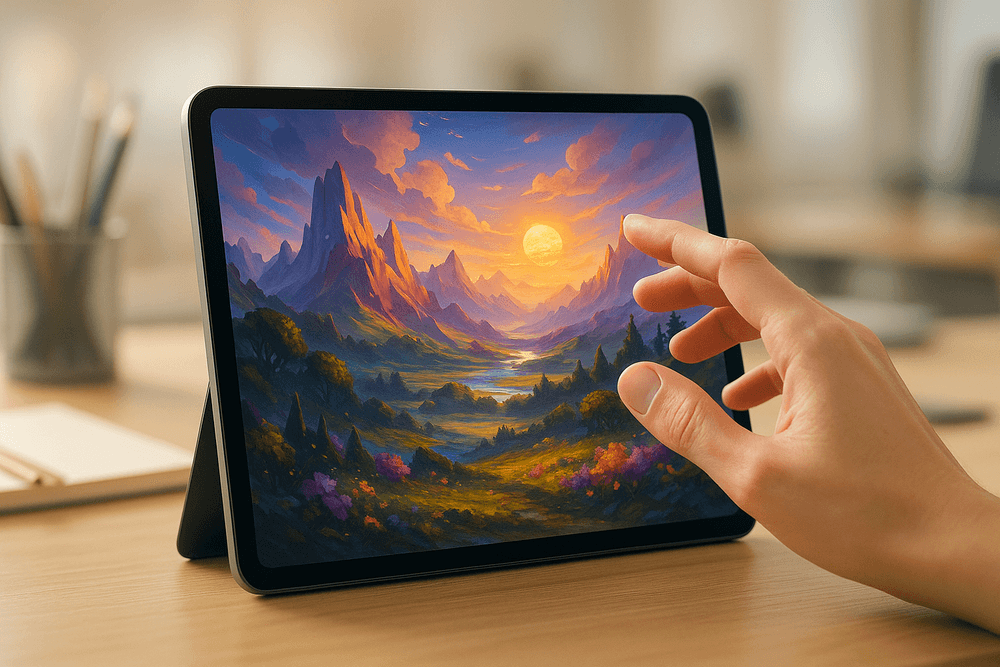
Create Your First Masterpiece: Getting Started with AI Image Generation Tools Today
The buzz around AI-generated art is undeniable, and the power to create stunning visuals from mere text prompts is now at your fingertips. Whether you're a seasoned designer looking to accelerate your workflow or a complete beginner curious about this new creative frontier, diving into AI image generation is an exciting journey. And while many of these tools are powerful standalones, imagine harnessing their capabilities within a team, managed and amplified by an AI collaboration platform that streamlines your entire creative process. Let's get you started!
Step-by-Step: Choosing the Right AI Image Tool for Your Project
The market is brimming with AI image generation tools, each with its unique strengths. Here's how to pick the one that best suits your needs:
- Define Your Goal: What kind of images do you want to create? Photorealistic product shots, fantastical concept art, abstract backgrounds, or simple icons? Your end goal will heavily influence your choice.
- Consider Ease of Use vs. Control:
- Beginner-Friendly Tools: Many platforms (like Canva's Magic Media, Microsoft Designer, or Adobe Firefly) offer intuitive interfaces, making it easy to get started without a steep learning curve. These are great for quick visuals and experimentation.
- Advanced Platforms: Tools like Midjourney (via Discord) or Stable Diffusion (with interfaces like Automatic1111 or ComfyUI) offer incredible depth, customization, and control over parameters, but require more learning.
- Evaluate Key Features:
- Text-to-Image: The core function – generating images from text prompts.
- Image-to-Image: Modifying existing images using text prompts.
- Inpainting/Outpainting: Editing specific parts of an image or extending its boundaries.
- Style Consistency: The ability to generate multiple images in a similar artistic style.
- Resolution & Aspect Ratios: Check the output quality and flexibility.
- Look at Pricing Models: Many tools offer free trials or a limited number of free generations. Paid plans usually unlock higher resolutions, faster generation times, more features, and commercial usage rights.
- Integration Potential: While this section focuses on image generation, consider how these assets will be used. If you're part of a team, an AI collaboration platform can become essential for sharing prompts, iterating on designs, and managing the final assets produced by these tools. Some AI image tools are even directly integrated into broader creative suites or an AI collaboration platform.
Quick Start: Generating Your First Image with an AI Tool
Ready to see the magic happen? Here’s a general workflow that applies to most text-to-image AI tools:
- Sign Up/Access the Tool: Create an account or log in. Some tools are web-based, others might be Discord bots or downloadable software.
- Locate the Prompt Box: This is where you'll type your creative instructions.
- Write Your First Prompt: This is the art and science of AI image generation! Be descriptive.
- Start Simple: "A red apple on a wooden table."
- Add Detail: "A hyperrealistic shiny red apple, glistening with water droplets, on a rustic dark wooden table, soft morning light, photographic."
- Include Style: "A watercolor painting of a red apple on a wooden table." or "A red apple on a wooden table, synthwave style."
- Hit "Generate" (or similar button): Watch as the AI interprets your prompt and creates an image (or several variations).
- Iterate and Refine: Not perfect? No problem!
- Tweak Your Prompt: Add more details, change keywords, or specify things to avoid (using "negative prompts" if available).
- Adjust Settings: Many tools allow you to change aspect ratios, generation steps, or guidance scale.
- Generate Again: Keep refining until you’re happy!
Think about how an AI collaboration platform could enhance this process for a team: sharing successful prompts, tracking image versions, and providing feedback become much more efficient.
Where to Find Tutorials and Communities for AI Image Generation Enthusiasts
You don't have to learn in a vacuum! The AI art community is vibrant and incredibly helpful:
- YouTube: A goldmine for tutorials. Search for specific tools (e.g., "Midjourney tutorial," "Stable Diffusion guide") or general prompt engineering tips.
- Reddit: Subreddits like r/StableDiffusion, r/midjourney, r/aiArt, and tool-specific communities are fantastic for inspiration, troubleshooting, and sharing creations.
- Discord Servers: Most major AI image tools have official Discord servers. These are bustling hubs for announcements, support, showcasing work, and connecting with other users.
- Official Tool Documentation & Blogs: Don't overlook the resources provided by the tool developers themselves. They often have excellent getting-started guides and feature explanations.
- X (formerly Twitter) & Instagram: Follow AI artists and hashtags like #AIart, #MidjourneyArt, #StableDiffusionArt to see what's possible.
An AI collaboration platform can also serve as your team's internal knowledge base, curating the best tutorials and community insights relevant to your projects.
Call to Action: Try These Recommended AI Image Generation Tools Now!
The best way to understand the power of AI image generation is to experience it firsthand. While the "best" tool is subjective and depends on your project, here are a few popular starting points:
- For User-Friendly Simplicity:
- Microsoft Designer (Image Creator): Easy to use, integrated with Designer.
- Canva Magic Media: Seamlessly integrated into the Canva ecosystem.
- Adobe Firefly: Built with a focus on commercially safe content, integrated into Adobe Creative Cloud.
- For Advanced Control & Artistic Depth:
- Midjourney: Known for its highly artistic and often stunning results (primarily via Discord).
- Stable Diffusion (various UIs like Automatic1111, InvokeAI, ComfyUI): Open-source, highly customizable, and powerful. Requires a bit more setup or using web-based services that host it.
- For Fun & Quick Experiments:
- Many free web-based generators like NightCafe Creator or Dream by WOMBO.
Go ahead, pick one, and generate your first AI image today!
And as your team starts producing more visual content with these amazing tools, remember that an AI collaboration platform can be the central nervous system for your creative operations. From managing diverse AI tool outputs to streamlining feedback and project tracking, an AI collaboration platform ensures your team leverages the full potential of artificial intelligence for enhanced teamwork and increased productivity.