
September 7, 2025
An Introduction to AI for Slide Generation
Beyond the Blank Canvas: An Introduction to AI for Slide Generation
We’ve all been there: staring at a blank presentation, the cursor blinking expectantly on a stark white slide. The pressure to create something compelling, well-designed, and informative from scratch can be paralyzing. This "blank canvas syndrome" has been a universal hurdle in communication for decades. But what if you could bypass it entirely? What if you could turn a simple idea into a fully-fledged presentation in minutes? Welcome to the new era of AI for slide generation.
This technology is more than just a fancy template filler. It represents a fundamental shift in how we approach the creation of presentations, moving from manual labor to intelligent collaboration.
What is AI-Powered Slide Generation?
At its core, AI-powered slide generation uses sophisticated artificial intelligence models—similar to those behind ChatGPT and DALL-E—to automatically create complete, presentation-ready slides from a simple user prompt. Instead of building each slide piece by piece, you provide the AI with a starting point. This could be:
- A single topic or title (e.g., "A Q3 Marketing Report for Acme Corp").
- A block of text from a document or article.
- A detailed outline of your key points.
The AI then gets to work, acting as your researcher, writer, and designer simultaneously. It structures your narrative, writes relevant content for each slide, suggests headlines, summarizes key data, and even populates the deck with appropriate layouts, color schemes, and licensed images. The result isn't a rigid template but a dynamic, editable first draft that's often 80% of the way to a finished product.
How AI Transforms Presentation Workflows
The traditional presentation workflow is a linear, time-intensive slog: brainstorm, outline, write content, hunt for visuals, design layouts, format text, and repeat. Each step is manual and requires a different set of skills.
AI for slide generation completely upends this process. The new workflow looks more like this:
- Prompt: You provide the initial idea or source material.
- Generate: The AI instantly builds a comprehensive slide deck.
- Refine & Customize: You step in as the director, not the builder. Your role shifts to refining the AI's output, checking for accuracy, injecting your unique voice, and tweaking the design to perfectly match your brand or message.
This transformation empowers you to focus on what truly matters: the story you’re telling and the impact you want to make, rather than the tedious mechanics of slide construction.
The Key Benefits: Saving Time and Enhancing Creativity
The advantages of integrating AI into your presentation process are immediate and profound, centering on two key pillars.
Drastically Saving Time The most obvious benefit is a massive reduction in creation time. Tasks that used to take hours—like initial research, content structuring, and basic design—are now accomplished in minutes. This frees up invaluable time for professionals, educators, and students to focus on higher-level activities like rehearsing their delivery, anticipating audience questions, and honing their core message.
Enhancing Human Creativity Contrary to the fear that AI stifles creativity, it often acts as a powerful catalyst. By providing a well-structured and visually appealing starting point, AI for slide generation helps you leap over creative hurdles. It can suggest design concepts, visual metaphors, or data visualizations you might not have considered, serving as an inexhaustible brainstorming partner. It handles the foundational work, allowing you to dedicate your creative energy to adding the nuance, personality, and expert insights that only a human can provide.
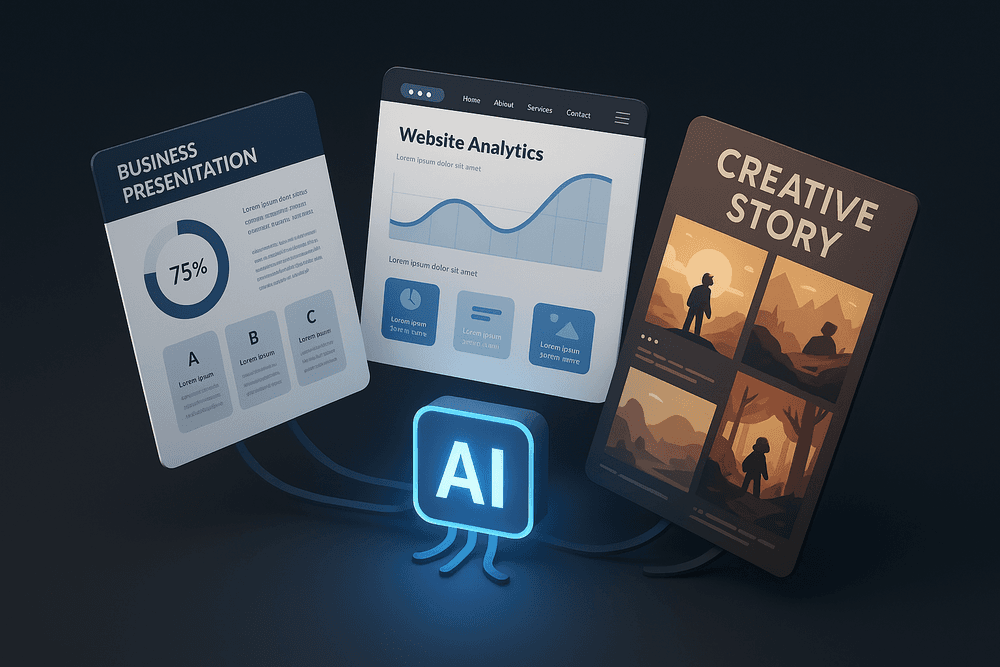
The Best AI for Slide Generation Tools Showdown
The world of AI-powered presentations is booming, but a few names consistently rise to the top. Choosing the right platform can feel overwhelming, so we’re breaking down the key players to help you find the perfect match. Let's dive into the ultimate showdown between the titans of AI for slide generation: Beautiful.ai, Gamma, and Tome.
Comparing the Titans: Beautiful.ai vs. Gamma vs. Tome
Each of these platforms offers a unique approach to creating presentations. Your choice will depend on whether you prioritize automated design, interactive storytelling, or narrative creation.
Beautiful.ai: The Design Purist
Think of Beautiful.ai as your personal graphic designer. Its core strength lies in enforcing design consistency and brand aesthetics. The AI doesn't just suggest layouts; it actively constrains your edits to ensure every slide remains polished and professional. You provide the content, and its "smart slide" templates automatically adapt to keep everything perfectly aligned and visually appealing.
- Best for: Corporate professionals, sales teams, and anyone who needs to create on-brand, boardroom-ready presentations without fiddling with formatting.
- Key Feature: Predictive design that maintains a flawless look and feel across your entire deck.
Gamma: The Web-Native Storyteller
Gamma rethinks the very concept of a "slide." Instead of traditional slides, it generates interactive, web-based presentations, documents, and even webpages from a single prompt. The output feels more like a dynamic webpage than a static PowerPoint, allowing you to embed GIFs, videos, and even apps directly into your "cards." It’s an incredibly fast tool for generating a comprehensive first draft.
- Best for: Internal documentation, online tutorials, and modern, engaging presentations that live on the web.
- Key Feature: Unmatched speed from prompt to a fully-fleshed-out, interactive web page or presentation.
Tome: The AI Narrative Crafter
Tome excels at storytelling. It’s the best tool for when you have a rough idea but need help structuring a compelling narrative. You give it a prompt, and it generates a full presentation outline, complete with headlines, text, and AI-generated images (via DALL-E 2 integration). It’s less about strict design rules and more about helping you brainstorm and visualize a story from start to finish.
- Best for: Founders pitching new ideas, creative professionals, and students who need help building a story-driven presentation.
- Key Feature: Powerful text-to-presentation generation that builds a coherent narrative with supporting visuals.
Top Free AI Presentation Makers for Beginners
While the titans offer robust free tiers, other tools are great for those just starting out. Canva's Magic Design leverages its user-friendly interface to generate impressive presentations from a simple prompt. Another excellent option is SlidesAI.io, which integrates directly into Google Slides, making it a seamless entry point for users already in the Google ecosystem.
How to Choose the Right AI for Slide Generation Tool
Making the right choice comes down to your specific needs. Ask yourself these questions:
- What is my primary goal? If you need pixel-perfect, professional design, choose Beautiful.ai. If you want to create interactive web content quickly, Gamma is your answer. If you need help brainstorming and crafting a compelling story, start with Tome.
- How much creative control do I need? Beautiful.ai is more restrictive to enforce good design, while Gamma and Tome offer more flexibility in their layouts and content.
- What's my budget? All three offer free plans that are perfect for testing the waters. Explore these first. For heavy users, a paid subscription to the right ai for slide generation tool is a worthwhile investment in productivity and quality.
Core Features to Look For in an AI Slide Generation Platform
The market for AI-powered presentation tools is expanding rapidly, but not all platforms are created equal. To find a solution that truly enhances your productivity and creativity, you need to look beyond the hype and focus on the core functionalities that deliver real value. When evaluating the best tools for AI for slide generation, these four features are non-negotiable, separating the truly innovative platforms from the merely functional ones.
From Text Prompt to Full Presentation Deck
The most powerful feature of any modern AI for slide generation tool is its ability to transform a simple idea into a complete, structured presentation. Look for platforms where you can input a single prompt—like "a marketing plan for a new eco-friendly sneaker"—or paste a link to an existing document, blog post, or report. The AI should then be able to:
- Generate a logical outline with a title slide, agenda, and conclusion.
- Create individual slides with relevant headings and body content.
- Establish a coherent narrative flow from one slide to the next.
This capability moves beyond simple assistance; it automates the entire first-draft process, saving you hours of brainstorming and structuring, and providing a solid foundation you can refine and personalize.
AI-Driven Design and Layout Suggestions
A great presentation is as much about visual appeal as it is about content. The best AI tools act as your personal graphic designer. Instead of just offering static templates, they provide dynamic, context-aware design suggestions. Based on the content of each slide, the AI should recommend:
- Optimal Layouts: Intelligently arranging text, images, and charts for maximum clarity and impact.
- Relevant Visuals: Suggesting high-quality stock photos, icons, and graphics that align with your topic.
- Cohesive Branding: Allowing you to input your brand’s color palette and fonts to ensure consistency across the entire deck.
This feature eliminates the guesswork and tedious manual adjustments, ensuring your final presentation is not only informative but also visually stunning and professional.
Automated Content Summarization and Generation
Wrestling with dense documents to extract key points is a major time sink. A top-tier AI presentation platform should include powerful content processing features. This means it can take a lengthy source material—such as a research paper, a detailed report, or even a video transcript—and automatically summarize the core information into concise, presentation-friendly bullet points. Furthermore, it should act as a creative partner, helping you:
- Rephrase sentences for greater clarity or a different tone.
- Expand on a brief point to add more detail and context.
- Generate new content ideas to flesh out a section.
This turns the tool from a simple slide creator into an intelligent assistant that helps you craft a more compelling and well-rounded narrative.
Seamless Integration with PowerPoint and Google Slides
An AI tool should accelerate your workflow, not complicate it by trapping you in a new ecosystem. The most practical and versatile platforms offer seamless integration with the software you already use. Look for the ability to export your AI-generated presentation into a fully editable format for PowerPoint (.pptx) or Google Slides. This is crucial for:
- Collaboration: Easily sharing and co-editing with colleagues who aren’t using the AI platform.
- Final Touches: Making granular, pixel-perfect adjustments that are sometimes easier in traditional software.
- Compliance: Ensuring the final file adheres to company standards and can be stored in shared drives.
This flexibility ensures the AI for slide generation tool becomes a powerful starting point in your existing process, not a restrictive endpoint.

Best Practices for Perfecting Your AI-Generated Slides
The magic of ai for slide generation lies in its speed, but the true art is in the refinement. Think of the AI as your brilliant junior designer—it provides a fantastic first draft, but your expertise is needed to elevate it to a polished masterpiece. By mastering the human side of the equation, you can transform a good AI-generated deck into an unforgettable presentation.
Crafting Effective Prompts for Stunning Results
The quality of your output is directly tied to the quality of your input. A vague prompt will yield a generic result. To get the best from your AI tool, you need to be a great director.
- Be Hyper-Specific: Don't just ask for "a presentation about marketing." Instead, try: "Create a 10-slide presentation for a Q3 marketing review for an e-commerce startup. Focus on social media growth (Instagram and TikTok), email campaign ROI, and a proposed budget for Q4. The tone should be data-driven and professional."
- Define Your Audience and Tone: Specify who you're speaking to. "Explain blockchain to senior executives" requires a different approach than "Explain blockchain to new developers." Similarly, define the tone—should it be inspirational, formal, witty, or technical?
- Provide Key Data and Context: Feed the AI your core information. Include key statistics, a rough outline, or specific quotes you want to feature. The more raw material you provide, the more tailored and accurate the automated slide generation will be.
Reviewing and Refining AI-Generated Content
An AI-generated presentation is a starting point, not the final product. Your critical eye is essential for ensuring accuracy, clarity, and impact.
- Fact-Check Everything: AI models can occasionally "hallucinate" and present inaccurate information with confidence. Always verify data, statistics, names, and key claims with reliable sources before you present.
- Edit for Flow and Voice: Read the entire presentation aloud. Does the narrative flow logically? Does it sound like you? Rewrite awkward phrasing and add your unique perspective and storytelling flair. The goal is to infuse the AI's structure with your authentic human voice.
- Simplify and Visualize: AI can sometimes be too wordy. Your job is to be a ruthless editor. Cut down dense paragraphs into concise bullet points. Look for opportunities to replace text with more powerful visuals, like charts, icons, or impactful images.
Tips for Maintaining Brand Consistency
A presentation is a reflection of your brand. Even the most impressive AI-created deck will fall flat if it doesn’t align with your company’s visual identity.
- Upload Your Brand Kit: Many leading ai for slide generation tools allow you to upload your brand’s assets. Take the time to add your official logo, color palette, and custom fonts. This ensures every slide the AI creates is automatically on-brand.
- Perform a Manual Audit: After generation, do a quick visual check. Ensure the correct logo version is used and that colors are applied according to your brand guidelines (e.g., primary colors for headings, secondary for accents).
- Standardize Layouts: Maintain consistency in the placement of elements like logos, page numbers, and slide titles to create a professional and cohesive experience.
Collaborating with Your Team on AI-Created Decks
AI tools can supercharge team collaboration, turning a multi-day process into a matter of hours.
- Generate the First Draft: Assign one person to create the initial V1 using a detailed prompt. This gives the team a strong, structured foundation to work from, saving everyone from the "blank page" problem.
- Use Collaborative Features: Choose an AI platform that supports real-time collaboration. This allows team members to jump into the deck to leave comments, edit text, and refine slides simultaneously, just like in Google Docs or Figma.
- Divide and Conquer: Once the AI has done the heavy lifting, assign specific slides or sections to team members based on their expertise. Your data analyst can double-check the charts, while your copywriter polishes the messaging, ensuring every part of the presentation is vetted by an expert.
Real-World Use Cases: Putting AI for Slide Generation to Work
The theoretical benefits of AI-powered presentation tools are clear, but their true value emerges when applied to specific, everyday business challenges. Using AI for slide generation isn't just about making prettier slides faster; it's about fundamentally changing how we communicate information, persuade audiences, and educate teams. This technology acts as a force multiplier, automating tedious tasks and freeing up professionals to focus on strategy and substance. Let's explore three core areas where these tools are making a significant impact today.
Creating Compelling Sales and Marketing Pitches in Minutes
In the fast-paced world of sales and marketing, time is money. Every hour spent formatting a presentation is an hour not spent building relationships or closing deals. Traditional deck creation is a major bottleneck, especially when personalization is key to winning a client.
This is where AI for slide generation becomes a salesperson's most valuable assistant. Imagine your team needs to create a pitch tailored to a new prospect in the healthcare industry. Instead of starting from a generic template, they can input a prompt like, "Create a 10-slide pitch for our CRM software for a mid-sized hospital, focusing on improving patient communication and streamlining appointment scheduling." The AI tool will instantly generate a structured, on-brand presentation complete with relevant industry imagery, persuasive copy, and slides dedicated to the prospect's specific pain points. This allows for hyper-personalization at scale, ensuring every pitch is sharp, relevant, and ready in a fraction of the time.
Streamlining Internal Reports and Business Updates
Quarterly business reviews, project status updates, and board meeting presentations are critical for internal alignment, but they are often a dreaded, time-consuming task. Compiling data, creating visualizations, and structuring a coherent narrative can take days of manual work.
AI tools are revolutionizing this workflow by transforming raw data into polished, insightful presentations. You can simply upload a spreadsheet, paste a data summary, or connect to a data source, and the AI will get to work. It can identify key performance indicators (KPIs), generate clean and accurate charts or graphs to visualize trends, and write concise summaries for each slide. Using AI for slide generation for internal reporting eliminates the manual drudgery, reduces the chance of human error, and empowers teams to present data-driven stories that lead to better, faster decision-making.
Developing Engaging Training Materials and Educational Content
Whether you're an educator designing a course curriculum or a corporate trainer creating employee onboarding materials, your goal is to make complex information digestible and engaging. This often requires significant expertise in instructional design, a skill set not everyone possesses.
An AI for slide generation platform acts as a powerful co-creator for learning and development. By feeding the AI a training manual, a lesson plan outline, or even a lengthy article, you can automatically structure the content into a logical, easy-to-follow slide deck. The AI can suggest visual metaphors, source relevant icons and images, and break down dense text into bullet points and short paragraphs to maximize retention. This dramatically accelerates the course creation process, ensures consistency across all training modules, and helps produce professional-grade educational content that truly resonates with learners.

Conclusion: Your Next Step into a More Productive Future
We've journeyed through the dynamic landscape of AI-powered presentation tools, leaving behind the days of painstaking manual alignment and endless template searches. The era of intelligent, automated slide generation is not on the horizon; it is here, and it’s poised to redefine how we share our most important ideas. But with a wealth of powerful options at your fingertips, the final question remains: where do you begin?
Finding Your Perfect AI Co-Pilot
The "best" tool for AI for slide generation isn't a one-size-fits-all solution; it's the one that seamlessly integrates into your workflow and amplifies your strengths. Your perfect match depends entirely on your unique role and objectives.
To find it, consider your primary goal:
- For the time-crunched executive or consultant: Look for platforms offering rapid, one-prompt generation and robust integration with existing software like PowerPoint and Google Slides. Your most valuable asset is time, and your ideal tool respects that.
- For the creative professional or marketer: Prioritize tools with deep customization options, brand kit integration, and a vast library of high-quality assets. Your goal is to create a unique, on-brand aesthetic that stands out.
- For the educator or student: Focus on user-friendliness, intuitive interfaces, and powerful data visualization capabilities. The key is to convey complex information with clarity and simplicity.
- For the startup founder: Seek out tools designed specifically for crafting compelling narratives and pitch decks, often with built-in templates structured for persuasion and storytelling.
Review the features and platforms we’ve explored and weigh them against your daily tasks. The right choice will feel less like a piece of software and more like a trusted creative partner.
Reclaim Your Focus: From Designer to Storyteller
The most profound benefit of adopting these tools isn't just about saving hours; it's about reallocating your most valuable resource: your mental energy. For too long, building a presentation meant moonlighting as a graphic designer, wrestling with fonts, color palettes, and image placement.
This is where the transformative power of AI for slide generation truly shines. By offloading the complex design work to an intelligent algorithm, you are liberated to concentrate on what truly matters: your message. You can invest your time in refining your narrative, strengthening your arguments, and perfecting your delivery. The AI handles the visual scaffolding, ensuring your slides look polished and professional, while you master the art of storytelling. This strategic shift transforms you from a slide-builder into a powerful communicator, allowing your core ideas to resonate with your audience.
Your First AI-Powered Presentation Awaits
The theory is compelling, but the real magic happens in the application. The barrier to entry has never been lower, with most top-tier platforms offering free trials or generous freemium plans. Your journey into a more productive and impactful future can start today.
Don't wait for a high-stakes meeting. Pick a small, manageable project for your first foray:
- Summarize a document: Copy and paste the text from a recent report and watch it instantly transform into a digestible slide deck.
- Revamp an old deck: Upload a dated presentation and let the AI give it a modern design refresh in seconds.
- Brainstorm a new idea: Start with a simple prompt for a future project and see what initial structure the AI can generate for you.
Take that first step. Experiment, explore, and discover how an AI co-pilot can amplify your creativity and supercharge your productivity. Your next great presentation is just a prompt away.