
October 13, 2025
An Introduction to Meeting Summarization AI
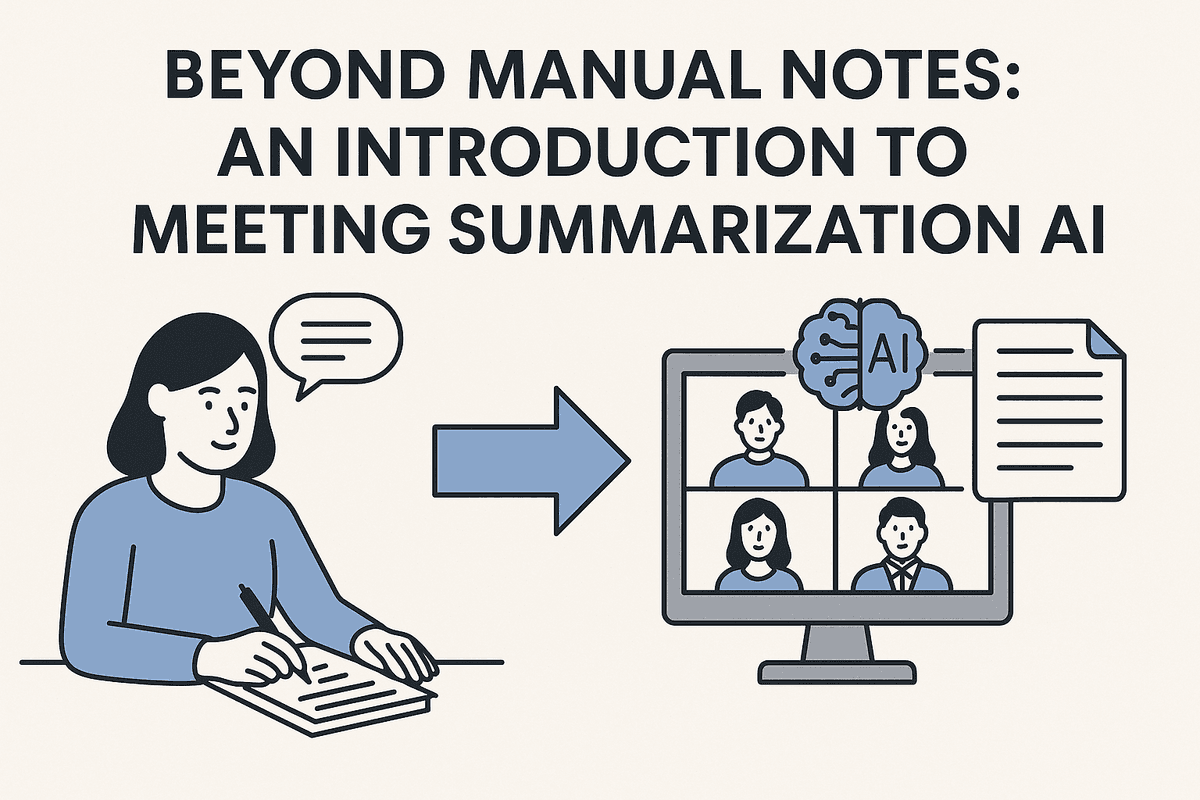
Beyond Manual Notes: An Introduction to Meeting Summarization AI
How many hours have you spent deciphering hastily written notes or trying to recall a critical decision made in last week's sync? The traditional approach to meeting documentation is broken. It distracts participants, leads to missed details, and creates information silos. This is where a meeting summarization AI transforms the entire process, turning spoken conversations into structured, actionable intelligence.
What is a Meeting Summarization AI and How Does It Work?
A meeting summarization AI is a sophisticated software tool that uses artificial intelligence to automatically record, transcribe, and condense conversations from virtual or in-person meetings. Instead of relying on a human to manually capture notes, this technology listens in, understands the context, and generates a concise summary highlighting the most important takeaways, decisions, and action items.
The process is seamless. The AI assistant joins your meeting on platforms like Zoom, Google Meet, or Microsoft Teams. As the conversation flows, it works in the background to:
- Transcribe: It uses advanced Speech-to-Text (STT) technology to create a complete, word-for-word transcript of the entire discussion, often identifying who said what.
- Analyze: Leveraging Natural Language Processing (NLP), the AI analyzes the transcript to understand key topics, identify questions, and pinpoint commitments.
- Summarize: It then intelligently condenses the key points into a digestible summary, saving you from having to read through pages of text.
- Extract: Finally, it pulls out critical information like action items, deadlines, and key decisions, organizing them into a clear, structured format.
The Top 3 Benefits: Saving Time, Boosting Accountability, and Creating a Searchable Archive
Adopting a meeting summarization AI isn't just about getting better notes; it's about fundamentally improving how your team collaborates.
Saving Time and Boosting Focus
With an AI handling the note-taking, every participant can be fully present and engaged in the conversation. There’s no more multitasking or pressure on a designated scribe to capture everything. This leads to more creative, productive discussions. Post-meeting, the time saved is immense—what used to take 30 minutes of cleaning up and distributing notes now happens instantly.
Boosting Accountability
Vague takeaways are a primary cause of stalled projects. A meeting summarization AI eliminates ambiguity by automatically identifying and assigning action items. When the AI captures that "Sarah will follow up with the client by Friday," it creates a clear, documented task. This creates a culture of accountability where responsibilities are transparent and follow-through is easy to track.
Creating a Searchable Archive
Every meeting becomes a part of your team's institutional memory. The AI creates a centralized, searchable database of all your conversations. Need to remember the Q3 budget figures discussed two months ago? Simply search the archive. This powerful "meeting memory" is invaluable for onboarding new team members, referencing past decisions, and ensuring consistent alignment across projects.
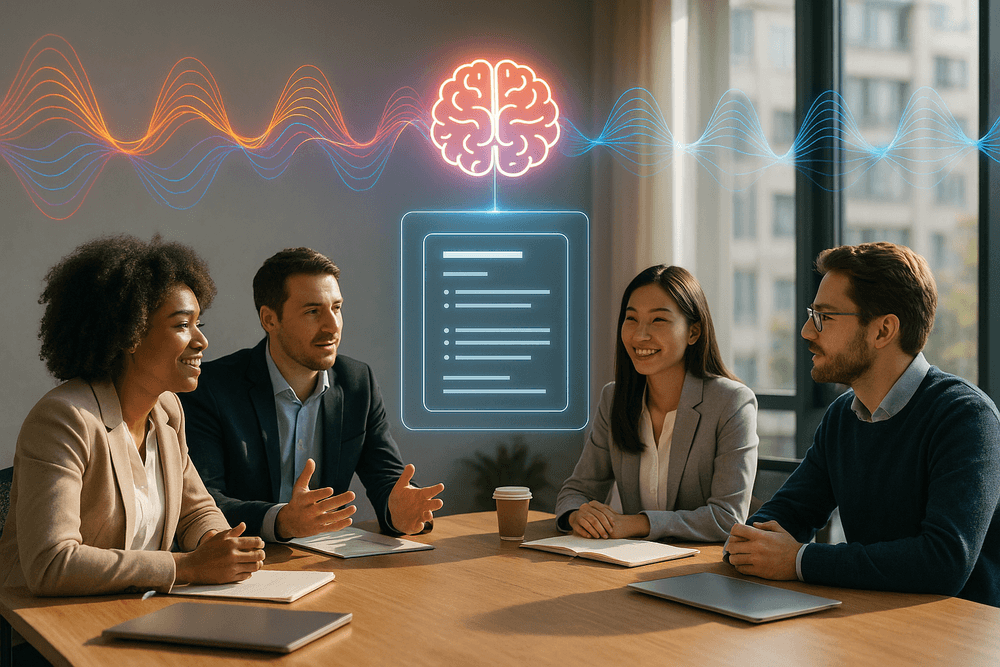
The Top Meeting Summarization AI Tools Reviewed
With a crowded market of powerful platforms, choosing the right meeting summarization AI can feel overwhelming. To cut through the noise, we've broken down the top contenders based on what matters most: core features, workflow integration, pricing models, and enterprise-level security. This review will guide you to the perfect solution for your specific needs.
Comparing the Leaders: Features, Pricing, and Unique Selling Points
The leaders in the AI meeting summarization space have set a high bar, each with a unique approach to solving the post-meeting-black-hole problem.
- Fathom: Often celebrated for its user-friendly interface and generous free plan, Fathom is a crowd favorite. It seamlessly integrates with Zoom, Google Meet, and Microsoft Teams, providing real-time transcription and one-click highlighting during calls.
- Features: Instant access to full recordings, AI-generated summaries structured by topic, and easily shareable video clips of key moments.
- Pricing: A robust free-for-personal-use tier with unlimited meetings and transcriptions. Paid team plans add centralized billing and advanced collaboration features.
- USP: Its simplicity and focus on making meeting highlights instantly shareable make it a top choice for teams that value speed and ease of use.
- Otter.ai: One of the pioneers in this space, Otter is renowned for its highly accurate transcription and excellent speaker identification. The "OtterPilot" can automatically join your calendar meetings, taking notes even when you can't attend.
- Features: Real-time transcription with timestamps, custom vocabulary for industry jargon, and collaborative highlighting and commenting.
- Pricing: A free plan with a monthly transcription minute limit. Pro and Business tiers unlock more minutes, advanced search, and team features.
- USP: Superior transcription accuracy and the "OtterPilot" feature make it a reliable workhorse for professionals who need meticulous records.
Best for Integration: Seamlessly Connect with Your Existing Workflow
A great tool shouldn't create another information silo. For teams that live in their CRM or project management software, deep integration is critical.
- Fireflies.ai: This platform stands out as the integration champion. Fireflies.ai connects with an extensive library of applications, including Salesforce, HubSpot, Asana, Slack, and Trello. It doesn't just record meetings; it pushes key data like action items, notes, and summaries directly into the tools your team already uses. This automation turns conversation into action, making it the best meeting summarization AI for creating a connected and efficient workflow.
Top Free Meeting Summarization AI for Startups and Small Teams
When budgets are tight, a powerful free tool can be a game-changer. Startups and small teams need core functionality without the hefty price tag.
- Fathom: Fathom wins this category with its exceptional free offering. Unlike many competitors that limit core features or meeting numbers, Fathom provides unlimited recordings, transcriptions, and summaries for individual users. This allows smaller teams to fully adopt and benefit from AI meeting summarization technology from day one, improving productivity and documentation without any financial commitment.
Enterprise-Grade Solutions for Security and Scale
For large organizations, security, compliance, and administrative control are paramount. An enterprise-grade solution must offer more than just great features.
- Otter.ai for Enterprise: Otter provides a solution built for the demands of large-scale deployment. It offers advanced security features like SOC 2 Type II compliance, Single Sign-On (SSO) for secure access, and centralized user management. With features like team-wide custom vocabulary and advanced analytics, it gives administrators the control and oversight necessary to deploy a meeting summarization AI safely and effectively across hundreds or thousands of users.
Essential Features of a Powerful Meeting Summarization AI
Not all AI tools are created equal. When you're looking to transform your meeting productivity, it’s crucial to choose a solution with the right set of features. A basic transcription service simply won't cut it. A truly powerful meeting summarization AI goes far beyond converting speech to text, offering intelligent features that provide clarity, accountability, and actionable insights. Here are the essential capabilities to look for.
Real-Time Transcription and Speaker Identification Accuracy
The foundation of any great meeting summary is a flawless transcript. If the AI can't accurately capture what was said, the entire summary becomes unreliable. Look for a tool that boasts near-human levels of transcription accuracy, capable of understanding various accents, industry-specific jargon, and fast-paced conversations.
Equally important is speaker identification, also known as diarization. An effective meeting summarization AI must be able to distinguish between different speakers and accurately attribute every statement. This is critical for context and accountability. Knowing who committed to a task or who made a key decision is non-negotiable. Real-time transcription is another powerful feature, allowing participants to see the conversation captured live, ensuring immediate clarity and the ability to make on-the-fly corrections.
Automated Action Item and Decision Detection
This is where a meeting summarization AI truly shines and delivers a massive return on investment. Manually sifting through pages of notes to find next steps is a productivity killer. A top-tier AI uses advanced Natural Language Processing (NLP) to automatically identify and extract key outputs from the conversation.
It intelligently recognizes trigger phrases for tasks ("I will send the report by EOD"), decisions ("We've agreed to move forward with Option B"), and key questions. The tool then compiles these into a neatly organized list, often with the assigned owner and due date. This automates follow-up, ensures nothing falls through the cracks, and turns every conversation into a clear, actionable plan.
Customizable Summary Templates and Export Options
Different meetings serve different purposes, and your summaries should reflect that. A one-size-fits-all summary is rarely useful. A powerful AI solution offers customizable templates, allowing you to define what your summary looks like. For a project sync, you might want to focus on action items and blockers. For an executive board meeting, the focus might be on key decisions and strategic insights.
The ability to tailor the output ensures the information is always relevant to the audience. Furthermore, the summary is only useful if it can be easily shared and integrated into your workflow. Look for robust export options (PDF, DOCX) and, more importantly, direct integrations with your existing tools like Slack, Asana, Jira, or your company CRM. This makes sharing insights and tracking action items seamless.
Multi-Language Support and Analysis
In today's globalized work environment, meetings often involve participants from around the world, speaking multiple languages. A forward-thinking meeting summarization AI must offer robust multi-language support. This includes the ability to accurately transcribe and summarize discussions in various languages, and in some cases, even provide real-time translation to break down communication barriers. This feature fosters inclusivity and ensures that every team member, regardless of their native language, is on the same page. Advanced tools may also offer sentiment analysis, providing a deeper understanding of the meeting's tone and participant engagement.
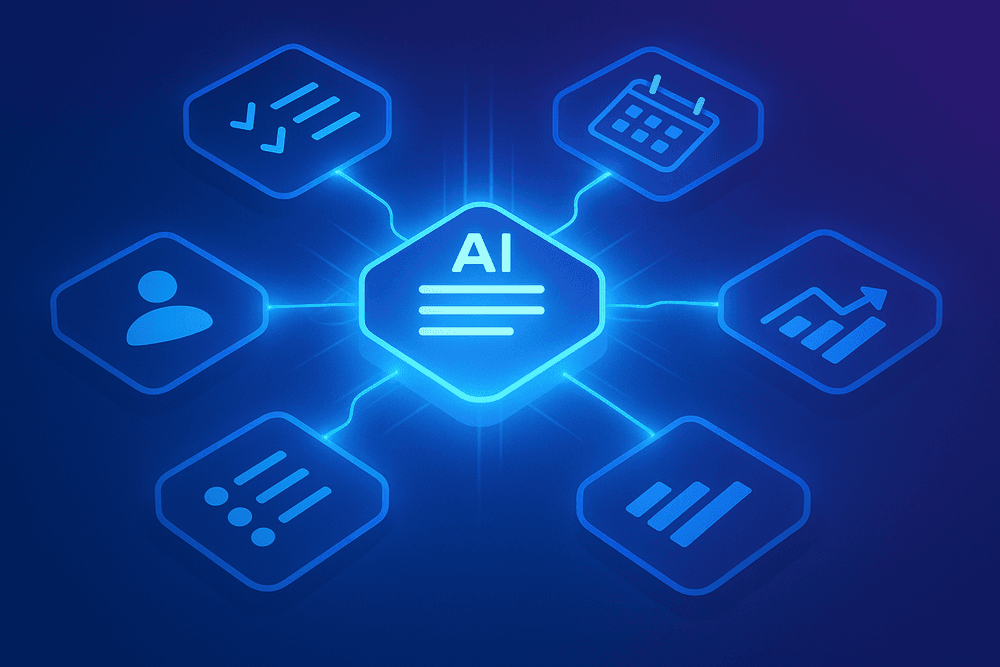
Best Practices: How to Get the Most from Your Meeting Summarization AI
Adopting a meeting summarization AI is more than just flipping a switch; it's about building new habits and workflows. To truly unlock its potential, you need to treat it as a core part of your productivity toolkit. The following best practices will help you move from basic transcription to genuine, AI-powered efficiency.
Garbage In, Garbage Out: Optimizing Audio for Accuracy
The single most important factor for a high-quality summary is high-quality audio. Your AI is a brilliant listener, but it can’t decipher what it can't hear. Before you even hit record, set your meeting up for success:
- Use Quality Microphones: A dedicated external microphone will always outperform your laptop’s built-in mic. Encourage team members to use headsets or external mics to reduce echo and ambient noise.
- Minimize Background Noise: Hold meetings in a quiet space. Close the door, shut windows, and silence notifications. In a group setting, use a central conference room microphone designed for 360-degree pickup.
- Establish Clear Speaking Etiquette: The golden rule is one person speaks at a time. Talking over one another is the fastest way to confuse the transcription engine and muddle your summary. Encourage speakers to identify themselves by name if the AI tool is still learning voices.
- Check Your Connection: For virtual meetings, a stable internet connection is non-negotiable. A choppy, distorted audio feed will result in a transcript filled with gaps and inaccuracies.
The Human in the Loop: Editing and Annotating for Clarity
Even the most advanced meeting summarization AI is a powerful assistant, not a perfect replacement for human intelligence. Think of the generated summary as a fantastic first draft that a human can perfect in minutes.
Appoint a meeting owner or scribe to perform a quick 5-minute review after the meeting concludes. Focus on:
- Correcting Key Terminology: The AI may struggle with unique company acronyms, project codenames, or technical jargon. A quick scan-and-replace ensures clarity for everyone.
- Adding Nuance and Context: Was a key decision made with a specific tone or a critical caveat? Add a brief annotation to capture the subtext the AI might have missed.
- Verifying Action Items: Confirm that action items are clearly articulated and assigned to the correct person. Ambiguous tasks like "look into the marketing numbers" can be refined to "Sarah to pull the Q3 marketing report by Friday EOD."
From Summary to Action: Integrating with Your Project Workflow
A meeting summary that sits unread in an inbox is a wasted opportunity. The true power of a meeting summarization AI is unlocked when you integrate its output directly into your team’s daily workflow. This turns conversation into concrete action.
- Push Tasks to Project Management Tools: Use native integrations or services like Zapier to automatically send action items from your summary directly to tools like Asana, Jira, Trello, or Monday.com. This creates trackable tasks with assigned owners and due dates.
- Create a Centralized Knowledge Base: Link meeting summaries to your project pages in Confluence, Notion, or your shared team drive. This creates a searchable, single source of truth for all project decisions, making it easy for anyone to get up to speed.
- Standardize Your Post-Meeting Process: Create a simple, repeatable process. For example, within one hour of a meeting, the host is responsible for reviewing the AI summary, ensuring all action items are pushed to the project board, and sharing the final link in the relevant Slack channel.
Real-World Impact: Meeting Summarization AI Use Cases
The true value of any technology lies in its practical application. While the concept of automated notes is appealing, the real magic happens when meeting summarization AI is applied to solve specific, everyday business challenges. This technology isn't just a convenience; it's a strategic asset that empowers teams to work smarter, not harder. From the war room to the sales floor, here’s how different departments leverage these tools for a tangible impact.
For Project Managers: Track Deliverables and Deadlines Effortlessly
Project managers live and breathe action items, deadlines, and dependencies. A typical project check-in can generate a dozen new tasks, but manually transcribing and assigning them is a recipe for missed details and accountability gaps.
This is where meeting summarization AI becomes a project manager's most valuable player. The AI automatically listens for and extracts key tasks, identifies the person responsible, and flags any mentioned deadlines. Instead of spending 30 minutes after a call deciphering messy notes, a PM instantly receives a structured list of deliverables. This automated summary can be directly integrated into project management tools like Asana or Jira, transforming spoken commitments into trackable tickets. The result is crystal-clear accountability, fewer dropped balls, and projects that stay on schedule.
For Sales Teams: Capture Key Customer Insights and Follow-Ups
During a sales call, a representative has two conflicting jobs: be an active, empathetic listener, and be a meticulous note-taker. Trying to do both at once often means doing neither one well. Key buying signals, customer pain points, and subtle objections can be missed while scrambling to type.
A meeting summarization AI tool completely resolves this conflict. The sales rep can remain 100% present and focused on building rapport with the prospect, confident that the entire conversation is being captured. After the call, the AI delivers a summary highlighting customer needs, budget mentions, key questions, and competitor mentions. It even pinpoints action items, like "send the proposal by Friday." This allows for faster, more accurate CRM updates and highly personalized follow-up emails that reference specific details from the conversation, dramatically improving engagement and closing rates.
For HR & Leadership: Ensure Consistent Communication and Alignment
For leadership teams and HR departments, clarity and consistency are paramount. Whether discussing a new company-wide policy, strategic pivots, or quarterly goals, ensuring the message is understood uniformly across the organization is critical. Misinterpretations from these high-stakes meetings can lead to confusion and misalignment.
By using a meeting summarization AI, leadership creates an unbiased, single source of truth. The AI-generated summary captures the final decisions and key talking points without the filter of individual interpretation. This official record can be shared with department heads and managers to guarantee everyone is on the same page. For sensitive HR meetings or performance reviews, it provides an accurate, confidential record of the discussion, protecting both the employee and the company.
For Remote Teams: Keep Everyone in Sync Across Time Zones
In a global, remote-first world, scheduling a meeting that works for everyone is often impossible. Team members are frequently forced to choose between attending a meeting late at night or missing it entirely. This creates information silos and leaves asynchronous colleagues feeling out of the loop.
Meeting summarization AI is the ultimate solution for bridging time zone gaps. Colleagues in different parts of the world can skip the live call without missing the important outcomes. They can wake up to a concise, digestible summary in their inbox, complete with key decisions, action items assigned to them, and a full transcript if they need more context. This fosters a more inclusive and efficient asynchronous work culture, reducing meeting fatigue and ensuring that every team member, regardless of their location, stays informed and aligned.
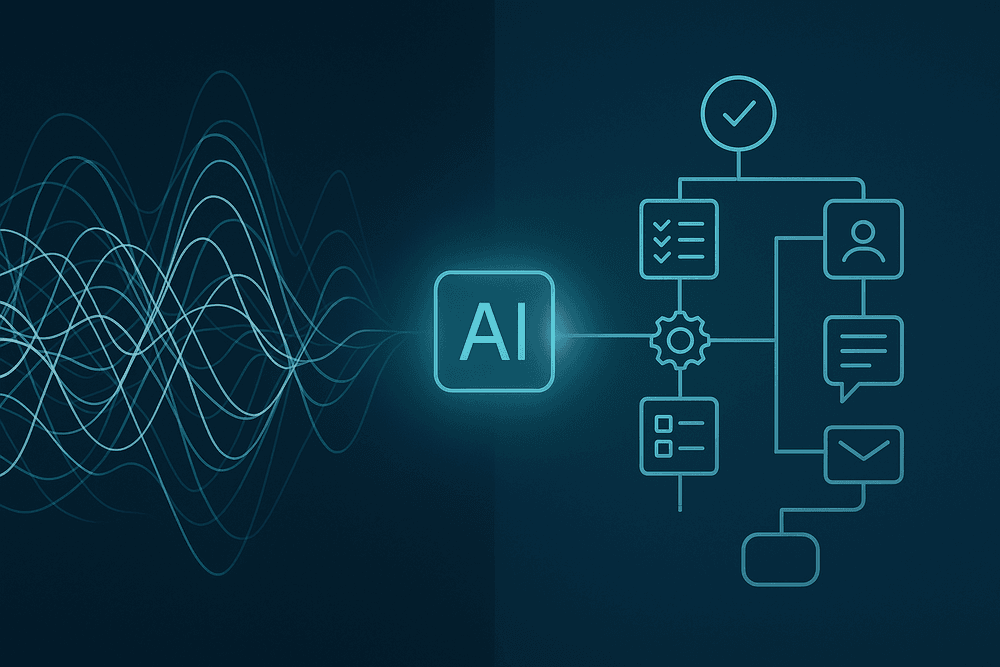
Conclusion: Choose the Right Meeting Summarization AI and Reclaim Your Time
The era of manual minute-taking and post-meeting confusion is officially over. We've journeyed through the transformative power of AI, exploring how it turns hours of conversation into concise, actionable intelligence. The right meeting summarization AI doesn't just record what was said; it unlocks the value trapped within your discussions, ensuring alignment, accountability, and a dramatic boost in team productivity. By automating the tedious work, you free up your most valuable asset—your time—to focus on strategic thinking and execution. The question is no longer if you should adopt this technology, but which tool is the perfect fit for your workflow.
A Quick Checklist for Selecting Your AI Tool
Choosing a platform can feel overwhelming, but focusing on the core features that matter most will lead you to the right decision. As you evaluate your options, use this checklist to guide your selection process:
- Accuracy and Language Support: How well does the tool transcribe various accents, dialects, and industry-specific jargon? A top-tier meeting summarization AI should deliver a highly accurate transcript as the foundation for its summaries.
- Seamless Integrations: Your meeting assistant shouldn't live on an island. Check for native integrations with your essential tools—your calendar (Google, Outlook), communication platforms (Slack, Teams), and project management software (Asana, Jira).
- Security and Privacy: Meetings often contain sensitive information. Verify the provider's security credentials. Look for SOC 2 compliance, GDPR adherence, and clear policies on data encryption and storage.
- Action Item and Topic Detection: A key benefit is automated task identification. Does the AI reliably detect and assign action items, decisions, and key topics? Can you customize the keywords it tracks?
- User Experience and Collaboration: The tool should be intuitive for everyone on your team. Evaluate how easy it is to set up, share notes, edit transcripts, and collaborate on meeting outcomes directly within the platform.
The Future of Automated Meeting Notes
What we see today is just the beginning. The evolution of the meeting summarization AI is rapidly moving beyond simple notes. The future lies in a fully integrated, intelligent meeting partner. Imagine an AI that not only summarizes but also analyzes speaker sentiment, measures team engagement, and cross-references discussion points with previous meetings to highlight recurring obstacles. Soon, these tools will proactively suggest agenda items based on project progress, generate initial project briefs from brainstorming sessions, and provide predictive insights to help you steer conversations toward more productive outcomes. Adopting a tool now positions your team at the forefront of this workplace revolution.
Ready to Start? Your Next Steps
Transforming your meeting culture is an incremental process. Here’s how you can begin reclaiming your time today:
- Identify Your Core Need: What is your biggest meeting pain point? Is it tracking action items, documenting decisions, or simply keeping everyone informed? Your primary goal will help you prioritize which features matter most.
- Shortlist and Test: Based on our guide, select two or three tools that appear to be a strong fit. Sign up for their free trials to experience the platform firsthand with your own meetings.
- Run a Small Pilot: Introduce your top choice to a single team or project. This allows you to test its real-world performance, gather valuable feedback, and build a case for wider adoption.
- Embrace the Change: Once you’ve found your match, encourage your team to fully embrace the technology. The sooner you delegate note-taking to your new AI assistant, the faster you'll see the returns in focus, clarity, and reclaimed hours.