
November 21, 2025
The Revolution of AI for Slide Generation
Beyond Bullet Points: The Revolution of AI for Slide Generation
We’ve all been there: staring at a blank presentation, the cursor blinking tauntingly on the title slide. The hours ahead are a daunting marathon of outlining, writing, designing, and searching for the perfect images—all before you even start practicing your delivery. This tedious process has been the standard for decades. But what if you could bypass the grunt work and jump straight to a polished first draft in minutes? Welcome to the revolution of AI for slide generation.
So, what is this technology, really? It's far more than a glorified template filler. AI for slide generation uses advanced artificial intelligence, including large language models (LLMs) and generative AI, to understand your needs and build a complete presentation from scratch. You provide a simple prompt, a topic, a block of text, or even a full document, and the AI acts as your personal designer, content strategist, and researcher. It intelligently structures a narrative, summarizes key points, writes speaker notes, selects relevant visuals, and applies a consistent, professional design. It’s the difference between building a car piece by piece and being handed the keys to a finished vehicle.
From Manual Drudgery to Automated Brilliance
The traditional presentation workflow is a notorious productivity killer. It involves a painstaking, linear process:
- Ideation & Outlining: Brainstorming key themes and structuring the flow.
- Content Creation: Writing and re-writing bullet points to be concise yet informative.
- Design & Formatting: Agonizing over fonts, color schemes, and layouts.
- Visual Sourcing: Scouring stock photo sites for compelling, non-cheesy images.
- Alignment & Polish: Endlessly nudging text boxes and shapes to perfection.
AI for slide generation flips this model on its head. Instead of a multi-hour, multi-step ordeal, the process becomes near-instantaneous. You input your core idea—"Create a 10-slide presentation on the benefits of remote work for employee retention"—and the AI handles the rest. It drafts the content, structures the slides logically, and creates a visually cohesive deck. Your role shifts from a manual laborer to a strategic editor, refining and personalizing a strong foundation rather than building it from the ground up.
Unlocking Time and Unleashing Creativity
The most significant impact of this technology is how it redefines your relationship with presentations, saving your most valuable resources: time and mental energy.
- Radical Time Savings: The most obvious benefit is speed. Tasks that once took an entire afternoon can now be completed in the time it takes to grab a coffee. This efficiency allows you to focus on higher-value activities, like deepening your research, anticipating audience questions, and perfecting your delivery. The era of all-nighters spent tweaking animations is over.
- A Catalyst for Creativity: Paradoxically, automating the design process can make you more creative. By instantly overcoming the "blank page syndrome," an AI-generated draft serves as a powerful starting point. It can suggest angles, visual metaphors, and data visualizations you might not have considered, acting as a creative sparring partner. Freed from the mechanics of slide construction, you can dedicate your brainpower to what truly matters: telling a compelling story, crafting a persuasive argument, and connecting with your audience on a deeper level.
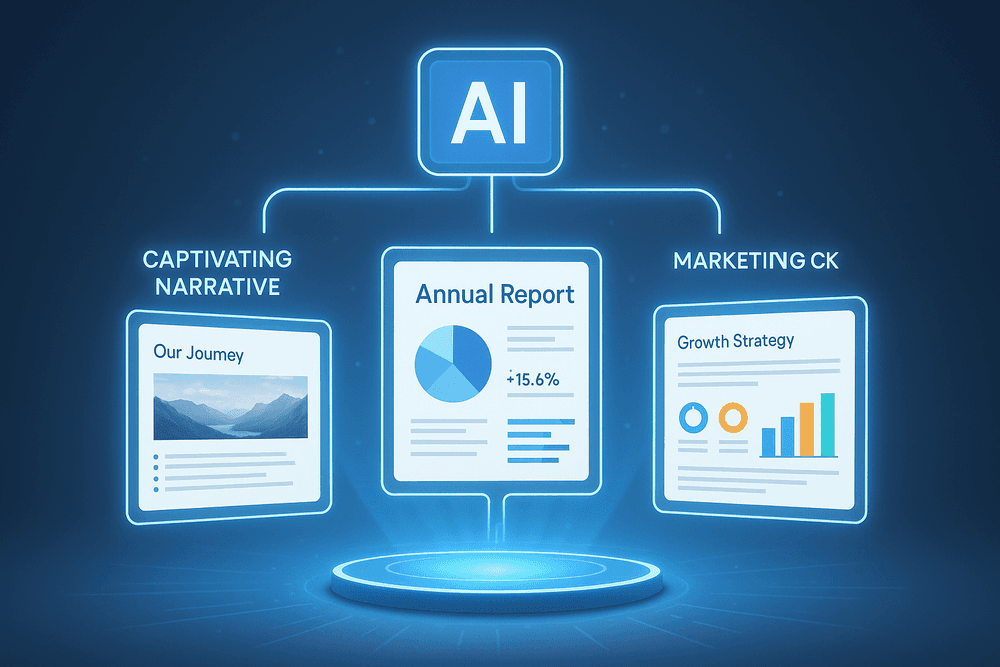
The Top Tools for AI Slide Generation Compared
The world of AI for slide generation is exploding with options, but not all tools are created equal. The best choice depends entirely on your goal. Are you telling a captivating story, quickly generating a report, or ensuring every slide is perfectly on-brand? Let's break down the leading platforms to find the perfect fit for your next presentation.
Tome: The AI Storytelling Partner
Tome positions itself as more than just a slide maker; it's a narrative-building engine. If your goal is to weave a compelling story rather than just list bullet points, this is your tool. You start with a simple prompt, and Tome generates a complete narrative structure, complete with headlines, text, and AI-generated images via DALL-E 2 integration.
Its standout feature is the fluid, web-like format. Presentations feel less like a rigid deck and more like an interactive webpage, allowing for dynamic layouts and embedded content.
- Best For: Founders pitching a vision, marketers creating brand stories, and educators explaining complex topics.
- Key Strength: Excels at generating a coherent, story-driven flow from a single idea, making it a powerful tool for ideation and creative presentations.
Gamma: The Versatile AI Content Creator
Gamma is built for speed and versatility. It takes the concept of AI for slide generation and expands it, allowing you to create presentations, documents, or even simple web pages from one prompt. Its "write with AI" feature is incredibly fast, turning a few keywords into a fully fleshed-out draft in under a minute.
The platform focuses on a "card" system, where each piece of content is a modular block you can easily rearrange. Gamma shines when you need to create polished, professional-looking content quickly without getting bogged down in formatting details.
- Best For: Teams needing to produce internal reports, training materials, and client updates with rapid turnaround.
- Key Strength: Unmatched speed and flexibility. The ability to transform a single AI-generated draft into multiple formats makes it a productivity powerhouse.
Beautiful.ai: The Automated Design Expert
For those who dread tweaking alignments and choosing font pairings, Beautiful.ai is a game-changer. It operates on the principle of "design automation." Instead of giving you total freedom, it provides smart, professionally designed templates that adapt automatically as you add content. The AI acts as a built-in designer, ensuring every slide maintains visual consistency and adheres to design best practices.
This makes it virtually impossible to create an ugly slide. It’s the ideal solution for maintaining strict brand consistency across a large team.
- Best For: Corporate sales teams, consultants, and professionals who prioritize a polished, uniform aesthetic above all else.
- Key Strength: Its "design autopilot" enforces beautiful, consistent layouts, saving countless hours and guaranteeing a professional result every time.
Head-to-Head: Canva Magic Design vs. Microsoft PowerPoint Designer
These two platforms bring AI to the tools millions already use.
- Canva Magic Design: True to its brand, Canva’s AI feature is accessible, fun, and visually focused. You provide a prompt, and Magic Design generates a series of fully designed, multi-page slide options in various styles. It leverages Canva’s massive library of stock photos, graphics, and templates, making it perfect for creating eye-catching presentations for marketing or social media.
- Microsoft PowerPoint Designer: Rather than generating a full deck from scratch, PowerPoint’s Designer works as an assistant within your workflow. As you add text or images to a slide, it intelligently suggests professional layouts, icons, and stock photos to enhance your content. This approach to AI for slide generation is less about full automation and more about augmenting the user's creative process within a familiar corporate environment.
Core Features to Look For in an AI Slide Generation Platform
The market for AI presentation makers is exploding, but not all tools are created equal. To truly revolutionize your workflow, you need a platform that goes beyond simple text-to-slide conversion. The best ai for slide generation combines sophisticated intelligence with user-friendly features to act as a genuine partner in creation. When evaluating your options, look for these four core capabilities that separate the game-changers from the gimmicks.
From a Single Prompt to a Full Deck
This is the cornerstone feature of modern ai for slide generation. The most powerful platforms can take a single, simple input—like "a marketing plan for a new eco-friendly sneaker"—and generate a complete, structured presentation from scratch. The AI doesn’t just create random slides; it conceptualizes a narrative arc, including a title slide, an agenda, key talking points, supporting details, and a concluding summary. This instantly solves the "blank page" problem that plagues so many professionals. Instead of spending hours outlining, you get a robust first draft in seconds, allowing you to focus your energy on refining and perfecting the content rather than building it from the ground up.
AI-Powered Script Writing and Content Suggestions
A great presentation isn’t just about the visuals; it’s about the message. Look for an AI tool that serves as your co-writer. Top-tier platforms offer features that can expand on a brief bullet point, rephrase a sentence for greater impact, or adjust the tone of your content to be more formal, casual, or persuasive. The most advanced tools even generate detailed speaker notes for each slide, giving you a ready-made script to ensure a smooth and confident delivery. This intelligent content assistance transforms the tool from a slide designer into a comprehensive communication assistant, helping you craft a more compelling and coherent story.
Automated Branding and Layout Application
Maintaining brand consistency across presentations can be a tedious manual process. A crucial feature in any professional-grade ai for slide generation tool is the ability to automate branding. The best systems allow you to upload your company logo, define your brand’s color palette and fonts, or even provide a link to your website. The AI then intelligently applies these brand guidelines across the entire presentation, ensuring every slide, chart, and title is perfectly on-brand. It automatically selects a variety of professional, visually appealing layouts that complement your content, saving you the design guesswork and guaranteeing a polished, consistent look every time.
Seamless Integration with Data Sources and Media Libraries
An AI presentation tool shouldn't be an isolated island in your digital toolkit. To maximize productivity, it needs to integrate seamlessly with the platforms you already use. Look for integrations with data sources like Google Sheets, Excel, or other databases, allowing you to create charts and graphs that update automatically with live data. Equally important is access to high-quality media. Top platforms integrate directly with extensive stock photo and video libraries (like Unsplash, Pexels, and Getty Images), giving you millions of assets to choose from without ever leaving the application. This connectivity turns your AI slide generator into a centralized hub for creating dynamic, data-rich, and visually stunning presentations.

Best Practices for Mastering AI Slide Generation
Using an AI for slide generation is more than just typing a topic and hitting ‘enter.’ To truly harness its power, you need to treat the AI as a creative partner. Mastering this collaboration involves a blend of smart prompting, critical review, and personal customization. By following these best practices, you can transform a good AI-generated draft into a polished, impactful, and uniquely personal presentation.
Crafting the Perfect Prompt for Your Presentation's Goal
The quality of your output is directly tied to the quality of your input. A vague prompt leads to a generic presentation. A detailed, strategic prompt is the first step toward excellence in AI for slide generation.
- Be Hyper-Specific: Don't just ask for a "presentation on digital marketing." Instead, try: "Create a 12-slide presentation for a B2B SaaS startup's board meeting. The goal is to justify a 20% budget increase for Q4. Focus on our successful SEO and content marketing initiatives from Q3 and outline a proposed plan for paid social media campaigns."
- Define Your Audience and Tone: Who are you speaking to? The language for an internal team meeting is different from a keynote at an industry conference. Specify your audience (e.g., "engineers," "non-technical stakeholders," "potential investors") and desired tone (e.g., "formal and data-driven," "inspirational and visionary," "casual and conversational").
- Provide a Clear Structure: Give the AI a blueprint. You can outline the presentation slide by slide: "Slide 1: Title. Slide 2: Agenda. Slide 3: The Problem We Solve. Slides 4-6: Our Q3 Performance Metrics..." This guidance helps the AI build a logical and coherent narrative from the start.
Tips for Reviewing and Refining AI-Generated Content
Think of the AI’s output as a well-researched first draft, not a finished product. Your expertise is needed to elevate it.
- Fact-Check Rigorously: AI models can sometimes generate plausible-sounding but inaccurate information, a phenomenon known as "hallucination." Always verify statistics, dates, and key claims from reliable sources before you present them.
- Simplify and Sharpen the Message: AI can be wordy. Review each slide and ask: "Can this be said more simply?" Cut jargon, shorten sentences, and ensure each slide has one central, clear takeaway. Remember, slides are visual aids, not scripts.
- Check for Narrative Flow: Read the entire presentation from beginning to end. Does the story flow logically? Does each slide build on the last? Don't be afraid to reorder, merge, or delete slides to improve the overall narrative arc.
Integrating Your Own Data and Visuals for a Personal Touch
The most effective use of AI for slide generation involves blending its speed with your unique assets. Personalization is what will make your presentation stand out.
- Incorporate Your Brand Identity: Upload your company logo, apply your brand's specific color palette, and use your standard corporate fonts. This instantly makes the presentation look professional and aligned with your organization.
- Use Real Data: Replace any placeholder charts with your own data. An AI can create a beautiful bar chart, but it's your data on customer growth or project milestones that will persuade your audience.
- Add Authentic Imagery: Swap generic stock photos for high-quality images of your team, products in action, or customer testimonials. Authentic visuals build a much stronger connection with the audience.
How to Maintain Your Unique Voice and Style
Finally, the presentation must sound like it came from you.
After the AI has handled the heavy lifting of structure and content, perform a "voice pass." Read the speaker notes and slide text aloud. Does it sound like you? Rewrite sentences to match your natural speaking rhythm. Infuse your personality by adding a relevant personal story, a powerful quote, or a bit of humor. This final human touch is what turns an AI-generated deck into your presentation.
Real-World Use Cases: How Professionals Win with AI for Slide Generation
The power of AI for slide generation isn't just a futuristic concept; it's a practical reality that’s already delivering a significant competitive edge across industries. Professionals are moving beyond the blank slide, leveraging artificial intelligence to reclaim their time, enhance their messaging, and produce stunning visuals on demand. Let's explore how different roles are using these tools to transform their workflows and achieve remarkable results.
Marketing Teams: Consistent Sales Enablement Decks at Scale
For marketing departments, brand consistency is non-negotiable, but it’s a constant challenge when creating dozens of presentations. Sales teams need decks tailored for specific industries, customer personas, and product features. Manually adapting a master deck while ensuring every logo, color palette, and font is correct is a tedious, time-consuming task.
This is where AI for slide generation becomes a marketer's most valuable asset. Teams can upload their brand guidelines, and the AI will act as a brand guardian, automatically applying the correct styling to any new presentation. A marketer can simply provide a text document with new messaging, and the AI will generate a fully on-brand, multi-slide deck in minutes. This allows for the rapid creation of sales enablement materials at scale, ensuring every single presentation that leaves the company is polished, professional, and perfectly consistent.
Founders & Entrepreneurs: Compelling Investor Pitches in Record Time
Founders operate in a high-stakes environment where time is the most precious resource. Crafting a compelling investor pitch deck can take weeks of painstaking work, often pulling focus away from building the actual business. Not every entrepreneur is a design expert, and hiring a professional can be costly for an early-stage startup.
AI presentation makers are leveling the playing field. A founder can input their business plan, key metrics, and value proposition, and the AI can structure it into a classic, battle-tested investor pitch format—from the problem and solution to the market size and team slides. The platform can suggest powerful imagery, generate clean data visualizations, and produce a deck that looks like it was designed by a seasoned pro. This powerful use of AI for slide generation allows founders to go from concept to a pitch-ready deck in hours, not weeks, enabling them to iterate quickly based on feedback and seize opportunities faster.
Educators: Engaging and Visually Rich Lecture Materials
In the modern classroom, holding students' attention is paramount. Educators know that visual aids are key to comprehension and engagement, but creating visually stimulating lecture slides for every single class is an overwhelming task.
AI tools are a game-changer for teachers and professors. They can take a dense course syllabus or a research paper and instantly transform it into a series of digestible, visually engaging slides. The AI can automatically source relevant stock photos and icons, create diagrams to explain complex concepts, and structure text into clear, scannable bullet points. This frees educators from the drudgery of slide formatting, allowing them to focus on what they do best: teaching and inspiring their students with rich, compelling course material.
Consultants: Automated Client-Facing Reports and Proposals
Consultants are judged by the clarity and professionalism of their deliverables. They need to synthesize vast amounts of data and complex analysis into polished, client-facing reports and proposals, often under immense time pressure. The final deck is as important as the insights it contains.
Consulting firms are increasingly integrating AI into this process. A consultant can feed raw data, spreadsheets, and analytical notes into an AI tool, which then automates the creation of a structured report. The AI can generate executive summary slides, create insightful charts and graphs from the data, and organize the findings into a logical, persuasive narrative. This not only accelerates the reporting lifecycle tenfold but also ensures a consistently high standard of quality across all client deliverables, cementing the firm's reputation for excellence.

The Future is Now: Your Next Step in AI for Slide Generation
You’ve seen the potential. You understand the technology. Now, it’s time to move from theory to practice and make AI for slide generation a core part of your workflow. The barrier to entry has never been lower, and the rewards—time saved, creativity unlocked, and impact amplified—are immense. This is your launchpad for creating stunning, effective presentations in a fraction of the time.
How to Choose the Right AI Tool for Your Specific Needs
Not all AI presentation makers are created equal. The "best" tool is the one that aligns perfectly with your goals and working style. Before you commit, consider these key factors:
- Your Primary Use Case: Are you a student summarizing a research paper, a startup founder crafting a pitch deck, or a corporate manager preparing a quarterly report? A student might prioritize tools that can digest and visualize data from a PDF, while a founder needs strong branding controls and compelling visual templates.
- Preferred Input Method: How do you like to start? Some tools excel at turning a simple text prompt into a full-fledged presentation. Others are designed to import existing documents (like Word or PDFs) or even scrape a URL for content. Choose a tool that matches your existing content format.
- Level of Customization: Do you want a one-click solution, or do you need granular control over every element? Some AI platforms offer incredible speed but limited design flexibility. Others provide a robust editor that lets you tweak layouts, fonts, colors, and branding after the initial generation, giving you the best of both worlds.
- Integration and Export Options: Your presentation needs to live outside the AI tool. Check for easy export options to PowerPoint (.pptx), Google Slides, or PDF. Seamless integration with the platforms you already use is a critical factor for a smooth workflow.
Quick-Start Checklist: Your First AI-Generated Presentation
Ready to dive in? Follow this simple checklist to ensure your first experience with AI for slide generation is a resounding success.
- Define Your Objective: Start with the end in mind. What is the single most important message you want your audience to remember? Write it down. This is your north star.
- Gather Your Raw Materials: Collect your key points, data, statistics, and any essential text in a separate document. A well-structured outline or a few paragraphs of core content will give the AI a much stronger foundation to build upon.
- Craft a Specific Prompt: Don't be vague. Instead of "Make a presentation about sales," try "Create a professional 12-slide presentation for a Q4 sales meeting. The tone should be upbeat and data-driven. Include slides on key wins, performance metrics, and goals for Q1."
- Generate and Critically Review: Run the prompt and analyze the first draft. The AI provides the structure and design, but you are the expert. Check for factual accuracy, logical flow, and clarity. Is the story coherent?
- Refine and Personalize: This is where the magic happens. Infuse the presentation with your unique voice. Add personal anecdotes, specific examples, and company-branded visuals. Tweak the wording, reorder slides, and adjust the design to make it truly yours.
Embracing Automation to Focus on Storytelling, Not Slide Design
The most profound shift that AI for slide generation offers isn't just about making slides faster; it's about fundamentally changing where you invest your energy. For decades, professionals have sunk countless hours into tedious tasks: aligning text boxes, searching for the perfect stock photo, and wrestling with templates.
This is time you can now reclaim.
By automating the design and layout process, you are free to concentrate on what truly matters: the narrative. You can spend more time refining your core message, anticipating audience questions, and honing your delivery. The AI acts as your personal designer, handling the visual execution so you can perfect the strategic communication. It empowers you to transition from being a slide builder to a master storyteller, ensuring your message not only looks good but also resonates, persuades, and inspires action.