
September 30, 2025
An Introduction to AI for Slide Generation
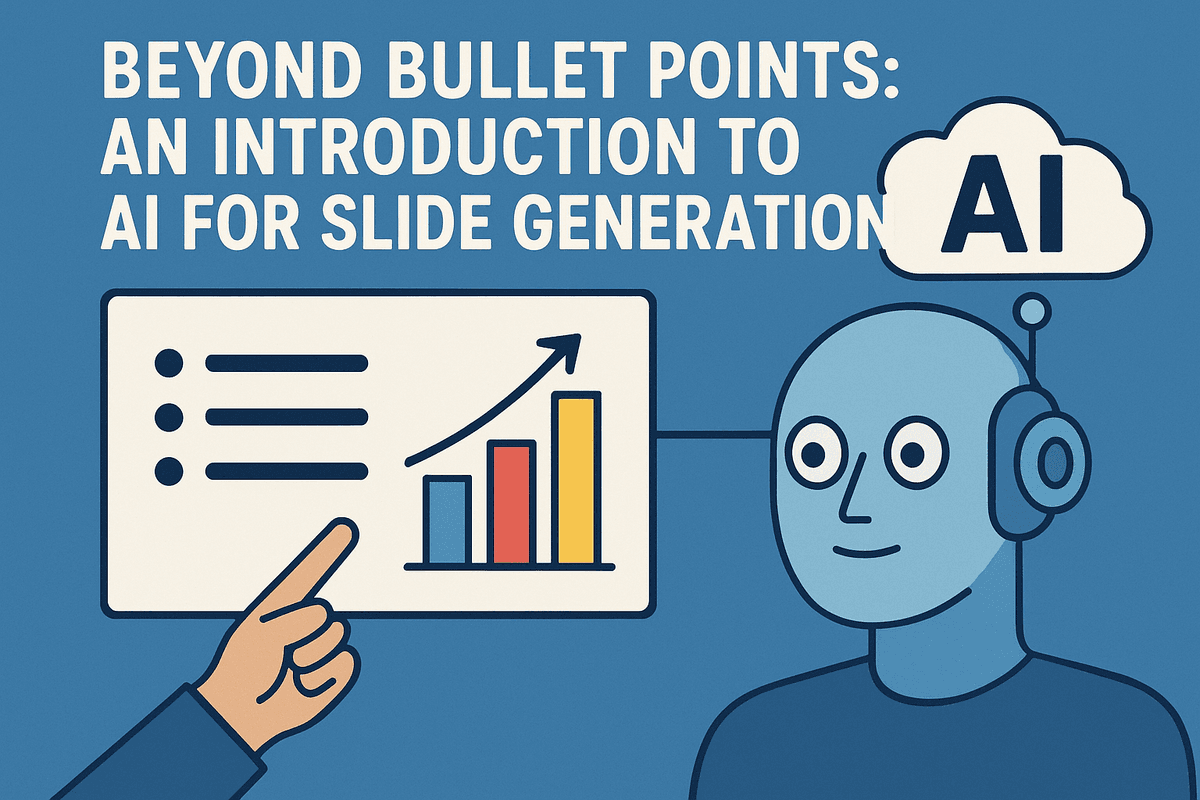
Beyond Bullet Points: An Introduction to AI for Slide Generation
We’ve all been there: staring at a blank slide, the cursor blinking mockingly. The hours spent aligning text boxes, searching for the perfect stock photo, and wrestling with formatting can feel like a monumental task. This dreaded process, often leading to the infamous "death by PowerPoint," drains productivity and stifles creativity. But what if you could turn a single idea into a fully designed, professional presentation in minutes? Welcome to the world of AI for slide generation.
This revolutionary technology is more than just a template; it's a creative partner that automates the entire design process. It’s a fundamental shift from manually building slides to intelligently generating them, allowing you to focus on the one thing that truly matters: your message.
What is AI for Slide Generation and How Does It Work?
At its core, AI for slide generation uses sophisticated artificial intelligence models to interpret your input and automatically create a complete presentation. Think of it as an expert designer, copywriter, and researcher rolled into one powerful tool. The process is remarkably simple:
- You Provide the Prompt: You start by giving the AI a command. This can be as simple as a topic ("a marketing plan for a new coffee brand"), a long-form document (like a report or blog post), or a detailed outline.
- The AI Analyzes and Structures: The AI, often powered by a Large Language Model (LLM), reads and understands your input. It identifies the key themes, organizes them into a logical sequence, and structures the narrative across multiple slides with titles, bullet points, and speaker notes.
- It Designs and Populates: The AI then selects a professional design template, chooses a color palette, and picks appropriate fonts. It populates each slide with the structured content and even uses AI image generators or scours stock photo libraries to find relevant, high-quality visuals to complement your message.
The result is a polished, ready-to-present deck created in a fraction of the time it would take manually.
The End of 'Death by PowerPoint': Key Benefits for Professionals
The rise of AI presentation makers signals the end of tedious, uninspired slide decks. For professionals across every industry, the benefits are transformative:
- Drastic Time Savings: Reduce hours or even days of work to mere minutes. This allows you to reallocate your valuable time from formatting to strategic thinking, rehearsal, and refining your core arguments.
- Elevated Design Quality: You no longer need to be a graphic designer to create stunning presentations. AI tools provide access to modern, aesthetically pleasing layouts, ensuring your work looks polished and credible every time.
- Effortless Consistency: Maintain a consistent brand identity with uniform fonts, colors, and logos across your entire presentation without painstakingly checking each slide.
- Conquer the Blank Page: AI provides an excellent first draft that breaks through creative blocks. It’s far easier to edit and refine an existing structure than to build one from scratch.
From Tedious to Instant: A New Era of Presentation Design
AI for slide generation represents a new paradigm in how we communicate ideas. The focus shifts from the tedious mechanics of slide construction to the high-level art of storytelling. Your role evolves from a slide builder to a creative director, guiding the AI, refining its suggestions, and infusing the final product with your unique expertise and perspective.
This technology democratizes professional design, empowering anyone—from startup founders and marketers to students and educators—to create impactful, visually compelling presentations that capture attention and drive results. It’s not just about making slides faster; it's about communicating better, more effectively, and with greater confidence than ever before.

The Best AI for Slide Generation Tools of 2024 Compared
Navigating the world of AI-powered presentation tools can be overwhelming. Each platform offers a unique approach to slide creation, catering to different needs and workflows. To help you choose the best AI for slide generation, we're breaking down three of the top contenders: Tome, Beautiful.ai, and SlidesAI.
Tome: The AI Storyteller for Compelling Narratives
Tome positions itself not just as a slide creator, but as a storytelling partner. It excels at transforming a single, detailed prompt into a cohesive narrative, complete with flowing text, layouts, and stunning AI-generated imagery powered by DALL-E 2. It’s less about traditional slides and more about creating a dynamic, web-based presentation.
- Strengths: Tome's core strength is its narrative-first approach. It automatically structures your content into a logical story, making it ideal for pitches and complex topics. Its ability to generate high-quality, relevant images and embed interactive content (like Figma prototypes or videos) is a significant advantage.
- Weaknesses: The unconventional, scroll-based format might not be suitable for formal corporate settings that demand a traditional slide-by-slide structure. Customization can also feel less granular than in dedicated design tools, as the AI prioritizes its own aesthetic logic.
- Ideal Use Cases: Perfect for startup founders creating a pitch deck, marketers developing a campaign narrative, or educators building an engaging lesson. If your goal is to captivate and persuade through story, Tome is a powerful choice.
Beautiful.ai: The Design-First AI Presentation Maker
If brand consistency and impeccable design are your top priorities, Beautiful.ai is your go-to solution. This tool acts like an expert designer looking over your shoulder. Instead of giving you total freedom, its "Design AI" applies design best practices automatically, ensuring every slide looks polished and professional.
- In-depth Review & Unique Features: The standout feature is its smart template system. When you add content, the slide intelligently adapts its layout to maintain visual balance and readability—no more manually nudging text boxes. It offers robust brand control features, allowing you to lock in custom fonts, colors, and logos that are applied across every presentation. This makes it an exceptional tool for maintaining a unified brand identity across large teams.
- Ideal Use Cases: A dream for corporate teams, sales professionals, and anyone who needs to create on-brand presentations quickly without a design background. It’s the best AI for slide generation when professionalism and consistency are non-negotiable.
SlidesAI: The Efficiency Engine for Google Slides
Unlike the standalone platforms above, SlidesAI is a powerful extension that lives directly inside Google Slides. Its primary function is to create and summarize presentations from long-form text, making it a champion of efficiency for those already embedded in the Google Workspace ecosystem.
- Pricing, Integrations & User Feedback: SlidesAI operates on a freemium model, with paid tiers offering more credits for monthly presentations and advanced AI features. Its key integration is, of course, Google Slides, which is its main selling point—there's no new interface to learn. Users consistently praise its speed and convenience. The feedback often highlights how it can generate a solid first draft in seconds, saving hours of manual work. While the designs may be more basic than Tome or Beautiful.ai, the sheer convenience often outweighs this for internal meetings and rapid drafting.
- Ideal Use Cases: An essential tool for students, consultants, and professionals who need to convert documents, articles, or notes into a presentation draft instantly within their existing workflow.
Head-to-Head: Which AI Slide Generator Is Right for You?
Choosing the right tool depends entirely on your primary goal.
- For the Creative Storyteller: Choose Tome. Its generative AI and narrative focus will help you build a compelling, visually rich story that engages your audience from start to finish.
- For the Brand-Conscious Professional: Choose Beautiful.ai. Its design constraints and branding features guarantee a polished, professional, and consistently on-brand deck every time.
- For the Google Workspace Power User: Choose SlidesAI. Its seamless integration and text-to-presentation speed make it the ultimate productivity hack for anyone living in Google Slides.
Unlocking Impactful Decks: Key Features in AI for Slide Generation
The true power of modern AI for slide generation goes far beyond basic templates. The most effective platforms are equipped with a suite of intelligent features that function like a dedicated co-pilot, assisting you at every stage of the creation process. These capabilities not only accelerate your workflow but also dramatically enhance the quality and impact of your final presentation. Understanding these key features is crucial for choosing a tool that will genuinely transform your approach to building slide decks.
Automated Design and Intelligent Layout Suggestions
Say goodbye to the tedious task of manually arranging elements on a slide. Advanced AI tools analyze your content—the text, the images, and the data—to understand its hierarchy and context. Based on this analysis, the system intelligently suggests a variety of professional layouts that best communicate your message. It automatically handles alignment, spacing, and balance, eliminating guesswork. The AI also acts as a virtual designer, recommending complementary color palettes, legible font pairings, and optimal placement for visuals. This feature single-handedly conquers "design paralysis," ensuring every slide is visually appealing and effective without requiring any design expertise from you.
AI-Powered Content and Script Writing Assistance
Staring at a blank slide is one of the biggest hurdles in creating a presentation. Leading platforms for AI for slide generation integrate powerful language models to help you overcome writer's block. You can start with a simple prompt, a rough outline, or even paste in a long-form document, and the AI will generate concise bullet points, craft compelling headlines, and even draft entire paragraphs for your slides. Beyond just the slide content, these tools can also assist in writing detailed speaker notes. This ensures your narrative is cohesive and allows you to focus on delivering your message with confidence, knowing your script is clear and well-structured.
Seamless Data Integration and Chart Creation
Turning complex data into a clear, compelling story is a common challenge. AI-driven tools streamline this process by enabling seamless data integration. You can upload spreadsheets (like CSV files) or connect directly to data sources, and the AI will analyze the information for you. It intelligently identifies key trends and relationships, then recommends the most appropriate chart or graph—be it a bar chart, line graph, or pie chart—to visualize your findings effectively. With just a click, the platform generates a clean, accurate, and easy-to-understand chart, making data-driven storytelling accessible to everyone, not just data analysts.
Maintaining Brand Consistency with Custom Templates
For any organization, maintaining a consistent brand identity is critical for professionalism and recognition. Top-tier AI presentation makers address this with brand management features. These platforms allow you to upload a "brand kit," which includes your company's logo, official color palette, and approved typography. Once saved, the AI exclusively uses these assets when generating new slides. This powerful feature guarantees that every presentation created across your team is perfectly on-brand, saving countless hours of manual formatting and ensuring a polished, unified look for all external and internal communications.
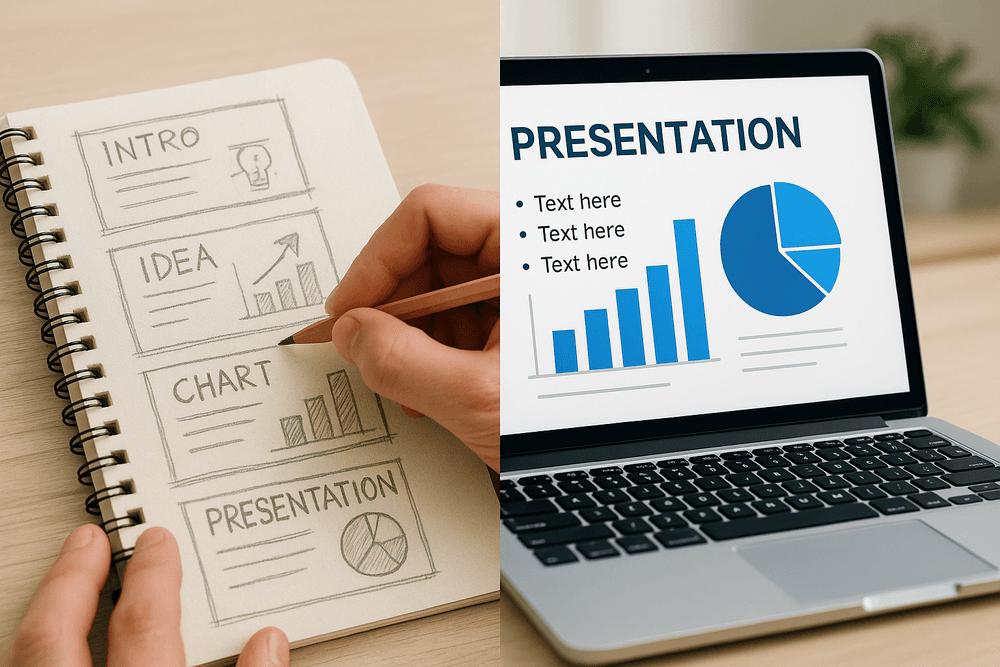
From Prompt to Applause: Best Practices for Using AI in Slide Generation
Using AI for slide generation is more than just typing a topic and hitting ‘enter’. It’s a collaborative process between your vision and the tool’s capability. Mastering this process transforms a good-enough deck into a great one. Here’s how to navigate from initial prompt to a standing ovation.
How to Write Effective Prompts for Maximum Impact
The quality of your output is directly tied to the quality of your input. Vague prompts lead to generic slides. To get maximum impact from your AI slide generator, treat your prompt like a creative brief.
- Be Specific and Contextual: Instead of "Make a presentation about marketing," try "Create a 10-slide presentation for a startup C-suite on a Q4 digital marketing strategy. Focus on social media, SEO, and email campaigns. The tone should be professional yet bold."
- Provide a Clear Outline: Give the AI a roadmap. You can list your desired slide titles: 1. Introduction, 2. Q3 Performance Review, 3. Proposed Q4 Strategy, etc. This structure ensures the AI follows your narrative logic.
- Include Key Data and Keywords: If you have specific statistics, quotes, or keywords you need to include, feed them directly into the prompt. For example, "Include the statistic that 'email marketing has a 4200% ROI' on the relevant slide."
The Human Touch: Reviewing and Refining AI-Generated Content
Think of the AI’s first draft as a talented but new intern’s work—it’s a fantastic starting point that needs your expert review. The human touch is non-negotiable for professional-grade results.
- Fact-Check Everything: AI can occasionally "hallucinate" or pull outdated information. Verify all statistics, dates, and factual claims before you present.
- Refine the Tone and Voice: Does the generated text sound like you or your brand? Edit the copy to align with your unique voice, ensuring authenticity and connection with your audience.
- Check for Cohesion and Flow: Read the entire presentation aloud. Does the story flow logically from one slide to the next? Reorder slides and tweak transition sentences to create a seamless narrative.
Combining AI Efficiency with Powerful Storytelling
The true power of using AI for slide generation is the time it saves you—time you can reinvest in what truly matters: your story. AI handles the grunt work of formatting and initial content creation, freeing you to focus on the narrative arc that will captivate your audience. Use the AI to brainstorm different angles or structures. Ask it to "Propose three different narrative structures for a presentation on sustainable energy," then choose the most compelling one to build upon. This lets you move from a slide-builder to a storyteller.
Tips for Visual Polish and Data Visualization
AI provides a strong visual foundation, but your final polish makes the design shine.
- Customize the Aesthetics: Don’t settle for the default template. Adjust colors to match your brand palette, swap out stock images for your own high-quality photos, and ensure font consistency.
- Simplify Data Visualization: AI can generate complex charts. Your job is to ensure they are instantly understandable. Ask the AI to "Create a simple bar chart showing user growth from 2021-2023," then add clear labels, remove distracting gridlines, and use color to highlight the key takeaway. Your goal is clarity, not complexity.
Real-World Wins: Use Cases for AI-Powered Slide Generation
The true power of any technology is revealed in its practical application. Beyond the impressive demos, AI for slide generation is already revolutionizing workflows across various industries by transforming tedious tasks into swift, creative processes. It’s not about replacing human insight; it’s about augmenting it, freeing up valuable time for strategy, delivery, and critical thinking. From the fast-paced sales floor to the university lecture hall, AI is becoming the ultimate presentation co-pilot.
Accelerating Sales Pitches and Marketing Reports
In the world of sales and marketing, time is money and first impressions are everything. A sales team needs to create customized, persuasive pitch decks for multiple clients, often on tight deadlines. Instead of building each one from scratch, a sales professional can now use AI for slide generation to input client-specific data, key value propositions, and a brief outline. The AI instantly generates a polished, on-brand draft, complete with relevant visuals and structured talking points. This allows the team to focus on refining the sales strategy and practicing their delivery, rather than wrestling with slide layouts. Similarly, marketing teams can feed campaign performance data or a quarterly report document into an AI tool to auto-generate a comprehensive presentation with charts and graphs, turning raw data into a compelling narrative in minutes.
Streamlining Educational Lectures and Student Projects
Educators spend countless hours preparing lecture materials. An AI-powered slide generation tool can significantly reduce this burden. A professor can upload their syllabus, a research paper, or lecture notes, and the AI will structure the content into a logical, visually engaging slide deck. This frees them to focus on enhancing the educational experience and interacting with students. For students, the technology is a powerful academic aid. When faced with a major project, they can use an AI tool to organize their research and arguments into a coherent presentation structure. This helps overcome the "blank canvas" problem, providing a solid, professional-looking foundation that they can then customize and build upon.
Simplifying Corporate Onboarding and Internal Training
Human Resources and Learning & Development departments are constantly creating and updating training materials. Whether it's for new hire onboarding, compliance training, or introducing a new internal software, the process can be repetitive and time-consuming. With AI, an HR manager can simply provide a new company policy document or a step-by-step process guide. The AI tool will parse the information and instantly convert it into a clear, digestible training module. This ensures consistency across all training materials and allows for rapid deployment of updates, making the entire corporate education process more efficient and agile.
Creating Quick and Professional Startup Pitch Decks
For a startup founder, a compelling pitch deck is the key to unlocking investment. However, most founders are not graphic designers and are severely pressed for time. This is where AI for slide generation becomes a game-changer. A founder can input their business plan, target market analysis, financial projections, and team bios. The AI, often trained on thousands of successful pitch decks, will generate a well-structured, investor-ready presentation that follows the proven formula—from problem and solution to market size and the final ask. This allows founders to create a professional and persuasive deck in hours, not weeks, giving them a critical edge in the competitive funding landscape.

Conclusion: The Future of Presentations is Here
We've journeyed through the dynamic landscape of AI-powered slide generation, exploring a new class of tools designed to transform ideas into compelling visual narratives. The key takeaway is clear: the one-size-fits-all approach to presentations is a relic of the past. The best tool isn't the one with the most features, but the one that aligns perfectly with your specific workflow and communication goals.
For the time-crunched executive, a tool like Gamma or Tome can turn a simple document into a polished deck in minutes. For the data-driven analyst, Beautiful.ai offers intelligent charting that makes complex information digestible. For the creative marketer, Canva’s Magic Design provides a powerful starting point within a familiar, flexible ecosystem. The true power of AI for slide generation is unlocked when you find the platform that feels less like a tool and more like a strategic partner. We encourage you to revisit the options, sign up for a free trial, and discover which AI co-pilot best suits your mission.
Your First AI-Powered Presentation in 3 Simple Steps
Ready to stop reading and start creating? The barrier to entry has never been lower. You can generate your first AI-assisted presentation in the next 15 minutes. Here’s how to begin:
- Craft a Clear Brief: AI thrives on direction. Before you open any app, outline your core message. Who is your audience? What is the single most important thing you want them to remember? List your key talking points in a logical order. This simple document will become the foundation for your prompt.
- Choose a Tool and Prompt with Precision: Select a tool from our guide and start a new project. Instead of a vague prompt like "a presentation on sales," be specific. Try: "Create a professional 10-slide presentation for a Q3 sales team meeting. The goal is to motivate the team. Include slides on our Q2 wins, key challenges, the new sales strategy for Q4, and a breakdown of new commission incentives."
- Review, Refine, and Personalize: Treat the AI's output as an intelligent first draft, not the final product. This is where your expertise shines. Tweak the text to match your voice, add specific data points and case studies, adjust the branding to your company’s guidelines, and reorder slides to improve the narrative flow. The AI handles the heavy lifting of design, freeing you to focus on the substance and story.
Final Thoughts: Empowering Communicators, Not Replacing Designers
A lingering question surrounds this technology: is it making designers obsolete? The answer, we believe, is a resounding no. Rather than replacing human creativity, AI for slide generation is democratizing effective communication.
It empowers subject-matter experts—the scientists, engineers, and entrepreneurs who have brilliant ideas but lack the time or design skills to present them effectively. It’s an equalizer, breaking down the barrier between a great concept and a great presentation. This technology acts as a creative assistant, handling the tedious tasks of alignment, color palettes, and layout, so the communicator can focus on what truly matters: the clarity of their message, the strength of their argument, and their connection with the audience. The future of presentations isn’t about automating creativity; it’s about augmenting human intellect. The revolution is here, and it's putting the power to create beautiful, impactful presentations into the hands of everyone with a story to tell.