
August 21, 2026
AI Voiceover, Defined: From One-Off Audio Clip to Agency Production Layer

What is AI voiceover?
AI voiceover is synthetic narration generated from a written script using an AI voice model. Instead of booking talent, recording in a studio, and editing raw takes, your team inputs copy, selects or configures a voice, adjusts delivery, and exports a finished audio file.
For agencies, the bigger shift is not “cheaper narration.” It is turning voice production into a repeatable layer inside client delivery.
That matters when a client needs:
- Three versions of a product explainer for different audiences
- Paid social videos in multiple lengths
- Internal training content updated every quarter
- A fast narration pass for a pitch, storyboard, or concept test
- Localized versions of existing assets
A one-off clip solves a single production bottleneck. A production layer lets your agency create, revise, and scale spoken content without rebuilding the process every time.
How AI voiceover generation works
Most tools follow a similar path: script in, voice model selected, audio out. The quality difference comes from how much control your team has between those steps.
At a basic level, the system analyzes the script, predicts how a human would pronounce and pace the words, then generates speech using a trained voice model. More advanced platforms let you shape the delivery before export: tone, speed, pauses, emphasis, pronunciation, and sometimes emotion or character style.
In an agency workflow, the process typically looks like this:
- Write or adapt the script for spoken delivery, not just readable copy.
- Choose the voice that fits the audience, brand, and content type.
- Set direction such as conversational, authoritative, warm, energetic, or premium.
- Generate takes and compare different delivery options.
- Revise the script or direction where the read feels flat, rushed, or unnatural.
- Export audio for editing into video, slides, ads, courses, or social assets.
The important point: the script is only one input. The voice, delivery settings, and brand context determine whether the result sounds like generic narration or like it belongs to the client.
When AI voiceover should replace, support, or hand off to human talent
AI is strongest when speed, versioning, and consistency matter more than a celebrity performance or highly nuanced acting.
It can often replace traditional recording for:
- Internal explainers and training modules
- Draft narrations for client review
- Paid social variants with short shelf lives
- Product walkthroughs and onboarding videos
- Case study narration where clarity matters most
It can support human talent when you need a faster path to creative approval. For example, your team can generate temp narration for a storyboard before committing to a final recording session. That helps clients react to timing, pacing, and message hierarchy earlier, which reduces expensive changes later.
It should hand off to human talent when the voice is the campaign asset. Brand films, founder stories, emotional nonprofit appeals, character-led animation, luxury campaigns, and high-stakes broadcast work may need performance choices that go beyond clean narration.
The practical agency rule: use AI for repeatable, revision-heavy, and multi-version work; use humans when the voice itself carries the emotional weight of the idea. That distinction keeps budgets efficient without flattening the creative standard clients expect from your agency.

Key AI Voiceover Features Agencies Should Evaluate Before Choosing a Tool
Once voiceover becomes part of production, the tool choice affects more than audio quality. It shapes how quickly your team can respond to client edits, localize campaigns, and keep delivery standards consistent across accounts.
Voice quality, language coverage, and style range
Start with the obvious test: does the voice sound usable in client-facing work without apology? Listen for natural pauses, believable intonation, clean consonants, and whether the voice still holds up in longer reads. A voice that sounds impressive in a 10-second demo can become flat or robotic across a two-minute explainer.
For agencies, range matters as much as realism. One SaaS client may need crisp, confident narration for product videos; a nonprofit may need warmth and restraint; a consumer brand may want something more energetic for paid social. Look for a library that gives you enough tonal variety to avoid every client sounding like they came from the same template.
Language coverage is also a practical growth lever. If you handle multilingual campaigns, check both the number of supported languages and the quality within each one. Some platforms technically support dozens of languages but offer only one or two voices per market, limited accents, or awkward delivery. If localization is part of your offer, test the exact regions your clients care about.
Control over pronunciation, pacing, emphasis, and emotion
Strong AI voiceover tools let your team direct the read, not just generate it. At minimum, you should be able to adjust pacing, add pauses, control emphasis, and fix pronunciation for brand names, product terms, acronyms, and industry jargon.
This is especially important for agency work because client terminology is rarely generic. A fintech client may have proprietary product names. A healthcare client may require precise pronunciation. A founder-led brand may want a specific cadence that feels closer to how the CEO speaks.
Useful controls include:
- Custom pronunciation dictionaries for repeated terms
- Sentence-level or phrase-level pacing controls
- Pause insertion for visual timing and emphasis
- Style or emotion settings such as calm, upbeat, authoritative, conversational, or urgent
- The ability to regenerate only one sentence instead of the entire take
The more granular the control, the less time your team spends fighting the tool in revision rounds.
Editing, exports, collaboration, and commercial rights
The best-fit platform should plug into your agency workflow, not create another production bottleneck. Look for in-browser editing, timeline previews, version history, and simple ways to compare takes. If producers, copywriters, account managers, and editors all touch the work, collaboration features matter.
Export options should match your delivery process. For video teams, WAV and high-quality MP3 are table stakes. Time-aligned exports, separate sentence clips, or integration with video editing tools can save hours on edits.
Before adopting a platform, confirm:
Feature area | What to check |
|---|---|
Editing | Can you revise single lines without rebuilding the full recording? |
Exports | Are files available in formats your editors actually use? |
Collaboration | Can team members comment, review, and manage versions? |
Rights | Are commercial uses, paid ads, and client deliverables clearly covered? |
Account structure | Can you separate work by client, project, or brand? |
Commercial rights deserve special attention. Agencies need confidence that generated audio can be used in client campaigns, websites, paid media, internal training, and social content without unclear licensing. If the terms are vague, the tool is risky for client work no matter how polished the voices sound.
High-ROI AI Voiceover Use Cases for Creative and Digital Agencies
Once the tool can meet your quality bar, the real question is where it creates margin: faster revisions, more content variants, and fewer production bottlenecks across client accounts.
Video narration for ads, explainers, reels, and case studies
Short-form video is where ai voiceover often pays for itself first. Agencies can move from “we need to book talent before we can cut this” to “we can test three narration angles today.”
High-value examples include:
- Paid social ads: Generate voice tracks for multiple hooks, CTAs, offer angles, or audience segments without rescheduling a recording session.
- Product explainers: Turn approved copy into polished narration for SaaS walkthroughs, feature launches, onboarding videos, and landing page embeds.
- Reels and shorts: Add voiceover to motion graphics, customer tips, behind-the-scenes edits, or thought leadership clips at the pace social calendars demand.
- Case study videos: Narrate the problem, solution, and results when a client lacks usable interview audio or the project needs a cleaner editorial structure.
The agency benefit is not just lower audio cost. It is creative flexibility. A strategist can test a sharper opening line, a video editor can swap a CTA, and an account lead can accommodate last-minute client changes without turning a small revision into a new production cycle.
Presentations, sales enablement, and client training content
Not every valuable audio asset is public-facing. Many agencies support clients with decks, training materials, partner content, and sales collateral that need to feel more polished than a silent PDF or screen recording.
AI narration works especially well for:
- Pitch decks and investor presentations that need a guided version for leave-behinds or async review.
- Sales enablement modules explaining positioning, objection handling, product updates, or competitive differentiators.
- Client training content for new platforms, campaign handoffs, CMS updates, analytics dashboards, or brand rollout materials.
- Internal comms videos where leadership wants clarity and consistency but does not need a studio session.
For small agencies, this opens a new service layer without adding a production hire. A website project can include narrated CMS training. A rebrand can include audio-guided brand education. A campaign launch can include sales team enablement content. These are practical upsells because the client already needs the material; voiceover simply makes it easier to consume and share.
Podcast, webinar, and localization workflows
AI voiceover can also remove friction from recurring content programs, especially when clients want more reach from the same source material.
For podcasts and webinars, agencies can use generated narration for intros, outros, sponsor reads, segment transitions, recaps, teaser clips, and audio versions of written summaries. This is useful when the main recording is handled by humans but the surrounding production elements still need to be created, updated, and versioned regularly.
Localization is another strong fit. A single explainer, course module, or product video may need versions for different regions, partners, or market segments. Instead of treating each version as a separate production, agencies can adapt narration alongside the localized script and deliver more campaign assets from the same core creative.
The highest ROI comes from repeatable formats: monthly webinars, product release videos, training libraries, paid social testing, and always-on content programs. That is where audio stops being a one-off deliverable and becomes part of a scalable agency production system.
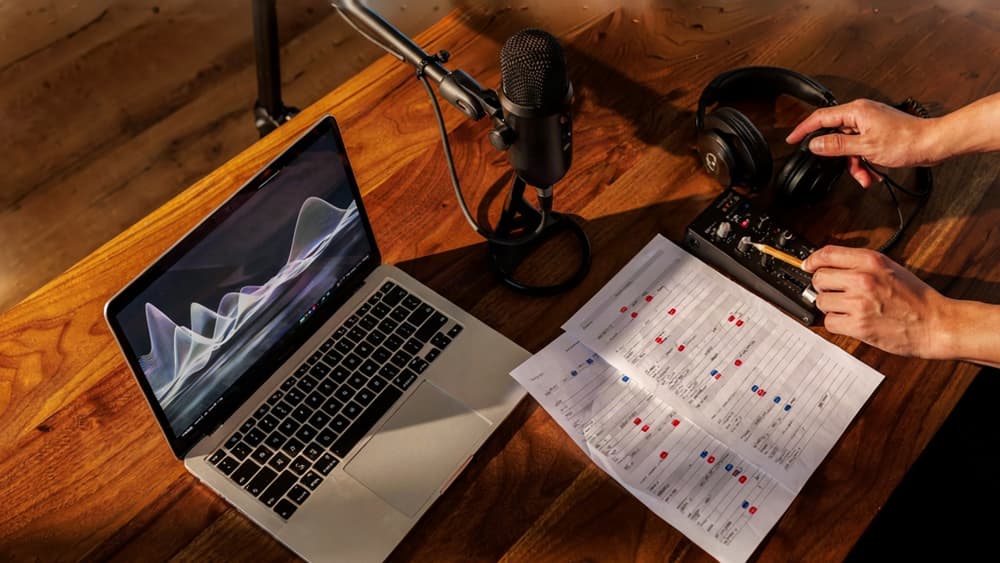
A Professional AI Voiceover Workflow: Script to Final Mix
Once the use case is clear, the difference between “usable” and “client-ready” usually comes down to workflow. Treat AI voiceover like a production process, not a text box.
Prepare scripts for natural narration
Scripts written for screens often sound stiff when spoken. Before generating audio, run the copy through a narration pass.
Start by reading it aloud. Mark anything that causes a stumble, sounds over-written, or buries the point too late in the sentence. Shorter sentences usually perform better, especially when the listener cannot scan backward.
A practical prep pass should cover:
- Sentence length: Break long lines into shorter beats.
- Breathing room: Add pauses where the listener needs time to process.
- Spoken language: Replace “utilize” with “use,” “in order to” with “to,” and other copywriting leftovers.
- Pronunciation cues: Spell out tricky names, acronyms, product terms, or industry jargon phonetically.
- Emphasis notes: Flag the words that carry the message, not every adjective the client likes.
- Timing targets: Note whether a section needs to land in 15, 30, 60, or 90 seconds.
For agency teams, the goal is to prevent revision loops before they start. If the script is hard for a human to read naturally, an AI voice will usually expose the problem faster.
Direct the voice before generating takes
Do not generate a take from a bare script and hope the result matches the brief. Give the model direction the same way you would direct talent in a session.
Include the audience, energy level, pace, emotional posture, and delivery context. For example:
“Confident but not salesy. Warm, measured pace. Prioritize clarity over hype. Slight lift on the final line, but avoid sounding like a radio ad.”
Then generate multiple takes with controlled variation. Change one variable at a time: slightly slower pace, more restrained energy, stronger emphasis on the call-to-action. This makes review easier and avoids a messy folder of indistinguishable files.
For client work, name takes clearly: `Client_Project_VO_Take01_WarmSlow`, `Take02_BrighterCTA`, `Take03_LowerEnergy`. Small production habits like this save time when an account manager, editor, and creative director are all weighing in.
Review, edit, mix, and quality-check the final audio
Review the ai voiceover against the script first, then against the piece it will live inside. A take can sound polished on its own and still fight the edit.
Listen for:
- Mispronunciations or awkward stress
- Pacing that rushes key claims
- Pauses that feel too long or too tight
- Emotional mismatch with the visual or message
- Volume jumps between sections
- Mouth noise, artifacts, or unnatural phrasing
Once the preferred take is selected, edit for rhythm. Tighten dead air, smooth transitions, and align key phrases with visual moments or slide changes. Then mix it like production audio: normalize levels, apply light EQ if needed, compress gently, and leave room for music or sound design.
Before delivery, run one final pass from the client’s perspective: does the narration feel clear, polished, and appropriate for the audience? That last listen is where most preventable “almost there” feedback gets caught.
Keeping AI Voiceovers On-Brand Across Every Client Account
Once the production workflow is solid, the bigger agency challenge is repeatability: making sure Client A never sounds like Client B, even when the same team is generating both.
Turn client brand voice into audio direction
Most brand guidelines stop at visuals and written tone. For ai voiceover, agencies need to translate those rules into listenable direction.
That means turning “confident but approachable” into specifics a producer, strategist, or editor can reuse:
- Pace: measured and premium vs. quick and energetic
- Energy: calm authority vs. founder-led enthusiasm
- Accent or region: neutral US, UK, Australian, multilingual variants
- Formality: polished corporate vs. conversational creator-style
- Emotional range: reassuring, playful, urgent, aspirational
- Do-not-sound-like notes: too salesy, too dramatic, too robotic, too casual
For example, a fintech client might need “steady, precise, low-hype, boardroom credible,” while a DTC wellness brand might need “warm, relaxed, lightly optimistic, never clinical.” Both could use the same AI voiceover platform, but they should never share the same performance direction.
This is where agencies can create real leverage: ingest the client’s brand once, then turn it into reusable audio guidance every time a reel, explainer, ad, or training module needs narration.
Standardize approvals, reusable prompts, and voice presets
On-brand voiceover breaks down when every project starts from a blank prompt or a producer’s memory of “what the client liked last time.”
A better system gives each client a small voiceover kit:
- Approved voice options: primary narrator, alternate narrator, localization options
- Prompt templates: short-form ad read, explainer narration, product demo, internal training
- Performance notes: pace, emphasis, warmth, energy, pronunciation preferences
- Approval history: what the client accepted, rejected, or revised
- Usage context: where each voice is appropriate and where it is not
This reduces subjective feedback loops. Instead of asking, “Does this sound right?” your team can ask, “Does this match the approved Client X voice preset?”
It also protects margins. Junior team members can generate first-pass narration without guessing, while senior creatives stay focused on judgment calls rather than rebuilding direction from scratch.
Aethera is built for this kind of client-specific consistency: capture the brand inputs once, then keep prompts, direction, and outputs aligned across the account instead of scattered across docs, tools, and individual memory.
Scale voiceover output without adding headcount
The payoff is not just faster audio. It is controlled volume.
Small agencies are often asked to turn one campaign into dozens of assets: paid social cuts, landing page videos, sales snippets, onboarding clips, localized edits, and client enablement materials. Without a system, every new narration request creates more coordination, more revisions, and more risk of brand drift.
With standardized voice direction per client, teams can scale production while keeping creative control centralized. Account managers can brief confidently. Editors can move faster. Strategists can test more variants. Creative directors can review for brand fit instead of re-directing every read from zero.
That is the difference between using AI voiceover as a one-off shortcut and making it part of an agency operating system: more output, fewer handoffs, and a voice that still feels unmistakably like the client.