
January 6, 2026
The Rise of AI Tools for Task Automation in Modern Business
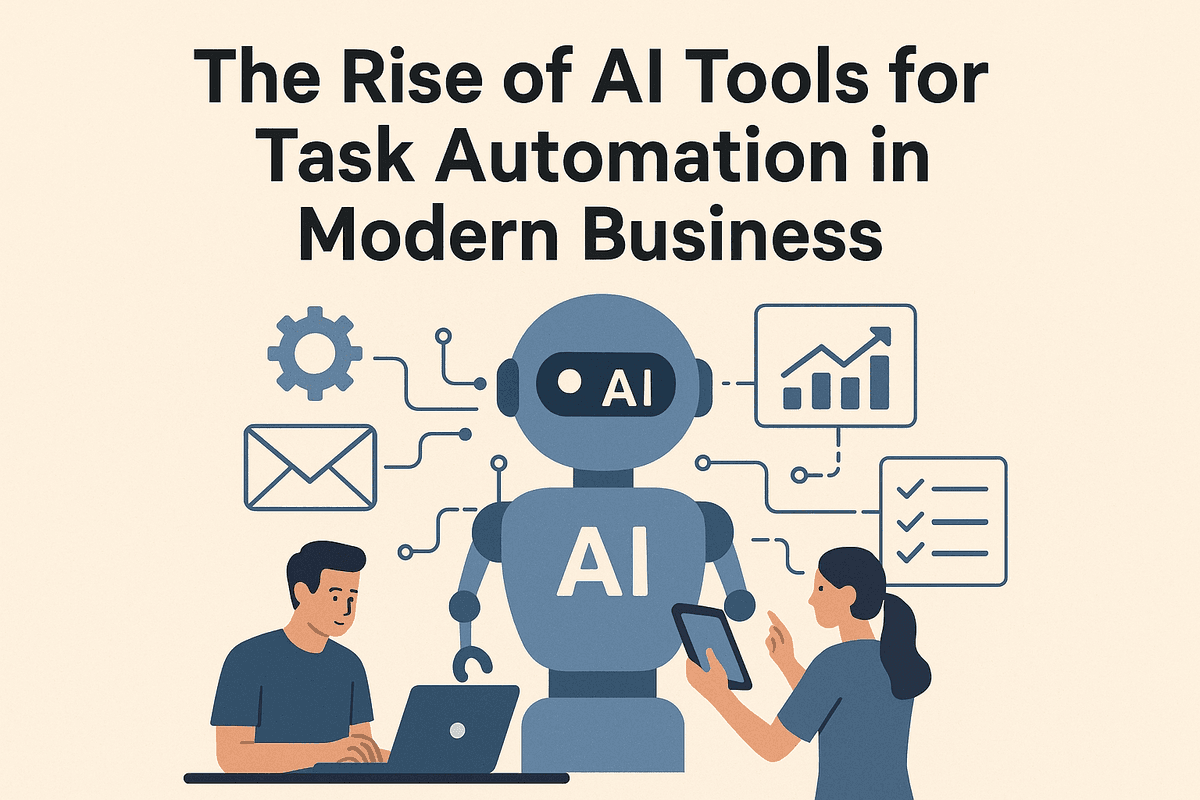
The Rise of AI Tools for Task Automation in Modern Business
The modern business landscape is currently undergoing a fundamental shift, moving away from simple digitization toward genuine intelligence. For decades, productivity meant working faster; today, it means working smarter by delegating the mundane to machines. As companies scramble to optimize their operations, the adoption of ai tools for task automation has graduated from a competitive advantage to an absolute necessity.
Beyond Basic Scripts: The Era of Intelligent Agents
To understand why this shift is occurring, we must distinguish between traditional automation and Artificial Intelligence. Historically, automation relied on rigid, rule-based scripts. These were the "If This, Then That" protocols—useful for linear tasks, but fragile. If a variable changed or an email format shifted, the script broke.
The new generation of AI tools for task automation operates differently. We are moving from basic scripts to "Intelligent Agents." These tools utilize Large Language Models (LLMs) and machine learning to understand context, nuance, and intent. They don't just move data from column A to column B; they read the data, interpret its significance, and decide where it belongs.
For example, a traditional script might auto-reply to an email. An intelligent agent, however, can read the email, recognize it as an urgent customer complaint regarding billing, look up the customer’s history in a CRM, draft a personalized apology, and ping the finance manager on Slack for approval. This ability to handle unstructured data—images, natural language, and messy spreadsheets—is what defines the current revolution in automated productivity.
The Productivity Crisis: Why Manual Workflows Are Bleeding Revenue
Despite the availability of technology, many organizations remain trapped in a productivity crisis. This is often invisible, hidden under the guise of "busy work." Highly skilled employees spend a disproportionate amount of their day on low-value, repetitive tasks: scheduling meetings, manual data entry, processing invoices, and triaging support tickets.
The cost of these manual workflows goes beyond simple hourly wages.
- Context Switching: Research suggests it takes over 20 minutes to regain focus after an interruption. Manual tasks constantly pull focus away from deep, strategic work.
- Human Error: Fatigue leads to mistakes. A single data entry error in a financial spreadsheet can cascade into significant revenue loss or compliance issues.
- Employee Burnout: Talented staff do not want to act as human middleware. heavy administrative burdens are a leading cause of churn in high-performance teams.
By failing to integrate ai tools for task automation, businesses are effectively paying a "manual labor tax" on every project, slowing down their time-to-market and stifling innovation.
What You Will Learn: Navigating the Landscape
Understanding that you need automation is the easy part; choosing the right stack is the challenge. The market is currently flooded with thousands of SaaS products promising to revolutionize your workflow. Some are standalone AI agents, while others are legacy platforms that have bolted on generative AI features.
In this guide, we will cut through the marketing noise. We will explore the specific categories of AI automation software, from generative content tools to complex workflow orchestrators. You will learn how to identify solutions that integrate seamlessly with your current tech stack, ensuring that you don't just add more software, but actually subtract work.
Top AI Tools for Task Automation to Streamline Your Workflow
Navigating the sprawling landscape of productivity software can often feel overwhelming. To truly optimize operations, businesses must move beyond simple digital to-do lists and embrace intelligent systems that act on their behalf. The most effective ai tools for task automation do not just speed up individual actions; they fundamentally restructure how data moves through your organization, eliminating the "busy work" that kills creativity.
From connecting disparate apps to deploying bots that mimic human behavior, here is a breakdown of the leading platforms designed to revolutionize your workflow.
The Battle of Integration: Zapier vs. Make
At the heart of most automated workflows is the need to make two different applications talk to each other. In this arena, Zapier and Make (formerly Integromat) are the undisputed leaders in no-code integration.
Zapier is often the entry point for businesses starting their automation journey. Its "If This, Then That" logic allows users to create linear workflows—called Zaps—with ease. For example, if a lead fills out a form on Facebook, Zapier automatically sends that data to Salesforce and notifies the sales team via Slack. It is renowned for its massive library of over 5,000 app integrations and user-friendly interface.
Make, on the other hand, offers a more visual, nonlinear approach. It allows users to build complex, branching scenarios with a drag-and-drop builder. While it has a slightly steeper learning curve than Zapier, Make provides granular control over data transformation and error handling, making it a favorite for technical teams looking to build sophisticated backend logic without writing code.
Enterprise-Grade RPA: UiPath and Microsoft Power Automate
When automation needs scale beyond API connections and require interaction with legacy systems, Robotic Process Automation (RPA) steps in.
UiPath is a market leader in heavy-duty automation. It utilizes AI computer vision to "see" screens and perform tasks just like a human would—clicking buttons, reading documents, and scraping data. It is ideal for large enterprises dealing with high-volume, repetitive processes in finance or HR that involve older software lacking modern APIs.
Microsoft Power Automate brings similar capabilities but integrates deeply with the Microsoft ecosystem. If your organization relies heavily on Excel, Outlook, and Azure, Power Automate offers a seamless way to deploy "cloud flows" and desktop automation. It democratizes development, allowing everyday employees to build low-code solutions that trigger automatically based on specific business events.
Project Management with Built-in Intelligence
The next evolution of ai tools for task automation resides directly within project management platforms.
ClickUp has introduced "ClickUp Brain," a neural network that connects tasks, docs, and people. It can summarize long threads, generate subtasks automatically based on project descriptions, and even answer questions about company policies by searching through your workspace data.
Notion AI transforms the popular workspace tool into a generative assistant. Beyond organizing tables, Notion AI helps draft content, summarize meeting notes, and rewrite text for clarity. By embedding intelligence directly into the workspace, these tools reduce context switching, keeping teams focused on execution rather than administration.
Specialized Helpers: Jasper and Otter.ai
Finally, specific bottlenecks require specialized solutions. For content teams, Jasper automates the heavy lifting of copywriting. Unlike generic chat bots, Jasper is trained on marketing frameworks, helping teams generate blog posts, ad copy, and emails at scale while maintaining brand voice.
For the meeting-heavy workflow, Otter.ai acts as an automated scribe. It joins meetings, records audio, and uses natural language processing to generate real-time transcripts and extract key action items. This ensures that valuable insights are never lost and that follow-up tasks are assigned immediately after the call ends.
Essential Features to Look for in AI Task Automation Software
In a market saturated with "smart" solutions, distinguishing between genuine innovation and marketing hype can be a challenge for business leaders. While many platforms claim to revolutionize your workflow, the real value lies in the specific technical capabilities under the hood. To truly maximize ROI and operational efficiency, you must prioritize specific functionalities that separate high-performing ai tools for task automation from basic scripting software.
When evaluating potential software for your tech stack, focus on these four critical pillars of functionality.
Natural Language Processing (NLP) for Smart Data Extraction
The era of manual data entry is rapidly ending, thanks largely to Natural Language Processing (NLP). Standard automation tools rely on structured data—rows and columns in a spreadsheet—to function. However, the vast majority of business information is unstructured, hiding within emails, PDF invoices, chat logs, and meeting transcripts.
Advanced AI automation software utilizes NLP to "read" and comprehend text just as a human would. This feature allows the software to contextually analyze a customer support email, extract specific intents (such as a refund request or a technical bug), and populate that data directly into a CRM. Look for tools that offer semantic understanding, meaning they don't just look for keywords but understand the context of documents to route tasks with high accuracy.
Cross-Platform Integration and Seamless API Connectivity
An automation tool is only as powerful as the ecosystem it connects. If an AI solution operates in a silo, it creates more friction than it solves. The most effective ai tools for task automation act as the connective tissue between your existing applications—Slack, Salesforce, Google Workspace, Jira, and more.
Prioritize software that offers robust, native integrations and comprehensive API connectivity. Seamless connectivity ensures that data flows instantly between platforms without the need for complex, custom coding or "middleware." For instance, when a lead form is filled out on your website, the AI should be able to instantly create a record in your CRM, ping the sales team on Slack, and draft a personalized welcome email via your marketing platform, all in a single, fluid motion.
Predictive Analytics: How AI Anticipates Your Next Move
Traditional automation is reactive: "If X happens, do Y." The next generation of AI tools is proactive. Through machine learning and predictive analytics, top-tier software doesn't just execute commands; it analyzes historical workflow data to anticipate needs before they arise.
Predictive features can identify bottlenecks in your processes by flagging tasks that consistently take longer than average to complete. Furthermore, these systems can suggest workflow optimizations. For example, if the AI notices you consistently approve specific expense reports under $50, it may suggest setting up an auto-approval rule for that threshold, saving you administrative time. This shift from reactive execution to proactive intelligence is what drives true business agility.
Scalability Features for Growing Business Demands
A common pitfall for growing companies is adopting a tool that works for a team of ten but crumbles under the weight of a team of one hundred. Scalability is non-negotiable. As your business grows, the volume of data and the complexity of your automation logic will increase exponentially.
Robust ai tools for task automation are built to handle high-volume data processing without latency issues. Look for features such as:
- Concurrent processing: The ability to run multiple complex workflows simultaneously.
- Enterprise-grade security: Compliance with SOC2 or GDPR to protect growing datasets.
- Dynamic resource allocation: Ensuring the system remains stable even during peak usage spikes.
By selecting software that can scale alongside your ambitions, you ensure that your automation strategy remains a competitive advantage rather than a technical debt.

Real-World Use Cases: How AI Tools for Task Automation Drive Growth
Understanding the technical specifications of software is important, but seeing how these technologies function in live environments offers the clearest picture of their value. Theory is valuable, but application is transformative. Across industries, forward-thinking companies are deploying ai tools for task automation to solve specific bottlenecks, turning hours of administrative drudgery into seamless, background processes that fuel tangible business growth.
Here is how these intelligent solutions are reshaping four critical operational pillars.
Automating Customer Support Tickets with Intelligent Routing
The era of the generic "We received your request" auto-reply is fading. Modern businesses are leveraging AI to fundamentally restructure how support tickets are handled. Through Natural Language Processing (NLP), ai tools for task automation can instantly analyze the text of an incoming email or chat query to determine not just the topic, but the sentiment and urgency.
Instead of a support agent manually reading and tagging every ticket, the AI automatically categorizes the issue—identifying it as a billing dispute, a technical bug, or a feature request—and routes it to the specific team member best equipped to handle it. If a VIP client sends a frustrated email, the AI detects the negative sentiment and prioritizes the ticket for immediate resolution, preventing churn before a human even opens the dashboard.
Streamlining Social Media Scheduling and Content Distribution
maintaining an active presence across LinkedIn, X (formerly Twitter), Instagram, and TikTok is often a logistical nightmare for marketing teams. AI-driven automation goes beyond simple scheduling; it introduces strategic intelligence to content distribution.
Advanced tools can now auto-generate variations of post copy suitable for different platforms, resize images automatically, and determine the optimal posting time based on when a specific audience is most active. Furthermore, these tools can repurpose a single blog post into a week’s worth of social content—extracting quotes, creating threads, and generating hashtags. This allows marketing teams to maintain a high-volume output with consistent quality, freeing them to focus on creative strategy rather than the mechanics of posting.
Eliminating Manual Data Entry with OCR and Document Processing
Manual data entry is arguably the most significant drain on employee morale and accuracy. AI eliminates this burden through advanced Optical Character Recognition (OCR). Unlike legacy OCR which struggled with formatting, modern AI can "read" unstructured documents like invoices, receipts, and purchase orders with near-human comprehension.
For example, an accounts payable department can use these tools to automatically scan thousands of PDF invoices. The AI extracts the vendor name, line items, amounts, and dates, and populates the ERP system without a single keystroke from a human. This creates a workflow that is not only exponentially faster but also free from the typos and transposition errors that plague manual entry.
Enhancing Email Marketing Sequences with Behavioral Triggers
Standard email automation operates on simple rules, but AI-driven automation operates on behavior. By utilizing ai tools for task automation, marketers can create hyper-personalized customer journeys that adapt in real-time.
Instead of sending the same drip campaign to every subscriber, AI analyzes user interactions—such as website pages visited, resources downloaded, or past purchase history—to predict what content the user needs next. If a prospect reads a pricing page but doesn't buy, the AI can trigger a specific email sequence offering a limited-time discount or a case study relevant to their industry. This shift from static lists to dynamic, behavior-based triggers significantly increases open rates and conversions, turning email marketing into a responsive revenue engine.
Strategies for Implementing AI Tools for Task Automation Effectively
Adopting ai tools for task automation is a pivotal step toward modernization, but simply purchasing a subscription is not enough to guarantee success. To truly transform your business operations and realize a significant return on investment, implementation must be strategic, deliberate, and secure. Without a clear roadmap, organizations risk automating efficient chaos rather than streamlining productivity.
Auditing Your Workflow: Identifying the Right Bottlenecks
Before deploying any artificial intelligence solution, you must first understand the anatomy of your current processes. Automation is a force multiplier; applied to a broken process, it only accelerates failure. The first step is conducting a comprehensive workflow audit to distinguish between tasks that can be automated and tasks that should be automated.
Start by mapping out daily operations and flagging activities that meet the "automation trifecta":
- High Volume: Tasks performed frequently by multiple team members.
- Rule-Based: Processes that follow a strict logic (if X, then Y) without requiring intuition.
- Low Variance: Activities where the input and output formats rarely change.
By focusing on these specific bottlenecks—such as data entry, invoice processing, or standard customer inquiries—you ensure that your ai tools for task automation are deployed where they offer the highest impact on manual effort reduction.
The Human-in-the-Loop: Balancing Autonomy with Oversight
One of the most common misconceptions about AI adoption is the "set it and forget it" mentality. While AI is powerful, it is not infallible. To maintain quality control and mitigate the risk of errors—such as AI hallucinations in content generation or miscategorization in data processing—businesses must adopt a Human-in-the-Loop (HITL) approach.
The HITL model positions AI as a junior assistant rather than a replacement for human intellect. In this structure, the AI executes the heavy lifting of data crunching or draft creation, while a human expert reviews the output for accuracy, tone, and context. This balance ensures that the speed of automation does not come at the cost of reliability. Furthermore, human feedback serves as training data, helping the AI system learn your specific business nuances and improve its accuracy over time.
Ensuring Data Privacy and Security in Automated Systems
Integrating AI into your ecosystem inevitably requires granting these tools access to sensitive business data. As such, security cannot be an afterthought. When selecting and implementing ai tools for task automation, data governance must be a top priority.
Organizations should implement strict access controls, ensuring that AI agents only have permission to access the data necessary for their specific tasks (Principle of Least Privilege). Additionally, verify that your chosen vendors adhere to major compliance frameworks like GDPR, SOC 2, or HIPAA depending on your industry.
Be wary of inputting proprietary code, trade secrets, or Personally Identifiable Information (PII) into public-facing Large Language Models (LLMs) used for automation. Instead, opt for enterprise-grade solutions that offer data isolation, ensuring your internal data is not used to train the vendor's public models. By establishing these security protocols early, you can harness the power of automation without compromising organizational integrity.
Future-Proofing Your Business with AI Tools for Task Automation
Adopting ai tools for task automation is no longer just about shaving a few hours off the workweek; it is about building a resilient, scalable infrastructure capable of adapting to rapid market shifts. As we look toward the horizon of business technology, the conversation has moved beyond simple "if-this-then-that" triggers. We are entering an era where software doesn't just wait for instructions—it anticipates needs, plans complex sequences, and executes them autonomously.
To future-proof your operations, you must understand the trajectory of these technologies and how to implement them strategically without disrupting your current momentum.
The Evolution: From Static Scripts to Agentic AI
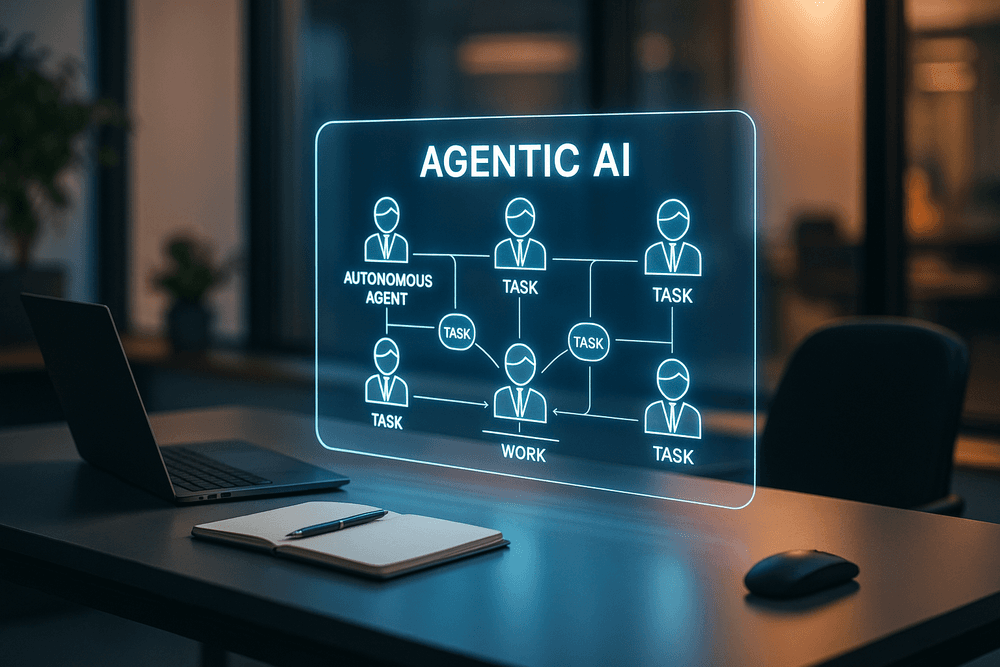
The most significant leap in ai tools for task automation is the emergence of "Agentic AI." Traditional automation tools required rigid, pre-defined workflows. If a variable changed, the automation broke. Agentic AI changes the paradigm by utilizing Large Language Models (LLMs) to reason through problems.
These autonomous agents function less like software scripts and more like digital employees. They can break down a high-level goal—such as "research competitors and draft a monthly report"—into actionable sub-tasks. They browse the web, aggregate data, analyze sentiment, and format documents without requiring a human to program every single step. By integrating these autonomous workflows, businesses transform from reactive entities into proactive powerhouses, where background processes are continuously optimizing themselves.
Choosing the Right Toolstack for Your Industry
Selecting the right software is not about finding the tool with the most features, but rather finding the one that fits your specific operational DNA. A generic approach often leads to "tool bloat" and disconnected data silos.
- For Marketing and Creative: Look for tools that combine generative capabilities with workflow management. Your stack should integrate content creation (like Jasper or Midjourney) directly with CMS and social scheduling platforms, automating the entire lifecycle from ideation to publication.
- For IT and Development: The focus should be on code maintenance and security. The best ai tools for task automation in this sector assist with writing boilerplate code, automating regression testing, and identifying bugs before deployment.
- For Customer Operations: Prioritize "triage" automation. Tools should be able to analyze incoming tickets, categorize them by sentiment and urgency, and draft responses or route them to the correct specialist automatically.
Start Automating Today: A Checklist for Your First Pilot Project
The prospect of overhauling your business with AI can be overwhelming. The secret to success is not a massive rollout, but a controlled pilot project. Use this checklist to launch your first autonomous workflow effectively:
- Conduct a Friction Audit: Don't automate what you don't understand. Identify a single process that is high-volume, repetitive, and prone to human error (e.g., invoice processing or lead qualification).
- Define "Done": Establish clear KPIs. Are you looking to reduce time-on-task by 50%? Or are you aiming for zero data-entry errors?
- Select a Scalable Tool: Choose an AI platform that offers API access or native integrations with your existing tech stack (CRM, ERP, Slack).
- The "Sandbox" Phase: Run the AI tool alongside your manual process for two weeks. Compare the outputs. This "human-in-the-loop" phase is critical for training the AI and building trust.
- Go Live and Iterate: Once the pilot hits its KPIs, remove the training wheels. Document the win and use that momentum to expand automation to the next workflow.
By following this structured approach, you ensure that your investment in ai tools for task automation yields immediate returns while laying the groundwork for a fully autonomous future.