
September 21, 2025
How an AI Student Note Taker Can Transform Your Grades
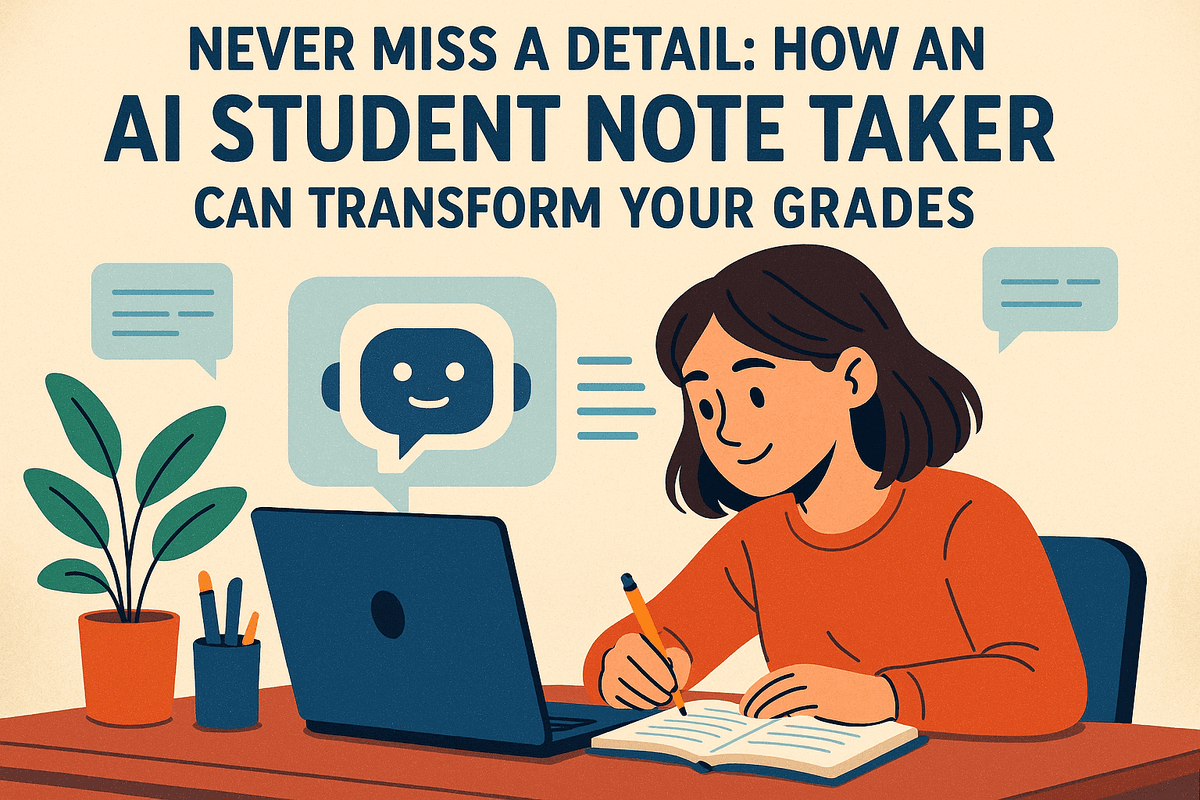
Never Miss a Detail: How an AI Student Note Taker Can Transform Your Grades
Imagine this: you’re in a fast-paced lecture, and the professor is dropping one critical insight after another. You’re trying to listen, process the information, and scribble notes all at the same time. Inevitably, you miss something—a key definition, a subtle nuance, or the answer to a potential exam question. This struggle is universal for students. But what if you could fully immerse yourself in the lecture, knowing that every single word is being captured for you? That’s the promise of an AI student note taker.
What Is an AI Note Taker and How Does It Work?
At its core, an AI student note taker is a sophisticated application that uses artificial intelligence to automatically record, transcribe, and organize spoken information from your classes and lectures. Think of it as a personal scribe with a supercomputer for a brain.
Here’s a breakdown of the process:
- Capture: Using the microphone on your laptop or smartphone, the tool records the audio from your lecture, whether it's in-person or online.
- Transcribe: Advanced speech-to-text algorithms convert the spoken words into a written transcript in real-time. Many tools can even distinguish between different speakers, like the professor and a student asking a question.
- Analyze & Organize: This is where the "AI" magic happens. The tool doesn't just give you a wall of text. It analyzes the content to identify keywords, highlight key concepts, summarize main points, and create a structured, easy-to-navigate document. It transforms raw audio into actionable study material.
The Evolution from Manual Notes to Automated Transcription
For centuries, the pinnacle of note-taking technology was a pen and paper. While timeless, this method is slow, prone to error, and results in notes that are difficult to search and organize. The digital age brought laptops, allowing students to type faster and store notes more efficiently. However, the fundamental problem remained: you were still the one doing the transcribing, forcing you to split your attention between typing and understanding.
The AI student note taker represents the next logical leap. It automates the most tedious part of the process—the transcription—freeing up your cognitive bandwidth. Instead of being a stenographer, you can be an active learner. You can focus on the professor’s body language, participate in discussions, and let complex ideas sink in, confident that a perfect record is being created for you in the background.
Why This Tool is a Game-Changer for Modern Learners
Shifting from manual to automated note-taking isn't just a minor upgrade; it fundamentally changes how you learn. An AI student note taker is a game-changer for several key reasons:
- Boosted Focus and Retention: When you’re not worried about capturing every word, you can fully engage with the lecture content. This active listening leads to deeper understanding and better long-term retention of the material.
- A Perfect, Searchable Record: Say goodbye to illegible handwriting and incomplete sentences. You get a complete, accurate transcript of every class. Need to review what your professor said about a specific theory? Just search for a keyword and jump directly to that moment.
- Enhanced Accessibility: These tools are incredibly beneficial for students with diverse learning needs. Whether you have a hearing impairment, a learning disability like dyslexia, or are studying in a non-native language, an accurate transcript ensures you have equal access to all course material.
- Smarter, Faster Studying: AI-powered summaries and keyword identification help you quickly pinpoint the most important topics. Revision becomes a targeted, efficient process instead of a daunting task of rereading pages of messy notes.

Unlocking Academic Success: Core Features of an AI Student Note Taker
Move beyond the limitations of simple note-taking. A modern ai student note taker isn’t just a digital page; it’s an intelligent academic partner designed to supercharge your learning. These tools are packed with sophisticated features that streamline your workflow, deepen your understanding, and give you back your most valuable resource: time. Let’s break down the core features that are fundamentally changing how students approach their studies.
Get Real-Time Transcription of Lectures and Discussions
The struggle is real: you’re frantically typing, trying to capture every word your professor says, only to miss a crucial diagram or point while your head is down. An ai student note taker solves this problem entirely. By recording and transcribing lectures in real-time with remarkable accuracy, it frees you to be fully present and engaged in the discussion. You can focus on absorbing complex ideas instead of just documenting them. This feature is a game-changer not only for lectures but also for study groups and seminars, creating a complete and searchable record of every important conversation without you having to type a single word.
Generate Instant Summaries and Key Concept Extraction
After a long lecture, you're left with thousands of words of text. Where do you even begin to study? This is where the "intelligence" in your academic tool truly shines. With a single click, the AI can analyze the entire transcript and generate a concise, easy-to-digest summary. It intelligently identifies and extracts the most important themes, definitions, and key takeaways from the noise. This means you can get a high-level overview of a two-hour lecture in just minutes, making pre-exam revision cycles faster and far more effective. It’s like having a personal assistant who highlights exactly what you need to know.
Create Actionable To-Do Lists and Study Guides Automatically
Organization is critical for academic success, but it often requires significant manual effort. A premier ai student note taker acts as your personal project manager. The AI is trained to recognize action items mentioned during a lecture, such as "Remember to submit the essay by Friday" or "Read chapters 4 and 5 for the next class." It automatically pulls these phrases and compiles them into a clean to-do list, helping you stay on top of deadlines. Furthermore, it can repurpose your notes into powerful study assets like flashcards or a structured study guide, organizing key concepts and questions to actively test your knowledge.
How Smart Search Helps You Find Information Instantly
Imagine trying to recall a specific formula or a definition your professor mentioned three weeks ago. With traditional notes, you'd be flipping through pages or endlessly scrolling. An ai student note taker revolutionizes this with a powerful smart search function. This isn't just a simple text search (Ctrl+F); it uses semantic understanding, allowing you to find concepts even if you don't remember the exact phrasing. You can search for "the theory about market equilibrium" across all your courses and instantly pinpoint the exact moment it was discussed. This transforms your entire library of notes into a personal, fully searchable knowledge base.
Find Your Perfect Study Partner: Comparing the Top AI Student Note Taker Apps
With a flood of options on the market, choosing the right ai student note taker can feel like another difficult assignment. Each app brings a unique blend of features, from live transcription to complete knowledge management. To help you find the tool that truly matches your learning style, we’re breaking down the leading contenders.
Otter.ai for Students: Pros and Cons
Otter.ai is a giant in the transcription world, celebrated for its high accuracy and straightforward interface. For students, it’s a phenomenal tool for capturing every word from a lecture or discussion, ensuring you never miss a critical detail.
- Pros: Its real-time transcription is impressively reliable, and the speaker identification feature is a lifesaver in group seminars or recorded interviews. The free plan often provides enough monthly transcription minutes for students managing a lighter course load, making it highly accessible.
- Cons: While a master of transcription, its built-in study and organizational features are less robust than those of more specialized academic tools. The AI summaries are useful for a quick overview but can lack the nuance needed for in-depth revision. Furthermore, the free tier’s limits on importing older audio files can be a hindrance for students wanting to process a backlog of lectures.
Glean: Is It the Best for Research and Organization?
Glean markets itself as a complete learning system, not just a transcriber. Its standout feature is the way it synchronizes your own typed notes, tags, and presentation slides with the lecture audio, creating an interactive study resource.
Instead of an intimidating wall of transcribed text, Glean gives you a manageable timeline. You can type a quick keyword or add a label like "Important" or "Follow-Up," and each entry is timestamped to the precise moment in the lecture. This makes reviewing complex concepts incredibly efficient. Glean’s AI can then generate a structured summary based on your curated notes, making it a top-tier ai student note taker for anyone who values deep, organized learning. The main consideration is its premium price point, as it's often adopted at an institutional level.
Notion AI vs. Dedicated Note Takers
This is the ultimate showdown: the all-in-one digital workspace versus the purpose-built specialist.
- Notion AI: Notion is the quintessential "second brain." With its AI features, you can paste in lecture transcripts and have them instantly summarized, explained, or even turned into flashcards. Its power lies in connection—your class notes can live right next to your project outlines, reading lists, and personal planners. It’s an organizational powerhouse for the student who wants everything in one place.
- Dedicated Note Takers: Apps like Otter and Glean are designed for one primary mission: capturing live or recorded lectures and making them useful. Their features are hyper-focused on this task, offering superior real-time transcription and audio-syncing capabilities optimized for the classroom. Your choice depends entirely on your workflow: do you want a single, integrated system (Notion) or the best-in-class tool for a specific job (Glean)?
Free vs. Paid: Which AI Note-Taking Tool is Worth It?
The budget question is always critical. Free versions of these tools are fantastic entry points. They let you test the technology, transcribe a few classes, and see if it fits your study habits without any financial risk.
However, the true power is often behind a paywall. A premium ai student note taker typically offers unlimited transcription, more advanced AI analysis, better integrations, and the ability to process an entire semester’s worth of recordings. Think of it as an investment in your academic success. If a paid tool saves you hours of manual review each week and boosts your comprehension, the reduction in stress and improvement in your grades can easily justify the cost.
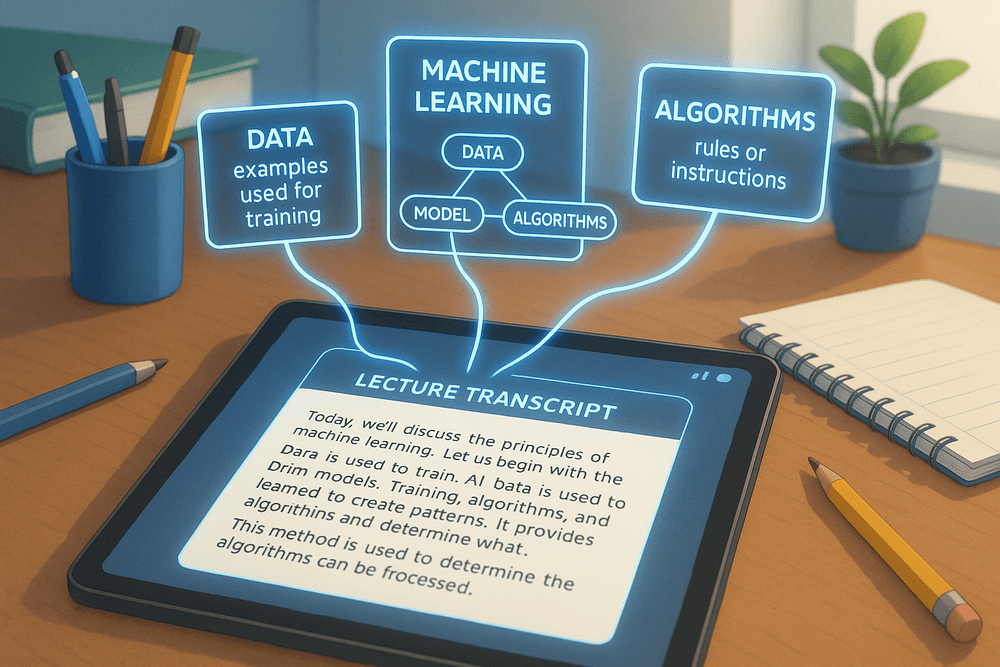
Maximize Your Learning: Best Practices for Your AI Student Note Taker
An AI student note taker can be a game-changer, but like any powerful tool, its effectiveness depends on how you use it. Simply hitting "record" isn't enough. By adopting a few best practices, you can transform your AI assistant from a simple transcriber into a core component of your academic success.
How to Set Up Your Tool for Optimal Lecture Capture
The quality of your AI-generated notes starts with the quality of the recording. To ensure your AI student note taker captures every crucial detail, follow these setup tips:
- Positioning is Key: Sit as close to the professor or speaker as possible to minimize background noise and ensure a clear audio feed.
- Test Your Mic: Before class, do a quick sound check. If you’re using your laptop or phone’s built-in microphone, ensure it’s not obstructed. For large lecture halls or if you’re sitting far away, consider using an external microphone for a significant audio quality boost.
- Check Your Settings: Familiarize yourself with the app’s features. Does it have speaker identification? Can you add custom vocabulary for course-specific jargon? A few minutes of configuration can save you hours of cleanup later.
- Stay Powered: Ensure your device is fully charged or plugged in. A dead battery halfway through a critical lecture is a disaster you can easily avoid.
Integrating AI Notes with Your Existing Study Workflow
An AI student note taker shouldn't replace your study habits; it should enhance them. The goal is to create a seamless flow from lecture capture to exam preparation.
- Export and Organize: Don’t let your transcripts live in isolation within the app. Export them to your preferred study environment, whether it's Notion, OneNote, Google Docs, or a physical binder. Create a consistent folder structure for each course.
- From Summary to Action: Use the AI-generated summaries as a starting point. Convert key concepts into flashcards using apps like Anki or Quizlet. Turn major themes into mind maps to visualize connections between topics. Use the AI’s output as raw material to build your active study resources.
Tips for Reviewing and Annotating AI-Generated Transcripts
The biggest mistake students make is treating an AI transcript as a finished product. It’s a first draft, and your interaction with it is where the real learning happens.
- Active Review: Don’t just passively read the text. Review your notes within 24 hours of the lecture. Play back the audio for any confusing or complex sections to hear the professor's tone and emphasis.
- Correct and Clarify: Fix any transcription errors, especially for technical terms, names, or dates. This not only improves your notes but also reinforces the correct information in your memory.
- Annotate Generously: This is your chance to engage with the material. Highlight key definitions, add your own questions in the margins, link concepts to textbook readings, and jot down personal insights or examples. Your annotations turn a generic transcript into a personalized study guide.
Avoiding Common Pitfalls: Privacy and Accuracy Concerns
While incredibly useful, every AI student note taker comes with responsibilities and limitations.
- Respect Privacy: Always check your institution's and instructor's policies on recording lectures. It’s a good practice to inform your professor you are using a note-taking tool. Be mindful that you might be recording classmates’ questions, so handle the data responsibly and never share recordings without permission.
- Question Everything: Remember that AI is not infallible. It can struggle with accents, rapid speakers, and complex terminology. Always cross-reference critical information like deadlines, formulas, or specific data points with official course materials or by asking the professor. Use your AI notes as a powerful supplement, not the single source of truth.
From Overwhelmed to Organized: Real-World Use Cases for an AI Student Note Taker
The promise of AI-powered tools is impressive, but how do they perform in the real world of deadlines, difficult exams, and group project chaos? An ai student note taker isn't just a gadget; it's a strategic academic partner. It moves students from a state of information overload to one of organized control. Let's explore four scenarios where these tools make a tangible difference.
Case Study: Acing Finals with Automated Lecture Summaries
Meet Chloe, a liberal arts major drowning in a semester's worth of dense history lectures. With finals approaching, the thought of re-watching over 40 hours of recordings was paralyzing. Instead, she uploaded her lecture audio to her ai student note taker. Within minutes, the platform transcribed every lecture and, more importantly, generated concise, bullet-point summaries for each one. These summaries highlighted key themes, significant dates, and critical arguments. Chloe was able to quickly review the core concepts of the entire course, identify her weak spots, and focus her study time on targeted deep dives. She walked into her final exam feeling prepared and confident, not overwhelmed.
How a STEM Major Captures Complex Formulas
For David, an engineering student, lectures were a constant battle. While he furiously scribbled down complex multivariable calculus formulas from the whiteboard, he’d often miss the professor's crucial verbal explanations of how and why they worked. His notes were a jumble of equations without context. By using an ai student note taker on his phone to record the audio, he could fully concentrate on capturing the visual information in class. Later, he’d review the searchable transcript alongside his written formulas. If he was unsure about a specific step in a derivation, he could search the transcript for "integral boundary" and instantly find the professor's exact explanation, syncing the audio to that moment. It transformed his notes from a static record into an interactive learning tool.
Collaborative Projects Made Easy with Shared Transcripts
Group projects can be a logistical nightmare. A team of marketing students working on a campaign strategy found their brainstorming sessions were energetic but chaotic. Action items were forgotten, and brilliant ideas got lost in the shuffle. Their solution was to use an ai student note taker to record their meetings. The tool instantly created a sharable transcript that served as the group’s single source of truth. They could highlight action items, assign tasks directly in the transcript, and pull direct quotes for their final presentation. There was no more debating who said what or what the final decision was—it was all documented, making their collaboration more efficient and harmonious.
Boosting Accessibility for Students with Learning Differences
For students with learning differences like dyslexia or auditory processing disorders, the traditional lecture format presents significant barriers. The pressure to listen, process, and write simultaneously can be immense. An ai student note taker is a powerful accessibility aid that levels the playing field. By providing a full, accurate transcript, it allows students to engage with the material at their own pace. They can read the text, use text-to-speech features, or re-listen to specific confusing segments as many times as needed. This removes the anxiety of live note-taking and empowers them to focus on understanding the content in a way that aligns with their unique learning needs, fostering greater academic equity and success.
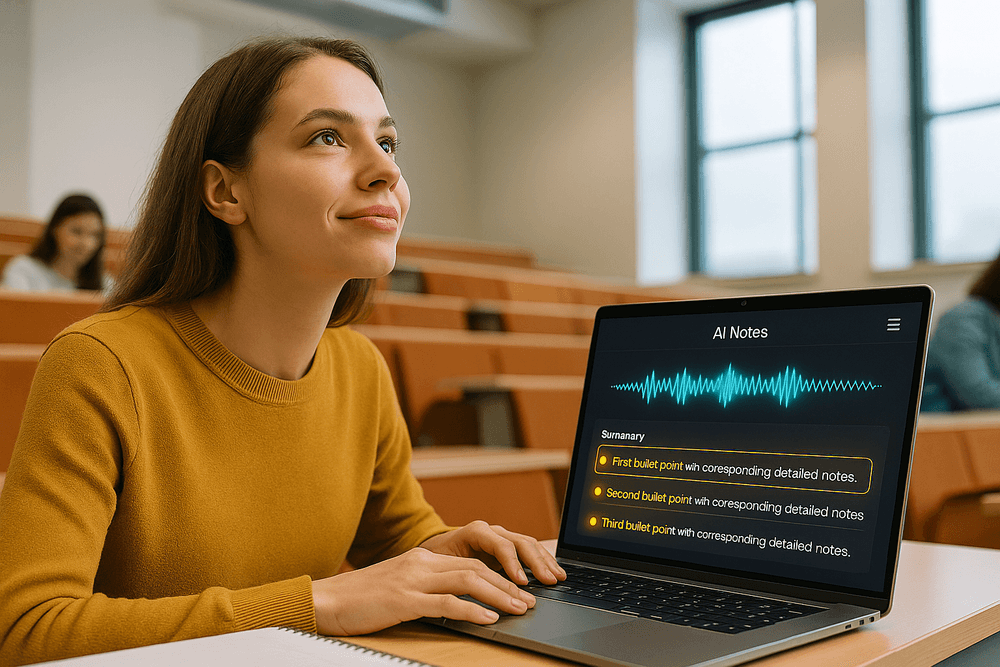
Your Next Step: Embracing the Future with an AI Student Note Taker
You've seen how AI is revolutionizing the academic world, transforming the grueling task of note-taking into a streamlined, intelligent process. The days of frantically trying to type or write every word from a lecture are over. The future of learning is about engagement, comprehension, and efficiency—all of which are supercharged by the right academic tools. It's time to move from simply surviving your classes to truly mastering them. An AI student note taker isn't just another app; it's your personal academic assistant, ready to help you achieve your full potential.
Recap: Why an AI Student Note Taker is an Essential Academic Tool
Let's quickly revisit why integrating an AI student note taker into your study routine is a game-changer:
- Capture Everything, Miss Nothing: It records and transcribes entire lectures with incredible accuracy. You can finally put down your pen, make eye contact with your professor, and fully engage with the material, knowing that every detail is being saved for you.
- Boost Your Focus and Retention: By freeing you from the mechanics of note-taking, you can dedicate your mental energy to understanding complex concepts, asking insightful questions, and participating in discussions.
- Create Instant Study Guides: These tools don't just transcribe; they analyze. With a single click, you get concise summaries, identified key terms, and organized action items, turning hours of audio into a scannable, powerful study resource.
- Make Your Notes Searchable: Forget flipping through hundreds of pages. You can instantly search your entire semester's worth of notes for a specific keyword or concept, making exam preparation more efficient than ever before.
How to Choose the Right AI Note Taker for Your Major
Not all AI tools are created equal. Your field of study dictates the features that will be most valuable to you.
- For STEM & Technical Majors: Look for an AI student note taker with superior transcription accuracy for complex terminology and jargon. Features that can potentially capture whiteboard diagrams or recognize formulas will give you a significant edge.
- For Humanities & Social Sciences: Your lectures are often dense with theory and open-ended discussion. Prioritize tools with advanced summarization capabilities, thematic analysis, and clear speaker identification to easily distinguish between the professor and fellow students in a seminar.
- For Law, Medicine, or Specialized Fields: Accuracy and security are paramount. Choose a tool renowned for its precision with highly specialized vocabularies. The ability to create custom dictionaries for terms specific to your field is a massive bonus.
Start Today: Your First Steps to Smarter Note-Taking
Ready to make the switch? Taking the first step is simple. Follow this plan to seamlessly integrate an AI-powered workflow into your studies.
- Explore and Experiment: Most top-tier platforms offer free trials or generous freemium plans. Choose two or three promising options and test them out. Record a short lecture or a YouTube video on a familiar topic to compare their transcription quality and summarization features.
- Start with One Class: Don't try to change everything overnight. Pick one of your lecture-heavy courses and commit to using your chosen AI student note taker for it exclusively for a week. This allows you to get comfortable with the process without feeling overwhelmed.
- Integrate Your Workflow: Learn how to export your notes and summaries into your preferred study environment, whether it's Google Docs, Notion, or another app. The goal is to create a seamless flow from lecture capture to study session.
- Review and Refine: The real magic happens after class. Schedule 15-20 minutes after each lecture to review the AI-generated summary. Correct any minor transcription errors and add your own thoughts or questions. This act of reviewing actively reinforces the material, locking it into your memory for the long term.