
January 5, 2026
Why AI Powered Knowledge Base Software Matters
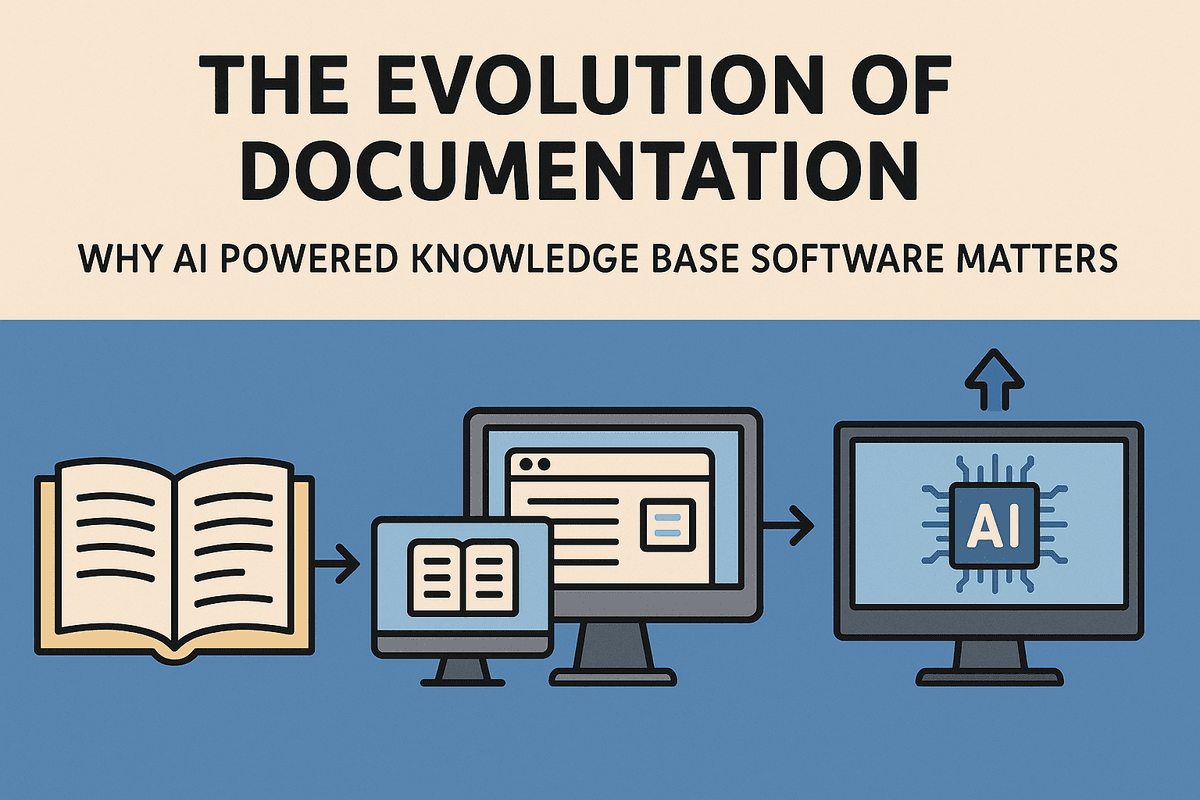
The Evolution of Documentation: Why AI Powered Knowledge Base Software Matters
For decades, corporate documentation operated on a simple, albeit flawed, premise: if you store it, they will find it. Companies built massive intranets and complex folder structures, treating knowledge management like a digital filing cabinet. However, as organizations grew and data volume exploded, these static repositories transformed into digital graveyards—places where crucial information went to die, buried under outdated FAQs and poorly named PDF files.
The modern enterprise has reached a tipping point. The traditional method of keyword-based searching is no longer sufficient for the speed of today's business. This is where ai powered knowledge base software marks a pivotal shift in the evolution of documentation, moving us from passive storage to dynamic, intelligent knowledge retrieval.
The Hidden Cost of Information Silos and Search Fatigue
The inefficiency of traditional documentation systems creates a phenomenon known as "search fatigue." It is the exhausting process of opening five different tabs, messaging three colleagues, and scouring a legacy wiki just to find a single policy update or technical specification.
When information is trapped in silos—locked away in email threads, private Slack channels, or local drives—it becomes invisible to the rest of the organization. This fragmentation incurs a steep hidden cost. Employees spend a staggering amount of their workweek simply looking for the information required to do their jobs. This doesn't just lower productivity; it actively erodes employee morale and slows down decision-making. In a customer support context, these delays translate directly into lower customer satisfaction scores. If your support agent is struggling to navigate a static database, your customer is waiting, and their patience is dwindling.
Transforming Static Repositories into Active Support Agents
The fundamental difference between a standard wiki and ai powered knowledge base software is the ability to understand intent. Traditional software looks for matching keywords; AI looks for meaning.
Through Natural Language Processing (NLP) and semantic search, AI solutions can interpret a query like "How do I process a refund for a tier 2 user?" and retrieve the exact steps, even if the specific keyword "tier 2" isn't in the title of the article. The software understands the context of the request and pulls data from various sources to synthesize a coherent answer.
This technological leap transforms the knowledge base from a passive library into an active support agent. Instead of forcing users to browse through folders, the AI surfaces relevant information proactively. For example, modern AI tools can integrate directly into workflows, popping up with suggestions inside a CRM or a ticketing system before the user even executes a search.
By automating the retrieval process, AI democratizes expertise. A new hire can access the same institutional wisdom as a ten-year veteran without needing to know "where things are kept." In this new era of documentation, the software doesn't just hold the answers; it anticipates the questions, turning knowledge management into a competitive advantage rather than an administrative burden.
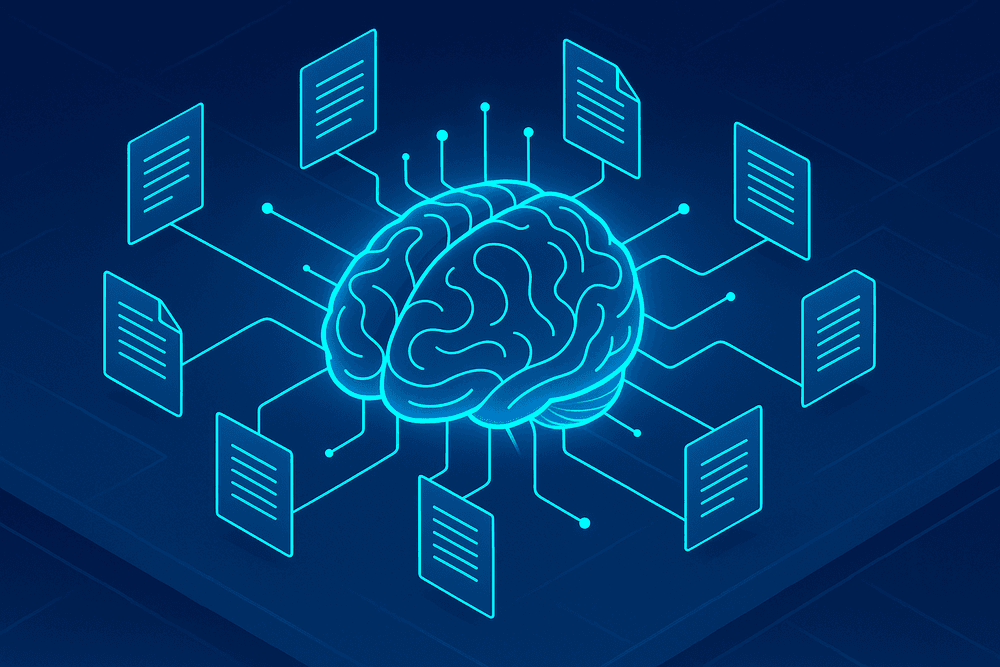
Core Features of Top-Tier AI Powered Knowledge Base Software
The difference between a traditional legacy repository and modern ai powered knowledge base software is the difference between a dusty library card catalog and a hyper-intelligent research assistant. As organizations scale, the volume of documentation explodes, rendering standard folder structures and tag systems obsolete. To truly transform information accessibility, enterprise solutions are now deploying sophisticated artificial intelligence engines that do more than store data—they understand it.
Here are the three critical capabilities that define the current generation of intelligent knowledge management.
Semantic Search: Understanding Intent Over Keywords
For decades, employees have struggled with the limitations of "exact match" queries. If a user searched for "PTO policy," but the document was titled "Annual Leave Guidelines," the search bar would return zero results. This friction leads to wasted time and employee frustration.
Top-tier ai powered knowledge base software solves this through semantic search. powered by Natural Language Processing (NLP) and vector databases. Rather than scanning for identical text strings, the system analyzes the context and intent behind the query. It understands that "holiday," "time off," and "PTO" are conceptually related. Whether a support agent asks, "How do I reset a bill?" or "billing troubleshooting," the AI interprets the meaning and surfaces the relevant articles, significantly reducing the time spent hunting for information.
Generative AI and RAG Technology for Instant Answers
Searching is only half the battle; reading is the other. In a fast-paced environment, a support agent or developer does not have time to read a 2,000-word manual to find a single parameter. This is where Generative AI transforms the user experience.
Leading platforms utilize Retrieval-Augmented Generation (RAG). This technology combines the retrieval of specific data from your secure knowledge base with the creative capabilities of Large Language Models (LLMs). Instead of presenting the user with a list of ten blue links, the software reads the relevant documents in milliseconds and generates a concise, natural language answer.
For example, if a user asks, "What are the limitations of the Gold Plan?", the software synthesizes information from the pricing sheet and the terms of service to produce a direct summary. By grounding the AI generation in your company’s specific data (RAG), the system eliminates "hallucinations," ensuring that the instant answers are accurate, citations are provided, and the source material is just a click away.
Automated Content Maintenance and Hygiene
The greatest enemy of any knowledge management initiative is "content rot." When employees encounter outdated or conflicting information, trust in the system erodes immediately. Maintaining thousands of articles manually is an impossible task for human administrators, but it is a perfect use case for AI.
Advanced ai powered knowledge base software acts as an automated custodian. It continuously monitors the health of the repository by:
- Flagging Stale Content: Identifying articles that haven't been reviewed in a set period or that have low engagement rates.
- Gap Analysis: analyzing failed user searches to identify missing topics where documentation needs to be created.
- Suggesting Updates: If a product feature changes in one document, the AI can detect related articles that reference that feature and alert administrators to update them, ensuring consistency across the entire database.
By automating the governance of information, these tools ensure that the knowledge base remains a living, breathing source of truth rather than a graveyard of outdated documents.
Comparing the Best AI Powered Knowledge Base Software for Enterprise
Selecting the right technology stack is a pivotal decision for any organization aiming to scale its operations. When evaluating AI powered knowledge base software, the decision matrix goes beyond simple feature checklists. It requires a deep dive into architectural fit, workflow integration, and the non-negotiable standards of enterprise security.
Internal vs. External Knowledge Bases: Choosing the Right Architecture
The first step in comparing solutions is determining the primary audience for your data. While some platforms offer a hybrid approach, most excel in one of two specific architectures:
- Internal Knowledge Bases (Employee-Facing): These are the digital brains of your company. The AI here is tuned for deep semantic search across complex documentation, HR policies, and technical SOPs. The goal is to reduce onboarding time and eliminate the "shoulder-tapping" culture that disrupts deep work.
- External Knowledge Bases (Customer-Facing): These systems prioritize customer self-service. The AI engines are optimized for natural language processing (NLP) to interpret customer queries and deliver instant answers or deflect support tickets.
For many enterprises, the ideal AI powered knowledge base software offers a unified backend that can segregate content securely—publishing public-facing articles to a help center while keeping sensitive technical documentation strictly internal.
Evaluating Integration Capabilities: Meeting Users Where They Work
The most powerful knowledge base is the one your team actually uses. In the modern digital workplace, adoption rates plummet if employees are forced to switch tabs constantly to find information.
Top-tier AI solutions distinguish themselves through deep integrations with communication hubs and CRMs:
- Slack and Microsoft Teams: Leading software doesn't just link to these apps; it lives inside them. Look for solutions that deploy AI bots capable of "listening" to channels. These bots can auto-suggest answers from the knowledge base immediately after a question is asked in chat, or allow users to capture a conversation and turn it into a documentation article with a single click.
- CRM Tools (Salesforce, HubSpot, Zendesk): For support and sales teams, the knowledge base must integrate directly into the ticket view or deal pipeline. AI should analyze the context of a customer email and proactively surface relevant articles for the agent to use, significantly reducing response times.
Security Considerations: Data Privacy in the Age of AI
Implementing Generative AI within an enterprise environment introduces unique security challenges. When an AI model "reads" your proprietary data to answer questions, you must ensure that data remains contained.
When comparing vendors, prioritize the following security features:
- Zero-Retention Policies: Ensure the vendor does not use your company's data to train their public or foundational LLMs. Your trade secrets should not become part of the global dataset.
- Granular Permissions: The AI must respect existing access controls. If an employee asks a question, the AI should only generate an answer based on documents that specific employee has permission to view.
- Compliance Standards: Enterprise-grade AI powered knowledge base software must adhere to rigorous standards, including SOC 2 Type II, GDPR, and HIPAA (if applicable).
- PII Redaction: Advanced systems now include automatic detection and redaction of Personally Identifiable Information (PII) before data is processed by the AI, adding an essential layer of privacy protection.

Strategic Benefits of Adopting AI Powered Knowledge Base Software
For modern enterprises, the distinction between success and stagnation often lies in how effectively they manage their intellectual capital. Moving away from static, folder-based repositories to dynamic ai powered knowledge base software represents a fundamental shift in operational strategy. This technology does not merely store information; it actively understands, retrieves, and synthesizes data to solve business problems in real-time. By integrating artificial intelligence into knowledge management, organizations unlock three critical strategic advantages: enhanced self-service, accelerated internal training, and augmented agent performance.
Drastically Reducing Ticket Volume via Self-Service
The primary frontline defense for any support team is an effective self-service portal. However, traditional legacy knowledge bases often fail because they rely on exact keyword matching. If a customer phrases a query differently than the documentation tag, they hit a dead end and submit a support ticket.
AI powered knowledge base software utilizes Natural Language Processing (NLP) and semantic search to understand the intent behind a user's question, not just the specific words used. Whether a customer asks, "How do I reset my credentials?" or "I'm locked out of my account," the AI recognizes the core problem and surfaces the correct article instantly.
This capability significantly improves deflection rates. By delivering precise answers immediately, the software resolves Tier 1 inquiries without human intervention. The result is a drastic reduction in ticket volume, allowing support teams to focus their energy on complex, high-value interactions rather than repetitive FAQs.
Accelerating Employee Onboarding with Institutional Knowledge
One of the costliest inefficiencies in enterprise operations is the "time-to-proficiency" gap for new hires. Traditionally, onboarding involves scouring disorganized shared drives or relying on the "shoulder tap" method—interrupting senior colleagues to ask where specific information is located.
AI-driven solutions democratize access to institutional knowledge. For new employees, the software acts as an always-available mentor. Instead of navigating complex file structures, a new hire can simply ask the knowledge base conversational questions like, "What is the protocol for approving vendor contracts?" or "How do I configure the VPN?"
The AI instantly scans internal documentation, SOPs, and historical data to provide a synthesized answer or direct link. This reduces the cognitive load on new staff and ensures that institutional memory remains accessible, regardless of staff turnover. By shrinking the learning curve, companies can deploy new talent into revenue-generating roles much faster.
Empowering Support Agents with Real-Time Intelligence
While self-service handles the routine, human agents handle the complexity. However, even the most experienced agents struggle when they have to toggle between multiple tabs to find answers while a frustrated customer waits on the line.
AI transforms the agent experience by functioning as a real-time copilot. Modern ai powered knowledge base software integrates directly into the support ticketing system. As an agent reads a customer query, the AI analyzes the text in real-time and proactively suggests relevant help articles and drafted responses.
These AI-suggested response drafts are not generic templates; they are context-aware replies constructed from the company’s verified knowledge base. This ensures that every response is accurate, consistent with the brand voice, and delivered rapidly. By minimizing research time, organizations see a tangible improvement in Average Handling Time (AHT) and a boost in agent job satisfaction.
Implementation Roadmap: Deploying Your AI Knowledge Base Effectively
investing in top-tier ai powered knowledge base software is a strategic milestone for any enterprise, but the technology alone does not guarantee success. The software is merely the engine; your data is the fuel, and your implementation strategy is the navigation system. Without a structured roadmap, even the most advanced algorithms will struggle to deliver relevant answers, potentially leading to low adoption rates and wasted resources.
To transform this tool from a novel experiment into a mission-critical asset, organizations must follow a deliberate three-phase deployment strategy focusing on data hygiene, configuration, and cultural adoption.
Preparing Your Data: The Foundation of Accuracy
The most common pitfall in AI deployment is the "Garbage In, Garbage Out" phenomenon. Unlike traditional search bars that simply match keywords, Generative AI synthesizes answers based on the information it is fed. If that information is outdated, contradictory, or poorly structured, the AI will confidently produce "hallucinations"—incorrect answers that sound plausible.
Before connecting your data sources, conduct a comprehensive content audit:
- Eliminate Redundancy: Identify and merge duplicate documents. If the AI finds three different versions of a "Remote Work Policy," it won't know which one is authoritative.
- Archive Obsolete Content: Ruthlessly remove or archive legacy data that is no longer accurate. Old troubleshooting guides or deprecated product manuals are the enemies of precision.
- Standardize Formatting: While AI is good at reading unstructured text, it performs best with clear hierarchy. Ensure your documentation uses consistent headers, bullet points, and clear titles to help the model understand the relationship between concepts.
Configuring Permissions and Feedback Loops
Once your data is clean, the next step is ensuring the right people have access to the right information. Modern ai powered knowledge base software must respect data governance. You do not want a junior developer querying the system and accidentally retrieving executive salary bands or sensitive legal strategies.
Configure Role-Based Access Control (RBAC) at the ingestion level. The AI should inherit the same permissions structure as your source systems (like Google Drive or Confluence), ensuring that a user’s generated answer is constructed only from documents they are authorized to view.
Simultaneously, you must establish technical feedback loops. The "Day 1" version of your AI will be its least intelligent iteration. To refine it, enable features that allow users to rate answers (thumbs up/down) or flag inaccuracies. Assign a "Knowledge Librarian" or subject matter expert to review negative feedback weekly. This human-in-the-loop approach fine-tunes the model's context window and drastically improves accuracy over time.
Change Management: Driving Internal Adoption
The technical implementation is often easier than the cultural shift. Employees may view AI tools with skepticism, fearing they are difficult to use or, worse, designed to replace them. To drive adoption, you must position the software as a productivity multiplier, not a replacement.
- Identify Champions: distinct teams (usually Support or IT) to beta test the system. Let them experience the reduction in repetitive tickets and use their testimonials to sell the solution to the wider company.
- Focus on "Time to Value": In your training sessions, demonstrate specific use cases—such as drafting an email response or summarizing a complex compliance document in seconds. Show users exactly how the tool saves them hours of searching.
- Integrate into Workflow: Don't force users to open a new tab. Ensure your knowledge base integrates directly into the tools they use daily, such as Slack, Microsoft Teams, or Salesforce.
By meticulously preparing your data and managing the human side of the transition, you ensure that your investment in AI technology translates into measurable efficiency gains.

The Future of Information: Conclusion and Next Steps
As we navigate the shift from static file storage to dynamic intelligence, it becomes clear that the way an enterprise manages its collective brainpower is no longer just an administrative concern—it is a critical competitive differentiator. The companies that will lead their respective industries in the coming decade are those that treat information not as a resource to be stored, but as a utility to be instantly consumed.
Adopting ai powered knowledge base software is the catalyst for this transformation. We have moved past the era where knowledge management meant maintaining a dusty internal wiki that no one reads. Today, it means deploying a system that actively learns, categorizes, and serves information to the right people at the exact moment of need. The competitive advantage here is speed and accuracy: reducing the time employees spend hunting for data allows them to focus on high-value creative and strategic tasks.
Beyond Search: The Next Wave of AI Documentation
While current technology excels at natural language processing and semantic search, the immediate future of knowledge management lies in predictive support and automated maintenance. We are rapidly approaching a reality where employees won't even need to perform a search to find answers.
Predictive Contextual Delivery
Future iterations of AI knowledge tools will integrate more deeply into workflow applications (such as CRMs, code editors, and communication platforms like Slack or Teams). Instead of waiting for a query, the AI will analyze the context of an employee's current task—reading a customer support ticket or viewing a sales contract—and proactively surface the relevant documentation, pricing sheets, or troubleshooting steps in a sidebar. This "zero-click" information delivery turns the knowledge base into an invisible, always-on assistant.
Self-Healing Documentation
One of the greatest challenges in knowledge management is "content rot." In the near future, generative AI will take a massive role in documentation hygiene. By analyzing support tickets and Slack conversations, the AI will be able to flag outdated articles and draft updates automatically for human approval. This creates a loop where the knowledge base effectively maintains itself, ensuring accuracy without the heavy administrative burden previously required.
Launching Your Transformation: Selecting a Pilot Program
Implementing a new AI infrastructure can seem daunting, but the most successful organizations avoid "boiling the ocean." Instead, they start with a strategic pilot program to prove ROI before a company-wide rollout.
To select the right pilot for testing ai powered knowledge base software, look for departments with high information velocity and repetitive inquiries.
- Identify High-Pain Teams: Customer Support and IT Helpdesks are ideal candidates. These teams face high volumes of repetitive questions where faster access to answers directly correlates to customer satisfaction (CSAT) and reduced ticket resolution times.
- Audit Your Data Readiness: AI requires data to function. Choose a pilot area where you already have existing documentation, even if it is messy. The AI needs a foundation to index, learn from, and improve upon.
- Define Clear Success Metrics: Before launching, establish baselines for "Average Handling Time," "Onboarding Speed for New Hires," or "Deflection Rates" (how many questions the AI answered without human intervention).
By focusing on a controlled, high-impact pilot, you can demonstrate the tangible efficiency gains of AI-driven knowledge management, securing the buy-in necessary to transform your entire organization’s information architecture. The future of work is not about working harder; it is about knowing better, faster.