
July 25, 2026
What AI Mockups Are—and Why Agencies Are Using Them
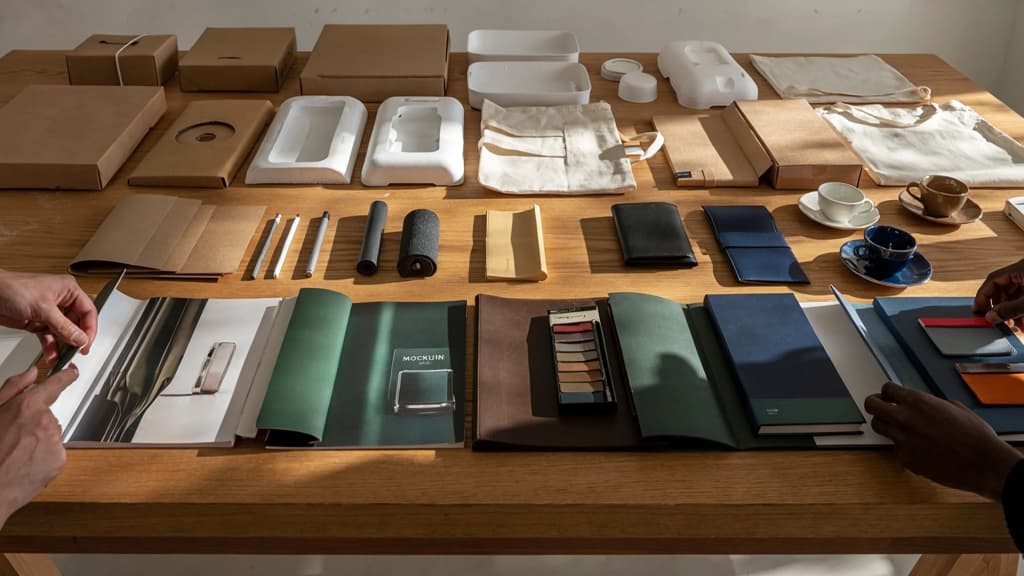
AI mockups let agencies move from “we can picture it” to “the client can react to it” faster. Instead of spending hours building every presentation visual from scratch, teams can generate realistic previews of designs, campaigns, packaging, websites, ads, merch, environments, and branded assets in context.
What does “mockups AI” mean?
In agency terms, mockups AI refers to using artificial intelligence to create visual representations of how a design, concept, or brand asset could appear in the real world.
That might mean placing a logo on a tote bag, showing a homepage on a laptop screen, previewing a poster in a retail window, or visualizing a campaign across social placements. The mockup is not always the final production asset. More often, it is a presentation and decision-making tool: something that helps clients understand direction, scale, mood, and application before the team invests in final execution.
For small agencies, the value is speed and range. A designer no longer has to manually search for the perfect stock scene, mask objects, adjust lighting, and rebuild every layout variation just to show a plausible use case. AI can compress that early visualization work into minutes, giving the team more options to discuss internally and more polished materials to bring into client reviews.
Common mockup types agencies can generate
AI mockups are useful anywhere a client needs to see an idea applied, not just described. Common use cases include:
- Brand identity applications: logos on business cards, signage, stationery, apparel, packaging, presentation covers, or event materials.
- Website and app previews: landing pages, dashboards, ecommerce screens, mobile interfaces, and responsive layouts shown on devices.
- Social and ad campaign mockups: Instagram posts, LinkedIn ads, display banners, YouTube thumbnails, out-of-home boards, and paid media concepts.
- Packaging and product visuals: boxes, bottles, labels, bags, sleeves, mailers, and retail shelf scenes.
- Environmental and experiential concepts: trade show booths, office walls, retail displays, pop-up spaces, vehicle wraps, and wayfinding.
- Merchandise and print collateral: t-shirts, mugs, stickers, brochures, posters, menus, and direct mail pieces.
This is especially helpful for agencies serving multiple clients across different sectors. A SaaS client may need polished product UI scenes. A food brand may need packaging-in-context. A nonprofit may need event signage and campaign visuals. AI mockup generation helps the same lean team present each idea with more context, without adding production headcount for every pitch or revision round.
Where AI mockups fit in the client delivery cycle
AI mockups are most useful in the gap between concept and final production.
Early in a project, they help sell a direction. Instead of showing a flat logo or isolated layout, the agency can show how the idea behaves across real-world touchpoints. That makes client feedback more concrete: “This feels too premium,” “The signage works,” or “The social direction is right, but the packaging needs more energy.”
During concept development, AI mockups help teams compare creative routes quickly. A brand refresh can be shown across digital, print, and environmental applications before committing to one system. A campaign platform can be tested across multiple channels before building every asset in full.
In client presentations, mockups create confidence. They make the work feel closer to market, which is valuable when stakeholders are not trained to interpret flat design files. For small agencies, that can mean fewer abstract debates, faster approvals, and stronger perceived value in the room.
Later, mockups can support production planning by clarifying intent for designers, developers, printers, photographers, or vendors. They do not replace final files, but they reduce ambiguity around what the finished work is supposed to become.
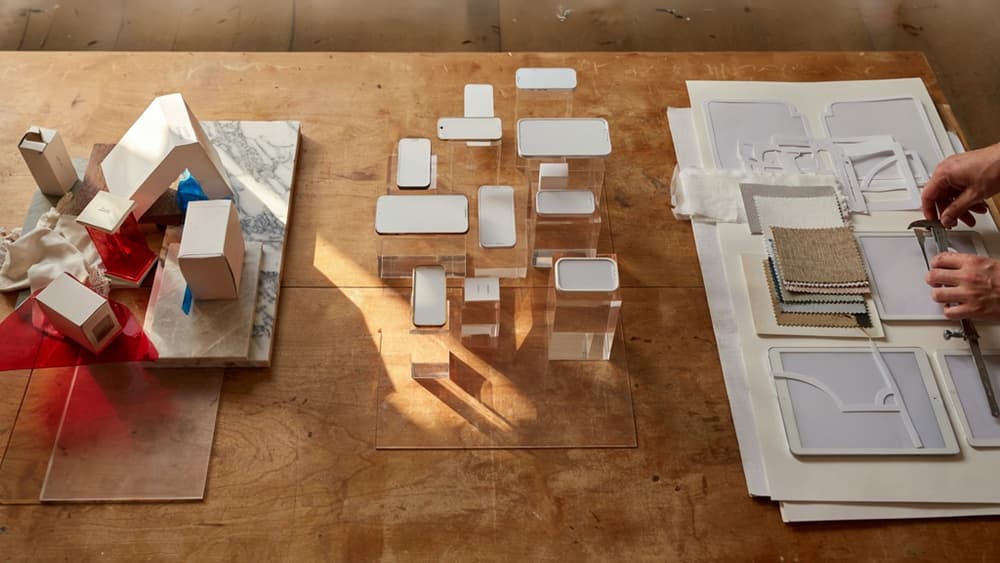
The Main Types of AI Mockup Tools and Workflows
Once you know where mockups sit in the delivery cycle, the next decision is workflow. Most agency teams end up using one of three approaches depending on how much control, speed, and client-specific input they need.
Workflow type | Best for | Main tradeoff |
|---|---|---|
Prompt-based generators | Fast concept exploration and unusual scenes | Less predictable layout and brand control |
Template and scene-based platforms | Polished, repeatable presentation mockups | Limited to available scenes and formats |
Design-file and asset-to-mockup workflows | Turning approved creative into realistic applications | Requires cleaner source files and asset prep |
Prompt-based mockup generators
Prompt-based tools create mockups from written instructions: “show this luxury skincare label on a marble bathroom counter,” or “place this SaaS dashboard on a laptop in a modern coworking space.”
They’re useful when your team needs quick visual territory before committing to a direction. For example, a brand studio pitching a hospitality client could explore three environmental routes—boutique hotel lobby, rooftop bar, in-room welcome tray—without sourcing photography or building scenes from scratch.
The downside is control. Prompt-based mockups AI workflows can interpret composition, lighting, object placement, and even product proportions differently from what you intended. That makes them strongest for early exploration, mood-setting, and pitch support—not necessarily final client-facing presentations where precision matters.
They work best when the creative question is still open: What kind of world should this brand live in? What setting makes the campaign feel premium, playful, technical, or local?
Template and scene-based mockup platforms
Template and scene-based platforms start with prebuilt environments: packaging on shelves, posters on walls, apps on devices, signage on storefronts, apparel on models, stationery on desks. Your team uploads artwork, chooses a scene, and adjusts placement, lighting, shadows, or background details.
For small agencies, this is often the fastest path to polished output. A designer can take a logo system, packaging label, or website screen and show it in a credible real-world context within minutes. That’s especially helpful for recurring deliverables like brand presentations, ecommerce visuals, launch campaigns, or social previews.
The constraint is originality. If every agency uses the same popular coffee cup, tote bag, iPhone, or billboard scene, the work can start to feel familiar. These tools are strongest when speed and presentation quality matter more than building a completely bespoke visual world.
They’re also practical for account teams. Non-designers can create consistent first-pass visuals for internal reviews without pulling senior creatives into every minor mockup request.
Design-file and asset-to-mockup workflows
The most production-friendly workflow starts from existing creative assets: Figma screens, Illustrator files, Photoshop comps, product renders, logos, packaging dielines, campaign graphics, or exported brand elements. AI then helps place those assets into mockup scenes, extend backgrounds, generate contextual settings, or adapt visuals across formats.
This approach fits agencies that already have approved design work and need to scale presentation variants. For example, a digital agency could take one approved landing page design and generate laptop, tablet, phone, and social ad previews for a client review deck. A packaging studio could apply a label design across multiple bottle shapes or retail settings.
Compared with pure prompting, asset-led workflows give teams more continuity from the actual design system into the mockup. Compared with static templates, they offer more flexibility in scene generation and adaptation.
For agencies managing multiple clients, this is usually the workflow with the highest long-term value: approved assets go in, realistic applications come out, and the team spends less time rebuilding the same presentation logic from scratch.
How to Keep AI-Generated Mockups On-Brand for Every Client
Once the workflow is chosen, the real agency challenge is consistency: making sure every generated scene, layout, and variation still feels like it came from the client—not from the tool.
Turn brand assets into reusable AI context
For each client, treat the brand system as reusable production infrastructure, not a folder someone has to manually reference every time.
That context should include:
- Approved logos, lockups, exclusion zones, and incorrect-use examples
- Color palettes with HEX/RGB values and usage rules
- Font families, hierarchy, and fallback guidance
- Photography style, illustration style, icon style, and texture preferences
- Sample campaigns, website pages, ads, packaging, or social posts that represent the brand well
- Voice notes for any copy visible inside the mockup
The goal is to avoid rebuilding brand direction from scratch for every prompt or scene. If your team has to type “premium but approachable, minimal, warm neutrals, editorial lighting” twenty times across a project, the system is already leaking time.
A better approach is to create client-specific AI context once, then reuse it across mockup requests. For example: “Use the Acme Coffee brand context” should pull in the right colors, product framing, background mood, prop style, and typography constraints before a designer starts generating options.
This is especially valuable for agencies managing multiple clients in the same category. Two wellness brands may both ask for “calm, clean lifestyle mockups,” but their visual systems may be completely different. Reusable brand context keeps those differences intact.
Set guardrails for typography, tone, color, and visual style
AI mockups drift when the instruction is too broad. Guardrails narrow the creative space without killing exploration.
For typography, define what is allowed before generation begins: headline font, body font, case style, tracking preferences, hierarchy, and whether text should appear at all. If the mockup includes placeholder packaging or an ad concept, specify whether the AI can invent copy or must preserve supplied copy exactly.
For color, give more than a palette. Clarify dominant, secondary, and accent roles. A brand may have six approved colors, but that does not mean every mockup should use all six. Guardrails such as “cream background, forest green as primary, coral only as a small accent” prevent outputs that are technically on-palette but visually off-brand.
For visual style, define the boundaries that matter most:
- Lighting: studio, natural daylight, flash, moody, flat lay
- Composition: centered, asymmetrical, editorial, product-first
- Environment: premium retail, home setting, outdoor, abstract
- Human presence: hands only, full model, no people
- Texture and finish: glossy, matte, paper grain, metallic, soft shadow
For tone, align any visible messaging with the client’s voice. A playful DTC brand can tolerate bolder mockup copy; a regulated B2B client may need restrained language and minimal claims.
This is where a dedicated brand context layer matters. Without it, mockups ai workflows often become a prompt-by-prompt guessing game. With it, teams can generate more options while staying inside the client’s visual lane.
Review mockups against the client’s approved brand system
Before anything reaches the client, review the selected mockups against the actual brand system—not just whether they “look good.”
A simple internal checklist can catch most issues:
- Is the logo used correctly and placed with enough clear space?
- Are colors applied in the right proportions?
- Does the typography match the approved hierarchy?
- Does the scene feel appropriate for the client’s category and positioning?
- Are props, models, backgrounds, and materials aligned with the brand?
- Does any visible copy match the client’s tone?
- Would this mockup sit comfortably beside the client’s existing website, deck, or campaign?
For small agencies, this review step protects margin. Off-brand mockups create avoidable revision loops: the client reacts to the wrong mood, the wrong audience signal, or the wrong level of polish, and the team has to regenerate or redesign after the fact.
The best habit is to save approved outputs back into the client’s brand context. Over time, each accepted mockup becomes another reference point, making the next round faster and more accurate. That turns AI mockup generation from a one-off experiment into a repeatable, client-specific production system.

A Practical AI Mockup Production Process for Small Agencies
Once the brand context is in place, the real leverage comes from making mockup generation repeatable—not leaving each designer to freestyle prompts, tools, and file naming on every client job.
Start with a tight creative brief
A good AI mockup workflow starts before anyone generates an image. For small agencies, the brief should be short enough to use every time, but specific enough to prevent vague, unusable outputs.
Include:
- Client and campaign context: What is being presented, launched, or tested?
- Mockup purpose: Internal concepting, client presentation, ad preview, website section, packaging visualization, social proof, or pitch support.
- Required formats: For example, square social posts, mobile screen mockups, billboard scenes, landing page previews, or product-in-use shots.
- Audience and buying moment: Who should see themselves in the mockup, and what action should it support?
- Non-negotiables: Required logo placement, product visibility, message hierarchy, CTA, offer, or visual treatment.
- Output count: Decide upfront whether the team needs three strong routes or ten exploratory options.
For example, instead of “create coffee brand mockups,” the production brief might say:
“Create three presentation-ready mockups for a premium iced coffee launch targeting urban professionals aged 25–40. Show the can in modern retail and commuter contexts. Keep the product label clearly visible, use a warm natural-light feel, and leave space for campaign copy in one version.”
That level of direction keeps mockups AI work tied to the job, not the novelty of the tool.
Generate controlled variations instead of random options
The fastest way to lose time is to generate 40 unrelated concepts and ask the team to “pick favorites.” Controlled variation gives creative directors better options without turning review into a sorting exercise.
Pick one variable to change at a time:
- Scene: Kitchen counter, retail shelf, desk setup, outdoor commute
- Composition: Close crop, centered product, lifestyle scene, negative-space layout
- Audience cue: Founder-led, customer-in-use, hands-only, group setting
- Channel fit: Instagram ad, website hero, sales deck, email header
- Mood: Premium, playful, minimal, editorial, energetic
Keep the brand, message, and objective stable while testing these variables. That makes the differences meaningful and easier to discuss with clients.
A useful pattern is:
- Generate 6–8 rough directions from the same brief.
- Select 2–3 promising routes.
- Create 3–5 variations within each route.
- Choose the strongest mockups for refinement.
This prevents AI from becoming an infinite ideation loop. The team stays in control of the creative direction, while the tool accelerates the production of options.
Refine, annotate, and hand off selected mockups
The first acceptable output is rarely the final deliverable. Treat AI-generated mockups like rough comps: useful for speed, but still part of an agency production workflow.
Before anything goes to the client, refine the selected mockups for:
- Logo clarity and placement
- Readable copy and CTA hierarchy
- Consistent cropping across formats
- Product scale and perspective
- Alignment with the chosen concept route
- Presentation quality inside the deck or workspace
Then annotate the mockups so the client understands what they’re looking at. A simple note like “Route B explores a more premium retail environment for launch-week paid social” is more useful than dropping unlabeled visuals into a deck.
For handoff, package only the best work:
- A small set of selected mockups
- Short rationale for each route
- Any known production notes
- Recommended next-step use: client review, ad testing, landing page concept, or final design development
This is where small agencies protect their margin. The goal is not to show that AI made a lot of images. The goal is to present fewer, sharper options that feel intentional, client-specific, and ready to move the project forward.
Adoption Checklist: Costs, Risks, and ROI of AI Mockups
Once the workflow is usable, the next question is whether it actually improves agency economics—or just adds another subscription and review layer.
Measure time saved and revision cycles reduced
Track AI mockup work the same way you’d track any delivery improvement: against billable time, speed to approval, and margin.
Start with a simple baseline for one common deliverable type, such as campaign concept boards, website presentation mockups, packaging previews, or social ad variations. For each project, record:
- Hours spent creating first-round mockups
- Number of internal review rounds before client presentation
- Number of client revision rounds after presentation
- Time from brief approval to mockup delivery
- Whether the work stayed within scope or triggered extra unpaid edits
Then compare the same metrics after introducing mockups AI into that workflow.
The biggest ROI often comes from fewer “I can’t picture it” conversations. If better mockups help clients understand the creative direction earlier, your team spends less time explaining, rebuilding, and over-polishing options that were never going to survive stakeholder review.
A useful agency-level metric: hours saved per approved concept. If a designer previously spent six hours building presentation-ready visuals and now spends three, the value is not just three saved hours. It’s three hours that can go into strategy, refinement, upsell work, or another client without adding headcount.
Watch for licensing, accuracy, and client-approval risks
AI-generated mockups can create risk if they are treated as final assets too early.
Before using them in client-facing work, clarify:
- Commercial usage rights: Confirm whether the tool allows generated outputs to be used in paid client work, pitches, ads, and public-facing presentations.
- Input restrictions: Check whether you can upload client logos, product images, photography, or unreleased campaign assets without violating platform terms.
- Asset provenance: Know whether backgrounds, scenes, models, textures, or lifestyle imagery are generated, licensed stock, or template-based.
- Accuracy limits: Review product proportions, packaging details, UI text, logo placement, legal copy, and any regulated claims before sharing.
- Approval status: Label AI mockups appropriately when they are concept visuals rather than production-ready files.
This is where one clear internal rule helps: AI mockups can accelerate visualization, but anything client-approved for production still needs human review against the brief, usage rights, and final brand requirements.
For sensitive clients—healthcare, finance, legal, enterprise, public sector—build an extra approval step into the timeline rather than treating it as an exception later.
Roll out AI mockups without creating tool sprawl
Small agencies don’t need five disconnected mockup tools, three image generators, and a folder full of forgotten prompts. That path creates inconsistent outputs, duplicated subscriptions, and no clear owner.
Roll out in stages:
- Pick one high-volume use case. Choose a recurring deliverable where speed matters and quality expectations are clear.
- Assign an owner. One person should manage tool settings, client usage rules, saved templates, and output standards.
- Centralize client context. Keep brand rules, approved assets, prompt notes, and mockup examples in one accessible system rather than scattered across designers’ accounts.
- Limit the approved stack. Decide which tools are allowed for client work and which are only for experimentation.
- Review after 30 days. Keep what saves time and improves approvals; cut anything that adds friction.
The goal is not more AI activity. It is faster, cleaner client presentation work that protects margins and keeps every account looking intentional.