
June 21, 2026
What AI Design Tools Actually Do for Marketing Teams
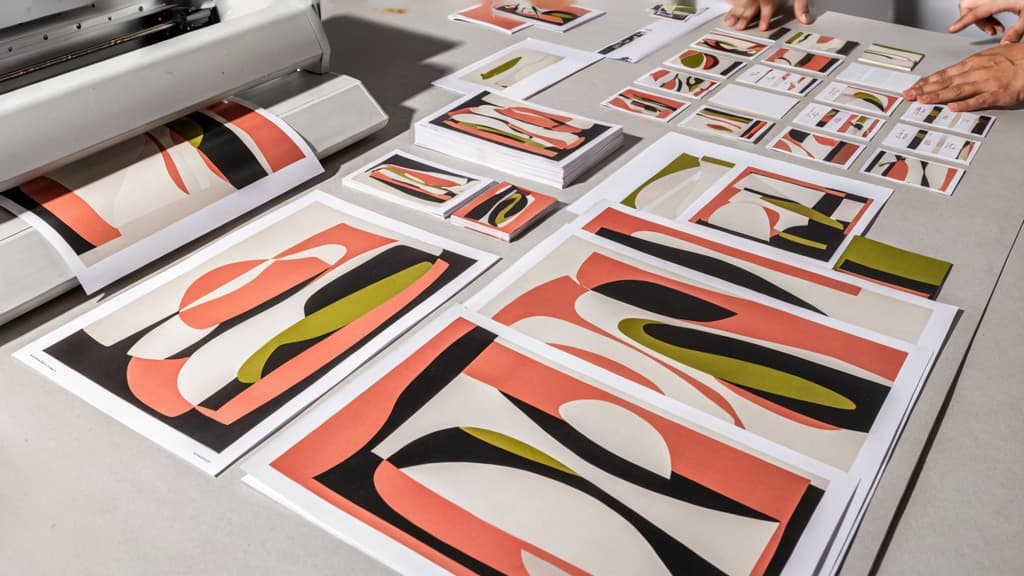
AI image generation is not a replacement for strategy, art direction, or taste. For a small agency, its value is more practical: it helps turn campaign ideas into usable visual options faster, so your team can explore more directions, produce more variants, and support more channels without adding another designer to every account.
AI Design Tools Definition for Agencies
For agencies, ai design tools are platforms that use artificial intelligence to generate, adapt, or extend visual assets from written prompts, reference images, templates, or brand direction.
In day-to-day marketing work, that can mean creating a product-in-context image for an ad concept, generating background scenes for social posts, resizing a campaign visual into channel-specific formats, or producing alternate creative routes before a designer commits time to final production.
The important distinction is that these tools sit inside the creative production process. They are not just “image makers.” Used well, they help agencies move from blank page to presentable concept faster, then support the volume of visual adaptation modern campaigns require.
For a small creative or digital agency, that matters because the bottleneck is rarely ideas. It is capacity: enough designer hours to serve multiple clients, keep campaigns fresh, and respond quickly when paid social, email, landing pages, and sales enablement all need visuals at once.
Core Marketing Visuals They Can Produce
AI image generation is strongest when the output has a clear marketing use case. Common examples include:
- Paid social ad concepts for Meta, LinkedIn, TikTok, and display campaigns
- Organic social graphics, campaign imagery, and post backgrounds
- Email header images and promotional visuals
- Landing page hero images and supporting section graphics
- Blog and thought leadership feature images
- Product-in-use scenes, lifestyle compositions, and mock environments
- Event, webinar, and lead magnet promotional creative
- Concept boards and mood visuals for campaign pitches
- Variations of a core visual for different audiences, offers, or channels
This is especially useful when a client does not have a deep asset library. Many smaller brands have a logo, a handful of product shots, and some past campaign graphics. AI-generated visuals can help fill the gap between “we need a campaign look” and “we have no new shoot budget.”
It also helps when marketing teams need more creative testing. A paid media campaign might require five visual angles instead of one. An email sequence might need a different image for each message. A campaign landing page might need supporting visuals beyond the hero. AI can make that level of output more realistic for lean teams.
Where They Fit in a Small Agency’s Service Mix
AI design tools fit best as a production multiplier around services you already sell.
For brand and creative agencies, they can support campaign concepting, visual exploration, and asset extension. For digital agencies, they can help produce the ongoing creative needed for ads, email, social, and landing pages. For content-led agencies, they can add stronger visuals to blogs, guides, newsletters, and lead-generation campaigns.
The commercial opportunity is simple: more visual output without turning every request into a custom design project from scratch. That can protect margins on retainers, make campaign packages easier to scale, and help smaller agencies say yes to more client needs without overloading the team.
The best fit is not replacing your creative offer. It is making your agency’s thinking easier to execute across more formats, channels, and client accounts.

The Agency Owner’s Real Challenge: On-Brand Output at Higher Volume
That extra production capacity only matters if the work still feels unmistakably like the client. For agencies, the bottleneck is rarely “Can we make more images?” It’s “Can we make more images without diluting the brand we’re paid to protect?”
Why Speed Alone Creates Brand Risk
AI image generation can turn one campaign concept into dozens of visual routes in minutes. That sounds like leverage until every route has a slightly different interpretation of the client’s brand.
One image leans too premium. Another feels too playful. A third uses the right colors but the wrong visual metaphor. None are “bad” in isolation, but together they create the kind of inconsistency clients notice: social posts that don’t match landing pages, ads that feel disconnected from email creative, campaign visuals that look like they came from three different teams.
For a small agency, that risk compounds quickly. You may have one strategist, one designer, and one account lead all generating or requesting assets. If each person prompts from memory, personal taste, or old campaign references, the AI becomes a brand drift multiplier.
The cost is not just extra revision time. It’s client confidence. When a client has to keep saying, “This doesn’t feel like us,” the agency loses the very advantage AI was supposed to create.
Brand Inputs AI Tools Need Before Production
Before production starts, ai design tools need more than a short prompt and a logo file. They need brand context that reflects how the client should show up visually across channels.
At a minimum, that means capturing:
- Visual identity rules: color palette, typography direction, logo usage, spacing, composition preferences
- Art direction: photography style, illustration style, lighting, texture, depth, framing, level of polish
- Brand personality: whether the client should feel bold, calm, technical, playful, editorial, premium, accessible, or disruptive
- Audience context: who the creative is meant to attract, reassure, educate, or convert
- Category signals to avoid: clichés, competitor lookalikes, overused stock-style imagery, off-brand aesthetics
- Approved references: past campaigns, hero images, social posts, ads, or website visuals that represent the brand well
- Negative examples: assets that were rejected or no longer fit the direction
The stronger the input layer, the less each prompt depends on tribal knowledge. That matters when work moves fast, people switch accounts, or freelancers support overflow. The brand should not live only in a senior designer’s head.
The Difference Between One-Off Images and a Repeatable Brand System
A one-off AI image is easy to produce. A repeatable brand system is what lets an agency scale without creating chaos.
One-off generation treats each asset like a fresh request: new prompt, new interpretation, new round of subjective review. It may help with exploration, but it does not reliably reduce production drag.
A brand system works differently. The client’s visual rules, tone, references, and constraints become reusable inputs. Each new campaign image starts from the same brand foundation, so variations feel connected even when formats, messages, and channels change.
That shift is where agencies get real operational value. Instead of asking, “Can AI make this image?” the better question becomes, “Can our team generate ten campaign-ready options that already understand this client?”
For small agencies, that is the difference between faster output and scalable output. Faster output creates more files. Scalable output creates more usable, on-brand creative without adding headcount or turning every delivery into a brand rescue mission.
A Practical Prompt-to-Asset Workflow for Campaign Creative
Once the brand system is in place, the work becomes less about “getting a good image” and more about moving from brief to usable campaign assets without losing the thread.
Turn a Client Brief into Image Direction
Start by translating the client brief into image direction before anyone writes a prompt. A strong brief usually contains business goals, audience, offer, channel mix, and campaign message. Your job is to turn that into visual decisions the AI can act on.
For example, a vague brief might say:
“Create social visuals for a new accounting package aimed at freelancers.”
That is not yet image direction. A usable direction would specify:
- Audience: solo consultants, designers, developers, and independent professionals
- Mood: calm, capable, financially in control
- Setting: modern home office or small studio, not corporate boardroom
- Visual metaphor: simplified admin, fewer receipts, clearer cash flow
- Composition: space for headline overlay on the left
- Exclusions: no stock-photo handshakes, no exaggerated stress, no generic spreadsheets
That translation step is where agencies protect creative quality. Instead of asking an AI tool to “make an ad image,” the team defines the campaign scene, emotional tone, brand cues, and placement needs first.
A practical prompt structure looks like this:
- Campaign goal
- Audience and context
- Subject or scene
- Brand mood and visual style
- Composition requirements
- Format or channel
- Elements to avoid
The prompt becomes a production instruction, not a creative lottery ticket.
Use Templates to Create Consistent Variations
For campaign work, the real value is not a single hero image. It is controlled variation across placements, messages, and audiences.
Templates help your team keep those variations consistent. Instead of rewriting prompts from scratch, create reusable prompt frameworks for common campaign needs:
- Paid social concept image
- Blog header
- Landing page hero
- Email banner
- Retargeting visual
- Carousel sequence
- Product or service explainer visual
A template might lock the brand style, lighting, composition, and negative prompts while leaving only a few fields editable: audience segment, offer, setting, and format.
For example:
Create a [channel] image for [audience] promoting [offer]. Use a [brand mood] visual style with [composition rule]. Feature [scene/subject]. Leave space for [copy placement]. Avoid [off-brand elements].
This keeps ai design tools from producing five unrelated-looking assets for the same campaign. Your team can generate options quickly while preserving the visual system the client approved.
Templates also make delegation easier. A junior marketer can produce first-round variations without needing to reinvent the creative direction every time. Senior creatives then spend their time judging concepts, not rebuilding prompts.
Review, Refine, and Package Assets for Delivery
The review stage should be structured, not subjective. Before presenting anything to the client, check each asset against three questions:
- Does it match the campaign direction?
- Does it feel like the client’s brand?
- Does it work in the intended placement?
Refinement usually happens in small, specific adjustments: tighter crop for mobile, cleaner background for text overlay, warmer lighting, less literal imagery, more negative space, or a subject that better matches the audience.
Once approved internally, package the assets the way your client actually uses them. That might include:
- Final exports by channel and size
- Naming conventions by campaign, platform, and version
- A short usage note for each asset
- Source prompts or template references for future rounds
- Alternate crops for paid, organic, and email placements
This final step turns AI-generated imagery into campaign-ready creative. It also gives your agency a repeatable production trail, so the next brief does not start from zero.
How to Choose AI Design Tools Without Creating Tool Sprawl
Once the workflow is clear, the buying decision gets sharper: you’re not looking for the most impressive demo. You’re looking for the smallest, safest stack your team can use across multiple clients without creating another layer of chaos.
Selection Criteria for Small Creative and Digital Agencies
For agencies, the right ai design tools should reduce production friction without forcing account managers, designers, and strategists to jump between disconnected apps.
Prioritize tools that support the way your agency actually works:
Criterion | Why it matters for agencies | Red flag |
|---|---|---|
Brand memory | Keeps repeat work aligned to each client’s visual identity, tone, and campaign rules | Every prompt starts from scratch |
Multi-client organization | Prevents assets, prompts, and references from blending across accounts | One shared workspace with no clear client boundaries |
Reusable presets or systems | Helps junior team members produce usable first drafts faster | Quality depends entirely on who writes the prompt |
Easy creative direction controls | Lets teams guide style, composition, format, and campaign context | Outputs feel random or hard to steer |
Export formats that match delivery needs | Reduces cleanup before handoff to paid social, email, web, or presentation decks | Requires manual resizing or reformatting every time |
Integrations or low-friction handoff | Fits into your existing creative ops instead of replacing everything | Adds another isolated place where work gets stuck |
The key question is: will this tool make your best creative judgment more scalable, or will it simply generate more assets for your team to sort through?
If the platform cannot preserve client-specific context, it may save minutes on generation while adding hours back in review, revision, and rework.
Collaboration, Permissions, and Client Separation
Small agencies often operate with lean teams, freelancers, and overlapping roles. That makes workspace structure more than an admin detail.
Look for clear separation between:
- client workspaces
- brand inputs and reference files
- generated assets
- prompt history
- team access levels
- approved versus experimental outputs
An account lead may need visibility across all assets for a client. A designer may need edit access. A contractor may only need access to one campaign folder. Without those controls, your agency risks accidental cross-client contamination: the wrong reference image, the wrong tone, the wrong logo usage, or internal drafts appearing where they should not.
Permissions also affect speed. If every request has to route through one “AI person,” the tool becomes a bottleneck. If everyone has unrestricted access, quality becomes inconsistent. The best setup gives team members enough freedom to move quickly inside clear client and brand boundaries.
Licensing, Usage Rights, and Data Protection
Before standardizing any AI image platform, understand what your agency can legally and commercially do with the outputs.
At minimum, review:
- whether generated images can be used in paid client campaigns
- whether usage differs by plan type
- whether outputs are exclusive or may resemble other users’ generations
- whether uploaded client materials can be used to train the vendor’s models
- whether private workspaces are available
- how long uploaded assets and prompts are stored
- whether enterprise or agency terms are available
This matters because your clients are not buying “AI experiments.” They are buying campaign assets they can publish, promote, and stand behind.
For agencies managing multiple brands, data handling is especially important. Client guidelines, unreleased product imagery, campaign concepts, and internal strategy documents should not be casually uploaded into tools with unclear retention or training policies.
The cleanest choice is rarely the flashiest generator. It is the platform that keeps client context intact, protects sensitive inputs, and gives your team enough control to scale output without expanding the stack every time a new campaign lands.
How to Roll Out AI Image Generation Across a Small Agency
Once you’ve chosen the toolset, resist the urge to roll it out across every designer, strategist, and client account at once. The fastest path to adoption is a controlled pilot that proves the workflow works before it becomes another half-used subscription.
Start with One Client, One Campaign, One Asset Type
Pick a client where the brand is already well documented and the stakes are manageable. Not the legacy account with five approvers. Not the urgent rebrand. Choose a client with clear guidelines, recurring content needs, and a team that will give practical feedback.
Then narrow the pilot further:
- One client: a brand your team understands well
- One campaign: a defined brief with a clear start and end date
- One asset type: for example, paid social image variations, blog hero images, or email header graphics
This keeps the rollout measurable. If you test AI across ten clients and six deliverable types, you won’t know whether the bottleneck is the tool, the prompt quality, the brand inputs, the review process, or the client.
For a small agency, a strong first pilot might be: “Generate 20 on-brand paid social image concepts for Client A’s spring campaign, then select and refine five for presentation.” That gives you enough volume to test efficiency without turning the project into an uncontrolled experiment.
Measure Time Saved and Brand Accuracy
The goal is not simply “did AI make images faster?” Speed only matters if the output still feels like the client.
Track two things during the pilot: production efficiency and brand fit.
For time, compare the AI-assisted workflow against how the same asset type was previously produced. Capture:
- Time from brief to first internal concept
- Number of revision rounds before client-ready work
- Designer or creative lead hours used
- Time spent reworking off-brand outputs
For brand accuracy, create a simple internal scorecard. Rate each selected asset against the client’s brand system:
- Does it match the intended visual style?
- Does it use the right mood, composition, and level of polish?
- Does it feel appropriate for the audience and channel?
- Would the account lead feel comfortable showing it to the client?
A 1–5 score is enough. The point is to make brand consistency visible instead of relying on gut feel. If your ai design tools are saving two hours but creating an extra hour of brand cleanup, the workflow needs adjustment before you scale it.
Create Operating Rules Before Scaling
Once the pilot works, turn what you learned into lightweight operating rules. Small agencies don’t need a 40-page AI policy to get value, but they do need consistency across teams.
Define rules for:
- Which asset types are approved for AI-assisted generation
- Which client brand inputs must be loaded before production starts
- Who can create first drafts and who approves client-ready assets
- How final files are named, stored, and linked to the campaign
- When the team should use AI versus a designer-led custom concept
Keep the rules practical. For example: “AI-generated paid social concepts must be reviewed by the assigned designer before the account manager adds them to a client deck.” Or: “No campaign image generation starts until the client’s brand profile, sample visuals, and campaign direction are attached.”
This is where a brand-aware system like Aethera can reduce friction: the more your client context lives in one place, the less your team has to rebuild prompts, re-upload references, or police brand details manually.
Scale only when the pilot shows both faster production and reliable brand fit. Then expand deliberately: another asset type, another campaign, another client. That way AI image generation becomes a repeatable agency capability, not a scattered set of experiments happening in separate tools.