
August 18, 2026
What AI Avatars Are—and Why Agencies Should Treat Them as Production Infrastructure
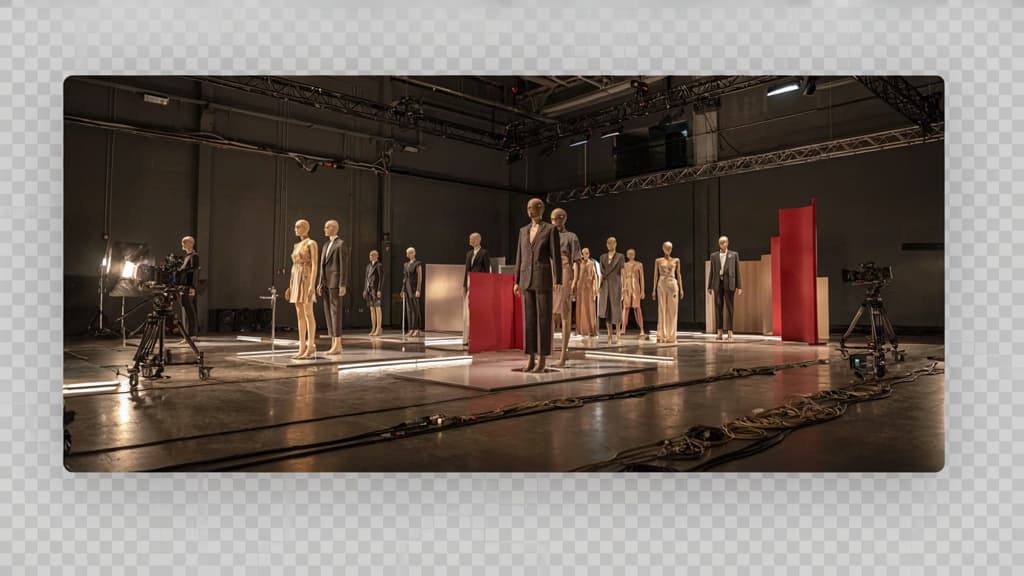
Avatar tools are moving from “interesting demo” to repeatable production layer. For a small agency, the value is not just making a synthetic person speak on camera. It is creating a faster way to turn approved messaging into video, interactive content, and client-facing media without booking talent, studios, cameras, or reshoots for every small change.
What is an AI avatar?
An AI avatar is a digital human or character that can deliver spoken content generated from text, audio, or structured prompts. In practical agency terms, it is a reusable media asset: you provide the script, choose the speaker style, select the format, and the platform renders a video or interactive experience.
The avatar may look like a realistic person, a stylized brand character, a professional presenter, or a face-and-voice interface inside a product or support flow. Some are built from stock digital presenters. Others are custom-created from a real person’s likeness, a brand mascot, or a fictional spokesperson.
For agencies, the important shift is operational. Traditional video production treats every asset like a project: schedule, shoot, edit, review, revise. Avatar-based production treats many video assets more like designed content modules. Once the core creative direction is set, variations become easier: new market, new product, new language, new intro, new call to action.
That makes avatars useful wherever clients need frequent video output but do not have the budget, timeline, or appetite for constant live production.
The main types: presenter, talking head, interactive assistant
Most agency use cases fall into three categories:
Avatar type | What it does | Best fit for agencies |
|---|---|---|
Presenter | Delivers scripted content in a polished, often full-body or studio-style format | Explainers, internal training, product walkthroughs, campaign videos |
Talking head | Focuses on a close-up speaker, usually framed like a webcam, testimonial, or executive update | Thought leadership clips, announcements, sales follow-ups, social video |
Interactive assistant | Responds to user input in real time or semi-real time, often inside a website, app, kiosk, or support flow | Guided onboarding, customer support, lead qualification, product education |
Presenter avatars are the closest substitute for conventional hosted video. They work well when the client needs structure, clarity, and a professional delivery style.
Talking head avatars are more intimate and direct. They can make short-form updates feel personal without requiring a founder, trainer, or subject matter expert to record every version.
Interactive assistants are less like finished video assets and more like conversational interfaces with a face and voice. They are useful when the experience needs to adapt based on what the viewer asks, clicks, or needs next.
How AI avatars turn scripts into client-ready media
At the simplest level, avatar production starts with a script and ends with a rendered asset. The platform maps written words to speech, facial movement, expression, pacing, and gesture. Depending on the tool, the agency can also choose the avatar, voice, language, background, captions, aspect ratio, and supporting visuals.
This matters because many client assets are script-led before they are visually complex. A benefits explainer, onboarding module, software demo intro, or sales enablement clip often lives or dies on clarity of message. Avatar production lets the agency move from approved copy to finished media with fewer dependencies.
Instead of waiting for a shoot, the team can generate a first version quickly, revise the copy, adjust the delivery, and produce new cuts for different channels. A 90-second website explainer can become a square social clip, a vertical paid ad variation, and a short internal sales video without rebuilding the entire asset from scratch.
That is why agency owners should view this category as production infrastructure. It is not there to replace every shoot, every editor, or every creative decision. It is there to remove friction from repeatable content production, especially when clients need more video than their budgets or timelines can comfortably support.

The Highest-Value AI Avatar Use Cases for Small Creative and Digital Agencies
Once avatar production becomes part of the agency toolkit, the question shifts from “Can we make this?” to “Where does this create margin, speed, and repeatable client value?”
Training and onboarding videos clients can update quickly
Training content is one of the best-fit use cases because it is important, repetitive, and constantly going out of date.
Think HR onboarding, software walkthroughs, compliance modules, sales process training, customer education, franchise SOPs, and internal enablement. These assets often need small updates: a policy changes, a dashboard UI shifts, a pricing tier gets renamed, a new feature launches.
Without avatars, those updates can mean rebooking talent, re-editing footage, or letting outdated videos linger because the cost of fixing them is too high. With AI avatars, your agency can offer clients a more maintainable training library: update the script, regenerate the relevant segment, and keep the asset current.
For small agencies, this opens up a strong recurring-service opportunity. Instead of treating training videos as one-off production projects, you can package them as an ongoing content system:
- Initial training video set
- Quarterly script and content updates
- New modules as the client’s team, product, or process changes
- Shorter clips for LMS, internal comms, or customer success teams
The value to the client is obvious: less friction every time something changes. The value to the agency is just as clear: repeatable production without adding shoot days.
Marketing explainers, product demos, and sales enablement
For many agency clients, the hardest part of marketing video is not the idea. It is getting a clear, polished version produced quickly enough to support campaigns, launches, and sales conversations.
Avatar-led explainers are useful when a client needs to communicate a product, service, or offer in a direct, human way without building a full live-action production around it. They work especially well for:
- SaaS product walkthroughs
- Feature launch videos
- Landing page explainers
- Paid social variations
- Webinar intros and recaps
- Sales deck companion videos
- Proposal or account-based marketing clips
This is where speed becomes a commercial advantage. Your team can turn a campaign message into a usable video asset while the opportunity is still current. A client launching a new service does not need to wait weeks for a shoot. A sales team chasing a key account can get a tailored video that supports the pitch. A paid media team can test multiple hooks or formats without blowing the budget on production.
For agencies, ai avatars make video easier to include in campaigns that previously would have stayed text-and-static because of time or cost constraints. That means more valuable deliverables, more campaign depth, and more ways to expand an existing retainer.
Meeting, support, and productivity workflows
Not every avatar use case needs to be a polished campaign asset. Some of the highest-leverage applications sit inside everyday client operations.
Agencies can help clients turn recurring explanations into reusable video communications: welcome messages, meeting follow-ups, project updates, support answers, internal announcements, and customer success walkthroughs. These are the moments where teams repeatedly explain the same thing, often live, often inconsistently, and often at the expense of higher-value work.
For example, a B2B client’s customer success team might need a standard video explaining how to prepare for implementation. A support team might want short answers to common setup questions. A founder might need investor or partner updates that feel more personal than an email but do not require recording from scratch each time.
These workflows are also valuable inside the agency. Account teams can create cleaner handoff videos, recap campaign performance, or explain next steps without scheduling another call. The result is not just more content; it is fewer bottlenecks around communication.
For small agencies, this is the practical promise: use avatar production where it reduces repetition, speeds up client communication, and turns one good explanation into an asset that can work again and again.
Keeping AI Avatar Output On-Brand Across Every Client Account
Once avatars become part of client delivery, the real challenge is no longer “Can we make the video?” It is “Can we make every version feel unmistakably like this client?”
Ingest the client’s brand once, then generate consistently
Small agencies lose margin when every AI-assisted asset requires the same manual brand rebrief: paste the tone of voice, upload the logo, remind the tool what not to say, rewrite the first draft, fix the second draft, then catch visual mismatches in review.
A better operating model is to treat each client brand as reusable infrastructure.
That means capturing the client’s approved inputs once:
- Brand guidelines and messaging frameworks
- Product descriptions and service positioning
- Approved claims, phrases, and terminology
- Audience segments and buyer pain points
- Visual rules such as colors, logo usage, layouts, and preferred imagery
- Examples of past work the client already liked
From there, every avatar script, caption, intro, CTA, and supporting asset should draw from the same brand source of truth. For an agency managing ten, twenty, or fifty client accounts, this is the difference between “AI made us faster” and “AI made everything harder to police.”
Control voice, tone, messaging, and visual presentation
AI avatars are especially sensitive to brand mismatch because they combine words, voice, face, pacing, and presentation. A slightly wrong phrase in a blog draft is easy to skim past. A slightly wrong phrase delivered by a presenter on video feels much more obvious.
Agency teams need control at four levels:
Brand layer | What needs to stay consistent | Example agency risk |
|---|---|---|
Voice | Formal, playful, expert, challenger, warm, direct | A premium B2B client sounds like a generic SaaS startup |
Messaging | Positioning, value props, proof points, CTAs | The avatar emphasizes the wrong benefit or audience |
Visual presentation | Colors, lower thirds, slide style, logo placement | The video looks disconnected from the client’s campaign system |
Delivery style | Pace, energy, pronunciation, emphasis | The presenter feels too salesy, flat, or off-category |
This is where generic prompting starts to break down. “Make it sound professional” does not mean the same thing for a cybersecurity consultancy, a luxury interiors brand, and a regional healthcare provider.
Aethera helps agencies solve this by keeping client-specific brand context attached to the work, so outputs are generated against the right voice, messaging, and presentation rules from the start.
Prevent off-brand drift before clients see the work
The hidden cost of AI tool sprawl is review fatigue. One strategist writes the prompt, a designer fixes the visuals, an account manager catches tone issues, and a creative director steps in because the client “would never say it that way.”
That review loop should happen before the asset reaches the client, not after.
For avatar work, agencies should build in brand checks around the parts most likely to drift:
- Does the script use approved terminology?
- Are claims aligned with the client’s positioning?
- Does the CTA match the campaign objective?
- Does the presenter style suit the audience?
- Do visual elements follow the client’s system?
- Would this feel native next to the client’s existing content?
When brand rules are embedded upstream, ai avatars become easier to scale across accounts without turning every deliverable into a bespoke rescue job. The agency keeps speed, the client sees consistency, and the team spends less time translating AI output back into brand-safe work.

A Practical AI Avatar Workflow From Brief to Published Asset
Once the brand rules are locked, the workflow should feel less like “making a video from scratch” and more like running a controlled production sprint.
Briefing, scripting, and approval checkpoints
Start with a brief that forces decisions before anyone opens a video tool. For each asset, capture:
- Audience: buyer, employee, customer, partner, or internal team
- Job to be done: teach, explain, sell, onboard, answer, or remind
- Single core message: the one thing the viewer should remember
- Source material: web page, deck, sales script, SOP, campaign brief, FAQ, or product notes
- Required CTA: book a demo, complete training, adopt a feature, contact support
- Channel and length: landing page hero, LinkedIn cutdown, LMS module, sales follow-up, help center embed
Then script in approval-friendly stages. Don’t send a fully produced avatar video as the first client review; that invites subjective feedback on visuals before the message is agreed.
A cleaner checkpoint structure:
- Outline approval: sections, flow, key claims, CTA
- Script approval: exact narration and on-screen text
- Storyboard or scene list approval: avatar placement, visuals, graphics, examples
- Production approval: rendered video, captions, final formatting
This gives agency teams a paper trail and prevents the classic “Can we rethink the opening?” comment after production is complete.
Producing avatar video without slowing the studio down
The fastest teams separate creative judgment from repeatable assembly.
Your strategist or account lead should own the brief and message. Your copy lead should own the script. A designer or producer should own the visual layout, background, captions, overlays, and export specs. The AI avatar platform handles the presenter layer, but the agency still controls the asset.
To keep production moving, standardize a few reusable components per client:
- Approved intro and outro treatments
- Lower-third styles
- Caption format
- Background options
- CTA end cards
- Scene templates for demos, explainers, and training modules
- Export presets by channel
That way, a new request doesn’t require fresh creative direction every time. The team swaps in a new script, selects the right template, applies the client’s approved visual system, and renders.
For small agencies, the operational win is avoiding bottlenecks. A producer can create three product update videos from approved scripts while senior creatives stay focused on concepting, campaign strategy, and client direction—not manually rebuilding every asset.
Repurposing one approved asset into multiple formats
The highest-margin workflow is not “one brief, one video.” It is one approved narrative turned into a set of channel-ready outputs.
For example, a two-minute product explainer can become:
- A full website or landing page video
- Three 20-second paid social variants
- A vertical short for LinkedIn, Reels, or Shorts
- A sales follow-up clip focused on one pain point
- A help center version with a more instructional tone
- A captioned silent autoplay version
- A transcript-based blog section or email sequence
The key is to approve the source message once, then adapt the format—not restart the strategy. This is where ai avatars become especially useful for agencies managing multiple client accounts: updates are faster, versioning is cleaner, and the team can scale output without adding another layer of production overhead.
How Agency Owners Should Evaluate AI Avatar Platforms
Once the workflow is mapped, the platform decision becomes less about novelty and more about whether the tool can survive real client production: revisions, brand constraints, volume spikes, and risk questions from procurement.
Quality, realism, and customization requirements
For agencies, “good enough” avatar quality depends on the client, the channel, and the stakes. A casual internal training update has a different bar than a homepage product demo or investor-facing sales asset.
Evaluate platforms using actual client scenarios, not vendor demos. Test:
- Facial realism and lip sync: Does the avatar feel credible after 60–90 seconds, or does it become distracting?
- Voice quality: Can you control pace, emphasis, pronunciation, and emotional range?
- Avatar fit: Are there enough presenter styles, ages, accents, and wardrobe options to match different client categories?
- Customization depth: Can you create branded scenes, layouts, lower thirds, backgrounds, and reusable templates?
- Script handling: Does the platform support longer scripts, multiple speakers, pronunciation dictionaries, and quick edits without regenerating everything from scratch?
The goal is not always cinematic realism. It is client-appropriate believability. If every output looks like it came from the same generic SaaS template, your agency will struggle to position avatar content as strategic creative work.
Pricing, scalability, and production volume
A platform that looks affordable for one video can become expensive once you use it across five retainers, three monthly campaigns, and ongoing revision cycles.
Look beyond the headline subscription price. Model the cost around your agency’s actual delivery patterns:
Evaluation area | What to check | Why it matters for agencies |
|---|---|---|
Included minutes | Monthly generation limits, rollover rules, overage fees | Prevents margin erosion on video-heavy accounts |
Seat structure | Editor, reviewer, admin, and client access costs | Keeps collaboration from becoming a hidden expense |
Template reuse | Ability to save layouts, scenes, and brand presets | Speeds up recurring production across accounts |
Revision costs | Whether edits consume full generation minutes | Protects profitability during client feedback rounds |
Export options | Resolution, formats, captions, aspect ratios | Supports delivery across web, social, LMS, and sales tools |
Account structure | Workspaces, folders, permissions, client separation | Reduces operational mess as usage scales |
For small agencies, the right platform should help increase output without forcing more producer hours into every asset. If the tool saves filming time but creates project-management drag, the economics may not hold.
Privacy, rights, and client risk considerations
Client trust matters more than novelty. Before standardizing any AI avatar platform, review how it handles content, likeness, data, and commercial usage.
Key questions to answer before client work goes live:
- Who owns the finished videos?
- Can outputs be used commercially for client campaigns?
- Are scripts, uploads, or brand assets used to train the vendor’s models?
- What consent is required for custom avatars or cloned voices?
- Can client data be deleted on request?
- Are there workspace permissions to prevent cross-client exposure?
- Does the vendor provide enterprise terms, DPAs, or security documentation if needed?
This is especially important if you serve regulated, B2B, healthcare, finance, legal, or enterprise clients. Even when the creative output is simple, the underlying rights and data terms need to be clear enough that your agency can defend the recommendation confidently.